I would like to convert my FLV files to MP3 so as to listen to the audio files on my iPod. How can I convert FLV to MP3 and other popular audio formats? - Ruth
FLV, shorted by Flash video, is the popular streaming video format for its minimal video file size and fast speed of loading video. Flash Video is viewable on most operating systems via the Adobe Flash Player and web browser plug-in or one of several third-party programs. But Apple's iOS devices do not support the Flash Player plug-in. So for playing FLV videos on your iPad, you need to convert FLV to MP4 for viewing. Exactly, if you want to get favorite background music from FLV video, what do you do? The answer is to convert FLV to MP3 with a FLV Video Converter.

FLV to MP3 Converter
Flvto.biz is one of the top best free FLV to MP3 Converter online website, which can help you easy to convert any video to MP3 with super high quality and fast speed. Flvto also supports other mainstream online sites.
Step 1 Open Flvto.biz website from the browser.
Step 2 Copy the video link you want to convert and paste it into the Flvto input field.
Step 3 Choose the output MP3 audio file format and Click the "Convert" button.
Step 4 After converting, download your MP3 file to computer.
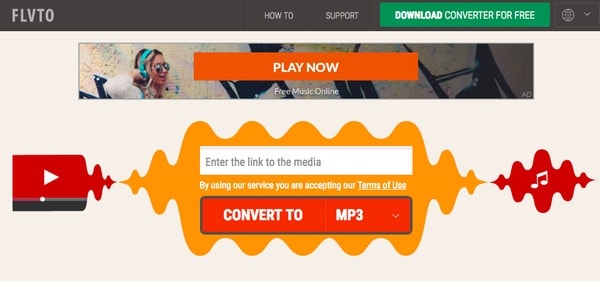
Although Flvto MP3 Converter is really simple and easy to use and you don't even need to register, the problem is still exists:
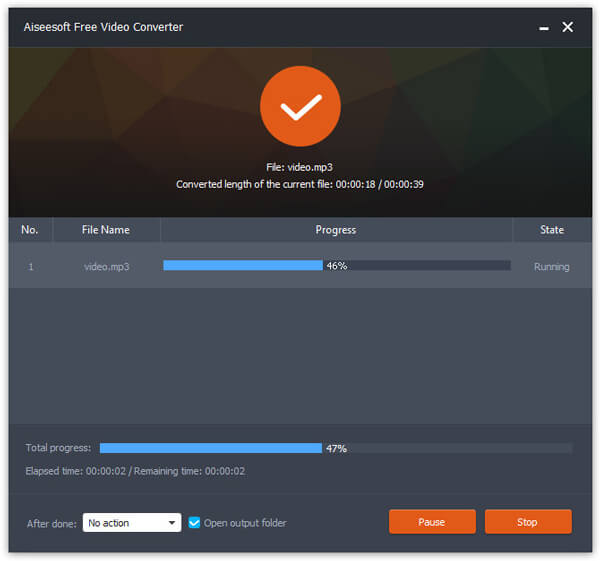
As Flvto to MP3 Converter has some problems we mentioned above. To solve the issues, you'd better use the award-winning offline software to convert FLV videos to MP3 audio file on PC with ease. Aiseesoft Free Video Converter is wonderful Free FLV to MP3 Converter software for Windows and Mac. You are allowed to convert any FLV video to MP3 as music for saving or using whenever and wherever you go.
Besides, this Free FLV to MP3 Converter supports converting other popular videos like MP4, MOV, AVI, WMV, SWF, RMVB and more to any audio file including MP3, MP2, ALAC, FLAC, M4A, WMA and more with super fast speed and high quality.
Step 1 Download and install Free FLV MP3 Converter on your computer.
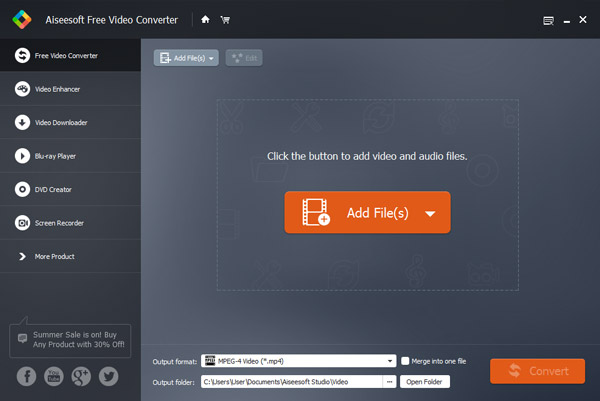
Step 2 Run the software, and click "Add File(s)" to check the FLV video file(s) which you want to convert.
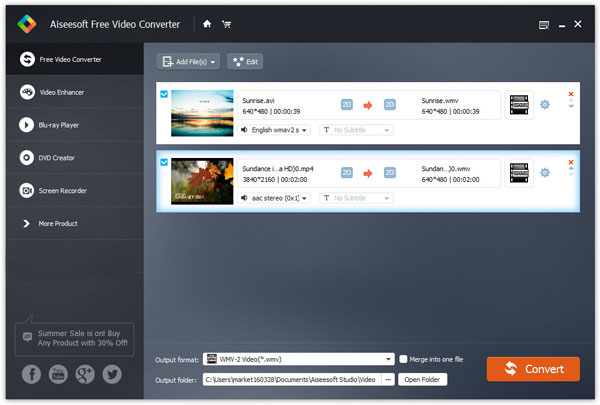
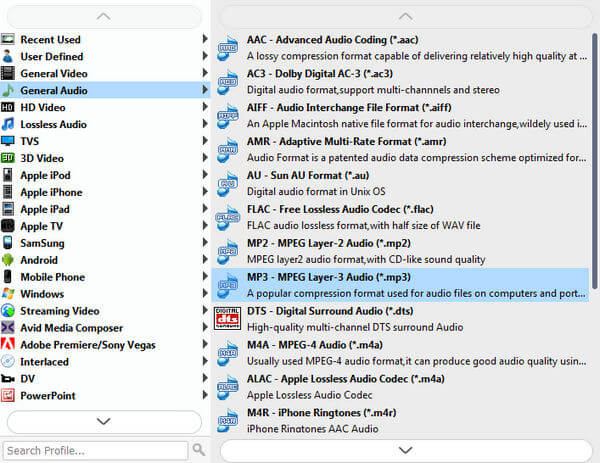
Step 3 Click the dropdown button of "Output format" to choose the target MP3 audio format.
Step 4 Click "Convert" button to start to the FLV to MP3 converting process.
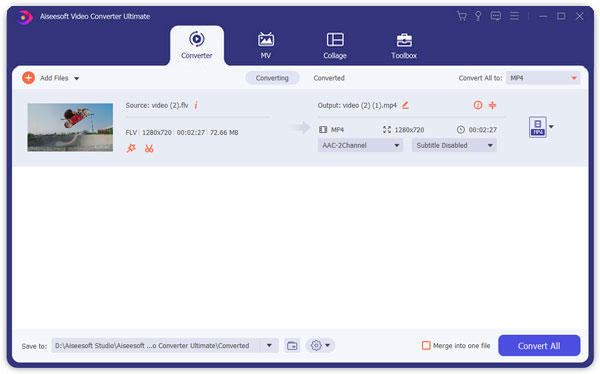
Aiseesoft Video Converter Ultimate is the best FLV to MP3 conversion software that helps you convert any FLV video to MP3 audio easily with high quality and fast conversion speed. Free download this FLV to MP3 converter to have a try.
1Add FLV video
After installing FLV to MP3 Converter, run this program on your PC. Click "Add Files" to add FLV video for converting MP3. You could use it to play FLV videos on the right window.
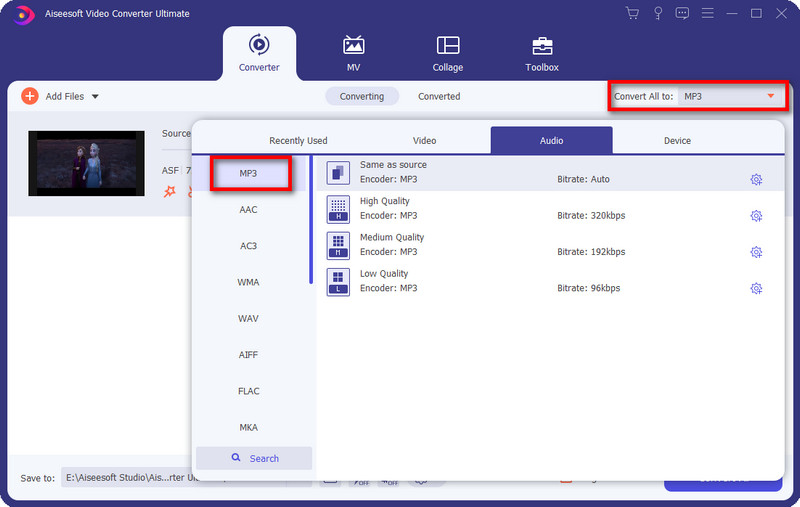
2Set MP3 format
Click "Convert All to" drop-down option to choose output format MP3. You will find many other audio formats, AAC, M4A, MKV, WMA WAV, etc. Convert FLV to other audio formats as you like.
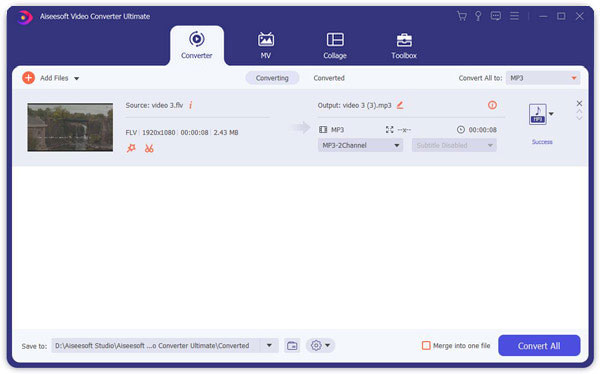
3Convert FLV to MP3
After making all settings, click "Convert All" to make MP3 conversion from FLV video.
➤ The Video Converter Ultimate is not only to extract audio track from Flash FLV video files and convert to MP3 audio files, but also lets you convert FLV to other popular audio formats (AAC, AC3, AU, M4A, MKV, WMA WAV, OGG, etc.). You could convert FLV to WMA for a high quality listening.
➤ Apart from FLV video, it also lets you convert other video formats (MP4, VOB, WMV, 3GP, AVI, MOV, etc.) to MP3 losslessly. Like convert MP4 to MP3.
➤ As the best customer-oriented FLV audio converter, it supports batch conversion that allows you to convert multiple FLV videos to MP3 files at the same time.
➤ This FLV to MP3 Converter Ultimate enables you to cut short favorite audio file as M4R to make iPhone ringtone from FLV video. Also it is easy to combine multiple files together and output a single long audio file for listening without pause.
➤ When you import other video formats (AVI, MP4, MOV, WMV, etc.), it could list all audio tracks of the FLV file for you to choose for the output audio file automatically for your reference.

This post shows you how to convert flv to mp3 step-by-step. Try it and enjoy your MP3 audio file immediately. If you are also looking forward converting FLV to MP4, the tool Video Converter Ultimate can also help you.

October 31, 2018 10:00 / Updated by Jenny Ryan to Convert Video, Convert Audio
 All Ways You Can Take to Convert MP4 to MP3 for Free
How do you change MP4 to MP3? With MP4 to MP3 online converter? Or download free MP4 to MP3 converter? Read this article to get all comprehensive ways.
 How to Convert MKV to MP4 with Powerful Converter at Super Fast Speed
This article shows you the best solution to convert MKV to MP4 and other formats like AVI/FLV/RMVB/WMV/MPEG with MKV to MP4 Converter.
 How to Convert FLV to WMA
Do you need to use the video for your Player? You should convert FLV to WMA. Read this article.

