
Summary
Want to know how to convert AVI to DPG? Check the best Free Video Converter in this post, and learn how to convert AVI to DPG video and audio formats with ease.
Summary
Want to know how to convert AVI to DPG? Check the best Free Video Converter in this post, and learn how to convert AVI to DPG video and audio formats with ease.
Ever wanted to watch and listen to your favorite movies or music on your Nintendo DS? Now you can! Aiseesoft DPG Converter is the right solution to decode videos for Nintendo DS users such as convert AVI to DPG/DPG2/DPG3/DPG4 video or MP3/MP2 audio with this AVI to DPG converter. Then how to convert AVI to DPG is not a problem any more.
Convert AVI to DPG in detail: Try the trial version of AVI to DPG converter now, install and follow the steps to complete the task.
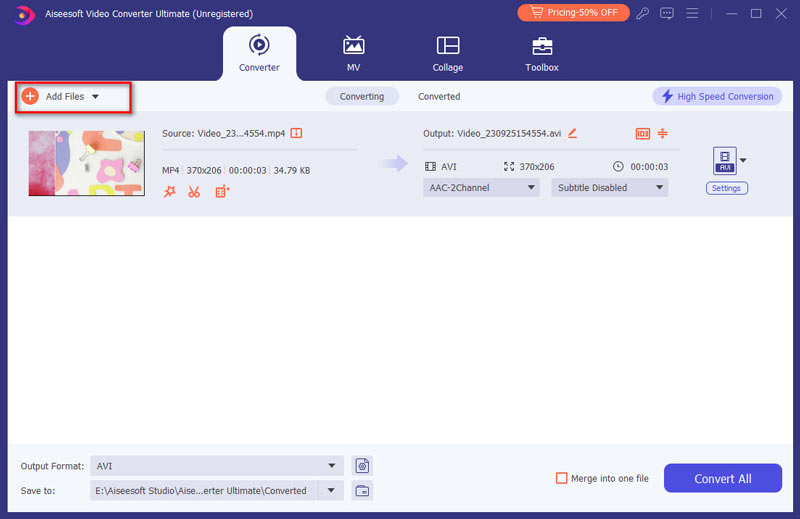
Step 1 Load files
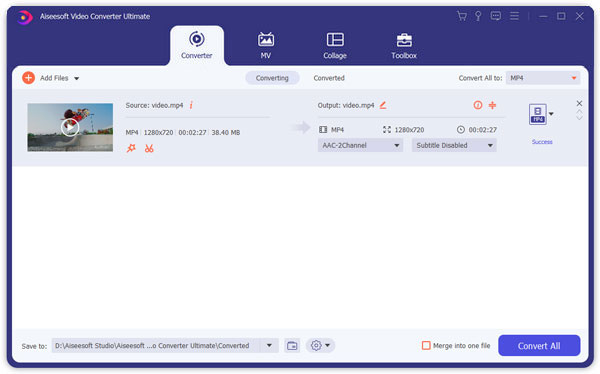
Click "Add File" button on the toolbar or "File > Add File" to load AVI files you want to convert to DPG.
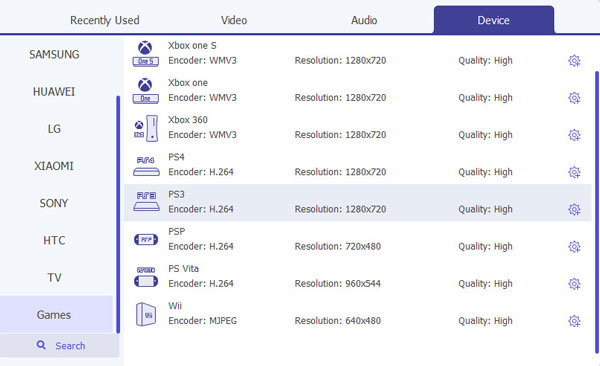
Step 2 Choose output format and folder
Find DPG as output video format from "Profile" and click "Browse" to choose the path where you want to save your output files on the program interface.
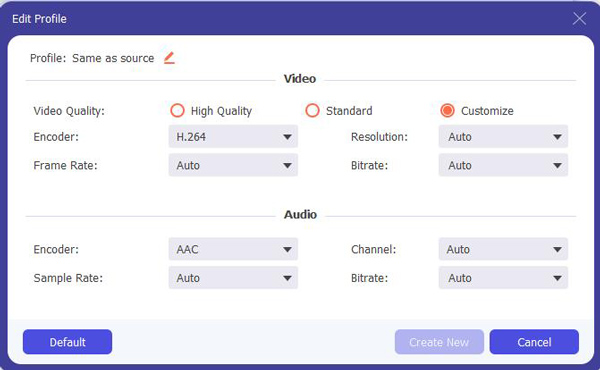
Step 3 Adjust output settings and edit output file (optional)
To customize the output file, you can adjust output video/audio parameters by clicking Settings, reset output effect, trim, crop, snapshot...
Step 4 Start to convert AVI to 3GP
Click "Convert" button, AVI to DPG converter will convert AVI to DPG.
Explore How to Convert AVI to DPG for detailed info!

June 05, 2018 15:23 / Updated by Jenny Ryan to Convert Video
 How to Convert AVI to MP4 on Mac and Windows
Your devices can't support AVI video? Just need MP4? Here we introduce an effective way to convert AVI to MP4 easily.
 How to Convert 3GP to iPhone MP4 on Mac
This article aims at teaching you how to convert 3GP to iPhone MP4 on Mac with Aiseesoft iPhone Video Converter for Mac.
 Two Ways to Convert 3GP to MP3
It is unnecessary to download loads of programs to find out the suitable one. Get the two simple ways now.
 Leave your comment and join our discussion