When you want to watch a HD video on your PSP, have you ever upset by the limited formats on PSP? As a PSP zealot, how would you do to deal with this trouble? The first thought that comes to your mind is converting HD video to PSP. However, there are plenty of converting tools on the market, and you will be dazzled by which one is the best. This tutorial will give you the best solution to convert to PSP video with PSP Movie Converter. With this program, you will get more PSP formats freely on your PSP, like MP4, AVI. Also you will definitely love this feeling of watching your video on your portable PSP anytime and anywhere.
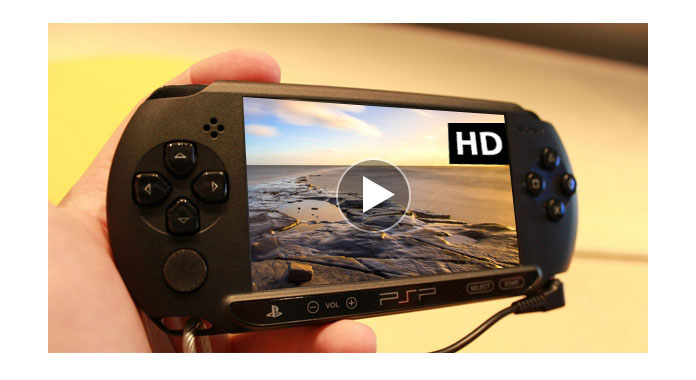
The following steps will display the method of how to convert HD video to PSP with Aiseesoft PSP Video Converter. Please download and install the PSP Converter at first.
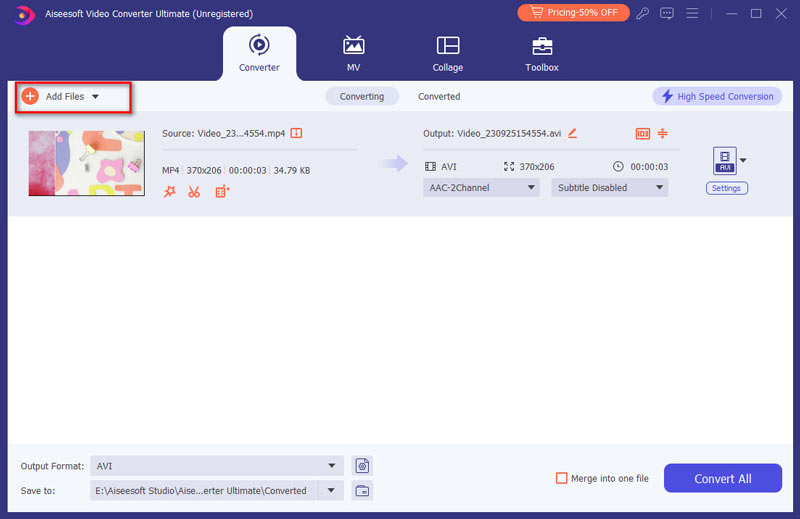
Step 1 Run this amazing Converter and add your HD video
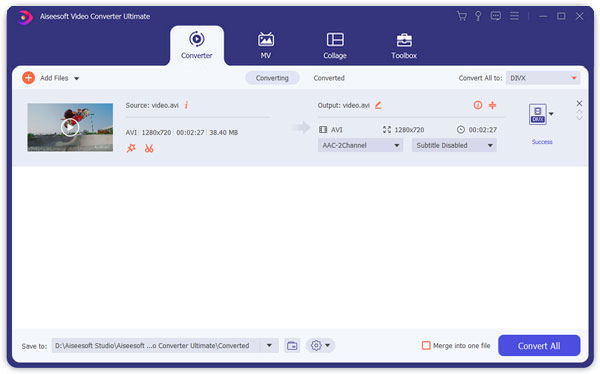
Click Add Files button on the tool bar. Add HD video you want to convert to this PSP Video Converter.
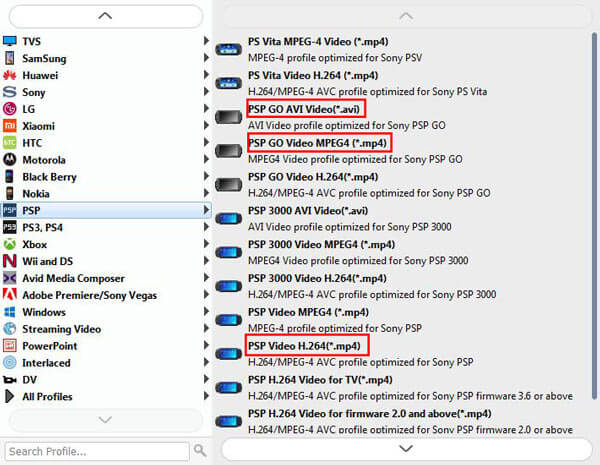
Step 2 Choose output format
In the drop-down list of "Convert All to", click the "Device" tab to select one output format for PSP. As you can see, you can choose Game - PSP.
Step 3 Choose output folder
Click the drop-down button next to "Save to", click Browse and Select Folder to chose one folder to save your target PSP video.
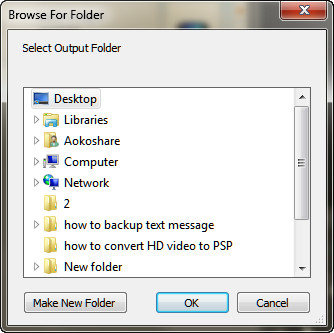
Notes: You can also choose converting your video first, and then decide to save your converted PSP video in your target folder.
Step 4 Convert your HD video to PSP
Click Convert All button on the right column and wait minutes. You will get a wonderful PSP video.
1. Clip, trim and add watermark to create your own video.
2. Merge your videos into one file.
3. Extract your favorite audio from videos files.
4. Take beloved screenshot and it will save the picture automatically.
The format of PSP Video Converter is compatible with your portable PSP. During converting, you can enjoy its fast speed, which will save your treasured time greatly. And it is totally safe with no any privacy disclosure, so you needn't to worry about the spyware or adware. You can also benefit from its high-quality image and simple interface.
Watch the video to learn more about the Video Converter Ultimate:


December 17, 2020 14:16 / Updated by Jenny Ryan to Convert Video
 How to Convert HD Video to SD
Convert HD to SD video - Guide shows you how to convert HD video to SD with HD Video Converter.
 5 Best Free MP4 Splitter for Windows and Mac
You can find 5 best free MP4 splitter for Windows and Mac to split MP4 video.
 How to Convert Any Video to PSP
How to convert video formats to play on your Sony PSP? Here we introduce the best freeware.
 Leave your comment and join our discussion
