Aiseesoft Free M2TS converter is a multifunctional video conversion tool, which can help you to convert M2TS to MOV format without doubt. Free download this Free M2TS to MOV conversion software here to experience it by yourself.

Key Features:
Step 1: Install M2TS to MOV Converter
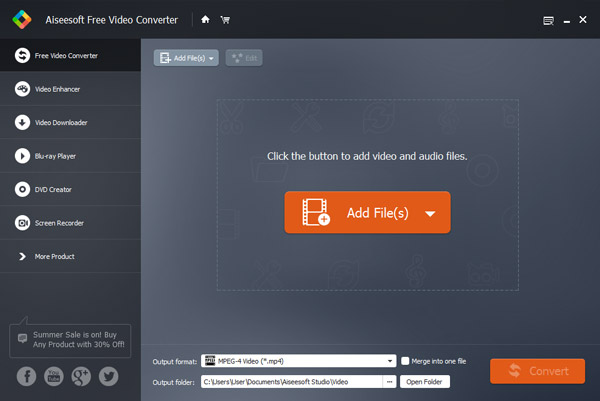
Download, install and run. After launch it a user-friendly interface will pop up as:
Step 2: Add M2TS file
Click "Add Video" button to import your M2TS files, then they can be seen in the play list, you can load one or more files as you like and preview your files before conversion.
Step 3: Choose output profile
Choose output format (MOV) and output folder from Profile and Destination respectively.
Tips: Click "Settings" button to customize output video/audio parameters as you like and click "Open folder" to find your after-conversion MOV files.
Step 4: Convert M2TS to MOV
Only click "Convert" button at last to realize your conversion dream of M2TS to MOV.
If you want to get more functions like editing, etc. converting any video files including 4K format, etc. You can use Video Converter Ultimate (Best conversion tool).


Two conversion tool to choose to convet M2TS to MOV, you can download and try.

December 17, 2020 14:24 / Updated by Jenny Ryan to Convert Video
 Tips for MTS, TS, M2TS High Definition Video Format
Guide you to know more about MTS, TS, M2TS High Defination video format.
 Three Ways to Play M2TS Files
How to play M2TS files fluently and clearly? In this article, we will show you how to play M2TS videos with different ways on Mac or Windows computer.
 How to Convert Common Videos to HD Quality (4K, 1080p and 720p)
When you have to use AVCHD files on HDTV, you have to convert M2TS files into AVI. The article explains the best and easiest method to transcode M2TS to AVI.
 Leave your comment and join our discussion
