The MOV video format is originally designed by Apple as part of QuickTime technology. So it is quite popular among Mac users and can be compatible with any Mac-based system, programs, and iOS devices (iPhone/iPad/iPod), but not quite popular with Windows systems.
AVI is a multimedia container format introduced by Microsoft and well supported with OS Windows. Hence, if you want to play your MOV files on your Windows OS computer, you are suggested to convert MOV to AVI. Here we list the 8 best MOV to AVI converters to help you fix this problem. No matter you want to convert MOV file to AVI online or with some free and paid software, you will find the best solution here.
| Platform | Compatible Formats | Converting Speed (1GB MOV) |
Quality Loss | Editing Tool | |
| Aiseesoft Video Converter Ultimate | Windows, macOS | 1000+ | 4min | No | Rotate, crop, adjust effects/filter, select audio/subtitles, set video bitrate/frame rate, add watermark, collage, MV feature, video compressor, 3D maker, etc. |
| ZAMZAR | Online | 72 | 8min | Yes | No |
| Convert.Files | Online | 22 | 8min | Yes | No |
| Convertio | Online | 100 | 7min | Yes | No |
| cloudconvert | 150+ | 100 | 6min | Yes | Change resolution, set video quality, adjust aspect ratio/video codec, trim, add watermark, set audio codec/channels. |
| Online Converter | Online | 100+ | 8min | Yes | Set video width/height, change video bitrate, adjust frame rate, rotate, mirror, crop, and change audio settings. |
| Pazera Free MOV to AVI Converter | Windows | 22 | 9min | Yes | Change video/audio bitrate, adjust video resolution, rotate, flip. |
| VLC | Windows, macOS | 15 | 2min | Yes | Select audio tracks/subtitles, crop, zoom, change video aspect ratio, adjust effects/filters, etc. |
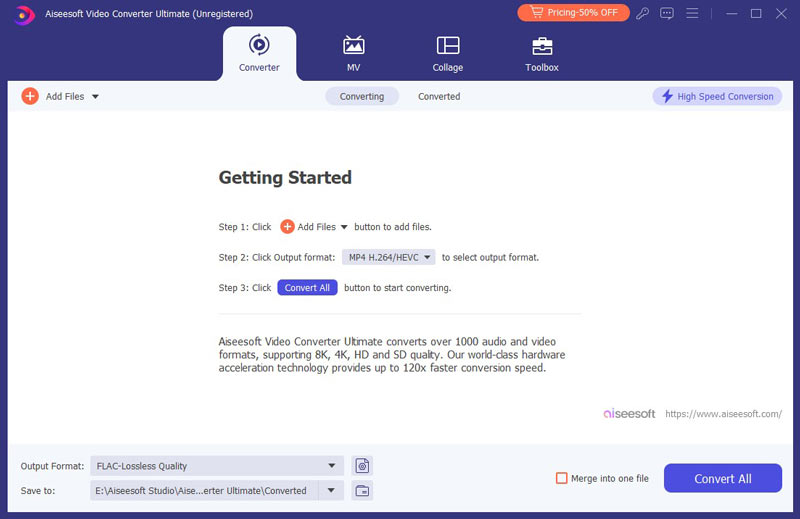
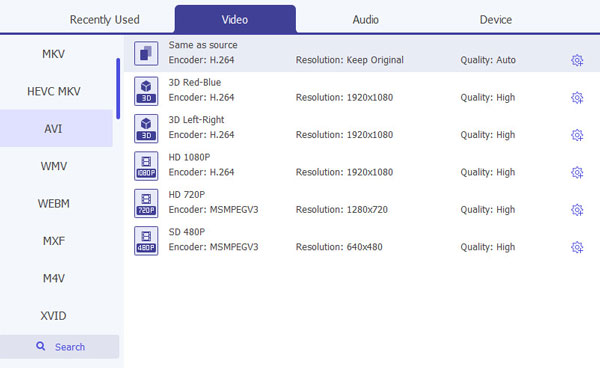
At the top of this list, it’s the best MOV to AVI converter: Aiseesoft Video Converter Ultimate. This powerful converter is compatible with both Windows and macOS computers and supports more than 1000 video/audio formats, including MOV to AVI. If you want to change MOV file to AVI, Video Converter Ultimate’s user-friendly interface can easily guide you on where to start. Meanwhile, it has comprehensive editing tools to customize the output AVI video’s effect: crop, add watermarks, adjust filters, upscale resolution, and more. With hardware acceleration, you can receive the AVI file from MOV file at a 120× faster speed.

115,117 Downloads
 100% Secure. No Ads.
100% Secure. No Ads.
https://www.zamzar.com/convert/mov-to-avi/
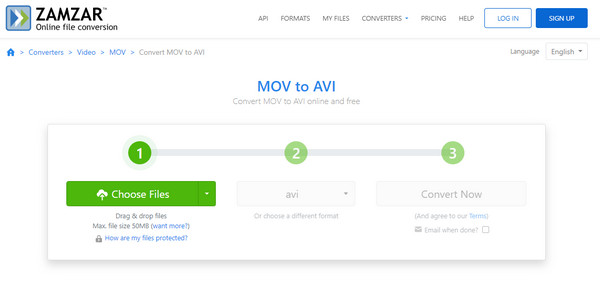
ZAMZAR is one of the most popular video or audio file converters online. It highly supports any frequently-used video/audio format. But converting QuickTime MOV to AVI with this tool, you need to enter your email address to receive the converted video. For many users, they don't like this step.
Online MOV to AVI converters like ZAMZAR are convenient and easy to operate, but they usually don’t have editing functions for further customizations.
http://www.convertfiles.com/convert/video/MOV-to-AVI.html
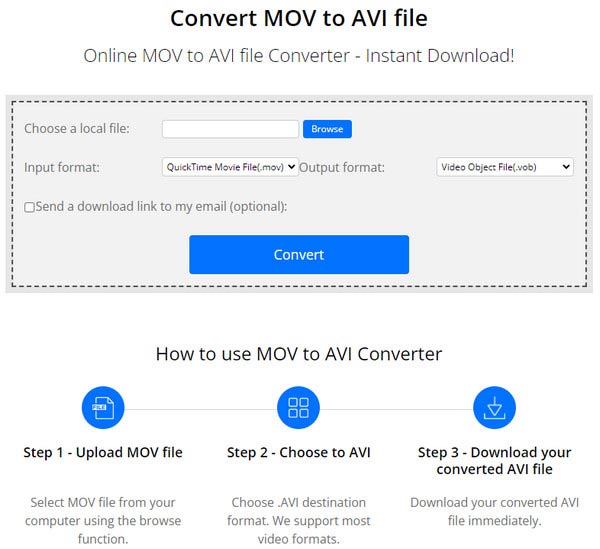
Convert.Files offers free MOV to AVI or AVI to MOV converting service. When you enter this site, you will see many ads. Though they won't interrupt the converting process, they must still annoy you.
What makes Convert.Files special is that you tick optional choice to send a download link to your email.
https://convertio.co/zh/mov-avi/
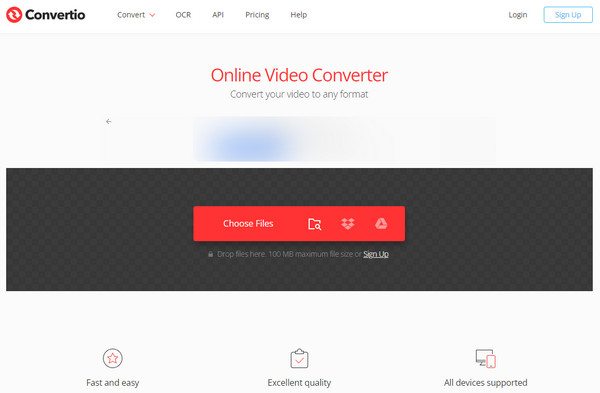
Convertio is a very famous online video and audio converting site. It is compatible with more than 200 video/audio formats. But when you convert MOV to AVI, the imported MOV video is limited to 100 MB. It also allows you to convert AVI to MOV with ease.
Convertio is also an easy-to-use online platform to export MOV to AVI, especially since it offers users online batch conversion.
https://cloudconvert.com/mov-to-avi
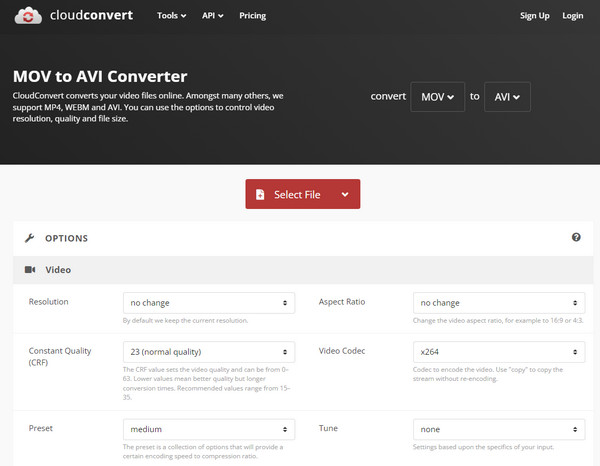
cloudconvert is another good option when you have the need to make the MOV to AVI video conversion. You can choose source video from your PC/Mac, URL, Dropbox, Google Drive and One Drive. It is equipped with a very concise interface which can help you quickly convert MOV to AVI or convert AVI to MOV.
Different from other online MOV to AVI converter programs, cloudconvert provides more presets for users to customize their target AVI files.
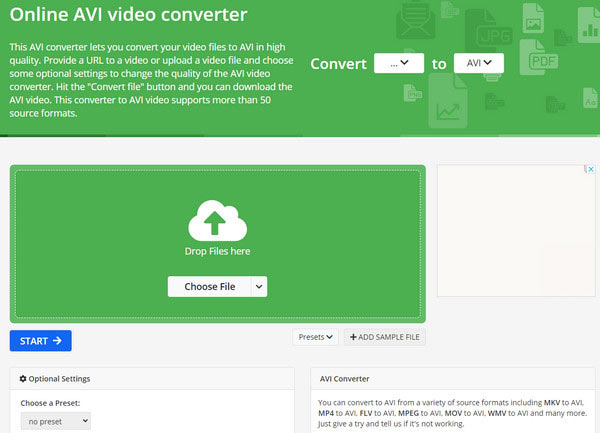
This online MOV to AVI converter is an easy-to-use converter that even allows you to select a video from a URL and Google Drive. Just upload an AVI video you want to convert, select the optional settings and press Convert file button. But this online converter doesn't support to convert MOV files to AVI files that are more than 100MB.
Online Converter also offers various editing tools to set the final AVI file. But you need to download an extra extension to the browser. Besides, its operation is more difficult than other online MOV to AVI converters.
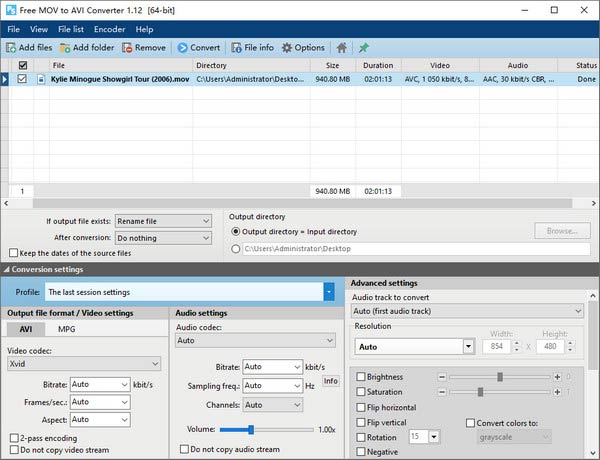
This MOV to AVI converter is also rather easy to use by following the steps. First choose Video -> AVI from the main screen, and then click MOV -> AVI from the submenu screen. After that, select a file you want to convert, choose the output format and click Convert. You can get all this done in five steps.
Pazera’s software is designed for only one-to-one video conversion, which means it’s not compatible with any other formats. Besides, the interface may be complicated for beginners.
VLC Media Player is a well-known free and open-source program. Besides the basic playback function, few people know that VLC can also do video conversion like MOV to AVI. This program can work on both PC and Mac, it’s fast to transfer your MOV to AVI.
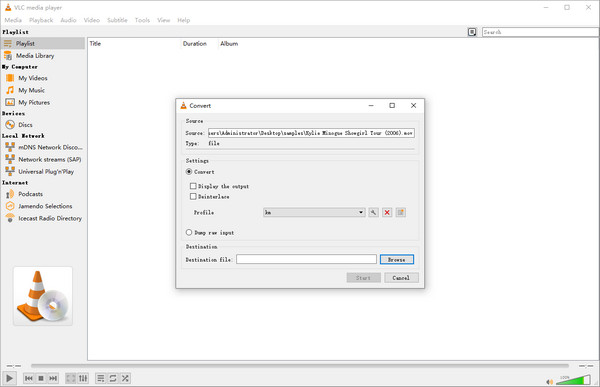
VLC is not basically designed to be a professional video converter program. So the operation for changing MOV to AVI is a little complex. Meanwhile, VLC’s video conversion often has a slight quality loss.
Is MOV better than AVI?
Well, it depends. MOV file is developed by Apple for iOS-based device playback only. It can’t be played on Windows systems. In this situation, the AVI file is better and more popular.
Can QuickTime convert AVI?
Yes, QuickTime can. Launch QuickTime on Mac and click File to add an AVI file. When it’s added, click File again and choose Export. Set MP4 as an example to export. Then, QuickTime can finish the AVI conversion soon.
Does iTunes export MOV to AVI?
No, iTunes only supports converting certain videos to be compatible with iPhone or iPod playback.
Conclusion
You’ve made it to the end of this article. Changing MOV to AVI is not a hard task, but you need to select a powerful MOV to AVI converter. We listed eight feasible tools to help you convert MOV to AVI. They vary in their forms(online tools or desktop software), compatible formats, quality loss, etc. And we believe that you have made a decision about which one to choose. Tell us in the comments below!
 How to Play MOV on Android
Can't play QuickTime MOV on Android? You can learn how to convert MOV to MP4/WMV/AVI/MPEG/MP3 for playing MOV content on Android.
 How to Convert MOV to MP3
Want to convert MOV to MP3? You can learn how to convert MOV to MP3 with MOV to MP3 converter in this post.
 All Ways You Can Take to Convert MP4 to MP3
How do you change MP4 to MP3? With MP4 to MP3 online converter? Read this article to get all comprehensive ways.
 Leave your comment and join our discussion
Convert/Edit MOV
MOV MOV to MP4 MOV to WMV MOV to GIF MOV to AVI MOV to MPEG MOV to VOB MOV to 3GP MOV to SWF MOV to MP3 MOV to MP4 Mac MOV Editor Rotate MOV
Video Converter Ultimate is excellent video converter, editor and enhancer to convert, enhance and edit videos and music in 1000 formats and more.
100% Secure. No Ads.
100% Secure. No Ads.

