Have no idea what MPEG and MP4 formats are? Do not know how to convert MPEG to MP4 on Mac OS X? Wanna get a safe and easy-to-use MPEG to MP4 video converter? No matter which demand you have, you can always find your best result here.
This article collects not only free converters to convert MPG to MP4 Mac online, but also offline MPEG to MP4 converter software. As a result, it is a piece of cake to convert video from MPEG to MP4 on your computer. Just read and follow.
Some people may hold the view that MPEG is similar with MP4 format. Well, the answer is not. There are still many differences between MP4 and MPEG.
Thus, MP4 is widely accepted by most media players than MPEG does. And you can free up more storage space by converting MPEG to MP4 on Mac.
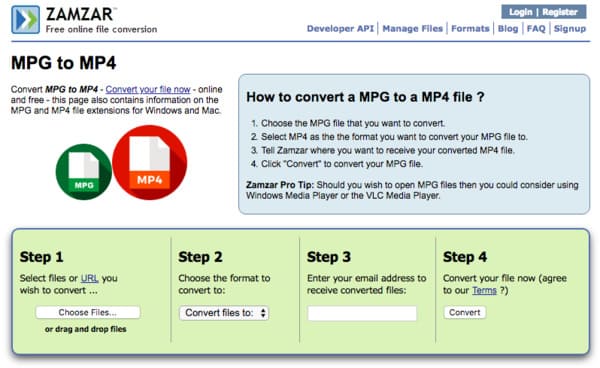
Step 1 Click "Choose Files…" to add your MPEG video
Step 2 Choose "MP4" from the "Convert files to" drop-down menu
Step 3 Enter your email address to receive the converted MP4 video
Step 4 Click "Convert" to free convert MPEG to MP4 online
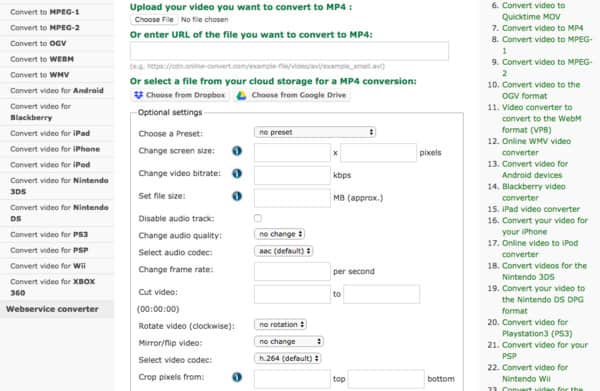
Step 1 Choose MPEG file from your computer, URL, Dropbox or Google Drive
Step 2 Manage with "Optional settings" to change its output video effect
Step 3 Click "Convert file" to convert MPEG to MP4 free online
Step 1 Add MPEG video
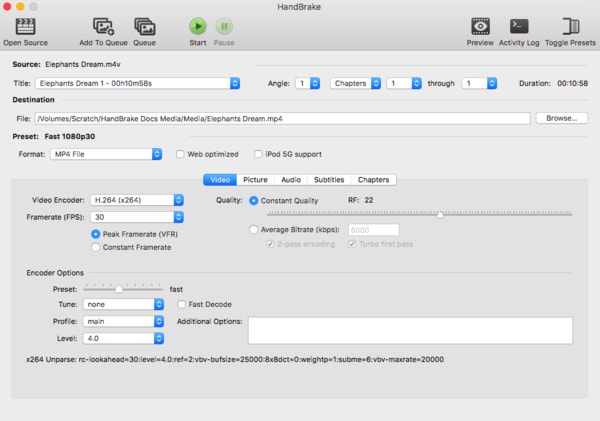
Free Download and install Handbrake on your Mac computer. Launch this free MP4 converter and click "Open Source" on the top left corner.
Step 2 Set MP4 as the output format
Click "Browse…" to change a destination folder. Later, select "MP4 File" from "Format" drop-down menu under "Preset" section. Moreover, you can customize its output settings by those filters under "Video" section below.
Step 3 Convert MPEG to MP4 free on Mac
Choose "Start" on the top toolbar to start the process. Later, you can convert MPEG to MP4 on Mac with Handbrake for free.
Step 1 Import MPEG file
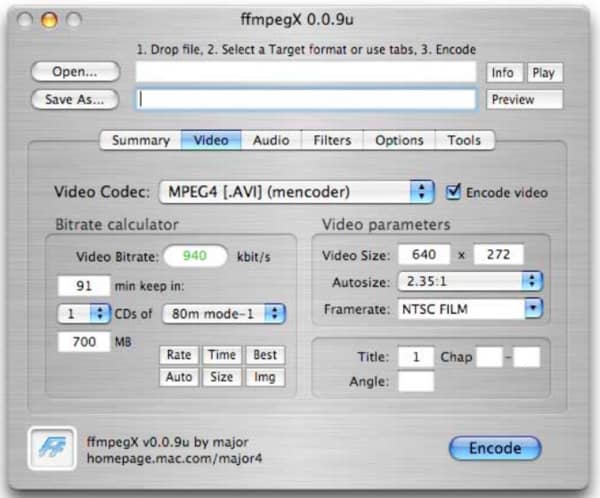
Complete the installation of the open source FFmpeg software on your Mac computer. Then open FFmpeg and click "Open…" on its top left corner.
Step 2 Select MP4 from "Video Codec"
Head to the "Video" section and choose "MP4" from the "Video Codec" list. Then click "Encode Video" option besides if necessary.
Step 3 Convert MPEG to MP4 on Mac free
Click "Encode" on the lower right corner to convert MPEG file to MP4 on Mac. Wait for a while to complete the whole process.
As for converting MPEG to MP4 in high quality, then definitely you should choose Aiseesoft Mac Video Converter Ultimate. It is an all-in-one video converter that allows users to download, convert, enhance and edit video and audio files over 1000 formats. Thus, you can run this powerful MPEG to MP4 converter software to achieve your goal effortlessly. Now, here are something useful you need to know about how to convert MPEG to MP4 on Mac with no quality loss.
Step 1 Upload MPEG video
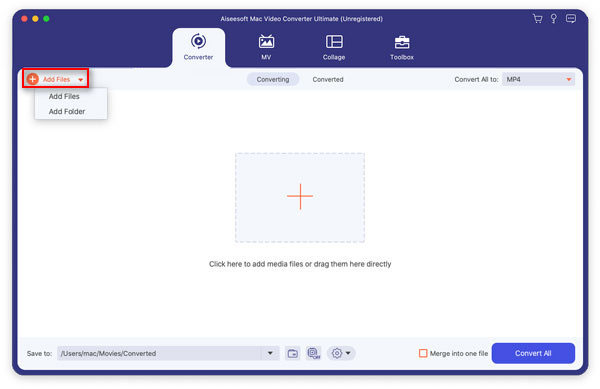
Launch Mac Video Converter Ultimate program on your Mac computer. Drag and drop MPEG video to its main interface. In addition, you can click "Add File" on the top toolbar to import MPEG video as well.
Step 2 Set the output video format as MP4
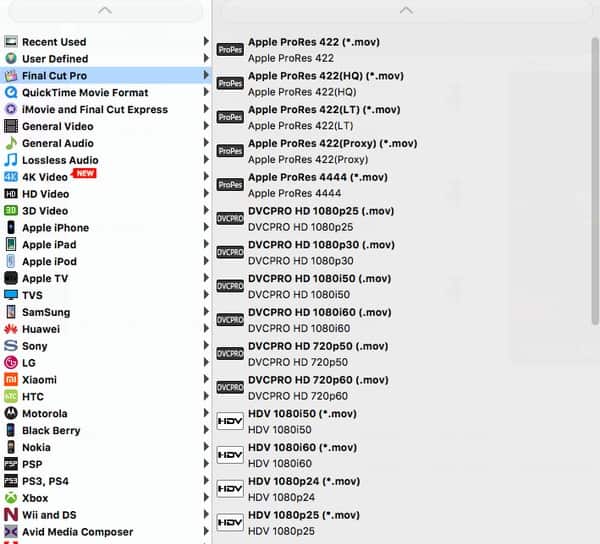
Locate "Profile" at the bottom of this MPEG to MP4 video converter. Click this option and choose "General Video" from its list. Of course, you can select other preset profile if you want to output MPEG video to the certain portable device. Later, select "MPEG-4 Video (*.mp4)" as your output video format.
Step 3 Batch convert MPEG to MP4 on Mac
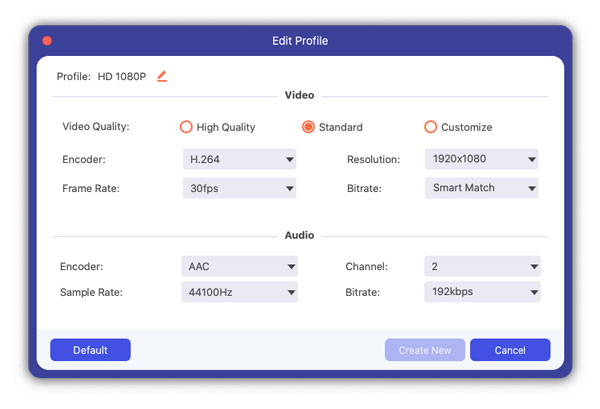
Click "Settings" option besides "Profile" if you want to change the profile settings. And you can manage with video settings and audio settings here.
Choose "Browse" to change a new destination folder. Moreover, you can mark the option before "Merge into one file" to merge the selected MPEG video clips. At last, click "Convert" to start to convert MPEG to MP4 video in batch on Mac.
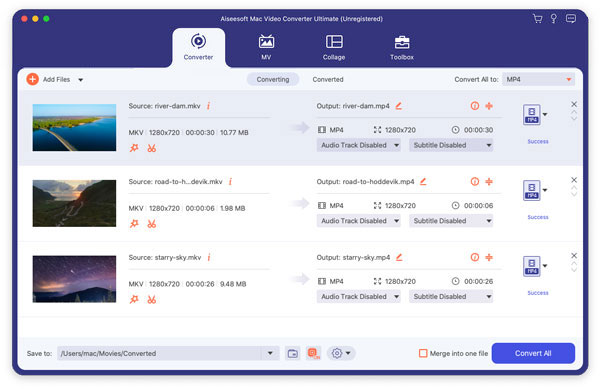
With the methods above, you can free convert MPEG to MP4 online and offline easily. And it is obvious to find that Mac Video Converter Ultimate does the best job than the other video converters. So if you want to get the high-quality output videos, then definitely you should run Mac Video Converter Ultimate to convert MPEG to MP4 on Mac easily.

May 10, 2018 07:40 / Updated by Jenny Ryan to Convert Video
 Convert MPEG Video to DVD
Do you want to know how to convert mpeg to dvd? In this article, you will learn how to convert mpeg to dvd.
 How to Convert MP4 to MPEG on macOS High Sierra
In this article, you will learn how to convert mp4 to mpeg on macOS High Sierra.
 How to Convert Video with Best Android Video Converter
In this article, you will learn how to convert video for your android phone.
 Leave your comment and join our discussion
