Summary: Want to convert MPEG2 to AVI for better playback on your media player? This post introduces you with an easy-to-use MPEG2 to AVI converter to help you make the video conversion from MPEG2 to AVI, MP4, MOV, and other video/audio formats you need.

When you have the need to convert video or audio formats, free way will always be your first choice. Considering that, here we show you two free solutions to convert MPEG-2 to AVI.
As the best customer-oriented MPEG-2 to AVI converting tool, Free MPEG-2 to AVI Converter provides you the easiest and quickest way to convert MPEG-2 to AVI to satisfy your need. So you need not worry about how to convert MPEG2 to AVI any more. It supports free downloading.
Step 1 Run free MPEG2 to AVI converter
First, you need to free download this MPEG2 to AVI converting software on your computer. Just double click on the download button above, then install and launch it.
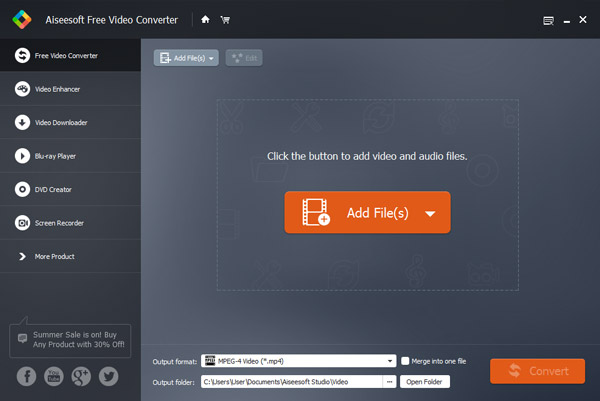
After downloading MPEG2 to AVI converter, install and run it until you see the easy-to-navigate interface as below:
Step 2 Add MPEG2 video
Click the Add File(s) button to import MPEG-2 files you want to convert.
Step 3 Convert MPEG-2 to AVI
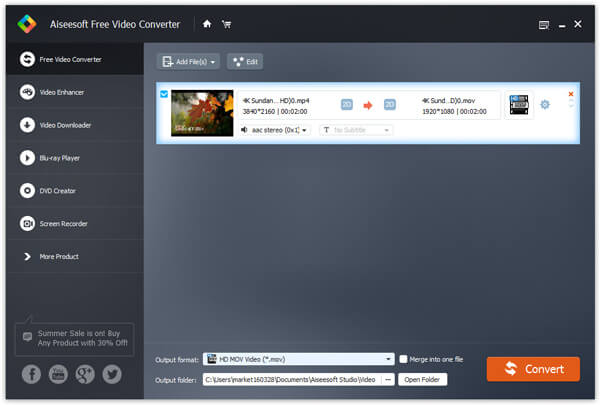
Click Profile, select AVI as output format, then click Browse to select a destination folder in the window that opens and click Open folder to find your target folder and check the converted files.
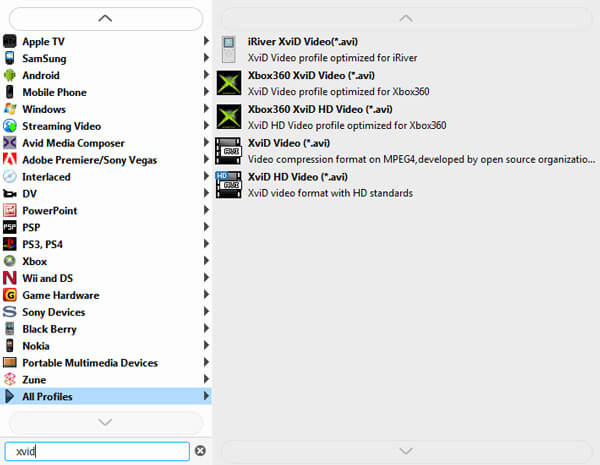
Click Start to convert MPEG2 to AVI. As you see, just 1-2-3-4 step, you can eaisly make the video conversion from MPEG2 to AVI. It's so easy to use.
With the recommended free video converter, you can handily convert MPEG2 to AVI. Moreover, it also enables you to free convert other video/audio format. For instance, you can convert MP4 to MOV, or convert MP4 to MP3. What's more, it carries many frequently-used editing features. You can edit video and adjust output effects before the final MPEG-2 to AVI conversion.
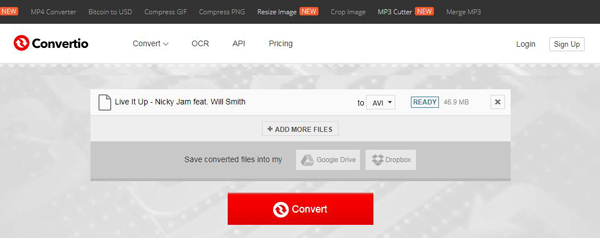
In case you don't want to install any new software on your computer for the MPEG to AVI converting, here we also prepare an online video converter for you. You can take the following guide to convert MPEG-2 to AVI online.
Step 1 Open your browser and navigate to the online MPEG-2 to AVI converting site, Convertio. Convertio is a very popular online video converter. Besides the MPEG to AVI conversion, it also offers many other converting services.
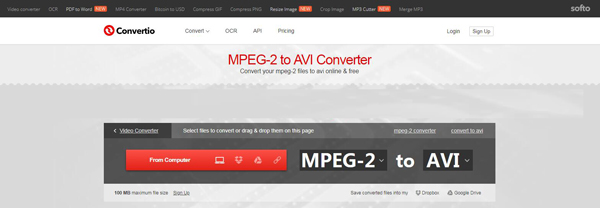
Step 2 Click the red From Computerbutton to load your MEPG2 video. One thing you should know that, online video converter is mainly used to convert small-size file. It wilt take really long time if you want to convert a large video.
Step 3 Click Convert button to start the converting prcess from MPEG to AVI. It will first begin the uploading process. What's more, you need to download it to your local computer after converting.
What is MPEG-2 format?
MPEG-2 is a standard for "the generic coding of moving pictures and associated audio information". It describes the combination of lossy video compression and lossy audio data compression. MPEG-2 is commonly used in Digital Video Broadcast and DVDs.
Is MPEG-2 better than AVI?
AVI is an uncompressed video format, which means that it requires more hard disk space than MPEG-2. MPEG-2 is often used in DVD format and it is less clear than AVI format in quality.
How do I convert MPEG-2 to WMV?
To convert MPEG-2 to WMV for free, you can use Aiseesoft Free Video Converter. Click Add files to add the MPEG-2 file into the program. Select WMV as the output format and click Convert button to start converting MPEG-2 to WMV for free.
We mainly talked about how to convert MPEG-2 to AVI in this page. Two free ways are provided to help you make the conversion from MPEG to AVI. If you still have any question, you can leave us a message.

June 28, 2020 08:17 / Updated by Jenny Ryan to Convert Video
 How to Convert WMV to iPad/iPhone/iPod MP4
This tutorial mainly show you how to convert WMV to MP4 videos compatible with iPad, iPhone, iPod touch, PSP, Xbox 360, PS3, Android smartphones, etc. on Mac
 How to Convert WAV to MP3, Convert MP3 to WAV
Want to convert WAV to MP3 easily on Windows or Mac? This article shows several free ways to convert WAV to MP3.
 How to Convert M2TS/MTS to AVI Format for HDTV
When you have to use AVCHD files on HDTV, you have to convert M2TS files into AVI. The article explains the best and easiest method to transcode M2TS to AVI
 Leave your comment and join our discussion
