RM stands for Real Media. Real Media is one of the most popular formats for streaming content on the Internet. So many users are often puzzled with how to convert RM to MP3. Here Aiseesoft RM to MP3 Converter gives you a hand to convert RM files to MP3 quickly. It can also convert other videos to audio formats and convert among popular audio files.
The following will show you a step by step guide to complete RM to MP3 conversion. Before doing this conversion, you need to download trial version of the RM to MP3 Converter and run it on your computer.
Step 1: Load RM files you'd like to convert
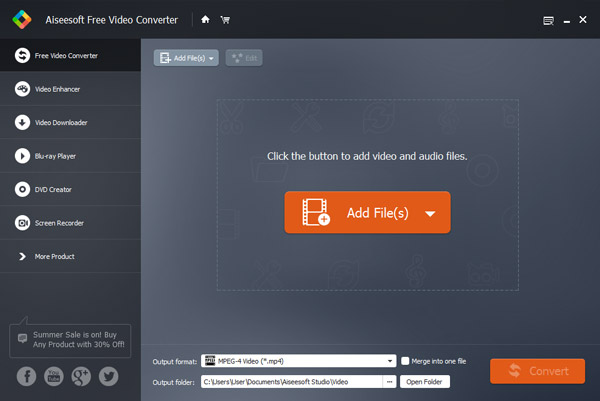
Add the RM files you'd like to convert by clicking "Add File" button on the main interface.
Step 2: Choose output format
In "Profile" drop-down menu, you can select output format for your portable player. The software allows setting different output formats according to personal needs. You can choose MP3 to output here.
Step 3: Start converting RM to MP3
Click "Convert" button on the bottom of the main interface to start converting RM to MP3. After the successful conversion, you can enjoy it anytime anywhere.
Tips: This RM to MP3 converter is also professional Audio Joiner and Audio Trimmer, which could merge several audios into one and trim any clip of audio.

July 03, 2018 16:30 / Posted by Jenny Ryan to Audio
 Effective Ways to Convert CDA to MP3
What is CDA? Want to convert CDA to MP3 to store on your hard disk? Read this article and find a CDA to MP3 converter alternative.
 Top Best MP3 Recorder to Record MP3 on Windows or Mac
Want to record audio/video in MP3 for playing on Windows, Mac, iPhone, iPod or Android phone? This article picks up some reputable professional or online MP3 recorders.
 How to Convert Audible AAX/AA Audiobooks to MP3
Want to know how to convert AAX/AA audiobooks to MP3? This article gives you the simplest method to convert Audible to MP3
 Leave your comment and join our discussion
