RM used to be a popular video format, which is not commonly used now. Thus, in order to solve the RM files incompatibilities, you might need to convert RM videos WMV, MP4 or other popular video format.
In this tutorial, we are going to discuss how to covert RM videos to WMV. If you are interested in this topic, please read on and learn the detailed steps.
RM, the abbreviation of RealMedia files, is mainly used for streaming content over the Internet in conjunction with RealVideo and RealAudio. You may never hear about this file format, cause it is a proprietary video format and only played in a couple of media players such as Helix Player, VLC and RealPlayer, etc. What's more, this file format is not compatible with most popular device, including iPhone, iPad, iPod Touch, Android, PSP, or the widely used portable media players, like QuickTime, Windows Media Player.
Aiseesoft Free Video Converter should be one of the best solutions to convert RM files into WMV. Apart from the converting features, you can also edit the RM files before converting. The outstanding RM to WMV converter supports converting other videos such as MPEG, VOB, MP4, WMV, ASF, MKV, AVI, 3GP, 3G2, FLV, MPV, MOD, TOD to WMV video format.
Key Features:
Step 1 Launch the program
Free download and install Aiseesoft Free Video Converter on your computer. After that double click to launch the program on your computer.
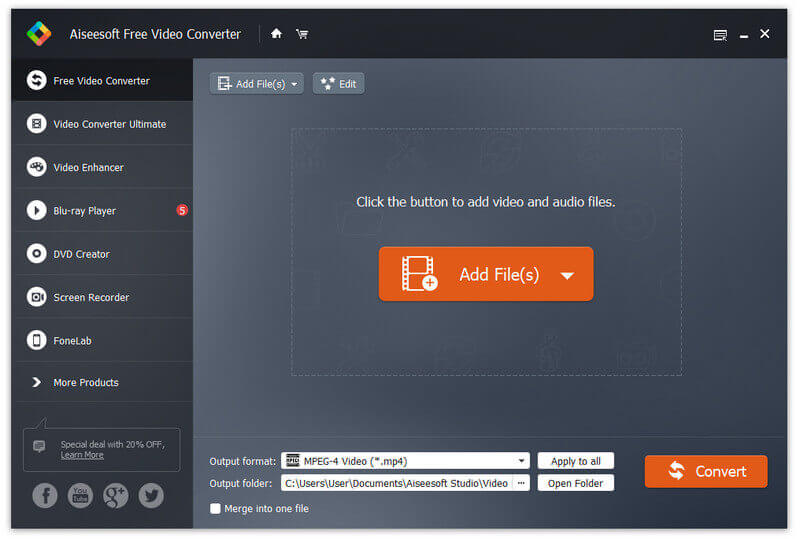
Step 2 Load RM file into the program
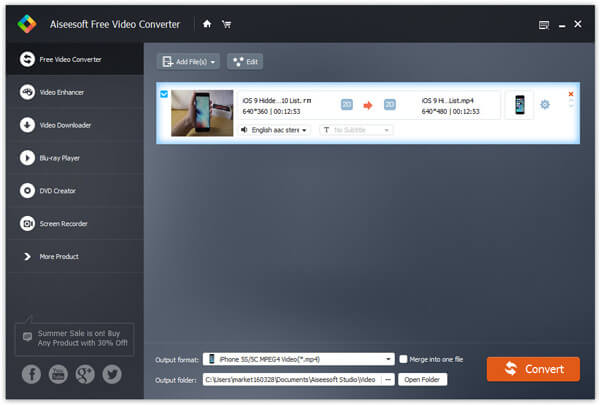
Click on the "Add File" button on the tool bar to select RM (Real Media). The file will be added to the conversion file list.
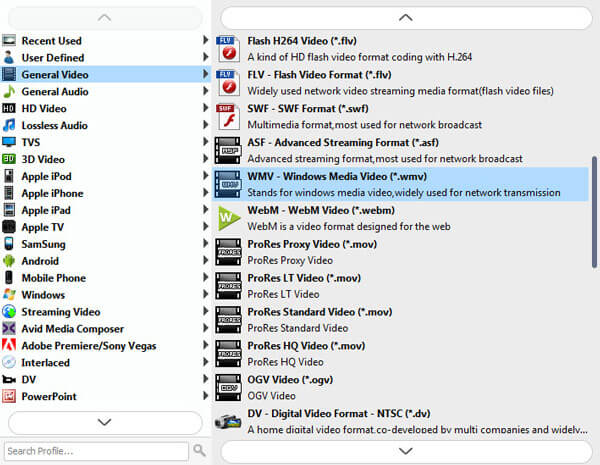
Step 3 Select profile
Click on the "Profile" expanded panel on the bottom to select WMV as output video format. Or you can just enter WMV in the quick search box to find it quickly.
Step 4 Start to convert
Finally, just click the Convert button to finish RM to WMV conversion in shot moment. And you can enjoy your created video right now!
Note:
The first time you launch the program, you are asked to register with the email address as the user name and the registration code we sent you after purchasing. If you keep using the unregistered version, there are some limitations to the conversion.
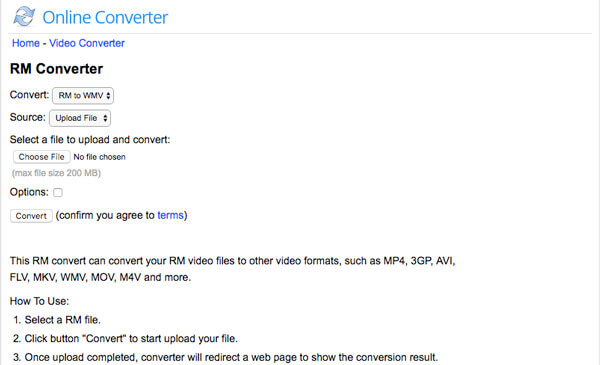
If you do not want to install extra programs to convert RM to WMV, Online Converter should be a nice choice. When you need to transcode RM into the other formats with URL, you need to enter a complete and valid URL into the online converter. Just check out the detailed process as below.
Key Features:
Step 1 Access to the RM Converter, you can click the "Convert" button to choose "RM to WMV" in order to transcode RM files.
Step 2 Click the "Upload Files" to select a video file into the program, after that click the "Choose" button to load the file.
Step 3 Click button "Convert" to start upload your file. Once upload completed, converter will redirect a web page to show the conversion result.
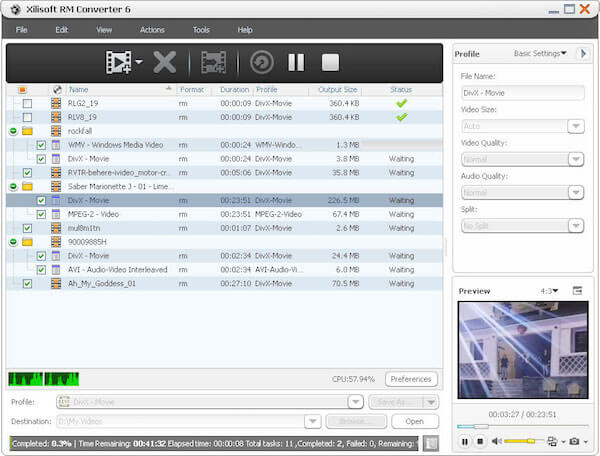
Xilisoft RM Converter can also help you solve the RM incompatibility problem by allowing you to convert directly from RM to WMV or other popular formats. With flexible and powerful converting feature, you are able to edit, convert, play or share your RM videos virtually anywhere you like.
Key Features:
Step 1 Free download the Xilisoft RM Converter and follow the instructions to install. Then launch this RM to WMV converter.
Step 2 Click on "Add Files" button on the toolbar to load your desired RM file to this software.
Step 3 Click "Profile" drop-down button, and choose WMV as your output format, and g select a converted file destination for the output file.
Step 4 After choosing the format, you only need to click "Convert" button on the toolbar to complete the RM to WMV conversion.
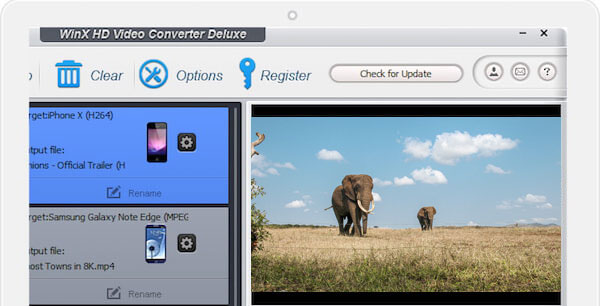
When it comes to converting RM files to WMV, WinX HD Video Converter Deluxe should be a good choice for you to take into consideration. With this wonderful video converter, you will realize the RM to WMV converting process can be finished in such a short time without any loss of quality!
Key Features:
Step 1 Free download WinX HD Video Converter Deluxe, and then install and launch it on your computer.
Step 2 Click the "Add File" button to put your RM files that you want to convert to WMV into this RM to WMV converter.
Step 3 Hit on "Profile" in the middle of main interface, and choose the WMV as the output format in a drop-down list.
Step 4 Finally, click "Start" button to start to convert RM to WMV. The conversion will be finished in a few seconds.
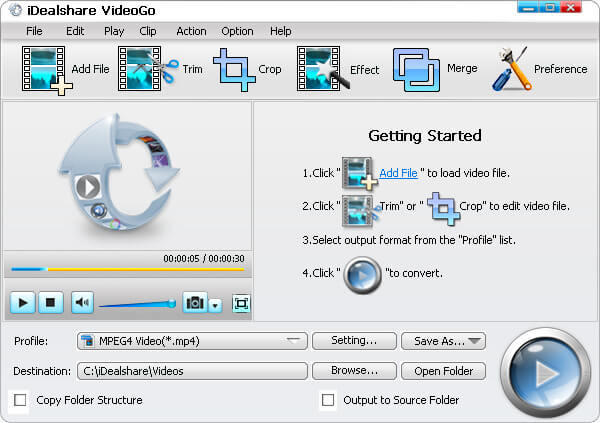
iDealshare VideoGo is also a professional yet easy Real Media files converter for you to convert RM videos to WMV. With its astonishing converting speed and excellent picture quality, this wonderful RM converter enables you to enjoy your favorite videos again.
Key Features:
Step 1 After downloading WinX Free FLV to PSP Converter, install and launch this RM converter.
Step 2 Click the "Add file" button to import the RM video to iDealshare VideoGo. You can also choose to drag and drop the RM video to iDealshare VideoGo.
Step 3 Next select "WMV" as the output format for free RM to WMV conversion in the Profile category.
Step 4 After editing the new video, click the "Convert" button to finish the fast video conversion.
Now you should know how to convert your RM videos to WMV in a correct and efficient way. Here, the article also provides 5 excellent programs to convert RM files, all of which are easy to use and convenient. In the end, if you have more thoughts about how to convert RM to WMV, please share hem in the comment. And do not forget to share this passage to your friends if it helps you to some extent!

May 25, 2018 13:10 / Updated by Jenny Ryan to Convert Video
 How to Split Audios with MP3 Splitter
Want to split MP3 audio files? You can learn how to split up MP3 audios with free MP3 splitter online and best MP3 splitter in this post.
 How to Convert Audio to MP3
This article introduces the best audio to MP3 converter to convert music to MP3 online, convert audio to MP3 in iTunes, or convert and transfer audio to MP3 for iPod/iPhone.
 MP4 Video Trimmers/Cutters to Customize Your Video
This article introduces to you 10 best video trimmers and professional video trimmer. Learn how to cut video here.
 Leave your comment and join our discussion
