Sony PSP is the most popular hand held gaming device. Its large screen is amazing for watching videos and playing games. You need to make sure the movie or video file formats are supported by your PSP system before saving movie and video files to a PSP.
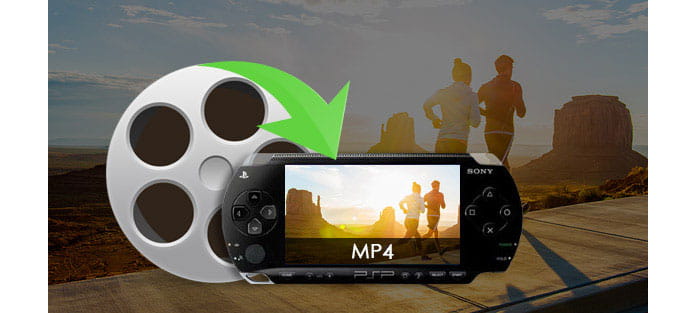
The PSP system supports the following video and movie file formats:
MemoryStick™ Video Format
MPEG-4 Simple Profile (AAC)
H.264/MPEG-4 AVC Main Profile (CABC)(AAC) and Baseline Profile (AAC)
MP4
MPEG-4 Simple Profile (AAC)
H.264/MPEG-4 AVC Main Profile (CABC)(AAC) and Baseline Profile (AAC)
AVI
Motion JPEG (Linear PCM)
Motion JPEG (u-Law)
If your movie and video files are not compatible with PSP, a converter is needed. Aiseesoft Video Converter Ultimate makes it very easy to convert any video for PSP. In the content below, we will show you how to use this application to convert video files to MP4 format for PSP step by step.
Step 1 After installation, double click the shortcut icon on your desktop to start this video to PSP converter.
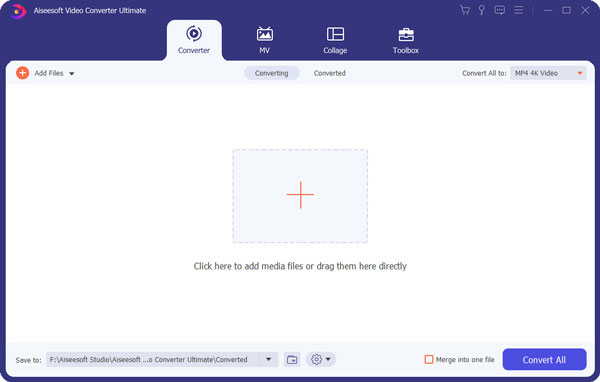
Step 2 Import video files into this program by clicking "Add File" button.
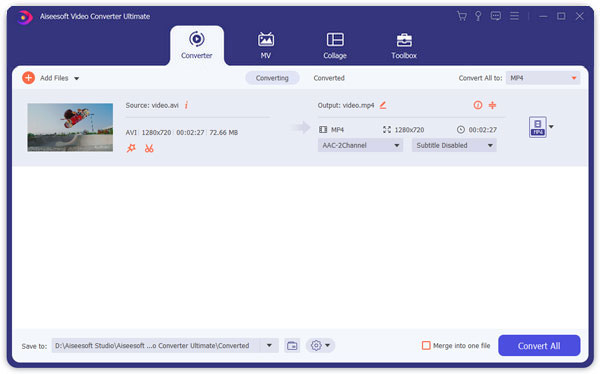
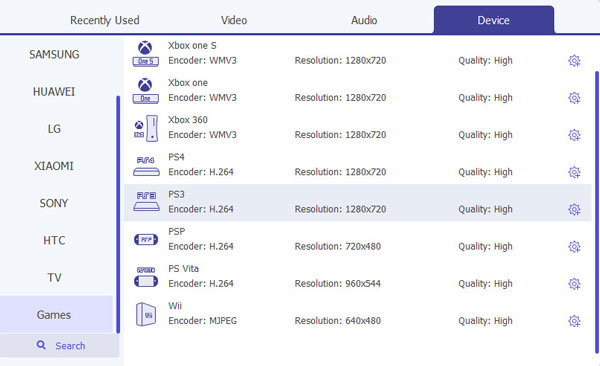
Step 3 Choose the optimized format according to your device in the Profile drop-down list. This video to PSP converter provides ready-made presets for all PSP models such as PSP Video MPEG4 (*.mp4), PSP GO Video H.264 (*.mp4), PSP 3000 Video H.264 (*.mp4) and others. Here we choose "PSP H.264 Video for TV (*.mp4)" as the output format.
Step 4 Start converting videos to MP4 for PSP by clicking "Convert" button at the bottom right corner of the interface. It supports converting a batch of video files at a time. When the conversion is done, click "Open Folder" to get the converted files.
1. Insert PSP's Memory Stick Duo card into the Memory Stick slot on the computer. Or you can use a Memory Stick media Adaptor.
2. Go to  (Settings) >
  (USB Connection) and press the
  button.
3. Your computer will detects the Memory Stick media and recognize it as a "Removable Disk Drive" or "Removeable Storage" or as "Memory Stick Media".
4. Double click on the Removable Disk Drive icon and then on the MP_ROOT folder. You will see a selection of folders, one of which is called 100MNV01. You can now save video clips into this folder. Once the file transfer has begun, you will see a light bar on the PSP's screen indicating that a transfer is in process. When the transfer is completed, press O on your PSP and go to the Video icon on your PSP's home screen and press X.
You will also like reading: How to Put Video on PSP.

June 13, 2018 16:57 / Updated by Jenny Ryan to Convert Video
 How to Convert Video with Best Android Video Converter
Guide of how to convert video for Android phone/tablet with the best Android Video Converter App.
 How to Convert MP4 to MP3 on Windows/Mac for Free
Want to convert MP4 to MP3 in order to extract the background music from a movie? Or want to extract the audio file from a music video to save your favorite song? Read on to get the comprehensive ways to convert MP4 to MP3 on Windows & Mac for free.
 Best Way to Put 4K XAVC in Avid for Editing
Before editing the recorded Sony 4K XAVC video in Avid, this article will show you how to convert MP4 to MOV with Free MP4 to MOV Converter.
 Leave your comment and join our discussion
