Aiseesoft MOD to iPad 2 Converter is the best iPad 2 Video Converter to help users convert any type of MOD file to iPad 2 MP4 video format with perfect output quality. Also this MOD to iPad 2 Converter allows users to edit video effect. And I will show you how to convert MOD to iPad 2 step by step.
Step 1 Install MOD to iPad 2 Converter
You should download iPad 2 Video Converter and install it.
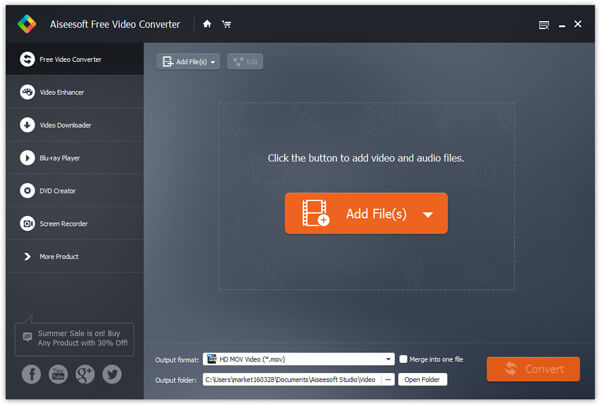
After running this MOD to iPad 2 Converter, you can see the interface as below.
Step 2 Input MOD file
You can input the local MOD file by clicking the "Add File" button.
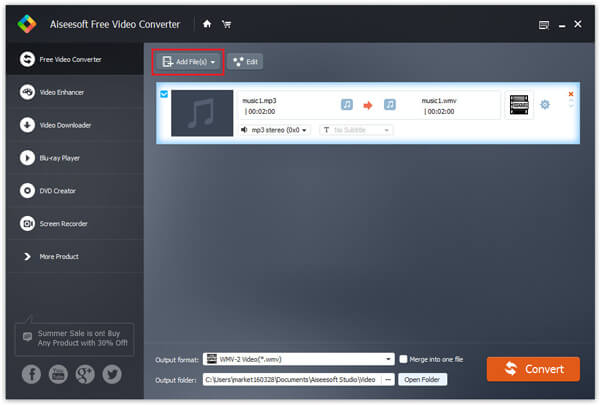
Tips: you can input the same source file repeatedly and set different output formats. this MOD to iPad 2 Converter can help you convert all of them with only one conversion.
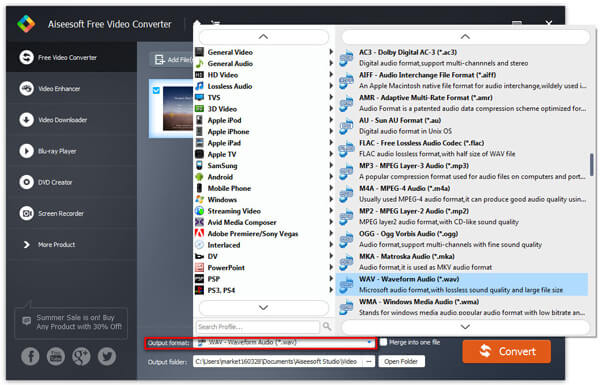
Step 3 Choose output profile
This MOD to iPad 2 Converter enables you to choose output video format by clicking the "Profile" option. Also you can do some further settings, such as choose Video Encoder, Resolution, Frame Rate, etc.
Step 4 Convert MOD to iPad 2
Please click the "Convert" button to start converting MOD file to iPad 2 compatible video and audio format.
If you want to convert mod to other formats, then you need Video Converter Ultimate to help you. This software is more powerful.

July 03, 2018 10:00 / Updated by Jenny Ryan to Convert Video
 How to Convert MKV to iPad 2 with MKV to iPad 2 Converter
This guide shows you how to convert MKV to iPad 2 compatible video and audio formats.
 Easy Method to Edit Video With Editor
This tip will help you on how to edit video- crop, merge, trim, watermark video and so on.
 6 Best Ways to Convert AVI to iPad Video
You AVI file can't be played on your iPad? You can simply follow this article to convert AVI to iPad to solve this problem.
 Leave your comment and join our discussion
