
Summary
Want to know how to convert MKV to iPad? Check the best Free Video Converter in this post, and learn how to convert MKV to iPad with ease.
Summary
Want to know how to convert MKV to iPad? Check the best Free Video Converter in this post, and learn how to convert MKV to iPad with ease.
iPad can't support MKV files, what will you do? It is known to all that MKV files can't be played by iOS device like iPad, iPhone or iPod touch. It is really a big trouble for those who want to play the MKV format on iPad, iPad Pro. Here comes the question, how to convert MKV to iPad supported format? In this article, we will show the best free method to help you solve the issue.

Aiseesoft MKV to iPad Converter provides you with the best solution to help you convert MKV to iPad format. And the output video quality will be the best. Besides of MKV format, this MKV to iPad Converter can also convert AVI to iPad, convert MOV to iPad, convert MPEG to iPad... Now free download Aiseesoft iPad Video Converter.
Run the downloaded installation package. Then run the MKV to iPad Converter and the operator interface like this will show up.
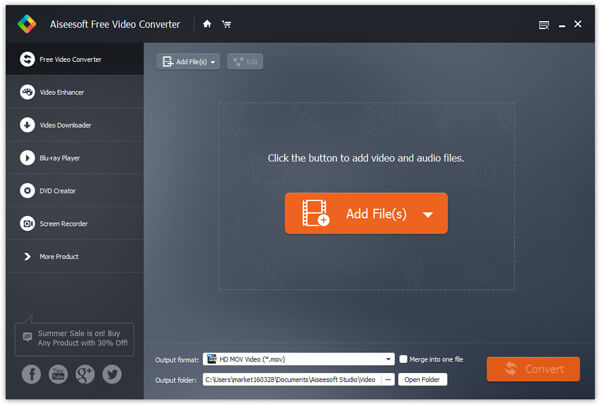
Step 1 Add MKV files to the program
Click the "Add File" button on the toolbar. And choose the MKV file to input in the dialogue box.
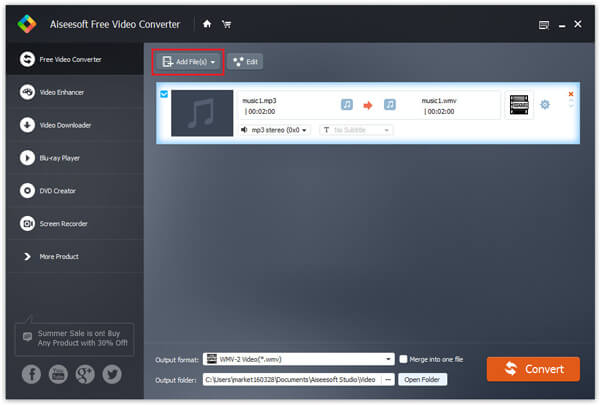
Step 2 Choose output format, folder and adjust settings
Choose the preferred audio track and subtitle. Click the Profile drop-down button and select the output format. Choose a destination file in the dialogue box showed up after clicking the "Browse" button.
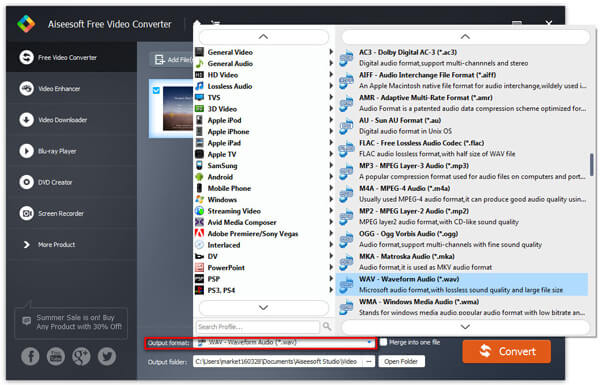
Aiseesoft MKV to iPad Converter also allowed you to adjust some further settings, such as Video Encoder, Resolution, Audio Sample Rate, etc. And these operations can be done in the settings interface. It can show up by clicking the "Settings" button.
Take the Video Encoder for example, you can open Encoder drop-down list and you can choose the Video Encoder as you need. After adjust all these settings, click the "OK" button.
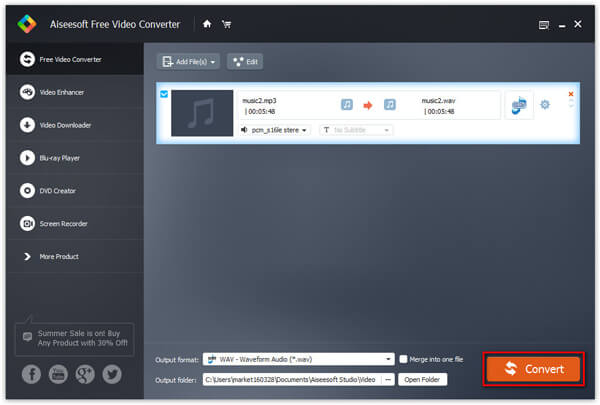
Step 3 Start converting MKV to iPad
Click the "Convert" button to convert MKV to iPad.
Aiseesoft Video Converter Ultimate is a dedicated video converting software for iPad 2 users to convert various videos formats (including MOD, TOD, AVI, WMV, FLV, MOV, MKV, VOB, etc.) to iPad 2 compatible format on PC/Mac, so that you can watch more interesting videos on the go.
You can check the video tutorial as below:



December 11, 2020 13:28 / Updated by Jenny Ryan to Convert Video
 How-to Guide to Convert MXF to MP4
Here is the easiest way to help you convert MXF file to MP4 for easy playback or further editing on your computer or portable device.
 Convert M2TS to iPad with 4 Professional Methods
Have questions in how to convert M2TS to iPad? Don't worry. You can simply finish M2TS to iPad conversion with the following 4 best methods.
 How to Convert MXF to MOV on Mac
This is a tutorial about how to convert/transcode MXF file to QuickTime MOV or H.264/AVC MOV for Final Cut Express 4 on iMac/MacBook Pro.
 Leave your comment and join our discussion