How to take full advantage the AVI files for Kindle?
Amazon Kindle Fire is 7 inches tablet with a resolution of 1024 by 600 pixels at 169 dpi with 16 million colors. It has an anti-reflective treatment, it also features a technology that is similar to the iPad and provides an extra wide viewing angle, meaning that you can easily share what is displayed on the screen with other people.
While the Kindle Fire can't support all kinds of video formats as well as AVI, if you want to convert AVI to Kindle Fire on Mac, you need to use the AVI to Kindle Fire MP4 Converter for Mac to put the AVI video on the Kindle Fire. And in this article, we will introduce some methods of converting AVI to Kindle Fire MP4 on Mac for you. You can follow the 3 ways to finish the AVI to Kindle Fire MP4 on Mac conversion.
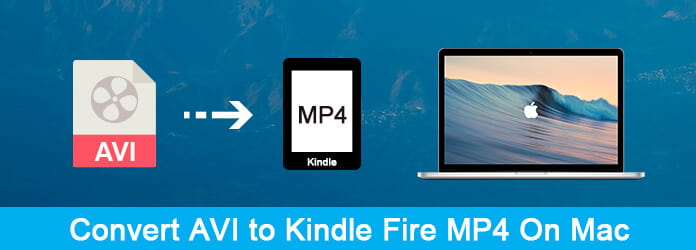
In order to convert AVI to Kindle Fire MP4 on Mac, you can choose to use Aiseesoft Mac Video Converter Ultimate.
Aiseesoft Mac Video Converter Ultimate has the wonderful converting function to convert AVI video to your Kindle Fire MP4 with perfect quality. It also is a powerful software which enables you to convert any popular video formats such as MKV, MOV, AVI, WMV, FLV, M4V, SWF, WLMP, WebM, etc. to MP4, and vice versa. You can also use it to edit your videos as you want.
Downloads
Aiseesoft Video Converter Ultimate – Best AVCHD to MOV Format Converter
 100% Secure. No Ads.
100% Secure. No Ads.
Now, the following guide offers a solution on how to convert AVI to MP4 for Kindle Fire on Mac with Aiseesoft AVI to Kindle Fire MP4 Converter for Mac.
First of all, you need to free download Aiseesoft MP4 Converter for Mac with the download button above. Then install it on your computer following the guide it gives you. After installing it, you can launch MP4 Converter for Mac and start the following steps.
100% Secure. No Ads.
100% Secure. No Ads.
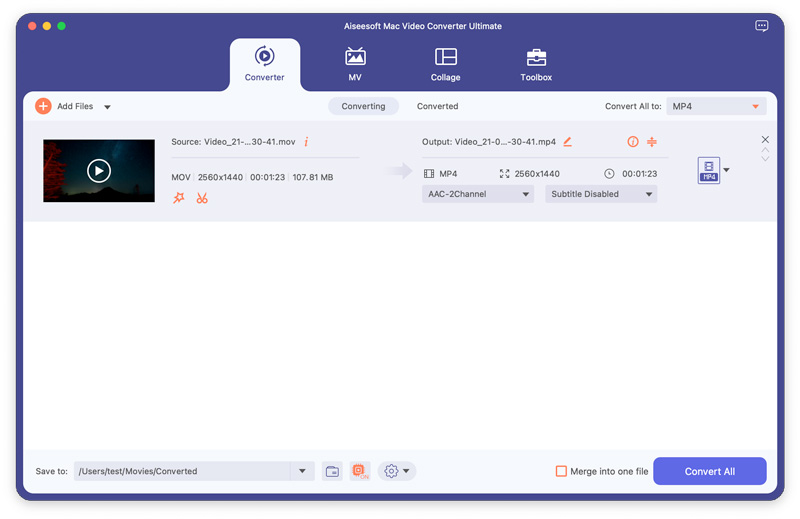
Now you need to click on the Add Files button which is the first button in the top tool bar and then add the AVI files or folder in your local disc on Mac.
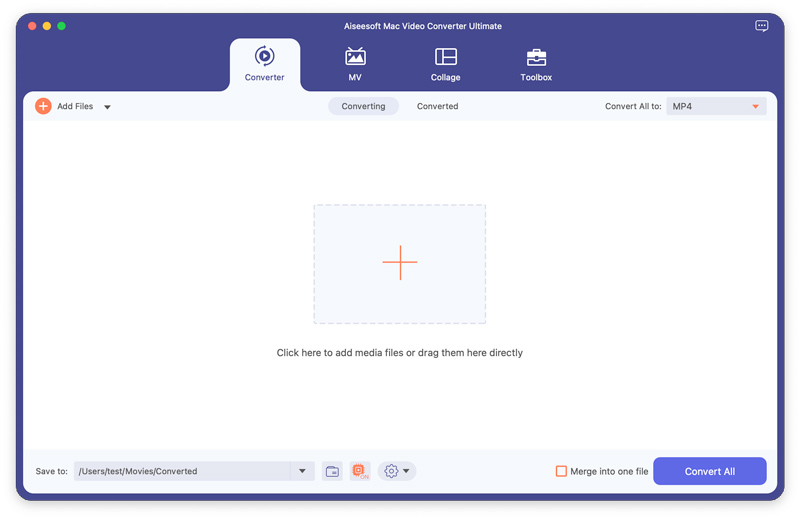
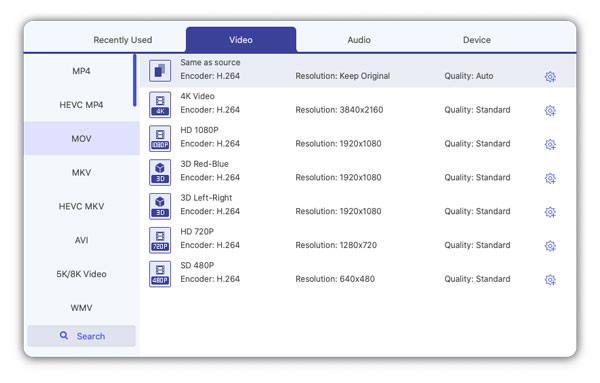
You can find your suitable video format from a drop-list called Profile and choose it as your output format next to each AVI file at the right side. You can batch convert AVI to MP4 by selecting the output from the drop-down option of Convert All to at the right-top corner.
You can also adjust the specific settings of the output video, such as Resolution, Bitrate, Encoder, Frame Rate, and Aspect Ratio and so on by clicking the profile settings icon. Don't forget select the destination folder where you want to save the file.
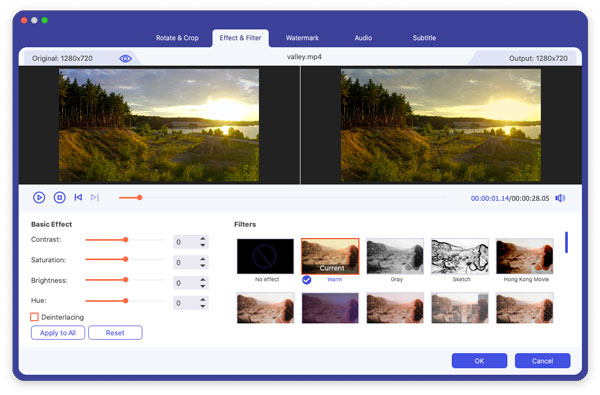
This AVI to Kindle Fire MP4 Converter for Mac provides users with powerful video editing features. Suppose you are not satisfied with the original video effect. In that case, you can cut off any video clips, crop video frame, add text/image watermarks, adjust video brightness, saturation, contrast, hue and volume, and so on. All these editing processes can be finished in the Edit interface.
Now click the Convert All button to convert AVI video to the Kindle Fire MP4 (AVI VS MP4).
Just a few minutes, the whole converting process will be finished and then you can enjoy video on Kindle Fire at will.
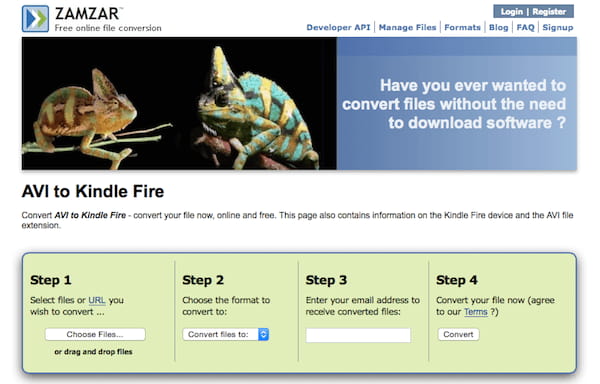
If you don't want to download any software on your Mac, you can choose to convert AVI to Kindle Fire MP4 online. Zamzar is such a good online converter you can choose.
For more solutions to converting AVI to MP4 online, you can check them here.
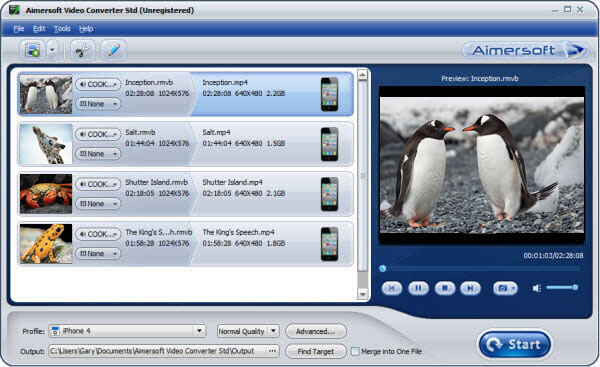
Another method to convert video to Kindle Fire MP4 on Mac is using Aimersoft Video Converter to finish this conversion. You can follow the next guide.
You need to download Aimersoft Video Converter on your computer firstly. And then finish the installation and launch it.
Click on + button and then find where your source AVI videos are, just choose them to add to this program. You can also drag and drop the files to this converter.
Now you need to press on Profile button, move to Common Video and select MP4 as the output format. Alternatively, you may go to Profile and select Kindle Fire as the output directly.
When you done all things, you are able to click on Start button and convert AVI to Kindle Fire MP4 on Mac.
Then you can play the videos on Kindle Fire a you like.
1. What format can Kindle Fire read?
The file formats supported by Kindle Fire including:Kindle Format 8 (KF8), Kindle Mobi (.azw), TXT, PDF, unrestricted MOBI, PRC natively;Audible (Audible Enhanced (AA, AAX));DOC, DOCX;JPEG, GIF, PNG, BMP;Non-DRM AAC, MP3, MIDI, OGG, WAV;MP4, VP8.
2. Can Kindle Fire tablet run Android?
Since May 2022, Amazon announced that they will come with Fire OS 8 will be based on Android OS 11, while Fire OS 7 has run on Android OS 9.
3. How to put videos on Amazon Fire tablet?
Actually, you can get the TVs and movies from Amazon with an Amazon Prime account. Besides, you can put the videos into the SD card, then select the Storage option in Kindle Fire to choose the SD card to find the videos.
Conclusion
In this article, we have introduced 3 different methods to help you convert AVI to Kindle Fire MP4 on Mac, including online and desktop ways. Which can do this conversion perfectly? Let me know by leaving your comments below.
 AVCHD to AVI Converter Free Download - Convert AVCHD to AVI
Want to free convert AVCHD to AVI, MP4, or MOV? This post shares 3 AVCHD to AVI converters for you to free download and make the AVCHD video conversion.
 How to Convert/Rip DVD Movies to Kindle Fire HD with a High Quality
How to watch DVD movies on Kindle Fire tablets? Here are some important tips and best method to convert and rip DVD movies to Kindle Fire HD with high quality.
 Play Video on Kindle Fire for Mac
Want to play your favorite videos on your Kindle Fire? This guide shows you how to convert your video files to Kindle Fire supported format on Mac.
 Leave your comment and join our discussion
Video Converter Ultimate is excellent video converter, editor and enhancer to convert, enhance and edit videos and music in 1000 formats and more.
100% Secure. No Ads.
100% Secure. No Ads.

