Unless you have a PDF viewer, which is in the form of a third-party solution, you will not be able to open your PDF files. On the other hand, most PDF files are supported by different browsers. However, it can sometimes be slow to load, and internet access is a must for you to view them. What you can do is convert your PDFs to images.
As we know, images are more accessible than PDF files. Computers and mobile devices have built-in photo applications. In turn, you do not have to download a third-party solution to view your files. Therefore, this post handpicked the best tools to help you turn your PDF files into images. Check them out beneath.
For desktop users, you may use offline tools. This method is convenient, especially when an internet connection is not accessible in your case, situation, or place. The only requirement is for you to download the software. Nevertheless, they are powerful enough to help you convert PDFs to image files. Continue reading to get the needed information.
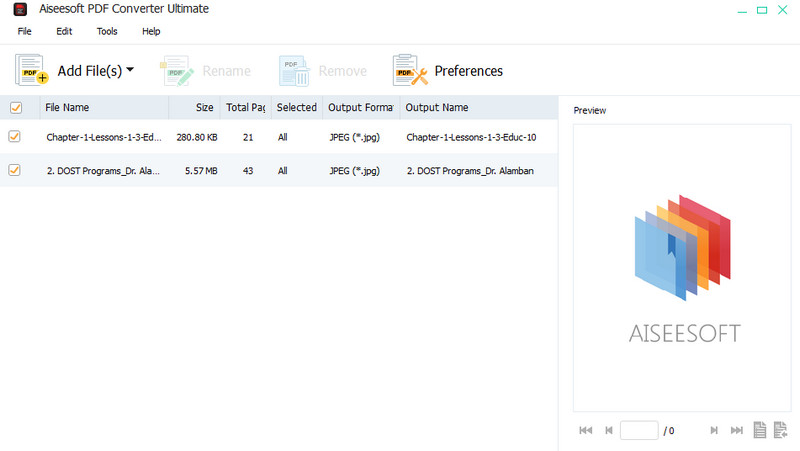
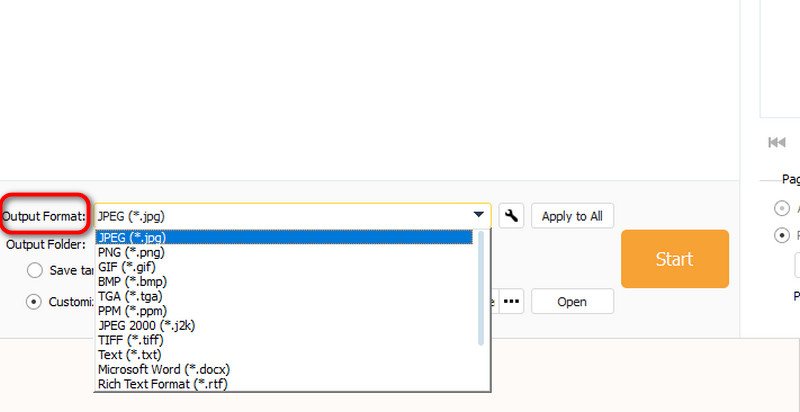
Aiseesoft PDF Converter Ultimate comes with a wide range of conversion output formats. If you wish to convert your PDF files to PNG, JPEG, GIF, TIFF, and so on, that is possible with this program. Moreover, users may switch from PDF to plain text, Microsoft Word, and even rich format text. On the other hand, you will find the tool helpful when converting a large number of PDF files. It can convert multiple PDF files to image formats effortlessly and efficiently.
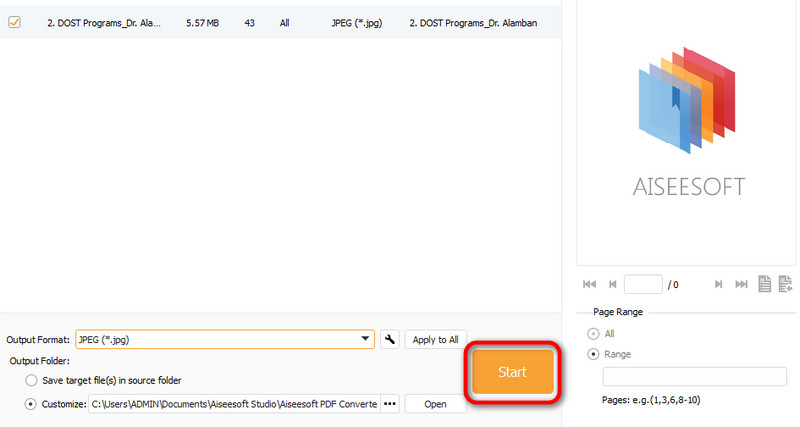
One great feature why you should choose this solution is it comes with an OCR feature that helps you to scan your PDF and make it an editable file, like text. In addition, it supports many languages besides English. It can recognize Bulgarian, Croatian, French, German, and so much more. If you are interested in converting PDFs to images with the help of this tool, you can rely on the steps below.
 100% Secure. No Ads.
100% Secure. No Ads.
If you wish to learn how to convert PDFs to image files with another desktop tool, you can try TalkHelperPDF Converter. Likewise, the tool enables you to convert your PDF documents to the latest and most famous image formats. The program is often regarded as one of the great solutions available. Apart from its ability to convert to images, you will also be pleased to use the tool because of its simple user interface, allowing you to see all the functions and options. Surely, you will not have any confusion upon using the program.
In other words, functionality, and usability wise, TalkHelper PDF Converter does not lack behind. Besides, you can also use the batch conversion feature to help you process many files in a single session. Check out the procedures for converting your PDFs to images.
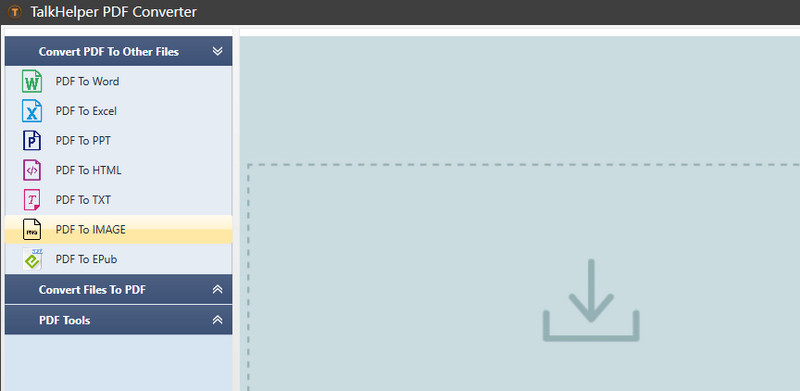
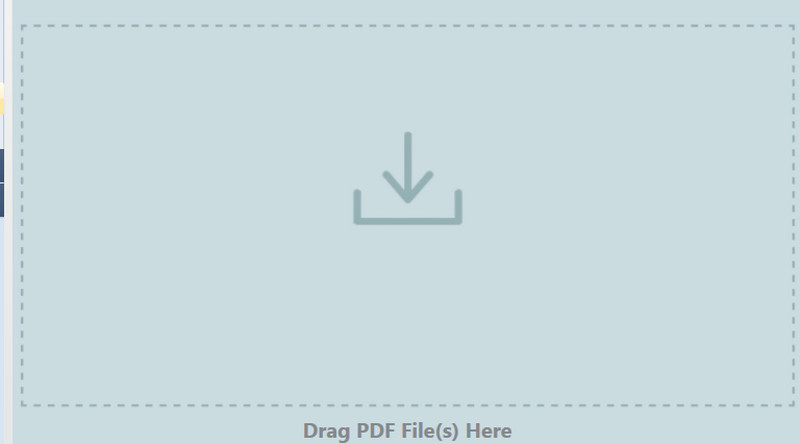
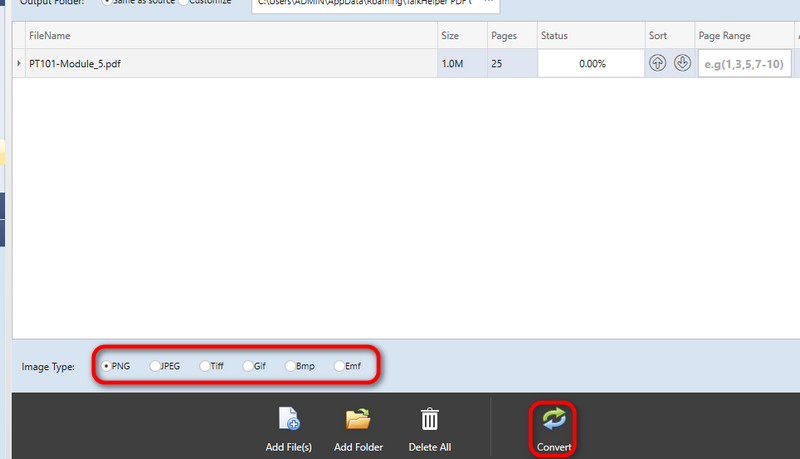
You may also find it convenient to convert files without the need to download programs on your computer. If that is your thing, then we have programs you should consider to convert PDFs to images online.
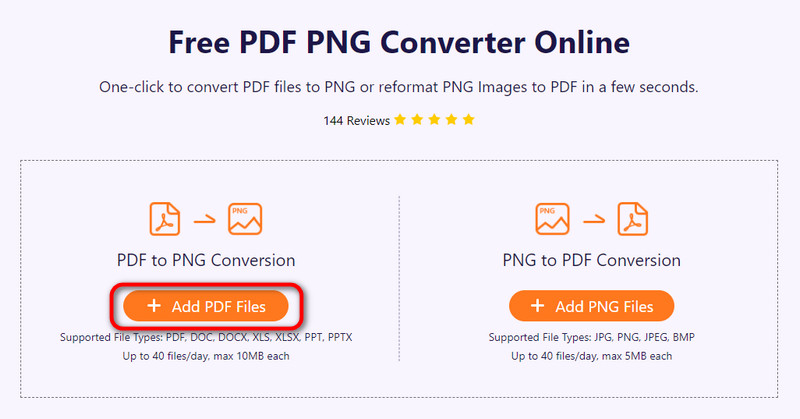
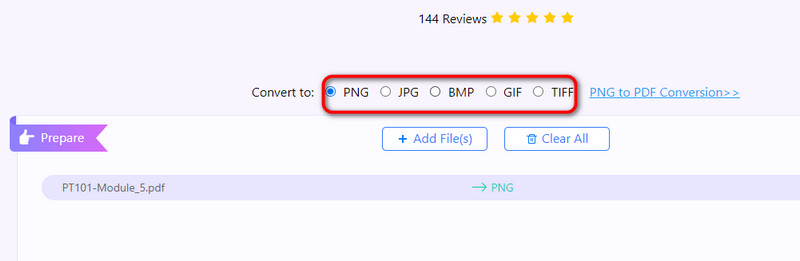
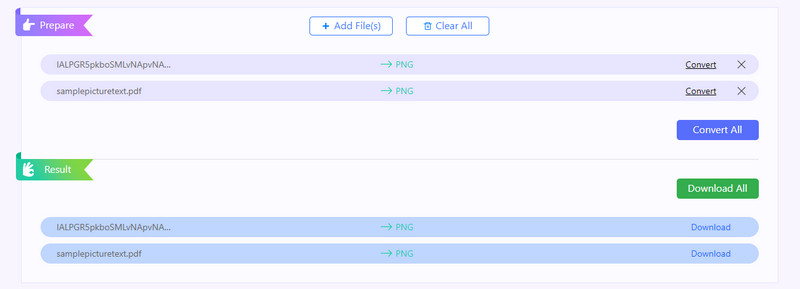
With Free PDF PNG Converter Online by Aiseesoft, you may process PDF files and get them converted to images. You can save your PDF files as JPG, PNG, BMP, GIF, and TIFF. If your target format is included in the output formats, this tool perfectly suits you. Furthermore, converting multiple PDF files simultaneously is possible using this program.
Apart from these features, it is compatible with almost all browsers, allowing you to process conversions across various browsers. Users are not required to pay a cent or register for an account to maximize the program. Meanwhile, using the same program, you can convert images to PDFs when necessary.
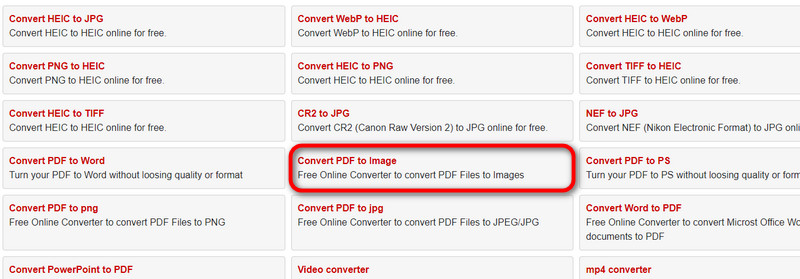
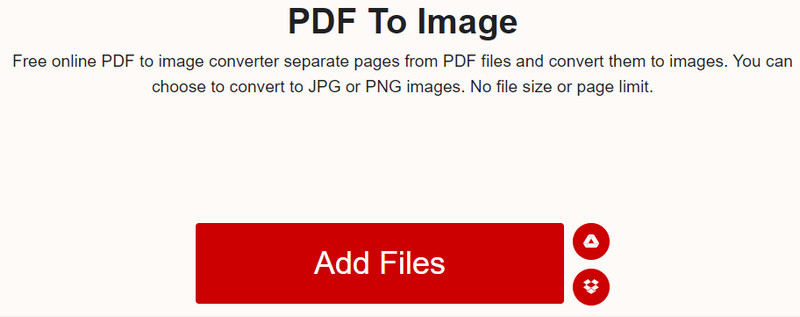
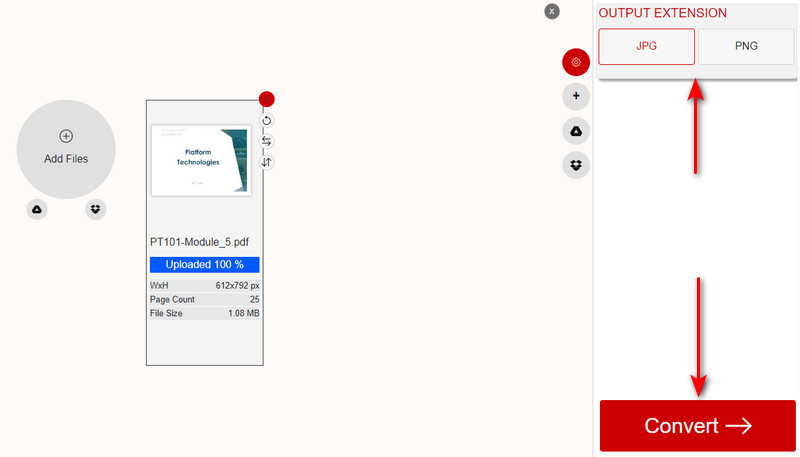
XConvert is another useful online tool that works great in converting PDF files to images. The tool is most desirable for its offered functions. The program can convert PDFs to images and vice versa. Besides PNG and images, it also works as a merger, compressor, and resizer. Therefore, if you wish to resize images, merge files online, or compress videos, you can take advantage of this program. The only thing that worries users is their privacy. Well, there is nothing to worry about if you are not dealing with confidential files. See the process below to learn how to convert PDF to image.
Can I edit PDF?
Yes, it is possible to edit PDF files. You can find many PDF editors to achieve your goal. However, most of them are costly. On the other hand, you may opt for the best free PDF editors.
How do you create a PDF file?
There are different manners of creating PDF files. You may scan documents and make them PDF. Also, you can merge documents and compile them into one PDF file. On top of that, you can convert photos to PDF using the above solutions.
What is the main advantage of using PDF?
PDF files allow for incorporating several types of content. Aside from text, you can integrate videos, images, animations, audio files, hyperlinks, and many more.
Conclusion
That is it! You learned how to convert PDFs to images. These are all efficient and free. All you need to do is to pick the right program according to your preferences. Try out each program to see which works best for you.
 How to Save PDF from WhatsApp in iPhone [2024]
How can I save a PDF file from WhatsApp? Where are PDF files from WhatsApp stored on iPhone? This post shares 2 easy ways to save PDF from WhatsApp in iPhone.
 Remove Watermark from PNG Image - Remove Picture Watermark
How to remove a watermark from your PNG image? Want to add and remove watermark from PNG file free? Learn 2 ways to remove watermark from image like PNG or JPG.
 Verified Methods to Shrink Your PDF Documents on Desktop and Online
Follow these easy methods and steps to shrink PDF files on desktop or online, so that you can get small file size and fast loading speed.
 Leave your comment and join our discussion
Aiseesoft PDF Converter Ultimate is the professional PDF converting software which can help you convert PDF to Word/Text/Excel/PPT/ePub/HTML/JPG/PNG/GIF.
100% Secure. No Ads.
100% Secure. No Ads.

