How to share a PDF file online? If you are troubled by this problem, you may need the help of PDF to SWF Converter. This professional PDF to SWF Converter could provide users with powerful functions of converting PDF to SWF with amazing speed and best output quality.
This article will show you how to convert PDF to SWF with PDF to SWF Converter step by step.
Aiseesoft PDF to SWF Converter is a powerful converter which can not only convert PDF to SWF, but also convert PDF to WORD/EXCEL/TEXT/JPG/PNG with high quality. With PDF to SWF Converter, you are able to convert your PDF files to any popular file format you like. PDF to SWF Converter can also help you to convert several PDF files to SWF at the same time with high speed.
1Download PDF to SWF Converter and install the application
Download PDF to SWF Converter, and then install it on your computer. After installing, please launch it for ready use.
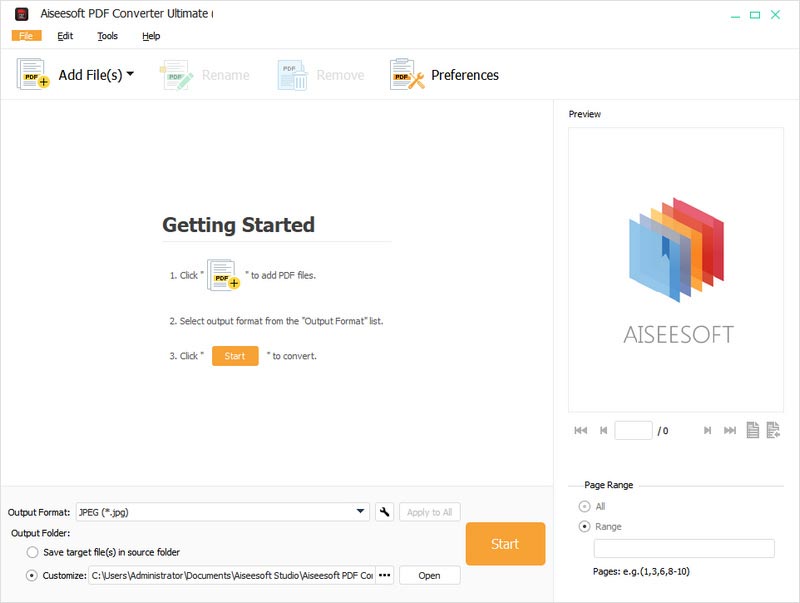
Tip: You can click the "Add Folder" button to add all PDF files in a folder.
2Upload PDF files
After launching the product, click "Add File" to upload the PDF files you want to convert on it for latter conversion. If you have several PDF files, you can upload them on PDF to SWF Converter to convert them to word files at the same time.
3Choose output format
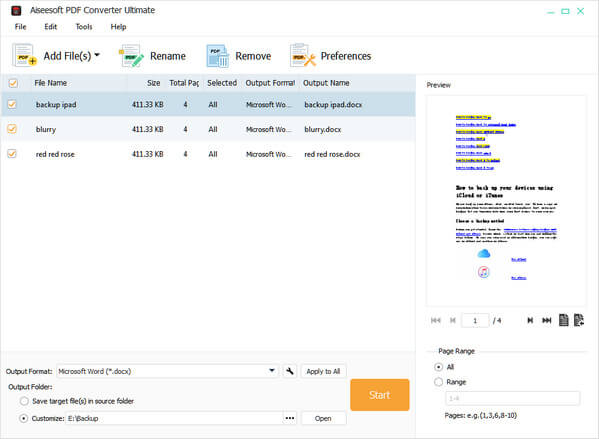
After adding PDF files on it, you can click "Output Format" to select output format, click "Output Settings" to set the quality and resolution. And you can also set the page range in "Preview" according to your own needs.

4Convert PDF to SWF
After setting, click "Start" to start convert PDF files to SWF
Just wait a few seconds, and you will finish the conversion from PDF to SWF.
You may also be interested: How to convert PDF to ePub.
PDF is the abbreviation of Portable Document Format which is a portable file format. PDF is created by Adobe Company. PDF can package the information of text, format, typeface, colour, resolution, link, image, voice, etc. in a special file. PDF possess cross-platform function, so it does not rely on the language, typeface and display mode of any system. PDF possesses a smaller size than traditional format, so that it can be transferred online more conveniently.
SWF is a vector-based flash format which often be created by FLASH software. It also can be created by converting PDF file. SWF is now mainly used in application software to attract people's attention. You can play the converted SWF file with SWF player. It includes abundant video, sound, pattern and cartoons. Many designers and developers would like to use SWF to create presentations, applications and other content that allow users to communicate.
This article introduces a useful converter for you to convert PDF to SWF. Hope it is helpful for you.

June 14, 2018 14:21 / Posted by Amanda Brown to PDF
 PDF to PPT – Insert PDF to PowerPoint Freely
How to insert PDF to PowerPoint? Read this article to insert PDF to PowerPoint as a picture/an object freely and convert PDF to PowerPoint with PDF converter.
 SWF Player for Windows/Mac/Android/iPhone
Read this article to find best or free SWF players for Windows 10/8/7, Mac, Android and iPhone. And you can use them to play SWF file easily.
 Free MP4 to SWF Converter: Convert MP4 to SWF
Want to find a free MP4 to SWF converter to convert MP4 to SWF with ease? Read the article and get the best solution for MP4 to SWF conversion.
 Leave your comment and join our discussion
