PDF can preserve the formatting and layout of a document. That makes it an ideal format for sharing documents online or printing them. However, PDF files can be difficult to edit, especially if you want to make changes to the text or layout. This post shares five helpful methods to convert a PDF to a Word file without damage.
PDF and Word are two of the most widely used file formats for sharing and storing documents.
A PDF file can preserve the formatting and layout of a document. So, compared with a Word document, it is better for sharing and printing. It is also more difficult to edit and more secure than Word. A PDF file can be directly opened with any PDF reader, regardless of the operating system.
A Word file is easy to edit and more widely used than PDF. You can handily make changes to the text, add, or remove images, and change the formatting of the document. It is smaller in file size than PDF documents. However, the Microsoft Word documents don’t preserve the file formatting and layout as well as PDF.
If you need to share a document that must be able to be read by anyone, regardless of their operating system or software, then PDF is the best choice. If you need to edit a document, then Word is the best choice.
Changing PDF to Word brings numerous benefits, including enhanced editing capabilities, better compatibility, improved accessibility, and creating tables and charts. Aiseesoft PDF Converter Ultimate is a powerful PDF conversion tool that can easily change PDF files to editable Word documents. You can free download and use it to turn PDF into Word with high accuracy.
 100% Secure. No Ads.
100% Secure. No Ads.
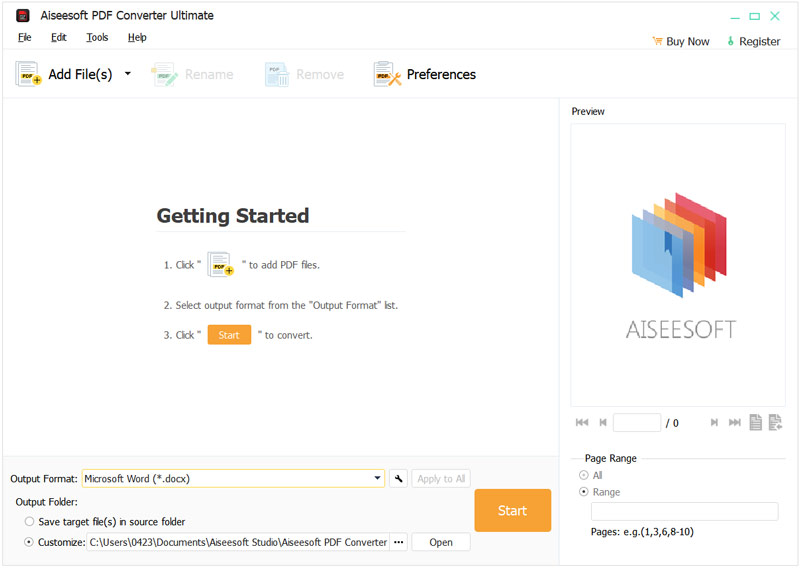
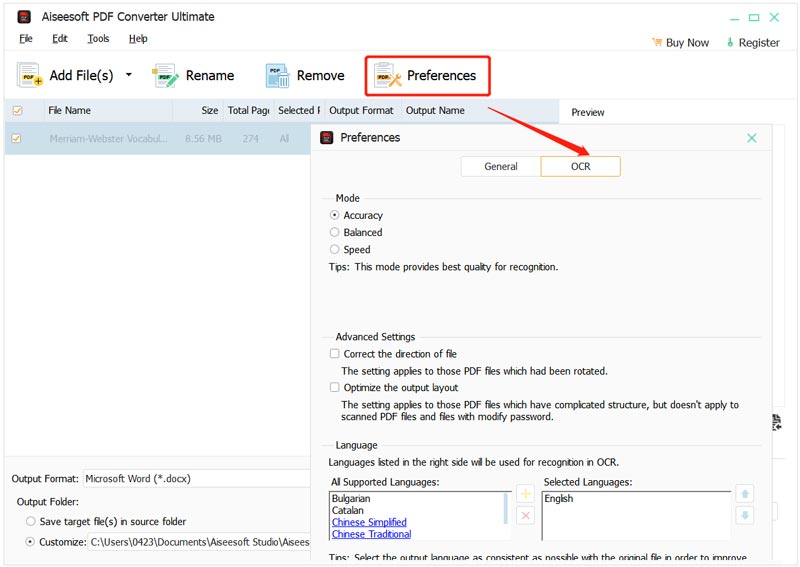
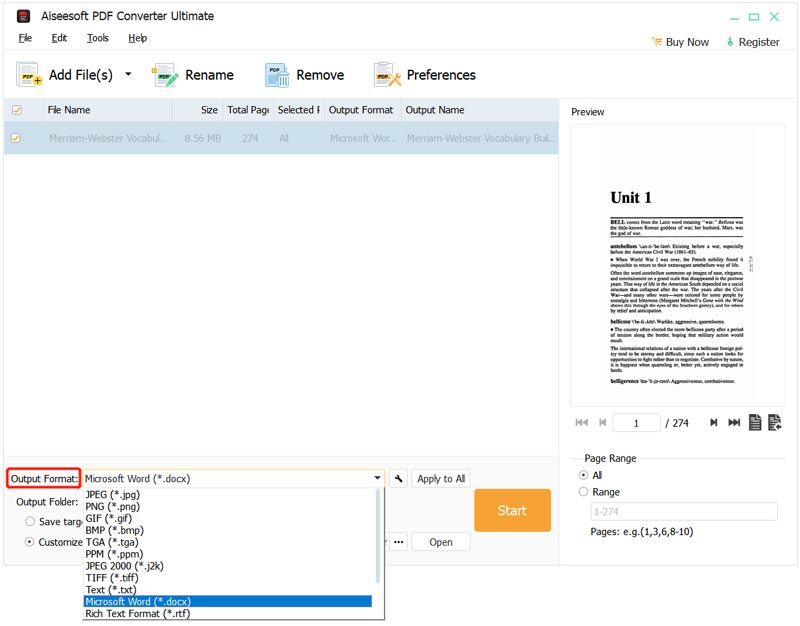
Once the conversion is complete, a message will appear indicating that the conversion process has been successful. The converted Word documents will be saved to the default output folder, which is usually your Documents folder.
Adobe Acrobat is a comprehensive PDF editing and converting tool that enables you to easily convert PDF files to editable Word documents.
Open the PDF file you want to convert to Word by clicking the File menu and selecting Open. Also, you can choose to drag and drop the PDF file onto the Acrobat window.
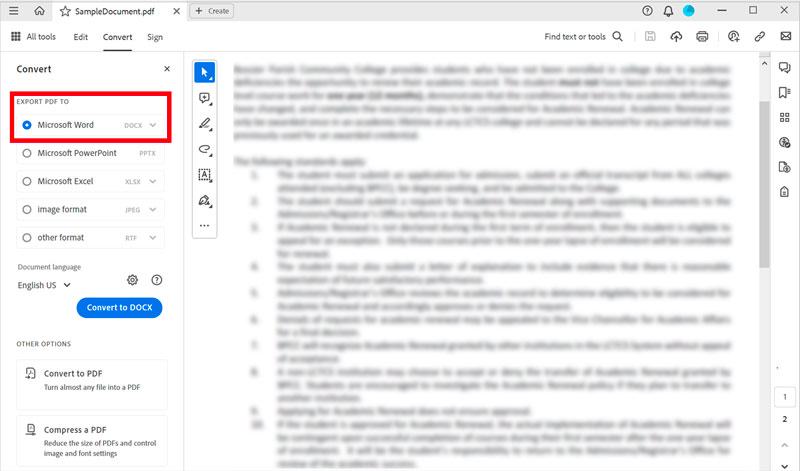
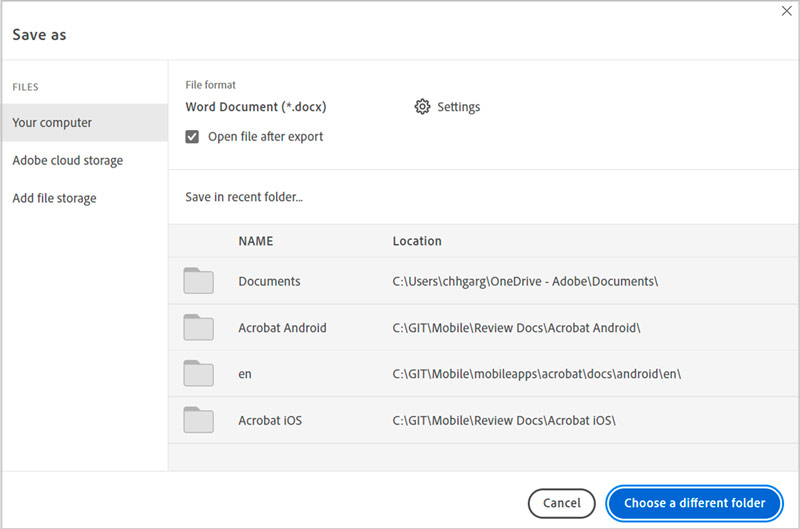
Once the conversion is complete, you can open the converted Word document using Microsoft Word or any other compatible word processor. You can now edit the document's content, format, and layout as needed.
If you only need to convert a PDF to Word occasionally, you may want to use an online tool. There are many online PDF to Word converters available. To use one of these converters, simply add your PDF file and hit the Convert button. The converter will then convert your PDF to Word and allow you to download the file.
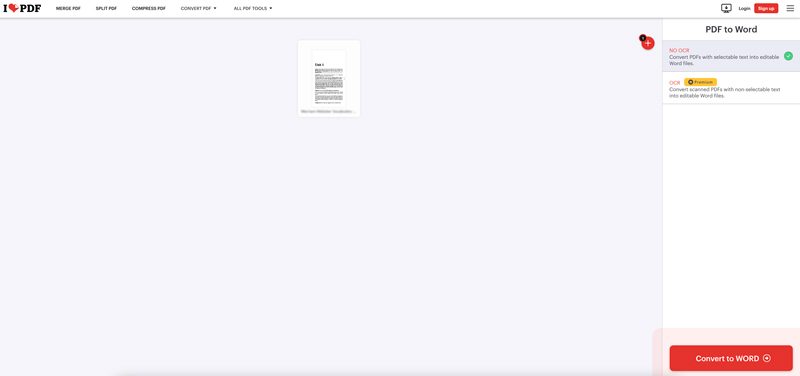
iLovePDF PDF to WORD Converter is a free online tool that lets you easily convert PDF files to editable Word documents. It is compatible with a wide range of PDF files, including scanned PDFs and PDFs with images and tables. Upload your PDF file to the iLovePDF website. Select Word as the desired output format and click the Convert button. Download the converted Word document to your device.
Smallpdf PDF to Word Converter is another online conversation tool that allows you to convert PDF to Word files. It is quite popular among users due to its ease of use, quick conversion speed, and high-quality output. Smallpdf can convert many PDF files, including scanned PDFs, PDFs with images and tables, and password-protected PDFs.
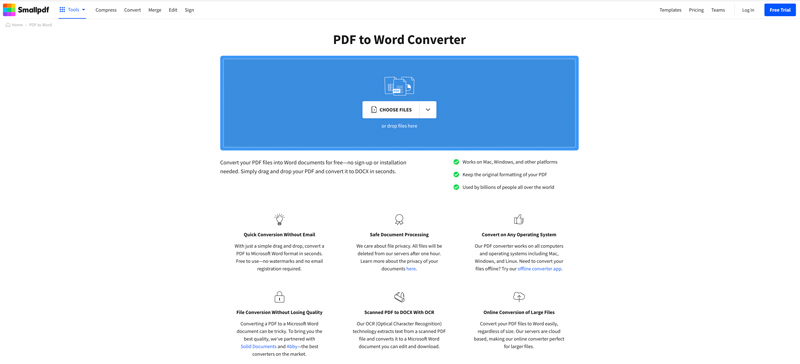
Go to the Smallpdf website and select the PDF to Word tool. Drag and drop your PDF file onto the PDF to Word Converter page or click the Choose Files button to upload your file. If your PDF file is password-protected, enter the password, and click the Unlock button. If your PDF document has more than 200 pages, you need to split it into smaller files. Click the Continue button, and Smallpdf will export your PDF file to a Word document and display it on the screen.
Converting PDF files to Word documents on mobile phones can be done using various methods, one of which is using Google Docs. This method is particularly convenient if you already have a Google account and are familiar with using Google Docs. Here is a guide on how to convert PDF to Word on your iPhone and Android phone using Google Docs.
To change your PDF file to a Word document, you can also use some third-party apps. These apps offer a convenient way to convert PDFs to Word documents without the need for an internet connection. Some popular options include PDFelement, iLovePDF, and Nitro PDF Mobile. You can easily locate associated PDF to Word converter apps from the App Store and Google Play Store.
Converting PDF to Word can be beneficial for various reasons, such as editing content, sharing documents easily, or ensuring long-term accessibility. Here are some tips for exporting a PDF to a Word document on both desktop and mobile devices.
Many tools can convert PDF files to Word documents on a desktop computer or a mobile phone. You should choose the right PDF to Word converter that supports the specific features and formats you require.
If you have a scanned PDF file, consider using OCR (Optical Character Recognition) software to improve the text recognition accuracy during conversion. Utilize OCR software if the PDF contains embedded images or complex formatting.
Most PDF conversion tools allow you to customize output settings, such as layout, page range, and image resolution. Adjust these settings to suit your needs.
Before saving the converted Word document, preview it to ensure that the formatting and content are correct. Make any necessary adjustments before saving.
Select an appropriate location and file name for the converted Word document. Ensure the file format is compatible with your Word processor. If converting multiple PDFs, consider using a batch conversion feature to save time.
Does exporting PDF to Word make it editable?
Yes, changing a PDF to Word generally makes it editable. PDF files are primarily designed for viewing and printing documents, while Word documents are designed for editing and formatting. When you convert a PDF to Word, the text and formatting of the document are converted into a file that can be edited in Word.
Can you edit a PDF document on mobile?
Yes, you can edit a PDF document directly on your mobile device using some third-party apps. There are many PDF editing apps available for both iOS and Android devices, including Adobe Acrobat Reader, Smallpdf PDF Converter, iLovePDF, and PDFelement.
Does the iPhone open a Word document by default?
iPhone can open a Word document using the Files app. Also, you can change the default app for opening Word documents to Microsoft Word if you have the app installed on your iPhone.
Conclusion
PDF is a file format that allows users to share documents with their original formatting intact. However, sometimes it is necessary to convert PDF to Word. There are many different ways to turn a PDF into an editable Word document. You can pick your method to make the file conversation with ease.
 8 PDF to Image Converters Use to Convert PDF Files into a New Format
The PDF to image converters are available on different platforms. However, picking the right choice is difficult, so read this instead!
 Top 6 Image to PDF Converters with Unbiased Review [2024]
With image to PDF converters, you can easily compile a bunch of images into a single container like PDF. Choose the tool to use here.
 5 Latest Approaches to Merge/Combine PDF at Ease Online & Offline
Need to merge or combine PDF? You can complete this task easier if you use the tool in this article. Read this to know more!
 Leave your comment and join our discussion
Convert PDF
PDF to Word PDF to Excel PDF to Image PDF to ePub PDF to HTML PDF to Text PDF to SWF PDF to JPG PDF to TIFF PDF to Word on Mac
Aiseesoft PDF Converter Ultimate is the professional PDF converting software which can help you convert PDF to Word/Text/Excel/PPT/ePub/HTML/JPG/PNG/GIF.
100% Secure. No Ads.
100% Secure. No Ads.

