Have the need to convert WMV to DVD? With so many DVD creating tools on the internet, you may not know which one you should choose. This post will introduce you with the 3 best WMV to DVD Converter to help you create DVD disk, DVD folder, and ISO file with your own WMV video.
Burnova is a professional WMV to DVD converting software. It enables you to convert WMV to DVD disc with amazing converting speed and excellent quality. Apart from burning to DVD disc directly, you can also create the DVD folder and DVD ISO file with WMV, ASF, VOB, RM, RMVB videos. The created DVD can play well on any kind of DVD players with no quality loss.
Downloads
Burnova - Best WMV to DVD Converter for Windows
 100% Secure. No Ads.
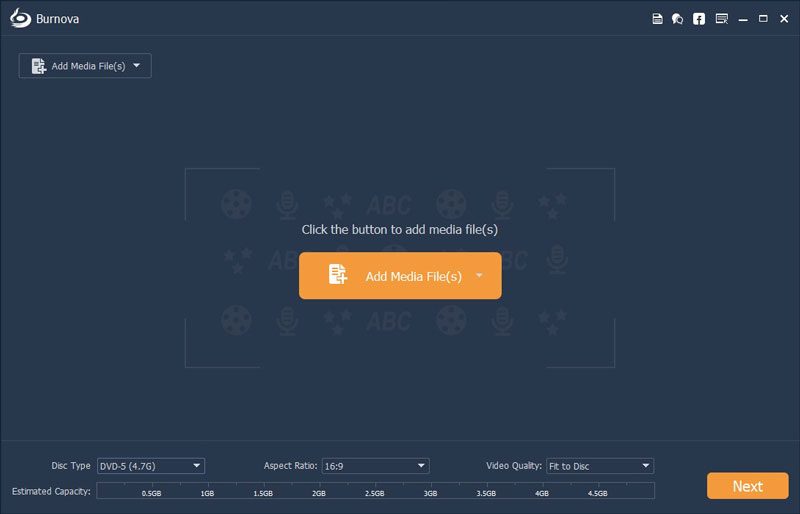
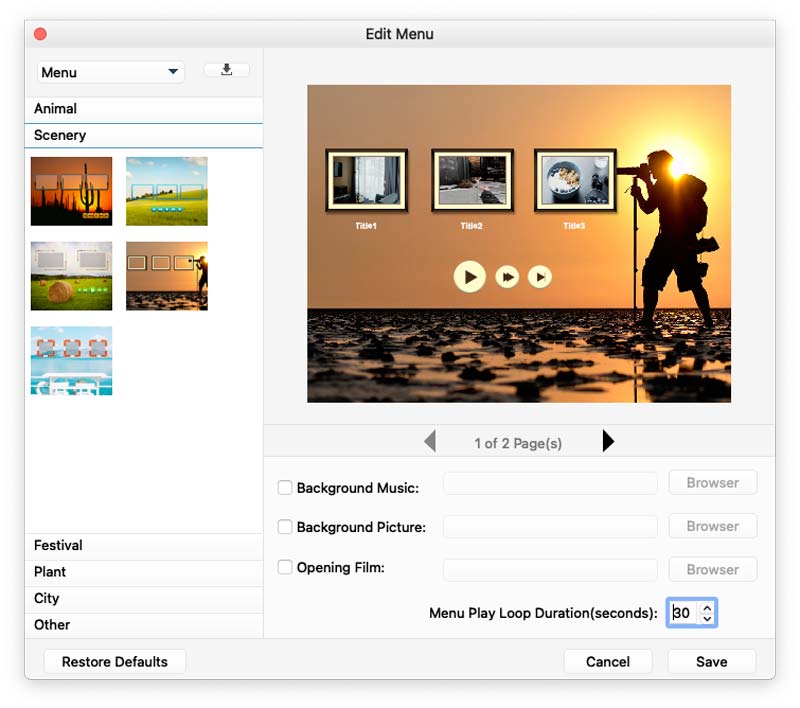
If you want to perfect the video before burning to DVD, this software provides multiple editing functions to meet your needs. For instance, you can create a customized DVD menu by choosing the menu templates and adding background picture/music. Also you can edit the source video effect, add audio track and subtitle to the target DVD. Here we will tell you how to convert and burn WMV to DVD step by step.
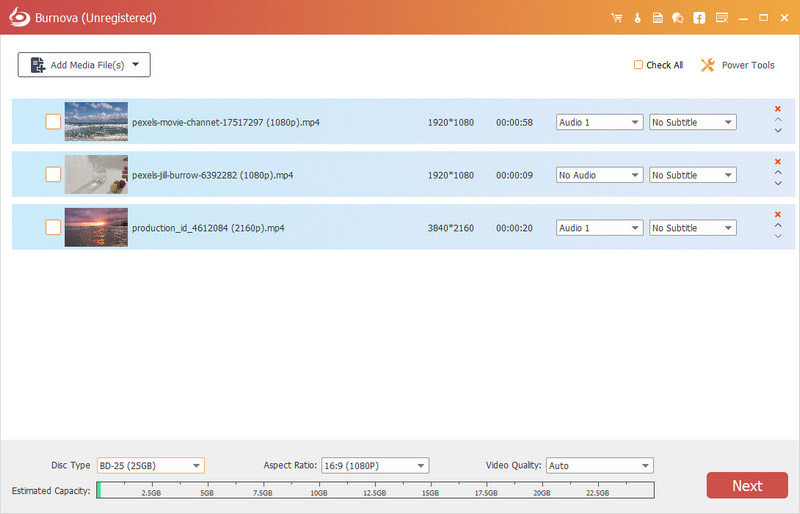

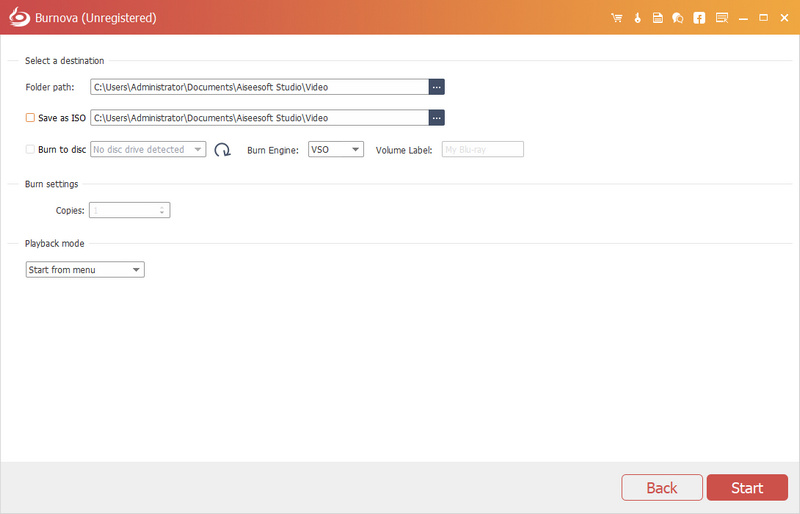
To convert to DVD folder or ISO file, click "Folder Path" to set the destination for DVD folder or tick "Save as ISO" option and select the output folder. Apart from common videos, you could also use HD video to burn to DVD.
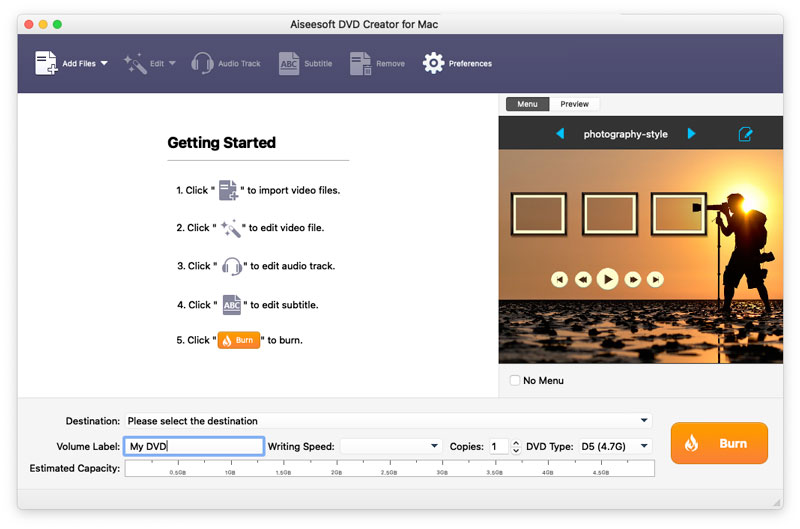
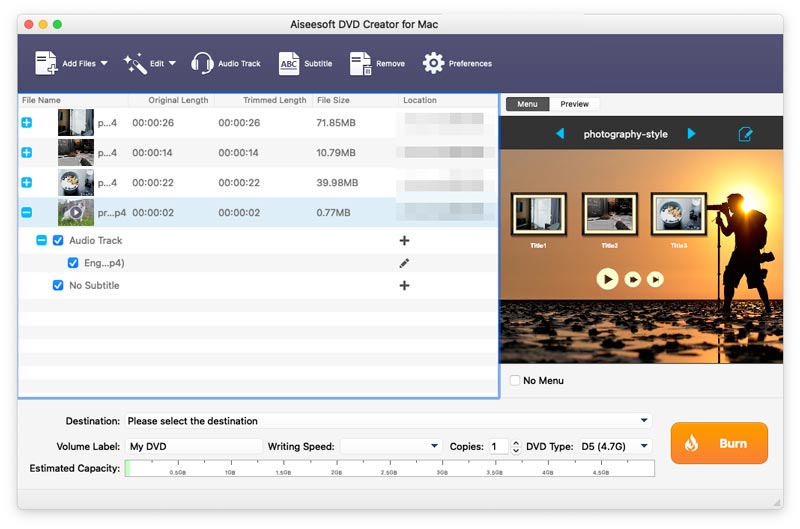
If you are looking a program that can create DVD from WMV on Mac, you can try the professional Aiseesoft DVD Creator for Mac. This WMV to DVD Converter can burn any videos, audio and images to DVD discs, DVD folders or ISO files with super high quality. What's more, you can customize your own DVD menu, edit video effects, or add audio tracks and subtitles to DVD.
100% Secure. No Ads.
100% Secure. No Ads.
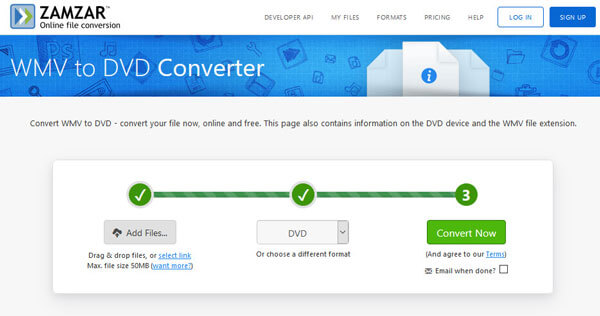
Zamzar WMV to DVD Converter is a free online tool where you can convert WMV to DVD online for free. Check the detailed steps to create DVD file from WMV with Zamzar WMV to DVD Converter online for free.
1. Will WMV files play on TV?
To know if WMV files can play on your TV, you need to check if your computer mode and TV accessories are compatible.
2. How do I convert a WMV file to video?
With a WMV video converter, you can convert WMV file to any videos with ease. Get Aiseesoft Video Converter Ultimate on your computer. Click Add Files button to upload the WMV file, and click the Format icon to select the output format. Finally click Convert All button to convert the WMV file to other video format.
3. How can I play a WMV file
You can play WMV files on WMV players like VLC Media Player, DivX Player, KMPlayer, ELmedia Player, MPlayer and Aiseesoft Blu-ray Player.
Conclusion
After reading this page, you must get the best solution to create your own DVDs with WMV on Windows and Mac. A great DVD burner is recommended for you to burn WMV to DVD. If you have any better method, please leave us a message.
 How to Convert and Burn MPEG-4 to DVD Disc/Folder
If you want to convert the MPEG4 file from your portable devices to DVD, please try this powerful MPEG4 to DVD Burner which is designed to convert and burn MPEG-4 files to DVD. Free download and try.
 Best Way to Convert/Burn MKV Video to DVD
How to burn or convert MKV video to DVD on Windows computer? You can read this article and find the best solution.
 How to Burn AVI to DVD and Play on A DVD Player
Here's a dead-simple tutorial on how to convert AVI to DVD with Aiseesoft AVI to DVD Converter for playing your favorite videos on a DVD Player.
 Leave your comment and join our discussion
WMV Convert/Edit
1. WMV 2. WMV to AVI 3. WMV to SWF 4. WMV to DivX 5. WMV to MP4 6. WMV to iPad 7. WMV to Kindle Fire 8. WMV to DVD 9. WMV to MP3 10. WMV Editor 11. Convert H.264 to WMV
Burnova is the professional DVD/Blu-ray burner to burn videos from your computer to DVD or Blu-ray disc/folder/ISO file, and edit videos before burning.
100% Secure. No Ads.

