WTV Converter for Mac - Best choice to convert WTV, DVR-MS, WMV videos to MOV, MP4, M4V and other video formats, extract audio track from WTV file.
$29.00 $23.20 20% OFF



This Mac WTV converter software can convert WTV (Windows Recorded TV Show) video files to MP4, AVI, MKV, MOV, etc. Also it supports converting DVR-MS (the older file format of recorded TV) and WMV files. Besides, it can extract audio track from WTV, DVR-MS or WMV video files on Mac and convert MP3 and WMA audio file to other audio formats including AAC, AC3, OGG, etc.
With this WTV Converter for Mac, users can easily enjoy the WTV video on various popular portable devices like iPhone 11 Pro Max/11 Pro/11, iPhone XS/XS Max, iPhone XR/X, iPhone 8/8 Plus, iPhone 7/7 Plus, iPhone SE/6s Plus/6s/6 Plus/6/5s/5c/5/4S, iPad Pro/mini, Samsung Galaxy series, HTC, Moto, Google Nexus, PSP, etc. and media player software. By means of the pre-set output profile, you can also customize the profile according to your own requirement by changing the parameters of Video Encoder, Frame Rate, Video Bitrate, Resolution, Audio Encoder, Sample Rate, Channels, and Audio Bitrate.
WTV/WMV/DVR-MS Converter provides multiple video editing functions. You are allowed to adjust the brightness/hue/saturation/contrast, cut any length of video clips, crop video play region, add text or image watermark to your video files and adjust its position and transparent at will. Also you can use this application to merge several WTV, DVR-MS, or WMV files into a single one for better enjoyment.
The built-in player of WTV Converter enables you to play WTV/WMV/DVR-MS videos easily on Mac. Taking this WTV converting software as a WTV player, you don't need to bother finding an extra one. The supported NVIDIA® CUDA™ and AMD APP acceleration technology completely supports multi-core processor so that you can convert your WTV files fast and play your videos smoothly.

Merge WTV videos
Join two or more WTV videos into one easily by clicking "Merge into one file".
Batch conversion
Convert multiple WTV files simultaneously and save your time.
Take snapshots with one click
Take a snapshot with one click, easily save your favorite and precious moment.
Support all Mac OS
Perfectly compatible with all Mac OS X versions, including the latest macOS Sonoma.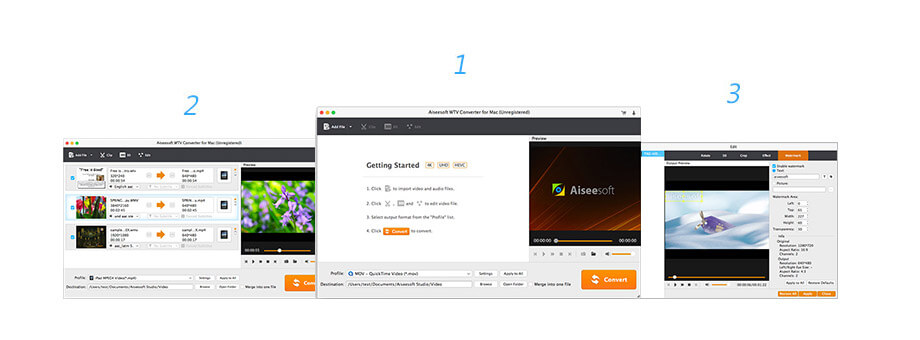 Step 1. Click Add File to import one or more MTV files into Aiseesoft WTV Converter for Mac.
Check what famous editor and our customer talk about our product.


This is very useful software to deal with WTV files. At first I intend to convert WTV to other video formats and play it on my Mac, but then I discovered the embedded WTV player is perfect!
By Amy
This multiple-functional converting software could not only convert WTV videos, but edit them before converting, if you want to optimize your videos, this would be a perfect choice.
By Jay
I'm using the latest iPhone SE right now and I found out that it can't play WTV videos. This converting software really helps me a lot. And the converting process is so easy, it won't cost you too much time.
By Josh
This converter has high converting speed on my Mac. The conversion process takes very short time. And the video quality is quite satisfying.
By Sherry
The best video recording tool to easily record screen, meetings, game, webinar, audio, and webcam videos.
BUY NOW BUY NOW
Multi-media helper to convert, edit and enhance video and audio file in one click.
BUY NOW BUY NOW
Recover deleted data from iPhone directly or from iTunes and iCloud backup file.
BUY NOWBUY NOW
 WTV Converter for Mac