MKV is an open standard file format that can carry unlimited amount of data in one file, such as video, audio, picture, and subtitle tracks. However, MKV also has one big drawback. It's not the most compatible format for many Blu-ray Players, iOS/Android phones, tablets and other devices. The good thing is, to make MKV movie be compatible with your device, you are able to convert MKV to other popular video formats like AVI and MP4. Here in this article, we will guide you to convert MKV to AVI with high quality.
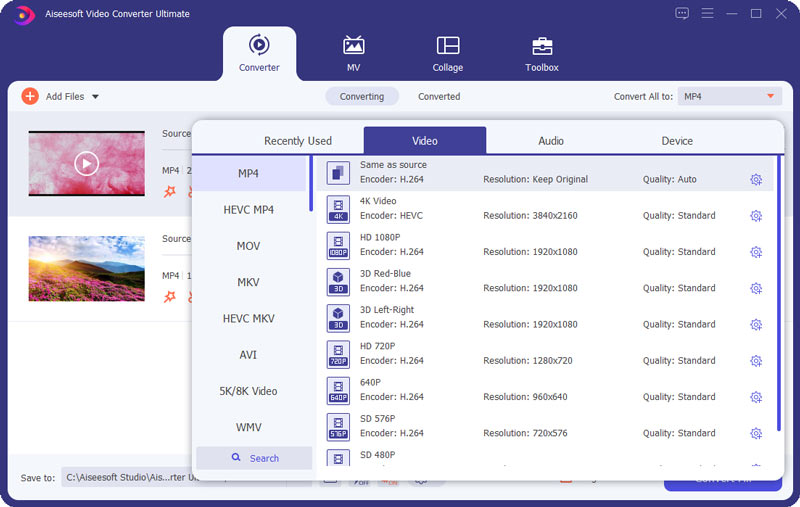
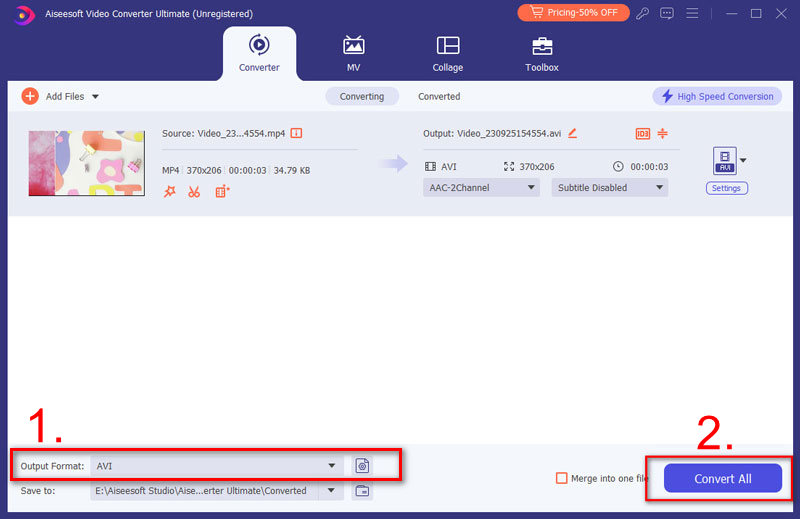
Aiseesoft Video Converter Ultimate provides one of the fastest and easiest solutions for MKV-to-AVI conversion. This MKV Converter allows you to make the efficient conversion from MKV to AVI with super-high quality. You can also use this converter to turn HD videos or extract audio like MP3/AAC/AC3/WMA/WAV from your video files. The output media formats are compatible with most devices such as iPhone, iPad, Apple TV, Samsung, Sharp, HTC, Sony, LG, and more.
It also works as a MKV editor to help you edit the MKV files, apply 3D effects, merge/clip/rotate/enhance the AVI videos, add watermark to the video and more. If you are using a Windows 10/8/7/Vista/XP computer, you can directly download the free trial of this MKV to AVI Converter from the above download link. It also provides a Mac version for Mac OS X users. When you want to turn MKV movie into AVI or convert MKV to MP4, this converting software can always be your powerful assistant.
Downloads
 100% Secure. No Ads.
100% Secure. No Ads.
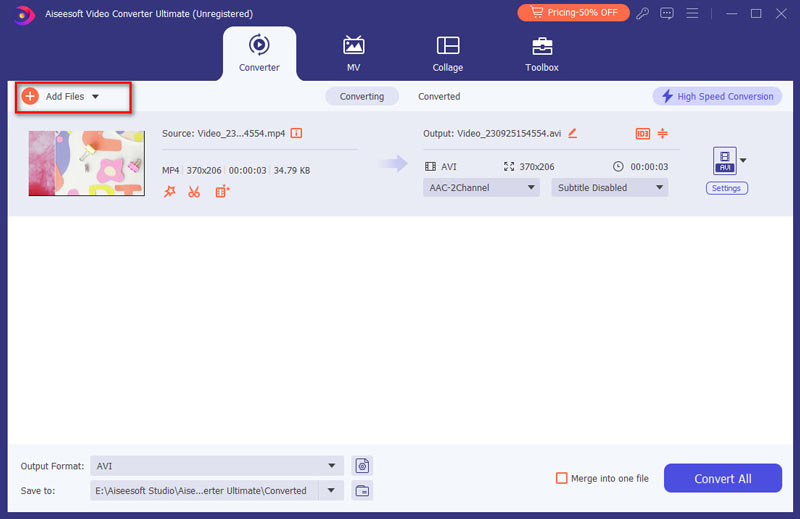
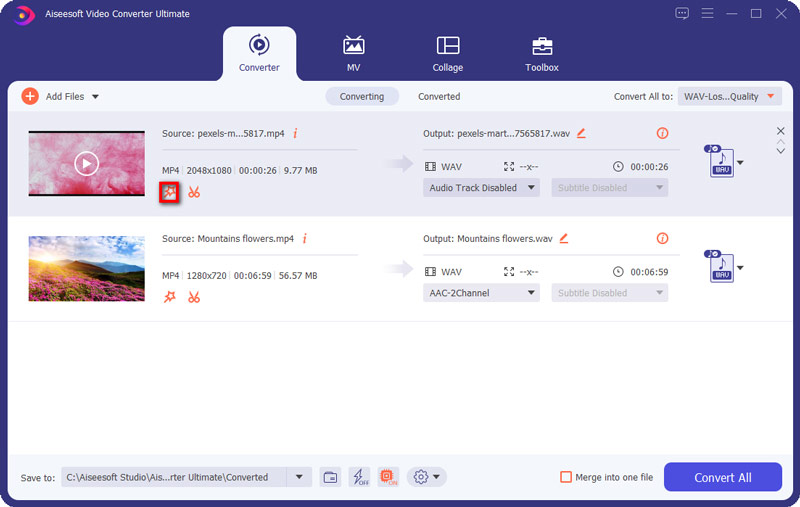
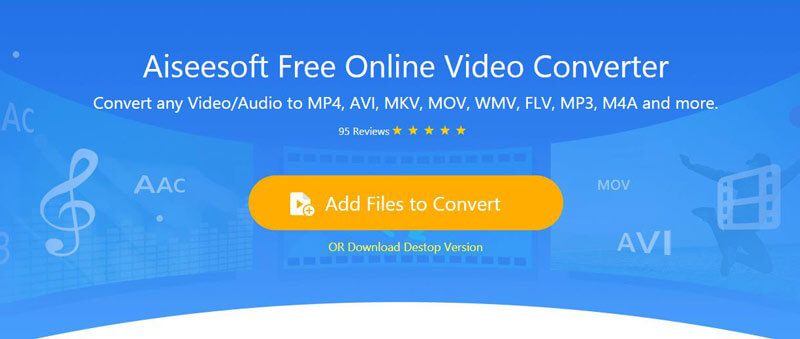
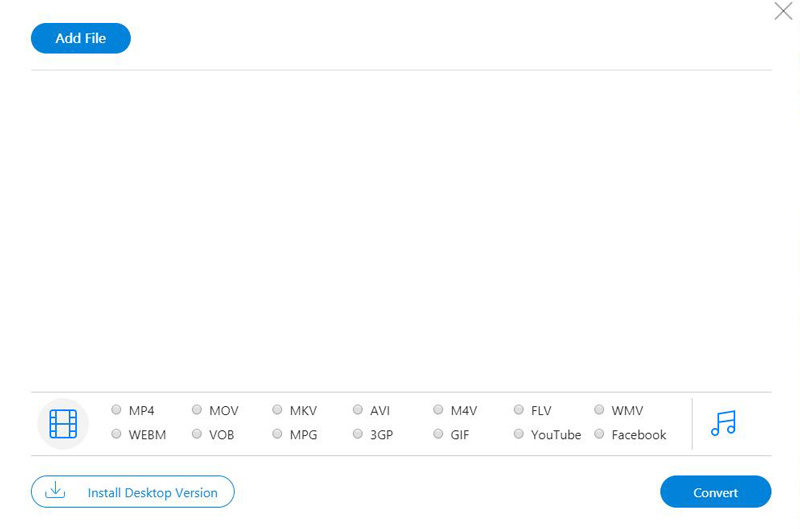
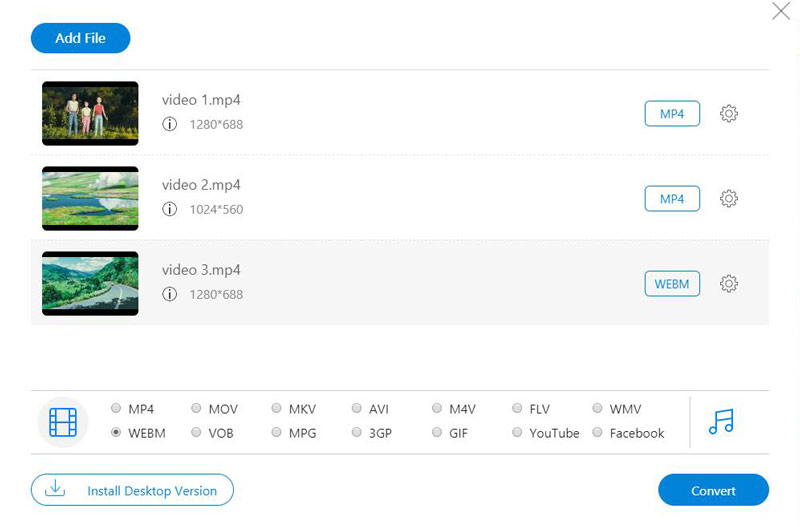
Aiseesoft Free Online Video Converter has the capability of converting your MKV files to AVI with high quality on your computer including both Mac and Windows. You can also use this online converter to turn HD videos or extract audio, such as MP3/AAC/AC3/WMA/WAV from your video files. Follow the steps below to change MKV to AVI.
1. What is MKV?
MKV is a popular video format which is commonly used by many people. It is designed to serve as a universal format to save common multimedia contents, like movies or TV shows. MKV provides numerous benefits, to make you easily attain an enjoyable visual experiment.
2. What is the fastest MKV to AVI converter for Mac?
Aiseesoft Video Converter Ultimate is the fastest MKV to AVI converter for Mac. With the latest converting and enhancing engine, it will bring you the fastest converting speed yet still maintaining the perfect image and sound quality. Meanwhile, it has the world's leading Blu-Hyper technology, such as Graphics card image processing, and video decoding/encoding technology based on CPU level. Its speed has been improved 30X faster than before. You can just take a few minutes to convert 4K and HD videos.
3. Does VLC play MKV videos?
VLC media player can play MKV files. However, many people find that when they play their MKV videos with VLC player, the MKV video becomes choppy, unstable and sometimes there is no sound at all. To avoid the above playing issues, a professional MKV player deserves a try, like Aiseesoft Blu-ray Player.
4. What is a great MKV player to play HD MKV videos and movies on Windows without quality loss?
Aiseesoft Blu-ray Player can easily help you solve almost all problems you may meet when you play your MKV videos on Windows 7/8/10. It guarantees you a high video/image quality and super audio effect so that you can enjoy a smooth and lifelike MKV video with the assistant of a wonderful MKV media player. What's more, this best MKV player has its Mac version, so you are able to play any MKV videos on Mac.
This guide works for any Matroska videos. Whether you choose the professional way or free online way, you can easily make a conversion from MKV videos to AVI without any quality loss. If you have a better way to change MKV file to AVI, you can feel free to leave your comment.
 How to Convert MKV to MOV for Free With Ease
After reading this article, you will know it clearly of how to convert MKV to MOV by using the best MKV to MOV Converter so that you can enjoy your videos on more devices.
 Best MKV Converter for Mac to Convert MKV Video Easily and Quickly
This post shows you how to convert MKV files on Mac (including macOS High Sierra) to other audio or video file for easy playing.
 Easy to Convert MKV to iPad 2 with Free Video Converter
How to convert MKV video to iPad? This guide shows you how to convert MKV to iPad 2 compatible video and audio formats.
 Leave your comment and join our discussion
Video Converter Ultimate is excellent video converter, editor and enhancer to convert, enhance and edit videos and music in 1000 formats and more.
100% Secure. No Ads.
100% Secure. No Ads.

