What should be the best methods to put Blu-ray DVD movies to iPhone or iPod? Just digitalize the Blu-ray DVDs to iPhone compatible video is a good idea to enjoy movies anytime and anywhere. After that you can transfer Blu-ray movies to iPhone or iPad with a professional iOS data transfer.
If there is not enough storage space for your iPhone or iPad, you can also mirror and put Blu-ray DVD movies to iPhone with Blu-ray Player on your computer. Make sure connect the devices with the same network. Here is the detailed information you should know.
Put Blu-ray DVD Movies to iPhone or iPod
As mentioned previously, putting a Blu-ray or DVD to iPhone can be divided into two parts. Extracting videos from a Blu-ray disc and transfer them to your iPhone.
In order to rip Blu-ray disc to iPhone or iPod compatible format, Tipard Blu-ray Converter is a recommended program you can take into consideration. It keeps the original video quality when extracting movies from a Blu-ray disc. Moreover, it supports movies from both homemade Blu-ray DVDs and DVDs. Just follow the process to convert Blu-ray DVD to iPod as below.
Step 1Import video from your Blu-ray disc
Download and install the Blu-ray converter. Put your Blu-ray disc into your computer and start the program. Once click the "Load Disc" button, it will read your disc and import the videos.
Step 2Preview Blu-ray videos before ripping
Select a movie in the library area and playback the movie with the media player on the right side. Tick the checkboxes next to the movies you want to watch on iPhone.
Note: If you want to edit the video, such as rotate, clip, crop and more, click the "Edit" menu on the top ribbon to open the video editor window.
Step 3Choose the output format
Choose iPhone or iPod model from the "Profile" dropdown list. If you want to play Blu-ray DVD on Android, Samsung, PSP, XBox One, etc. you just need to input the device name and select the output.
Click the "Browse" button and set the destination to save the Blu-ray movies. You can adjust the different parameters of videos in "Settings".
Step 4Convert Blu-ray DVD to iPod
Click the "Convert" button and start ripping Blu-ray DVDs to iPhone or iPod compatible formats. After that you can transfer the converted Blu-ray videos to iPhone, or use the mirror apps to put Blu-ray DVD to iPod.
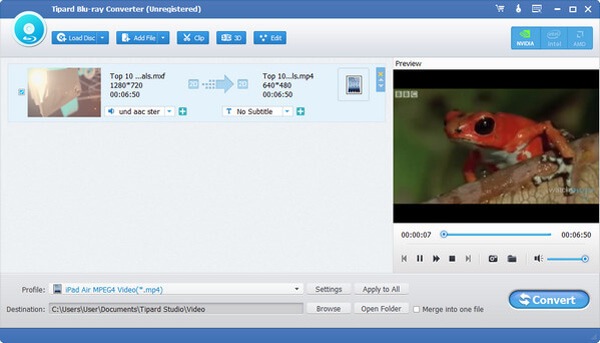
Tipard Blu-ray Converter can help you rip DVD to iPod iPhone supported formats. Surely, it is not the only one that can help you. More DVD to iPod converters, check here.
In order to put Blu-ray movies to iPhone or iPod, you should pay special attention to the large size of the converted Blu-ray movies. Aiseesoft FoneTrans is one of the best iTunes alternatives to transfer and manage iOS data with ease. You can put Blu-ray DVD movies to iPhone or iPod with ease with the professional program.
Step 1Connect iPhone to computer
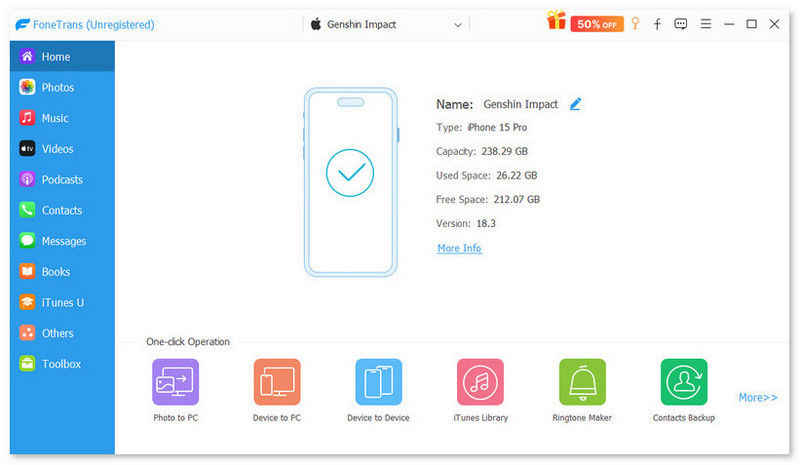
Download and install FoneTrans on your computer. Connect your iPhone to the computer with the original USB cable. Launch the program to detect the iPhone automatically.
Step 2Manage the contents on your iPhone
Once it detects your iPhone, you can find the free space for iPhone or iPod. Since the large size of Blu-ray videos, you can click the "Export to PC" to transfer some videos or photos to a computer instead.
Note: It is recommended to cut the movies into several pieces. You can put part of Blu-ray movies to iPhone or iPod. After that deleting them before importing the new ones.
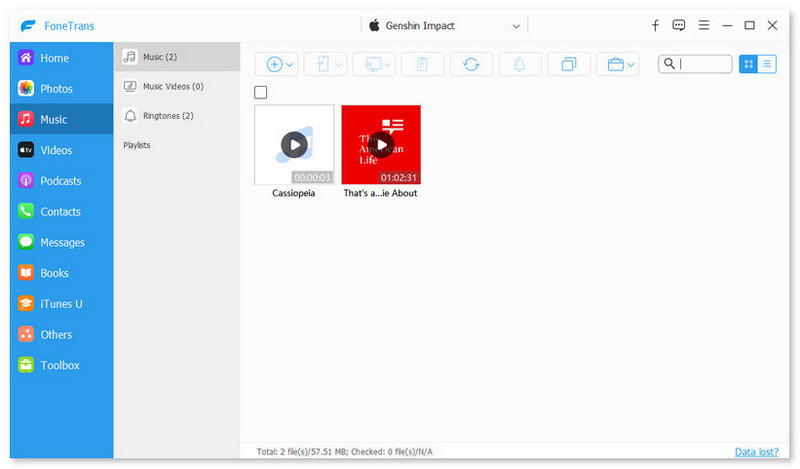
Step 3Put Blu-ray movies to iPhone
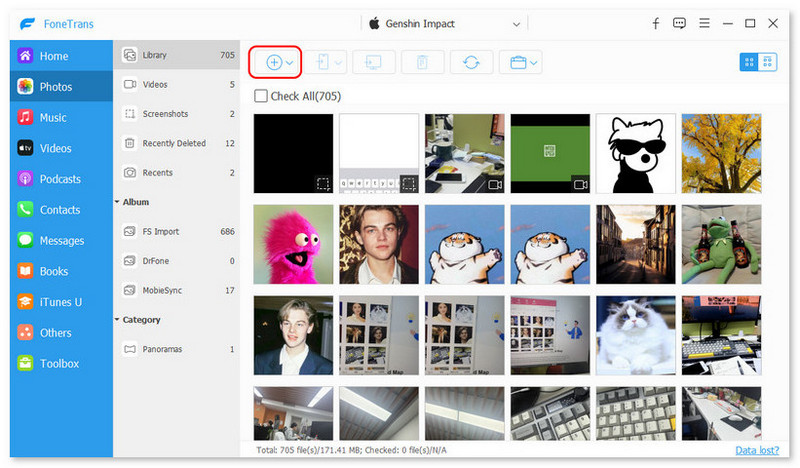
Make sure that your iPhone has enough space for the Blu-ray movies. Click the "Add" icon, navigate to the folder used to save Blu-ray movies, select them and click "Open" to start putting Blu-ray movies to iPhone.
What should you do if there is not enough space on your iPhone? If your iPhone and computer is within the same network, you can also choose some Blu-ray Player to sync and put Blu-ray DVD movies to iPhone.
Free Blu-ray Player is a recommended Blu-ray Player to enjoy Blu-ray, DVD and most video formats for free. It has different screen modes with full, half, normal and double. Here is the detailed process to playback the Blu-ray movies with the program.
Step 1Download and install the Blu-ray player
Once you have installed the Blu-ray player, you can launch the program and insert the Blu-ray disc into Blu-ray DVD slot. Make sure your computer is able to recognize the Blu-ray disc.
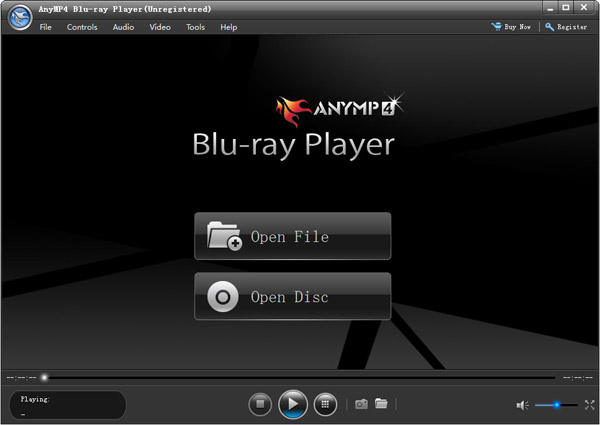
Step 2Click the "Open Disc" button to load the Blu-ray disc to the program. You can also click the "File" at the top of the toolbar and choose the "Open Disc…" option. After that you can find the menu window for Blu-ray movies.
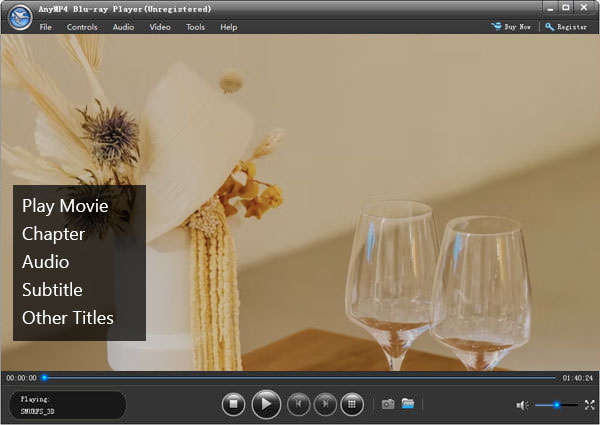
Step 3Before you choose the "Play Movie" or the select chapter, you can sync and put Blu-ray movies to iPhone. If you need to playback a desired chapter, navigate to the chapter beforehand. Besides, you can also use the Blu-ray player for video files.
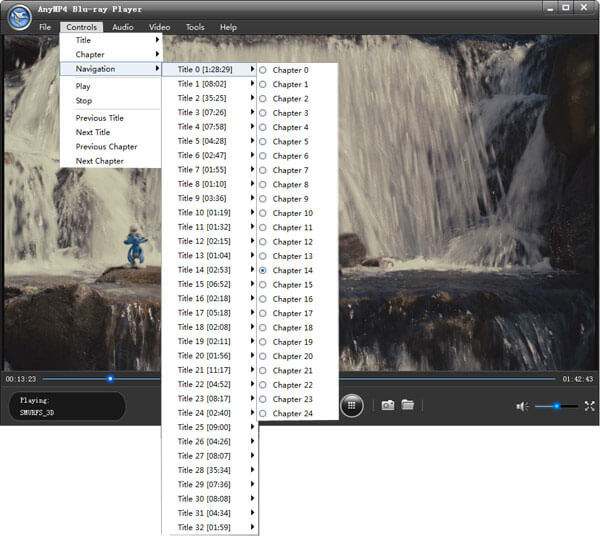
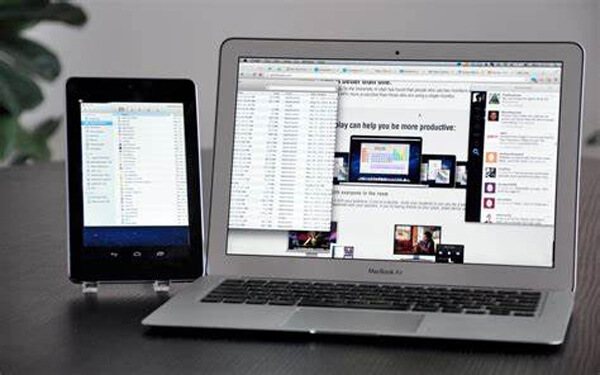
Whether you are playing back converted Blu-ray movies on computer, or Free Blu-ray player, you can mirror and put Blu-ray movies to iPhone. As for the case, you do not have to transfer the files between devices. Here are the detailed steps you can put Blu-ray movies with iDisplay.
Step 1Install iDisplay on both your computer and iPhone. After that you can launch the program and make sure the devices are connected to the same network environment.
Step 2Process to your iPhone and tap on your PC from the list of devices to connect. In order to sync and put Blu-ray movies on iPhone, you have to choose a better network environment.
Step 3Once you select the computer, there is a popup window asking for your computer permission. Click the "Allow" option to put Blu-ray movies to iPhone or iPod.
Conclusion
It should be the 2 ultimate methods to put Blu-ray movies to iPhone or iPod. When you want to enjoy the high quality movies without worry about the Wi-Fi environment, Blu-ray converter and iOS transfer should be the first choice. If you just want to enjoy the movies on your bed, you can play Blu-ray disc on a PC and sync the movies with iOS mirroring tools.

April 22, 2019 16:44 / Posted by Andrew Miller to BD/DVD
 How to Play Blu-ray Disc on PC in Simple Way [Windows 10]
This article mainly describes the way to playback Blu-ray disc on PC with the best Blu-ray player software for Windows 10/8/7.
 How to Play Blu-ray on the New Mac Pro
Play Blu-ray disc, Blu-ray folder and Blu-ray ISO Image file fluently on the new Mac Pro.
 How to Play Video with Blu-ray video Player
This guide shows you how to play videos with video player for windows, such as playing MTS, MKV, MPEG, FLV, WMV, MP4 and HD video.
 Leave your comment and join our discussion
