iPad has larger screen and is suitable to enjoy dynamic visual contents. How to transfer Blu-ray and DVD movies to iPad? Since iPad cannot work with external Blu-ray drives, you have to rip movies from Blu-ray discs or DVDs before transferring. What should be the best methods to transfer Blu-ray movies and DVD movies to iPad?
The article shares the methods to convert DVD movies to iPad as well as transfer Blu-ray and DVD movies to iPad. In order to get the desired movies for your iPad, you can learn more about the detailed information from the article now.
How to Convert and Transfer Blu-ray or DVD Movies to iPad
Tipard Blu-ray Converter is a professional Blu-ray DVD converter to extract movies from Blu-ray discs and DVDs in high quality. It is able to convert Blu-ray disc, folder, ISO image files to MP4, MOV, WMV and other presets, including different iPad types.
Step 1 Launch the Blu-ray converting software after installation. Insert the Blu-ray disc that you want to watch on iPad into your Blu-ray drive.
Step 2 Once click on the "Load Disc" button, Blu-ray movies will be added into the media library area.
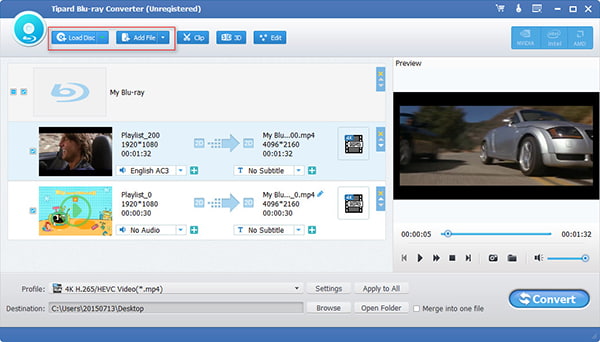
Step 3 Check the boxes next to the desired movies. If not sure, you can preview them with the built-in media player on the right side. If you want to edit the movies, you can find the tools on the top ribbon.
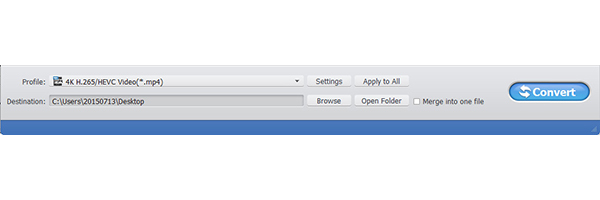
Step 4 Unfold the "Profile" dropdown list and select your iPad model as the target device. Then click the "Browse" button and choose a folder to save the movie files.
Step 5 Finally, click the "Convert" button to start ripping movies from Blu-ray disc. After that you can transfer Blu-ray movies to iPad with iTunes or other professional iPhone transfer programs.
Note: It is able to rip homemade DVD only to iMovie or QuickTime. However, you might have to use some external Blu-ray drive or a DVD drive based on your need, especially when you are using a Mac computer.
Aiseesoft Video Converter Ultimate is another great DVD to iPad converter to transcode homemade DVDs to video formats. Moreover, you can also enhance the videos from DVD before transferring DVD movies to iPad.
Video Converter Ultimate For Mac
Step 1 Download and install the program on your computer. Insert the DVD you want to watch on iPad into your DVD drive. Click the "Load Disc" button on top of the window to read and add DVD movies into the program.
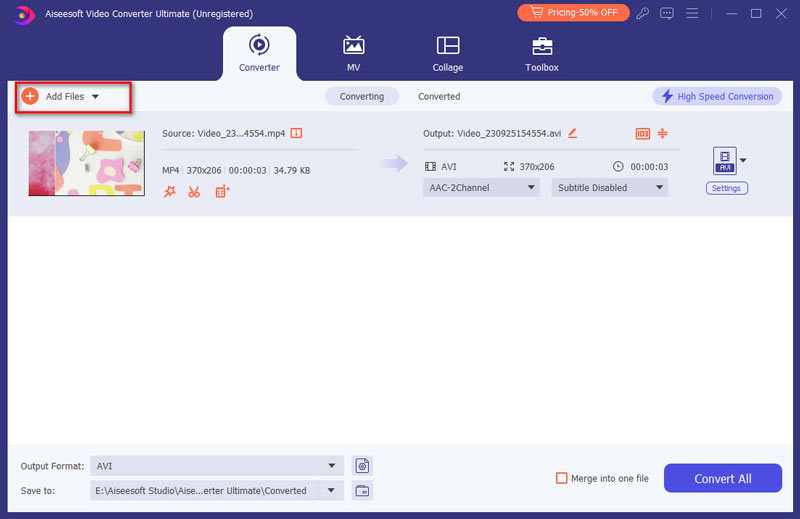
Step 2 Select the iPad model from the "Profile" dropdown list and click the "Save as" button to set the destination. Click the "Settings" button at the bottom to adjust the different parameters for the output video.
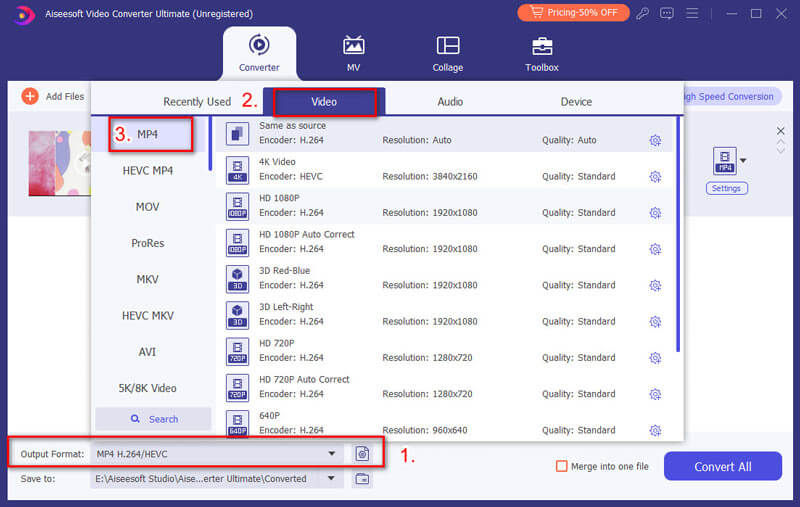
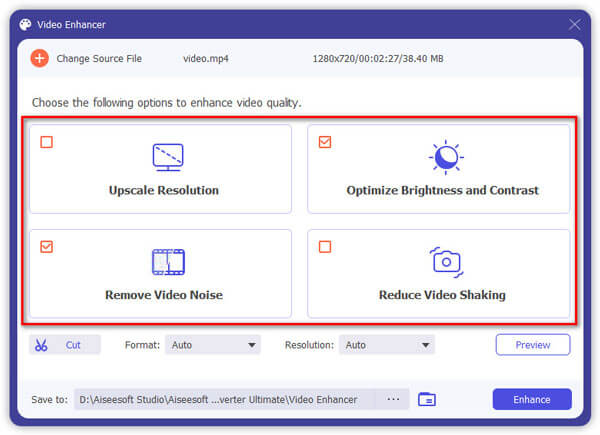
Step 3 In order to enhance the video quality from DVD movies, click the "Video Enhance" button, select the "Upscale resolution", "Optimize brightness and contrast", "Remove video noise" and "Reduce video shaking" to get a desired video for iPad.
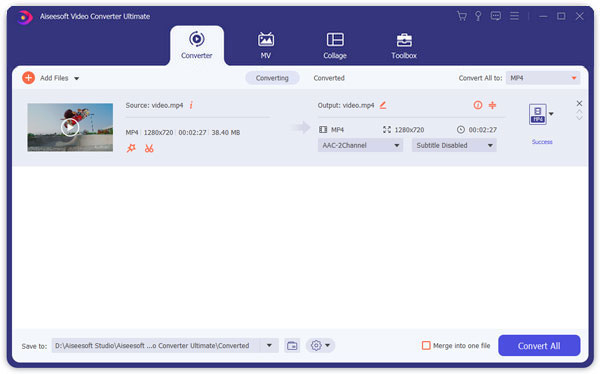
Step 4 Finally, click the "Convert" button to convert DVD movies in a high quality. Now you can transfer DVD movies to iPad from your computer via iTunes or other solutions with ease.
How to transfer Blu-ray and DVD movies to iPad? Since the videos from DVDs or Blu-ray discs are too large to transfer, you should clip the videos into different clips beforehand. Select and transfer the desired Blu-ray video clips into iPad and remove the ones you have already watched. Aiseesoft Fonetrans should be the best iTunes alternative in order to transfer Blu-ray and DVD to iPad.
Step 1: Launch the iPad transfer software
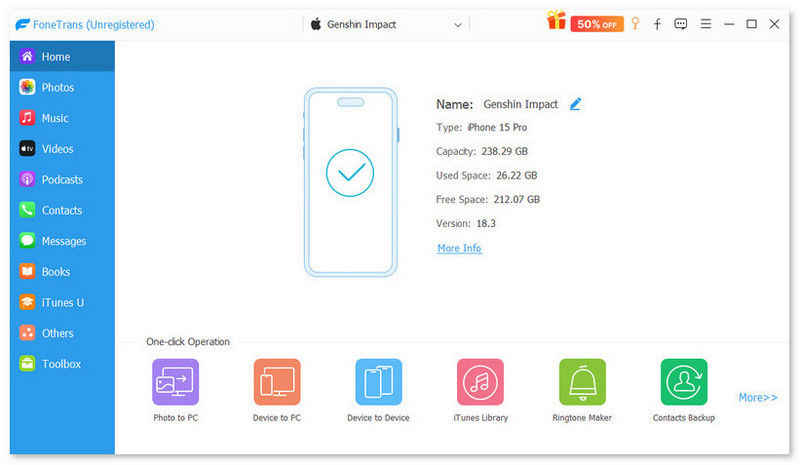
Download and install Aiseesoft Fonetrans on your Windows or Mac. Connect your iPad to computer using the original Lightning cable. Once you launch the program, it will recognize the iPad automatically.
Step 2: Transfer files to computer to free up space
Since the Blu-ray movies are large and take up much space, you can transfer some files from iPad to computer for backup. Choose the unimportant files and click the "Export to PC" to computer or external hard drive.
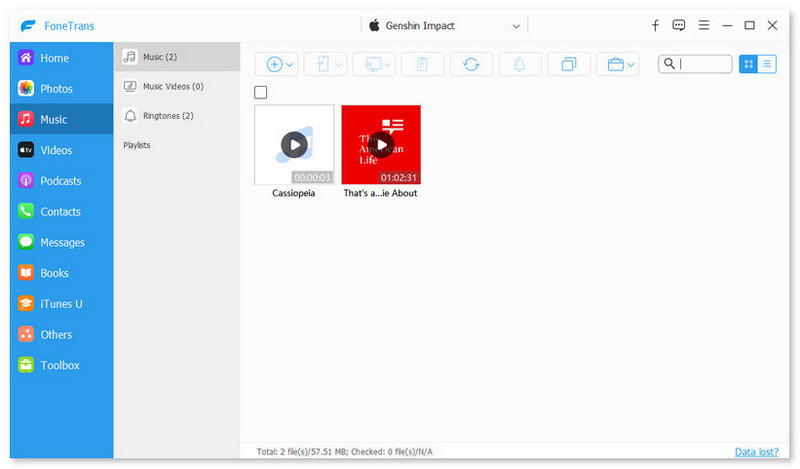
Note: Select unwanted photos and click the "Trash" icon to remove them from your iPad. Make sure there is enough space to transfer Blu-ray discs and DVD movies to iPad.
Step 3: Select the Blu-ray movies from your computer
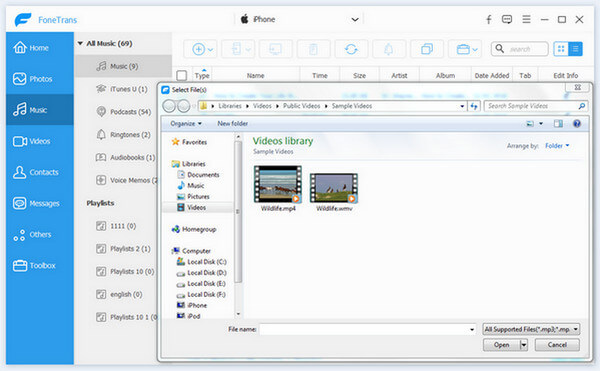
Go to the "Videos" tab from the left sidebar and select "Movies" option. Press the "Plus" icon on the top ribbon and select all the desired Blu-ray movies or DVD movies you want to play on iPad.
Step 4: Transfer Blu-ray and DVD movies to iPad
Once you click the "Open" button, Blu-ray movies will go to your iPad from your hard drive. It may take a period of time to transfer Blu-ray movies to iPad. You should keep your iPad connected during the process.
When the whole process ends, you can find your movies in the "Photos" app on your iPad. Once you transfer the Blu-ray movies to iPad, you can playback the files on the go. Just remove the watched clips and import new ones for the next time.
Conclusion
Based on the tutorial above, you should understand how to transfer Blu-ray and DVD movies to iPad quickly. First of all, you need to rip movies from Blu-ray discs or DVDs. Then transfer Blu-ray or DVD movies to iPad with iTunes and professional iPad transfers. In the way, you can also play DVD on Xbox 360 and other devices with ease. The article shares a step-by-step guide to extract movies from Blu-ray movies for your iPad in a high quality. More questions about converting or transferring Blu-ray discs and DVD movies on iPad, you can leave more comments in the article now.

April 23, 2019 10:28 / Posted by Andrew Miller to BD/DVD
 How Can Xbox 360 Play DVD
Can Xbox 360 play Blu-ray? Want to know how to play DVD on Xbox 360? You can learn how to play DVD on Xbox 360 in this post.
 What to Do If You Want to Edit Homemade DVD in iMovie
To edit homemade DVD in iMovie simply, first you should convert homemade DVD to iMovie formats including MOV, M4V, etc. Try this best DVD to iMovie Converter.
 Play DVD Disc on Wii U/Nintendo Wii with The Simplest Way
Does the Wii play DVDs? This article gives the simplest solution to play DVD movies on Wii U or Nintendo Wii.
 Leave your comment and join our discussion
