You are here: Aiseesoft > Products > MXF Converter for Mac

Convert MXF files to iMovie, FCP, FCE, Adobe Premiere, Avid Studio, etc. on Mac

Aiseesoft MXF Converter for Mac

Aiseesoft MXF Converter for Mac is the best solution to import MXF/P2 MXF recordings, shot by Panasonic P2 camcorders, Canon XF series cameras, etc., to optimal profiles (Apple ProRes, DVCPRO, HDV, Avid DNxHD, XDCAM, and Apple InterMediate Codec) for editing in Final Cut Pro, iMovie, Final Cut Express, Adobe Premiere, and Avid Media Composer, and so on.

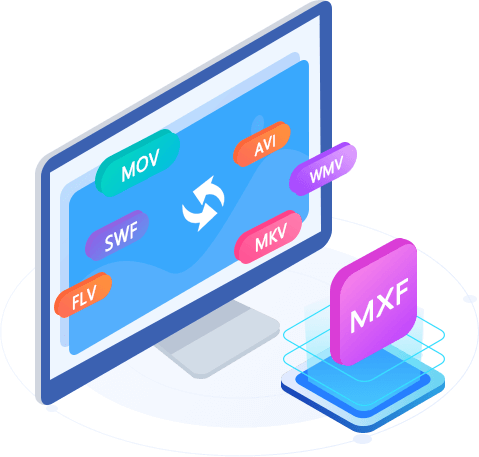
Also this Mac MXF Converter can convert MXF file to other popular video formats like MP4, MOV, MKV, AVI, WMV, FLV, SWF, M4V and more on Mac. It allows users to extract audio from MXF files and convert to AAC, MP3, AIFF, OGG, even lossless audio format like FLAC, WAV and WMA etc. Moreover, this application supports converting MXF to 3D videos on Mac, including Anaglyph 3D, Side by Side 3D, Top and Bottom 3D. It also has multiple editing functions to help you edit different MXF recordings instead of professional video editing software.

  • Transcode MXF files into editable footage in FCP, FCE, iMovie, Avid Studio, Adobe Premiere, etc.
  • Convert MXF files to MP4, MOV, AVI, WMV, MKV and other 2D/3D formats on Mac
  • Multiple video editing functions to customize the MXF file on Mac
  • Convert MXF for playback on iPhone 5, iPad 4, iPad mini, Samsung Galaxy S4, Samsung GALAXY Note 2, HTC One and other popular personal devices.
  • Featured with the best video/audio synchronization technology

System Requirements Mac OS X 10.5 or above; Intel processor; 512MB RAM, Super VGA (800×600) resolution, 16-bit graphics card or higher

  • Price: $29.00
  • Size: 26.2MB
Key Features
convert MXF videos

Versatile MXF converting functions for Mac users

  • Transcode MXF file for editing on Video Editing Software

    It supports optimal profiles for certain editing software, like Apple ProRes, DVCPRO, HDV, Avid DNxHD, XDCAM, and Apple InterMediate Codec (AIC). With it, you can easily import the MXF file to iMovie, Final Cut Pro, Final Cut Express, Adobe Premiere, and Avid Media Composer, etc. for further editing without any limitations.
  • Tips: To convert MXF to Final Cut Pro format, please make sure the FCP 6(or above version) has been installed on your computer, otherwise the converted files will have audio only without image. If you use the FCP X, you may need to install ProApps QuickTime Codecs manually. Please download it from: http://support.apple.com/kb/DL1396.

  • Convert MXF format to MP4, MOV, MKV, AVI and WMV on Mac

    Aiseesoft MXF Converter for Mac possesses professional converting function to convert MXF format to any popular video and audio format with ultrafast converting speed and excellent quality.

  • Play MXF on Mac and iPad, iPod, iPhone, Apple TV, etc.

    You are allowed to convert MXF recordings to other video format that can play well on any portable devices such iPad 4, iPad mini, iPhone 5, Samsung Galaxy S4, Samsung GALAXY Note 2, iPod, Apple TV, HTC One and other Android devices, etc.

MXF to 3D

Enjoy MXF files in 3D modes on Mac

  • Convert MXF to 3D on Mac

    This MXF Converter for Mac is able to convert MXF to 3D video in MP4/MKV/AVI/FLV format.

  • Support all 3D modes

    This software supports Anaglyph 3D, Side by Side (Half-Width) 3D, Side by Side (Full) 3D, Top and Bottom (Half-Height) 3D and Top and Bottom (Full) 3D. You can choose your desired output 3D mode according to the playing device. Also you can adjust the visual depth of the 3D video.

adjust video effect

Multiple editing functions to get perfect video on Mac

  • Adjust the video effect on Mac

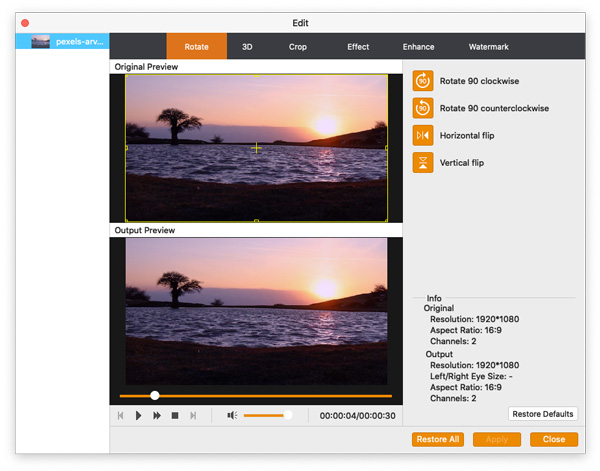
    In the "Edit" window, this Mac MXF Converter software has the ability of adjusting the video effect like brightness, contrast, saturation, hue and volume to touch up your video files and make the video effect perfect.

  • Crop, watermark, and merge your MXF file on Mac

    You can remove the black bars from MXF videos and change the aspect ratio to get a full screen video, add watermark with text/picture and define the text color/font/transparency/position and merge several MXF files into one file.

  • Clip source MXF files on Mac

    This MXF converting software allows users to clip several segments from the source MXF file and you can specify the length of each segment.

  • Set profile settings for output video

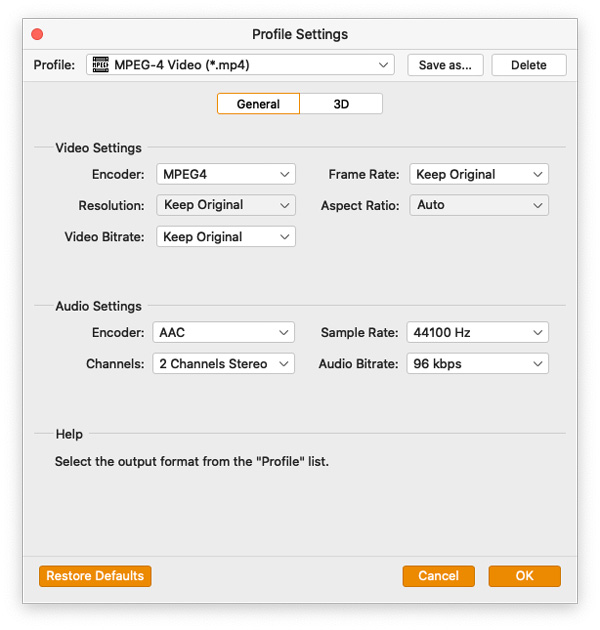
    If you want to get the perfect video effect, you would open the profile settings window to define the video and audio settings like Video bitrate, encode, frame rate, resolution, aspect ratio, and audio bitrate, encode, sample rate, channels according to your preference.

easy-to-use MXF Converter for Mac

User-friendly and convenient

  • Preview source file and output video simultaneously

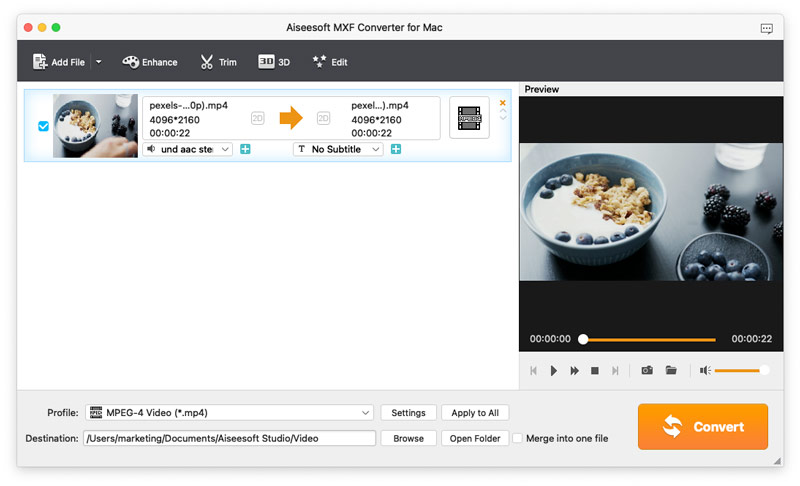
    This MXF Converter for Mac provides preview window of source file and the output video, when you edit the video, you can compare the two file effect to adjust. Also, you can capture the beautiful image from your MXF recordings when previewing in the main interface.

  • Convenient and easy to use

    You can use our software to convert MXF/P2 MXF files to any video format you want even if you are a novice.

Specification
Supported Input File Formats
Video MXF, TS, MTS, M2TS, TP, TRP
Supported Output File Formats
Video MOV, MP4, H.264, H.264/MPEG-4 AVC, DivX, XviD, MPG, MPEG-1, MPEG-2, MPEG-4, AVI, FLV, M4V, MKV, 3GP, 3G2, MTV, SWF, WMV, ASF, DPG, TS, DV, VOB, AMV, WebM
HD Video MOV, MP4, H.264/MPEG-4 AVC, AVI, ASF, MKV, MPG, TS, WMV, WebM
3D Video MP4 Side by Side 3D, MP4 Top and Bottom 3D, MP4 Anaglyph 3D, MKV Side by Side 3D, MKV Top and Bottom 3D, MKV Anaglyph 3D, TS Side by Side 3D, TS Top and Bottom 3D, TS Anaglyph 3D, AVI Side by Side 3D, AVI Top and Bottom 3D, AVI Anaglyph 3D, FLV Side by Side 3D, FLV Top and Bottom 3D, FLV Anaglyph 3D
Audio AAC, AC3, AIFF, AMR, AU, FLAC, M4A, MKA, MP2, MP3, OGG, WAV, WMA
Supported Devices
iPhone (iPhone 5, iPhone 4S, iPhone 4, iPhone 3GS), iPad (iPad 4, iPad mini, iPad 3, iPad 2, iPad), Apple TV, iPod touch, iPod nano, iPod classic
Android devices (Samsung Galaxy S4, Samsung GALAXY Note 2, BlackBerry, HTC One, LG, Motorola, Sony Ericsson, Sony XPERIA, etc.)
Samsung Smart TV, Sony BRAVIA, Sharp (70-inch/60-inch), Panasonic, LG
PSP, PS3, Wii, Zune, Xbox 360, NDS
Supported Video Editing Software
iMovie, Final Cut Pro, Final Cut Express, Sony Vegas, Adobe Premiere, Avid Media Composer, etc.

User Reviews

  • I love this MXF converting software. It helps me solve the big issue of transcoding recording MXF files to FCP. And I'm satisfied with the output video quality.
    - Jason
  • This MXF Converter for Mac can successfully convert the MXF file recorded by my Panasonic P2 to iMovie MOV video. Then I can edit it easily.
    - Mavis

Awards