If you want to upload videos to your blog or YouTube, you may want to convert videos to SWF first. SWF is a commonly used web video format, its small file size and good output video quality has attracted many online video-sharing sites. Though MP4 is widely used in most portable players, it is not a perfect video format to share videos online. Therefore, you should convert MP4 and other video formats to SWF in advance.

Convert Video to SWF
Some people may need to convert few videos to SWF only, so using online video to SWF converter may be a good choice. However, if you have large amounts of videos need to be converted and edited, then you had better choose one best video to SWF video converter. No matter which decision you make, you can learn how to convert video to SWF converter from the following paragraphs.
Wanna get an all-in-one video converter to convert and edit all videos quickly and easily?
Actually, Aiseesoft Video Converter Ultimate allows users to convert, edit, download and enhance videos and DVDs in high quality. Furthermore, you can extract audios from videos and then convert to MP3 and other audio formats with ease. As for converting video to SWF, it is just a piece of cake. With over 1000 video and audio formats supported, you can convert any video to SWF in a short time.
Step 1 Add the local video
Download and install Video Converter Ultimate on your Windows or Mac computer.
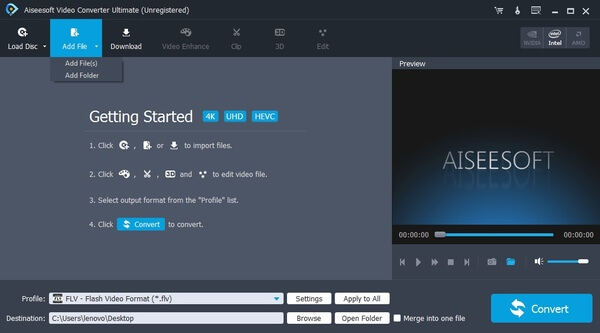
Launch this Video to SWF video converter, then choose "Add File" on the top toolbar to import videos. In addition, you can also insert the DVD and click "Load Disc" to convert videos from the DVD as well.
Step 2 Edit the video before SWF video conversion
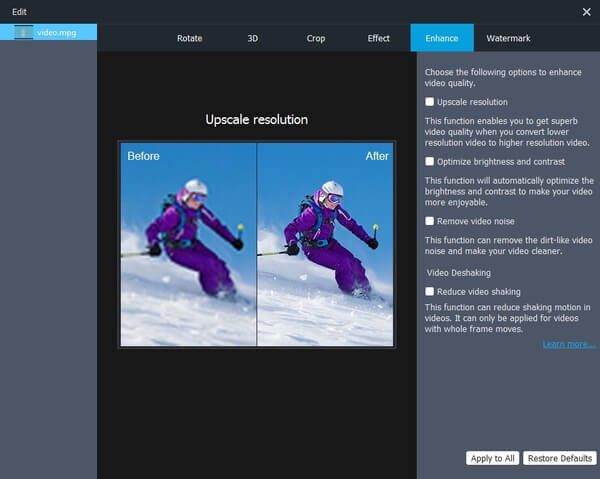
If you need to customize the video, then you can click "Edit" option on the top. A new window pops up and brings many video editing filters. You can rotate, crop, watermark, enhance, apply 3D and video effects. Just use the real-time preview window to see your video effect instantly. At last, click "Apply" to save all your editing jobs.
Step 3 Start converting video to SWF
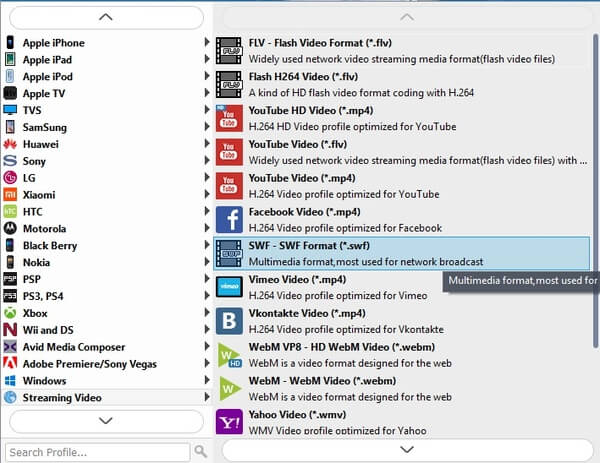
Then choose "Profile" at the bottom. Scroll down and click "Streaming Video" to see all supported online video formats. Select "SWF" to set it as your output video format. Later, click "Settings" to adjust the video and audio settings if necessary. Then choose "Convert" to convert video to SWF.
Here is one free video to SWF converter you can use to convert videos to SWF on Windows. Therefore, you are able to convert video to DVD, iPhone, Android and various devices for free. Freemake Video Converter allows users to convert, edit and download videos too, though there are only basic tools you can use.
Step 1 Run Freemake Video Converter
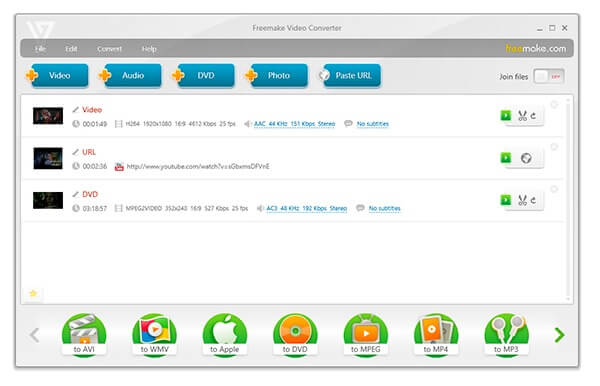
Launch the free video to SWF video converter on Windows PC. Choose "Video" icon on the top to import your local video file, or you can drag and drop videos into its main interface directly.
Step 2 Free convert video to SWF on Windows
Find and choose "to SWF" as the output video format. Then you can select a preset before the video to SWF video conversion. Make sure you have ticked "Embed video to my web page". Then click "Convert" button to get a SWF video in Flashing coding.
You can also get some online video to SWF video converters to complete the SWF video conversion for free. Be aware that the output video quality may not as good as your original video files. And you are not able to customize and organize large amounts of videos due to several limitations.
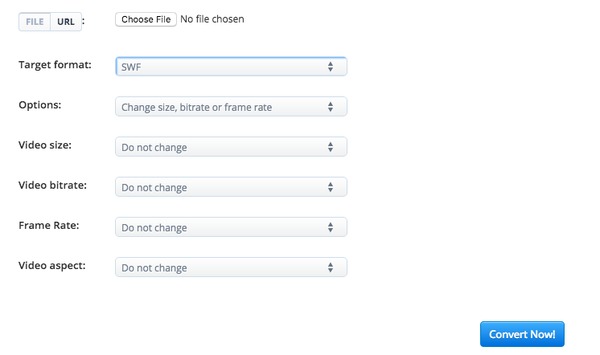
You can get many different sections from Aconvert to convert video files between SWF and common video formats. Thus, you can convert video to video of most popular video formats online for free. In addition, you are allowed to change video size, bitrate and frame rate before converting video to SWF.
Step 1 Locate the video to SWF page in Aconvert
Step 2 Add a video from local folder or URL
Step 3 Select "MP4" from "Target format"
Step 4 Customize with the basic video editing tools
Step 5 Click "Convert Now" to convert video to SWF online
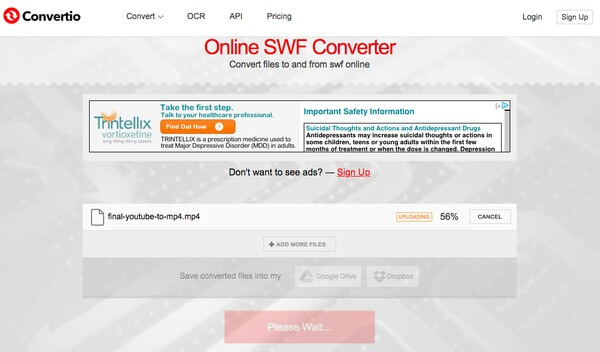
Convertio allows users to convert videos from cloud storage and then save converted files back to Dropbox and Google Drive as well. Just make sure your video file size is less than 100 MB.
Step 1 Open Convertio video to SWF video converter online
Step 2 Upload the video from desktop, Dropbox, Google Drive or URL
Step 3 Click "Convert" to convert video to SWF online
Step 4 Choose "Download" to save the converted SWF video
Through the paragraphs above, you can get easy ways to convert video to SWF easily. And there are many other features about video conversion and customization you can get. That's all for how to convert video files to SWF, feel free to contact us if you have any difficulty during the whole process.

March 26, 2018 18:00 / Updated by Jenny Ryan to Convert Video
 Best Video Converter for Mac/Windows 10/8/7
Want to find the best video converter? We list best video converter for Mac, best video converter for Windows, and best free video converter in this post.
 10 Best Online Video Converter for Free FLV Conversion
Read and get one of the best FLV converter freeware from this article. In addition, there are other 10 free online FLV converters here.
 Recommendation of 5 Online or Offline Media Converter Ultimate
You can get your best video converter after reading this article. Each media converter ultimate shows its main features with easy understanding sentences. Just read and follow.
 Leave your comment and join our discussion
