How to convert MTS to AVI format?
When you are trying to import the video file from the HD camcorder to your computer, have you ever found that the files cannot be opened or played on most media players? These videos recorded by camcorders are usually saved as MTS format, which is not compatible with a majority of players and video-editing apps.

In order to solve this problem, you need to convert these MTS files to AVI or other popular formats, which are compatible with your device. Do not get frustrated even you have never attempted such a conversion. The tutorial will give you a comprehensive guide about the top 8 video converting tools and how to convert MTS to AVI. Keep on reading for the detailed information now.
How to convert MTS to AVI format in high efficient? Here the article provides a complete solution, Aiseesoft Video Converter Ultimate. It is one of the best MTS to AVI converters to transcode MTS files in high quality. Just free download the program to turn MTS to AVI Converter accordingly. You can get advanced output settings with easy steps.
Key Features:
Step 1 Download and launch this software
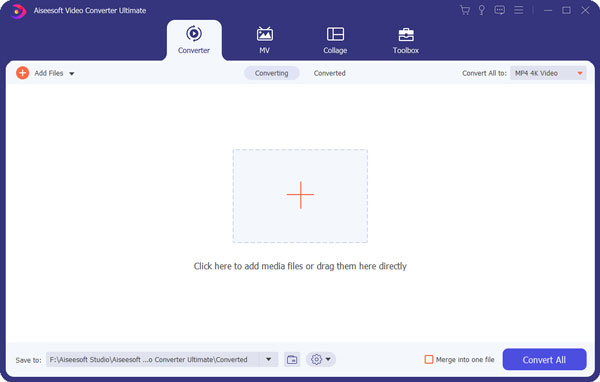
When you download Aiseesoft Video Converter Ultimate with the download button above, you can install and launch the program. Click the "Add File" to load MTS video that you want to convert to AVI.
Step 2 Choose output profile and settings
From "Profile" drop-down list you can choose output format as AVI or according to your portable device. You can also click "settings" to adjust output "video/ audio encoder", "Video/ audio Bitrate", "Channels", "Resolution" and more other settings.
Step 3 Video Editing
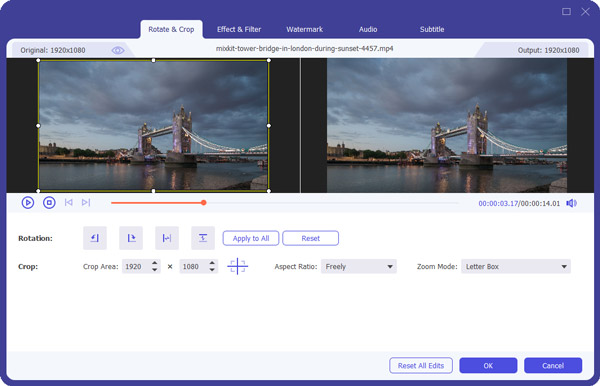
Before you convert MTS to AVI, it allows you to do many video editing such as making special Effect for your movie, Trim any length segments, Crop playing area and more.
Step 4 Convert MTS to AVI
After you have done all the steps above you can click "Convert" button to start your conversion from MTS to AVI.
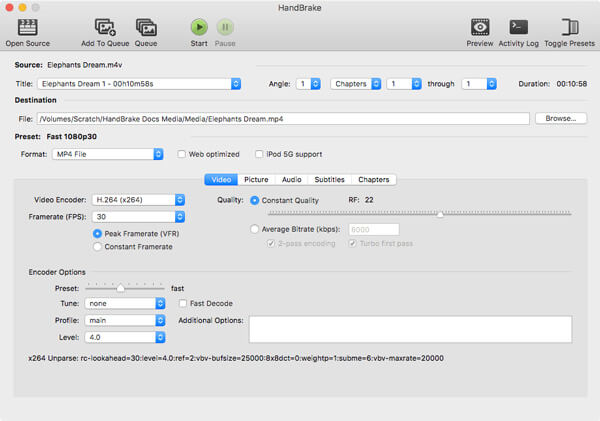
HandBrake, a wonderful video converter, can help you transform your video and audio format to any formats, including MTS, MP4, MOV, AVI, MKV, FLV, MP3, etc. No matter you want to convert a MTS video to AVI format, or you want to edit and create a unique video, HandBrake can make it easily.
Step 1 Download and Launch the HandBrake software and import your MTS video in the main interface. You can input multiple videos, too.
Step 2 Before converting MTS to AVI, choose the video format you need to export at the format category, AVI as an example.
Step 3 After all is set, click the "Convert" button. After the converting process is complete, you can see more details about the video in the file.
You may need: how to uninstall HandBrake on Mac here.
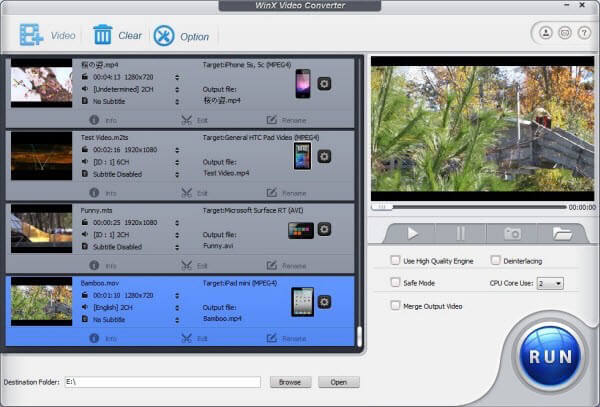
WinX Free MTS to AVI Converter is also one of the best free MTS to AVI video converter. It supports a wide variety of outputs formats, such as MST, MP4, AVI and etc. Moreover, you can convert any video format with a high quality by this converter.
Step 1 Download and install WinX Free Video Converter, and then launch the program on your computer.
Step 2 Click the "Add" button to import your File that you want to convert from MTS to AVI into the software.
Step 3 On the video tab, you can select AVI format at the left sidebar as the output format, and choose the video resolution to confirm the output format.
Step 4 Simply click on the "Convert" button in the lower right corner; you can start converting MTS files to AVI files. You will be notified at the end of the transformation.
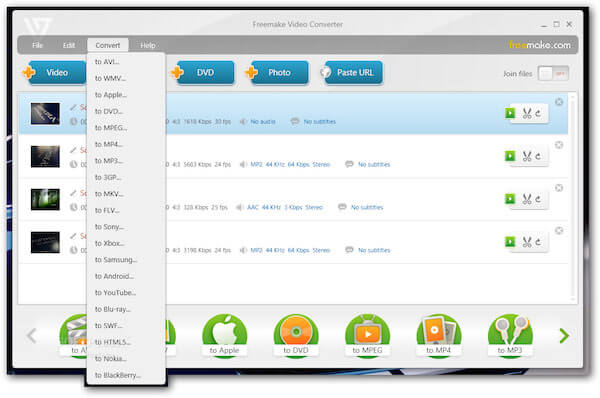
Freemake Video Converter is perfect software to convert any videos for free. With various output formats, you can simply export the MTS video to AVI, MKV, MOV, AVI, WMV, FLV, MP3 and other video or audio format.
Step 1 Download Freemake Video Converter and then start it.
Step 2 Click on Add media button and click open files. Then your MTS file can be added to the program.
Step 3 Next do not forget to select AVI as output video format at the video tab.
Step 4 Finally click the Convert button to convert MTS to AVI. It will open automatically when the conversion finished.
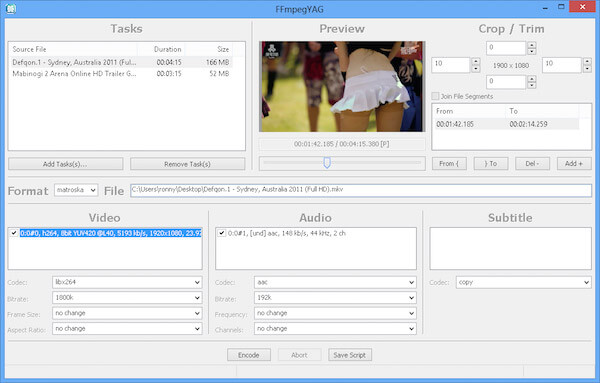
FFmpeg is a free software project to record, convert and stream audio and video, of course, including converting MTS file to AVI. It can be used on many platforms and earns good reputations among users.
Step 1 Download the FFmpeg program on your computer. After installation, launch the program to add MTS files.
Step 2 Type the code in command line. Copy and paste the code below: ffmpeg -i input -acodec libfaac -vcodec mpeg4 -b 1200k -mbd 2 -flags+mv4+aic -trellis 2 -cmp 2 -subcmp 2 -metadata title=X output.mp4
Step 3 Type a new name to the output AVI video in the metadada title where X is. After you entitle the new movie, click on Enter.
Step 4 Enter the location where the MTS video is saved, and click Enter again to start converting MTS to AVI process.
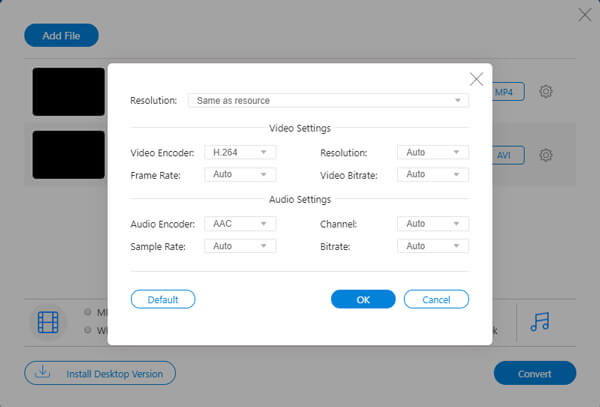
Aiseesoft Free Online Video Converter is an online tool to convert MTS to AVI, MP4, MKV, WMV, FLV, MP3, M4A and more. It provides various editing features to personalize the output file like video/audio bitrate, resolution, frame rate and loop animation.
Step 1 After downloading the launcher, click Add Files to Convert button to import your MTS file from computer folder. You can click Add File to add another MTS file.

Step 2 Make sure you have ticked AVI as the output format. Click the gear icon to adjust the resolution, video encoder, frame rate and video/audio bitrate.
Step 3 After all adjustments, click Convert button to select the output folder. Then, it will start converting MTS to AVI automatically.
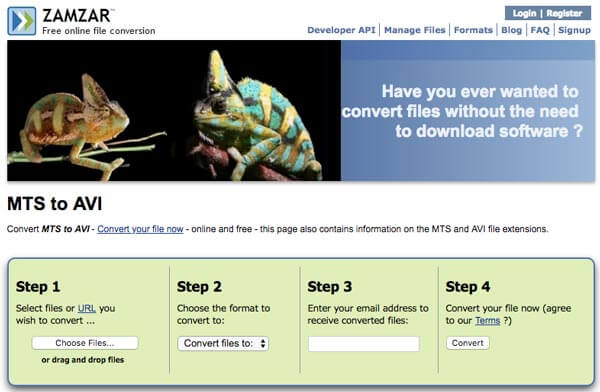
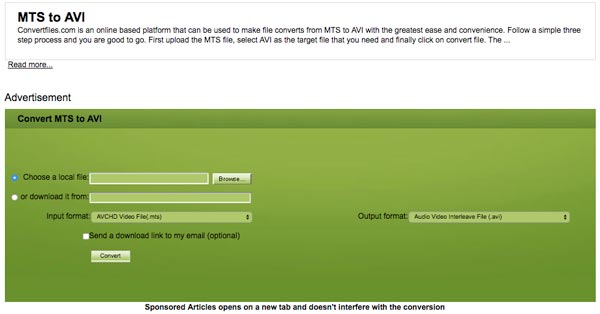
Convertfiles is another free online file converter. It has a lot of different source formats and supports you to convert video and audio files from one format to another (including MTS to AVI), which brings great convenience to many users.
Step 1 Search Convertfiles on Google and access to the website. Upload the desired MTS file from your computer to this website.
Step 2 Select AVI as the export format and click on convert. You can tick the option of "Send a download link to my email". Then you will get a link after running for a few seconds.
Step 3 After the MTS to AVI conversion is completed; you can download the file or send it to your mail to access the AVI file.
1. What is a MTS file?
A MTS file is a video file stored in the Advanced Video Coding High Definition (AVCHD). It is generally used in some HD camcorders like Sony and Panasonic camera. MTS is also used for high definition video on Blu-ray discs.
2. Is AVI a good video format?
Yes. AVI, Audio Video Interleave, is one of popular file format that contains both audio and video in its container. It is notable for compress video into small size with high quality.
3. Can VLC convert MTS to MP4?
Yes. Launch VLC on your computer, click Media and select Convert / Save. In the pop-up window, click Add button under File tab to import MTS file. Then, click Convert / Save button to start converting MTS to MP4.
When you capture some MTS files with camcorder, you can transcode MTS to AVI for better playback on most media players. Just check out the 8 ultimate solutions to convert MTS to AVI with ease, whether you have a Windows or Mac, even for the tablets, you can get the solution from the article.

March 12, 2020 10:31 / Updated by Jenny Ryan to Convert Video
 Best Way to Convert MKV to MP4
This article shows you the best solution to convert MKV to MP4 and other formats like AVI/FLV/RMVB/WMV/MPEG/QuickTime HD MOV, MP3/WAV/FLAC and more.
 Tips for MTS TS M2TS Video Format
Guide you to know more about MTS, TS, M2TS High Defination video format
 Video to MP4 Converter - Convert Any Video to MP4
With video to MP4 converter, you can convert various videos to MP4 freely for playing on portable players.
 Leave your comment and join our discussion
