This document will show you how to trim, crop, convert video to AVI/3GP/MP4 for mobile devices at length, you can refer to it step by step and take the conversion an easy trip.

Convert Video to Mobile Phone
Step 1 Please download Aiseesoft Video Converter Ultimate, you can free download it from here.
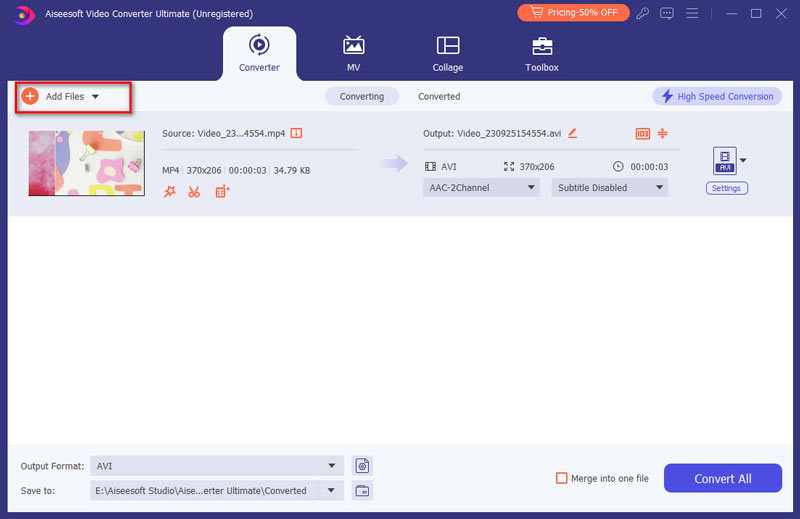
Step 2 Install and run Aiseesoft Video Converter Ultimate, click the "Add Video" button to import your videos. If you experience any problems adding videos by directly clicking the "File" button, you can click "File -> Add file" to add the video files you want to convert from your computer.
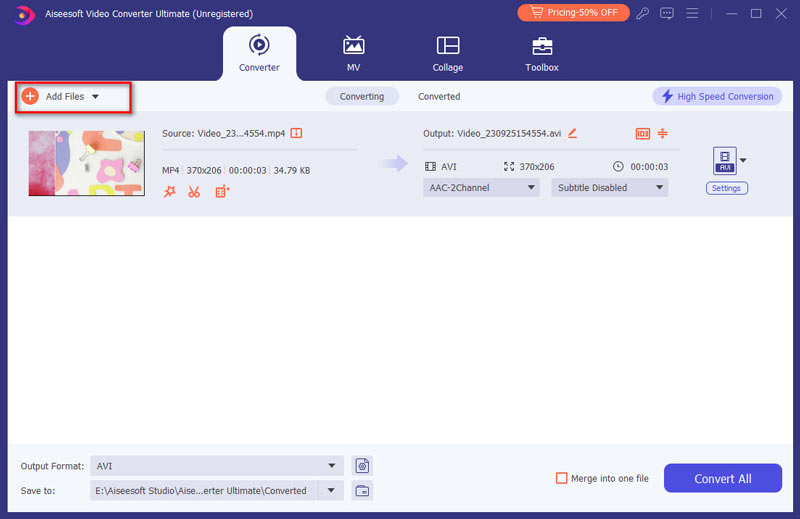
Step 3 Then click the "Format" drop-down list to select the format you prefer for each added file. If you don't know what formats your device support, you can just select the format "Samsung Galaxy Tab Video(*.mp4)".
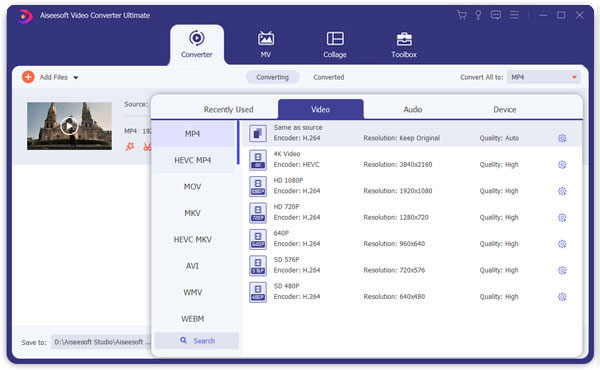
If you want to customize the output quality, click the "Settings" button to open the Settings panel, where you customize resolution, frame rate, video bit rate, audio bit rate, sample, etc.
Step 1 If you want to cut the edges off your video, you can click the "Crop" button to open the crop panel. There is a frame in dashed line around the movie video; you can drag it to cut off the sides you don't want. You can also type in values in the four Crop value boxes to crop your video more accurately.
Step 2 Aiseesoft Video Converter Ultimate allows you to trim your each video file so you can capture your favorite clips from your video files. After you click "trim" button, you can Preview your the selected video file in the Preview window and estimate what part of the movie you want to convert. Then enter the start time and the end time to the time box in the left side or drag the start/end time bar to set the clips you want to convert, then click "OK" to start the conversion.
Step 3 If you want to join several video files into one file, on the main interface, tick the check box "Merge", and you will only get one output file instead of multiple files.

April 19, 2018 08:40 / Updated by Jenny Ryan to Convert Video
 5 Ways to Rotate a Video on Windows 10/8/7 and Mac
How to rotate a video on Windows 10/8/7 and Mac? This post shows 5 best ways to help you easily rotate/flip a video on computer.
 Transfer Photos from Samsung Galaxy to iPhone 6
If you change your Samsung Galaxy to the latest iPhone 6 and want to transfer photos from the Samsung phone to iPhone, or want to share photos on Samsung phone with iPhone, you need the Samsung photo to iPhone transfer software we use here.
 How to Convert Video with Best Android Video Converter
Guide of how to convert video for Android phone/tablet with the best Android Video Converter App.
 Leave your comment and join our discussion
