As users of Android devices, people will often realize that not all videos can be played on our Android mobile or tablet. Like my friend Anna, "Converting videos for the iPod is so easy in iTunes, but I can't make my videos play on my Android phone. How can I convert videos with a Video Converter tool?" she referred to it when we chatted last week. Actually, it is a common topic Android users will encounter. Don't worry, there is a video converter app which can help you transfer your favorite videos to the supported formats on your Android devices.
Here, we will talk about the Android Video Conversion Utility and hope it will help you out of the problem you face. With the Android Video Converter, you can easily convert any video files which can be played on various Media Player Software like Windows Media Player, VLC, QuickTime player and more. Furthermore, you can convert any movies and music files to formats for enjoying on any portable Android devices such as Samsung, HTC, Sony, LG, Huawei, Xiaomi, etc. Now, just follow us and you will convert it easily.
The following is a step-by-step guide on how to handle the conversion.
The following steps will show how to make conversion of your video for your Android phone/tablet.
Step 1 Download and install the software
Download, install and run this Android Video Converter on your computer.
Step 2 Add the video
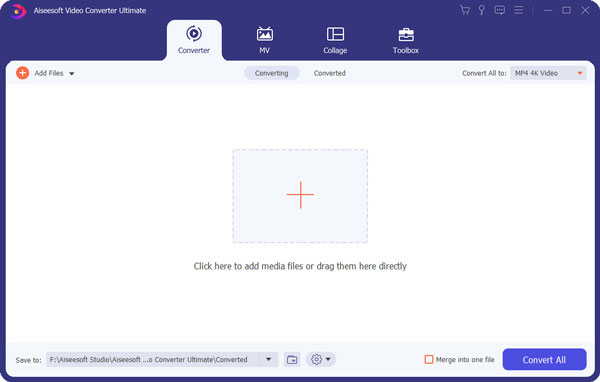
Load the video you want to convert by clicking the button of "Add Video". Also you can just drag and drop it on the interface of this software.
Step 3 Select the output format
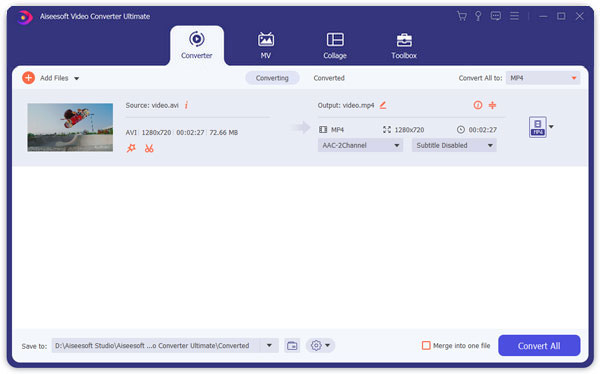
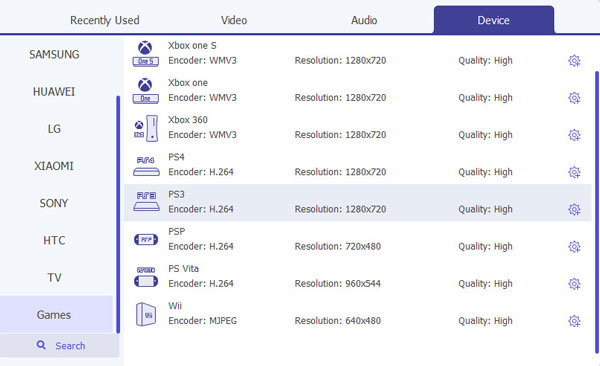
Click the "Profile" on the drop-down arrow. There are a variety of formats and popular devices. You can choose the output format according to your Android phone. Here, we take MP4 as the example. You just need to choose the "Android > Android MP4 Video (*.mp4)" option. Here, you can choose the formats which support Samsung Galaxy Note 6/5 /4/3/2, Galaxy S7/S6/S5/S4 edge, Sony Xperia Z5/4/3/2, Huawei Ascend P9/8/7/6, Mate 8/7/6/5, G8/7/6, etc.
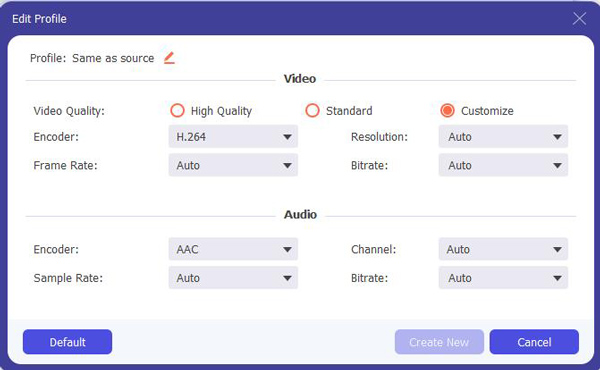
In this step, you can also set some properties for your special request after selecting the target format. Click the "Settings" button and do some further video and audio settings.
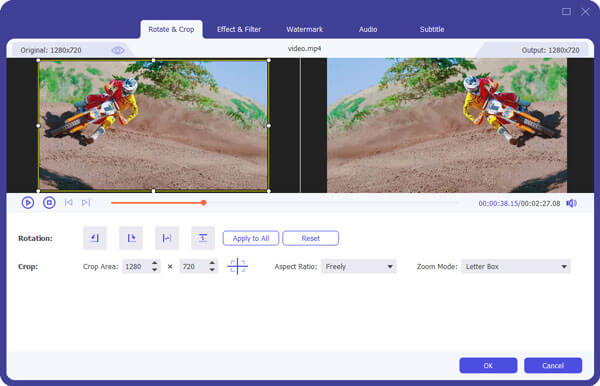
At the same time, this Android Video Converter Tool also provides multiple editing functions to enhance video quality. Before starting to convert, you can click the button of "Edit" to edit your video like adjusting contrast and brightness, upscaling resolution, removing annoyed dirt-like spots and other editing functions.
Step 4 Start to convert
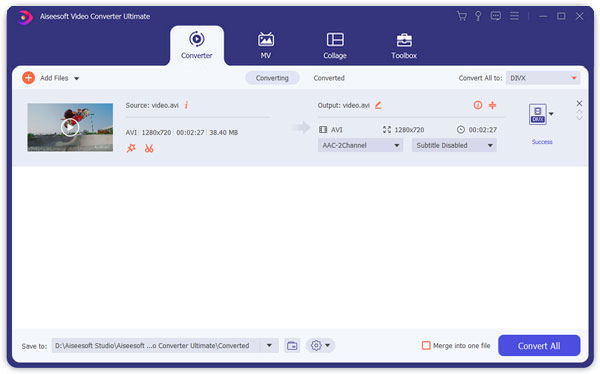
You can also make the location you want to save your converted video file through clicking the button of "Browse". After completing all settings, just click "Convert" button and then you can get the converted video format for your Android phone within minutes.
Step 5 Import the output video to your Android mobile /tablet
After completing the conversion, you can connect your Android mobile phone to computer and transfer the supported video file to Android phone/tablet. Then you can enjoy popular and interesting videos on your portable Android devices.
Apart from this best Android Video Converter App, you have other options to convert video for your Android devices, for instance, choosing the free Android video converter like AVC and DVDVideoSoft or converting videos online like Free Online Converter. With these tools, you can also convert videos for Android.
However, there isn't any guarantee for your privacy security. For example, when using them, you may need to load your video you want to convert from your computer to the website and save the converted video to your computer from the website. In this step, the online converter will visit your computer and may take some potential viruses to your computer. Moreover, some free Video Converters for Android will need you to provide your email address to receive your converted video, and they may also cause some problems of privacy. Therefore, when you want to adopt this method, you'd better have such issues into consideration.
Besides converting video for Android, you could also convert any video to MP4 for playback on mobile phones or other players on compute ror Mac.

June 13, 2018 15:23 / Updated by Jenny Ryan to Convert Video
 How to Convert QuickTime Movies to AVI
Want to convert all your QuickTime movies to AVI videos to play them on more popular media players? This article will tell you clearly.
 How to Recover Deleted Text Messages on iPhone or from iTunes Backup
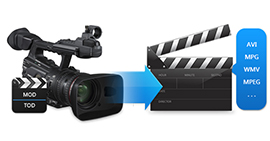
If you want to convert TOD /MOD to AVI, WMV, MPEG and other video formats, you may need a professional MOD Converter to help you do that.
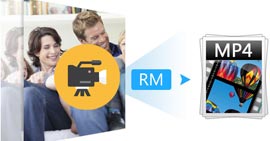 How to Convert RM to MP4 with RM Converter
Real Media video is easy to transfer and play back over the Internet. When you convert RM to MP4 with RM converter, you can play RM files on portable device.
 Leave your comment and join our discussion
