
Best For: Everyone — from casual users who want a player that just works, to advanced users who need format compatibility and streaming support. The safest first choice for any Windows 11/10 user.
Aiseesoft Blu-ray Player
 100% Secure. No Ads.
100% Secure. No Ads.
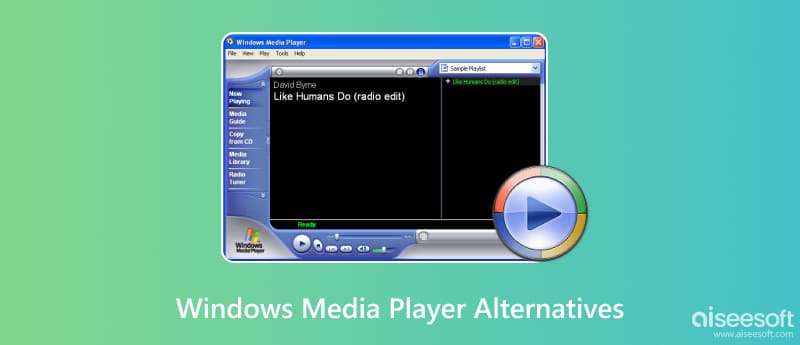
Windows Media Player (WMP) has been the default media player for Windows users for decades, but its limitations have become increasingly hard to ignore. While Windows 11 introduced a new Media Player app to replace the legacy WMP, it still lacks support for many popular formats like MKV, FLAC, and HEVC, offers no Blu‑ray or DVD playback, and provides minimal customization options. The classic Windows Media Player remains available in Windows 11/10 but receives only occasional maintenance updates and no new features. In this guide, we review the top 10 Windows Media Player alternatives, including open‑source options like VLC and MPV, feature‑rich players like PotPlayer and KMPlayer. All picks are tested on Windows 11 and Windows 10.
Quick Answer: What Is the Best Windows Media Player Alternative in 2026?
For most users, VLC Media Player is the best all-around replacement — it's free, open-source, plays every format imaginable, and works on Windows 11/10. If you want more features and customization, PotPlayer is the top choice for Windows power users. For music collectors, MusicBee and MediaMonkey offer the best library management. For Blu-ray and DVD playback, Aiseesoft Blu-ray Player delivers reliable disc support.
100% Secure. No Ads.
100% Secure. No Ads.
| Player | Type | Price | Open Source? | Blu‑ray/DVD | Best For |
| VLC Media Player | All‑round | Free | ✅ Yes | DVD only | Everyone, format compatibility |
| PotPlayer | All‑round | Free | ❌ No | ❌ No | Windows power users |
| MPV | All‑round | Free | ✅ Yes | ❌ No | Minimalists, tech users |
| MPC‑BE | All‑round | Free | ✅ Yes | ❌ No | Lightweight, old PCs |
| KMPlayer | All‑round | Free (ads) | ❌ No | ❌ No | Cross‑platform users |
| MediaMonkey | Music | Free / Gold | ❌ No | ❌ No | Large music collections |
| MusicBee | Music | Free | ❌ No | ❌ No | Music collectors, customization |
| Aiseesoft Blu‑ray Player | Blu‑ray | Free trial / Paid | ❌ No | ✅ Blu‑ray & DVD | Blu‑ray & DVD disc collectors |
| Zoom Player | Home theater | Free / Max | ❌ No | DVD only | Home theater PCs |
| SMPlayer | Lightweight | Free | ✅ Yes | ❌ No | Open‑source, resume playback |
Best For: Everyone — from casual users who want a player that just works, to advanced users who need format compatibility and streaming support. The safest first choice for any Windows 11/10 user.
Rating:4.9 / 5.0
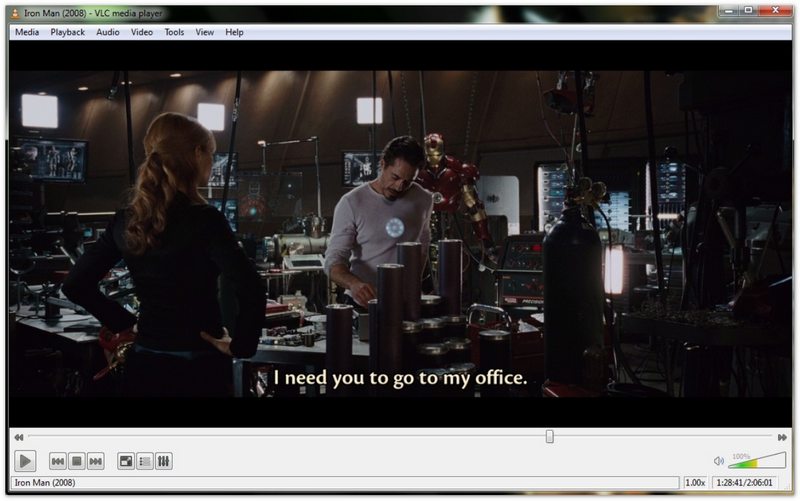
VLC Media Player by VideoLAN is the world's most popular free and open‑source media player, and our top pick as a Windows Media Player alternative. It plays virtually every video and audio format ever created — including MKV, MP4, MOV, AVI, FLV, WMV, FLAC, AAC, OGG, and even incomplete or damaged files — without requiring any external codec packs. VLC also supports DVD playback, streaming from URLs and network drives, subtitle synchronization, and advanced audio/video filters. It runs natively on Windows 11 and Windows 10 with full hardware acceleration for smooth 4K and even 8K playback.
PROS
CONS
Best For: Windows power users who want maximum features, customization, and performance for video playback — especially those who watch high‑bitrate anime, movies, and TV shows with subtitles.
Rating:4.8 / 5.0

PotPlayer by Kakao (formerly Daum) is a free Windows media player packed with more features than almost any other player on this list. It handles every popular format with its internal codec system and excels at playing large, high‑bitrate files — in our testing, it smoothly played a 1.6 GB MOV file, an 865 MB MKV, and a 1.4 GB AVI without stuttering. PotPlayer offers native .ass and .srt subtitle support, a built‑in video editor, screen recording, real‑time audio/video optimization, and extensive keyboard shortcut customization. It is Windows‑only and optimized for Windows 11 and Windows 10.
PROS
CONS
Best For: Tech‑savvy users, developers, and minimalists who prioritize video quality, performance, and configurability over a polished GUI. Pair it with a front‑end like SMPlayer for a more user‑friendly experience.
Rating:4.7 / 5.0
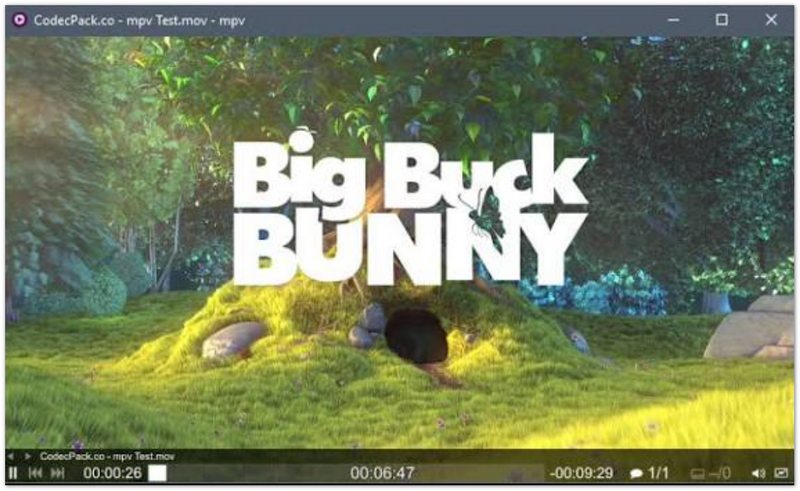
MPV is a free, open‑source, cross‑platform media player built for minimalism and performance. Born from a fork of MPlayer and mplayer2, MPV has become the favorite choice of developers, tech enthusiasts, and users who want a no‑nonsense player that gets out of the way. It features a sleek, borderless interface with on‑screen controls only when you need them, and delivers GPU‑accelerated video output that supports 4K, HDR, and even 8K content with minimal CPU usage. MPV is also the engine behind many other popular players, including SMPlayer and Celluloid.
PROS
CONS
Best For: Users with older or low‑spec Windows PCs who want a fast, no‑frills player that handles modern formats without slowing down their system. Also ideal for users who loved the classic MPC interface.
Rating:4.6 / 5.0
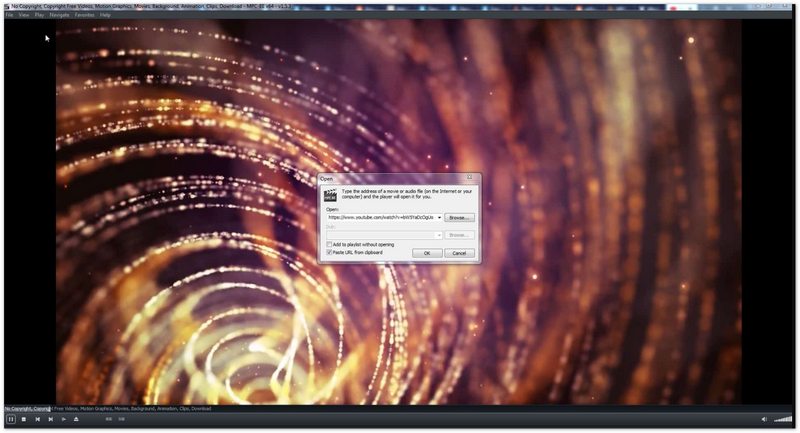
MPC‑BE (Media Player Classic - Black Edition) is a free, open‑source media player for Windows that continues the legacy of the beloved MPC‑HC project. After the original MPC‑HC was discontinued in 2017, the community‑driven MPC‑BE and MPC‑HC (clsid2 build) picked up development, adding modern features while keeping the classic lightweight design. MPC‑BE uses minimal system resources — it runs smoothly even on 10‑year‑old PCs with 2GB RAM — yet supports all modern formats including 4K HEVC, HDR, and 10‑bit video via hardware acceleration. Its interface resembles the classic Windows Media Player 6.4 but with modern dark mode and customization options.
PROS
CONS
Best For: Users who own multiple devices (Windows, Mac, mobile) and want a consistent player experience across platforms, and who don't mind ads in exchange for free use.
Rating:4.4 / 5.0
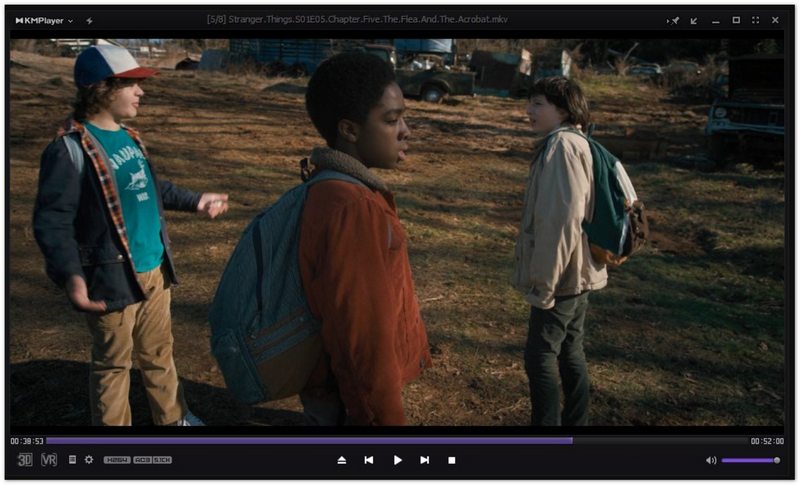
KMPlayer (KMP) is a versatile multi‑platform media player available for Windows, Mac, iOS, and Android. It includes its own internal codec system supporting virtually all media formats, so you never need to download separate codec packs. KMPlayer offers 4K and 8K UHD playback, 3D video support, subtitle handling for multiple languages, and a customizable interface. The Windows version is free but includes ads and sponsored content in the installer, which has drawn some criticism from users. For a completely ad‑free experience on Windows, VLC or MPC‑BE are better choices.
PROS
CONS
Best For: Music collectors with large libraries (5,000+ songs) who need powerful organization, tagging, and device syncing — not ideal if video playback is your primary need.
Rating:4.6 / 5.0
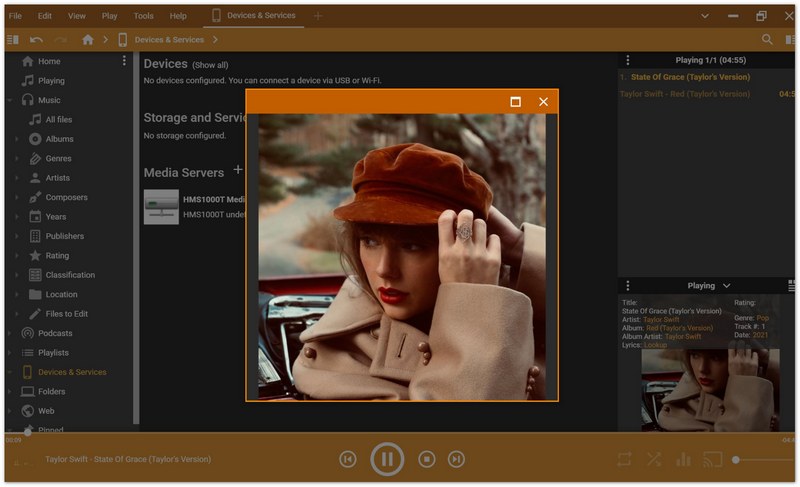
MediaMonkey is a powerful media library manager and player designed for users with large collections — it can handle 100,000+ music and video files without slowing down. Far more than a simple player, MediaMonkey offers automatic tagging, album art lookup, lyric fetching, CD‑to‑MP3 ripping, podcast management, and device syncing with iOS and Android. It supports virtually all audio formats including MP3, FLAC, AAC, OGG, WMA, and ALAC, and can convert between formats. The free version is fully functional; the Gold version ($24.95 one‑time) adds advanced features like automatic library organization, better metadata lookup, and video conversion.
PROS
CONS
Best For: Music lovers who want a powerful, free, highly customizable music library manager for Windows — the best free alternative to iTunes and Windows Media Player for audio collections.
Rating:4.7 / 5.0
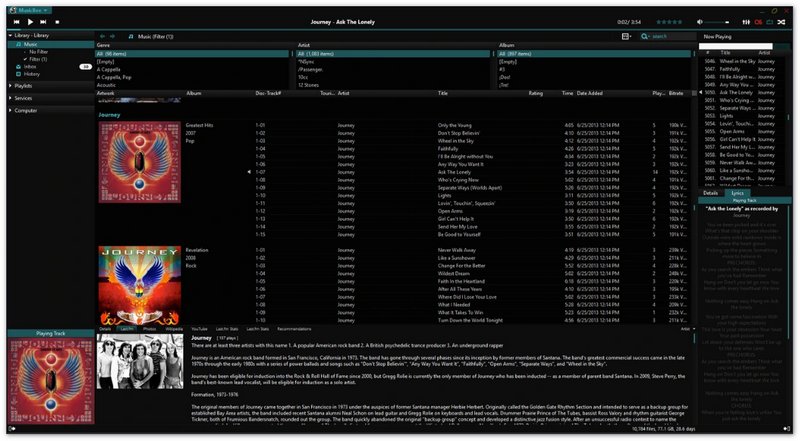
MusicBee is widely regarded as the best free music player for Windows, offering a level of customization and library management that rivals paid software. It supports every audio format you can think of — MP3, FLAC, AAC, OGG, WMA, ALAC, WAV, and even module tracker formats — with high‑quality audio output via WASAPI and ASIO support. MusicBee's standout features include automatic tagging with MusicBrainz, album art and lyric fetching, smart playlists, podcast support, CD ripping, and a 10‑band/15‑band equalizer. Its interface is fully customizable with skins, layout presets, and a mini‑player mode. Best of all, it's completely free with no ads, no locked features, and no paid upgrade.
PROS
CONS
Best For: Users with physical Blu‑ray and DVD collections who want reliable, hassle‑free disc playback on Windows 11/10 — especially those who have struggled to get VLC or other free players to work with commercial Blu‑ray discs.
Rating:4.8 / 5.0
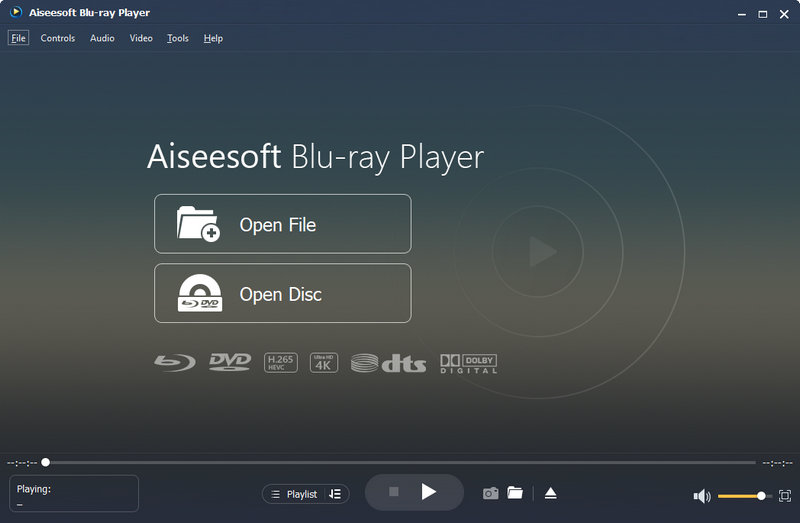
Aiseesoft Blu‑ray Player is a professional media player specializing in Blu‑ray and DVD playback on Windows and Mac. Unlike VLC and other free players that struggle with commercial Blu‑ray discs due to AACS and BD+ copy protection, Aiseesoft Blu‑ray Player can play commercial Blu‑ray discs, Blu‑ray folders, and ISO image files directly on your PC. It also supports DVD playback with menu navigation, and plays all common video formats including 4K UHD, MP4, MKV, MOV, AVI, and FLV. For audio, it supports DTS‑HD Master Audio and Dolby TrueHD for a home theater experience. The software offers a free trial with limited playback time; a full license unlocks unlimited Blu‑ray playback.
100% Secure. No Ads.
100% Secure. No Ads.
PROS
CONS
Best For: Home theater PC (HTPC) enthusiasts who want a player with library management, remote control support, and extensive customization for a dedicated media viewing setup.
Rating:4.3 / 5.0
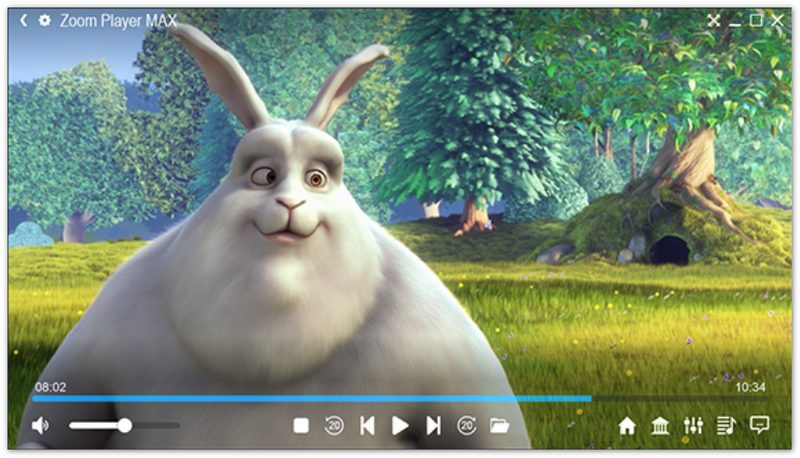
Zoom Player by InMatrix is a feature‑rich media player designed for home theater PCs (HTPCs) and advanced users. It offers two versions: Zoom Player Free (fully functional for personal use) and Zoom Player Max (paid, with additional features like Blu‑ray playback, media library, and streaming). Zoom Player supports virtually all video and audio formats, offers extensive customization of every aspect of playback, and includes a media library with poster wall views, smart playlists, and metadata scraping. Its Install Center automatically downloads and configures the best codecs and filters for your system, making it easy to get optimal playback quality without manual tweaking.
PROS
CONS
Best For: Users who frequently pause and resume videos, want built‑in YouTube playback, and prefer a lightweight, ad‑free, open‑source player with the reliability of the MPV engine.
Rating:4.4 / 5.0
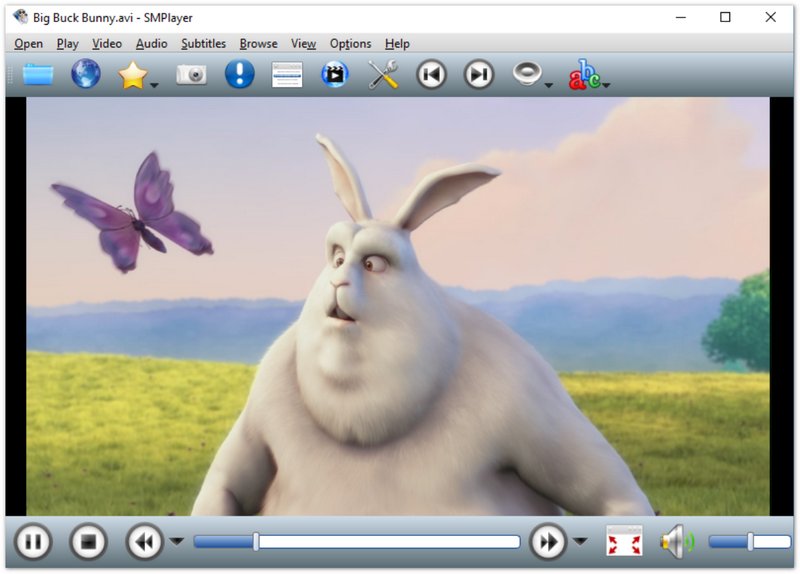
SMPlayer is a free, open‑source media player for Windows and Linux that uses MPV as its playback engine (previously MPlayer). Its standout feature is automatic resume playback — it remembers the exact position, audio track, subtitles, and volume settings for every file you play, so you can close the player and pick up right where you left off later. SMPlayer also includes built‑in YouTube playback (via youtube‑dl/yt‑dlp), subtitle search and download, a thumbnail seek preview, and support for all major formats thanks to the MPV engine. It offers a clean, customizable interface with icon themes and multiple view modes.
PROS
CONS
Is Windows Media Player still available in Windows 11?
Yes, the classic Windows Media Player is still available in Windows 11 (you can find it by searching "Windows Media Player" in the Start menu), but it no longer receives feature updates. Microsoft replaced it with a new Media Player app in Windows 11, which has a modern interface but still lacks support for many formats, Blu‑ray, and advanced features. For most users, a third‑party alternative like VLC or PotPlayer offers a much better experience.
What is the lightest media player for Windows?
MPC‑BE and MPV are the lightest players on this list. Both use minimal RAM and CPU, run instantly, and can play 4K video smoothly even on older PCs with 2GB of RAM. MPC‑BE has a more traditional GUI, while MPV is minimalist and command‑line oriented. SMPlayer is also lightweight but uses slightly more resources due to its additional features.
Can VLC play Blu‑ray discs?
VLC can play some unprotected or region‑free Blu‑ray discs, but it cannot play most commercial Blu‑ray discs due to AACS and BD+ copy protection. Getting VLC to work with commercial Blu‑rays requires manually downloading and installing decryption keys (KEYDB.cfg), which is complicated, may be illegal in some regions, and doesn't work for all discs. For reliable Blu‑ray playback, use dedicated software like Aiseesoft Blu‑ray Player or PowerDVD.
Conclusion
Whether you've upgraded to Windows 11 and found the new Media Player app lacking, or you're still on Windows 10 and tired of Windows Media Player's format limitations, there's never been a better time to switch to a third‑party player. All 10 players on this list are tested and verified to work on Windows 11 and Windows 10. Try one or two — most are free, and you might be surprised at how much better your media experience can be. Have a favorite player we didn't mention? Let us know in the comments!
 It Looks Like Windows Didn't Load Correctly
If you encounter the error “it looks like Windows didn't load correctly”, this post shares solutions - 100% workable to bring your PC back to normal. Try now!
 Windows Media Player Screenshot Black? Here is How to Capture Still Images
This detailed guide shows you how to capture still images from videos in Windows Media Player and fix video overlay settings for perfect snapshots.
 How to Rotate a Video in Windows Media Player
How to rotate a video in Windows Media Player? Here are our step by step guides to rotate videos using Windows Media Player and best alternatives.
 Leave your comment and join our discussion
Blu-ray Player is a powerful player that can play Blu-ray disc, Blu-ray folder, DVD disc/folder/ISO file, acting as common media player for any HD/SD video files.
100% Secure. No Ads.
100% Secure. No Ads.

*Required field
*Please enter a valid email
