 AMV Converter
Aiseesoft AMV Converter – Easily convert any popular video to AMV format for playback on media players with higher compression ratio and better picture quality.
$25.00 $20.00 20% OFF
Windows 10/8/7 | Requirements
30-Day Money Back Guarantee
AMV Converter can be your best video tool, even for beginners. Equipped with editing and converting features, it is able to meet all your video needs. Let's check what AMV Converter can do for you:



The conversion function of Aiseesoft AMV Converter is powerful enough to convert any popular video format to AMV (Anime Music Video) such as AVI to AMV, WMV to AMV, MP4 to AMV, FLV to AMV and so on. For people who are fond of Anime audio, this AMV converter also enables you to extract audio from AMV or other video files and convert the audio to popular audio formats such as MP3 and WAV. Then you can enjoy them on your MP4 or MP3 players.
This AMV converting tool provides you multiple editing functions to customize your AMV video. If you are crazy about one special segment of a movie, you can use this AMV video converter to cut it off for storage. Also you are able to remove the black bars, adjust video effect (brightness, contrast, saturation, hue) and audio effect (volume), rotate the video, add text or image watermark to video and set the position and transparency as you like. You are allowed to combine multiple files and enjoy a single long video or audio.
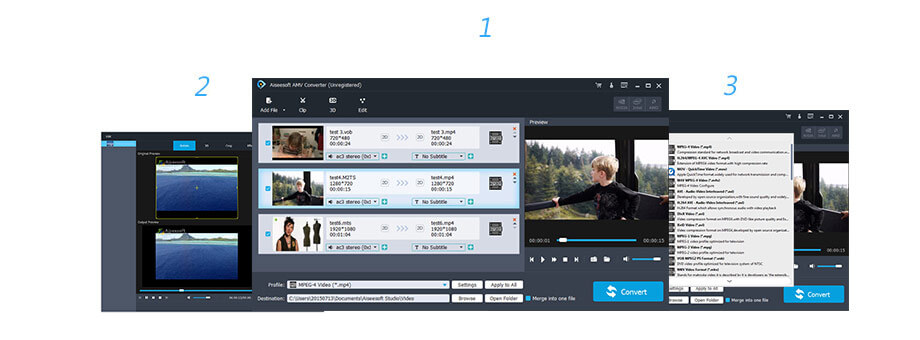
Other than the high converting speed and video quality, the humanized interface and thoughtful design will bring you wonderful using experience. You can easily convert video to AMV with simple clicks. What's more, you are allowed to preview the converted and edited video before conversion starts to make sure you get exactly what you want. Aiseesoft AMV converter offers the best and easiest video converting software for you, get it and enjoy AMV videos wherever and whenever you want!
Preview the video effect before AMV conversion.
Convert two or more videos to AMV simultaneously.
Easily and conveniently screenshot the video.
Support merging two or more AMV videos.
Adjust output parameters like frame rate, bitrate etc.
Support Windows 10/8/7/XP/Vista.
1 Year License
$25.00$20.00
Use it 1 Year
Use it on 1 PC
30-Day Money Back Guarantee
Lifetime License
$39.00$31.20
Use it lifetime
Use it on 1 PC
30-Day Money Back Guarantee
Multiple-User Personal License
$185.00$148.00
Use it lifetime
Use it on 8 PCs
30-Day Money Back Guarantee
Check what famous editor and our customer talk about our product.


This is an awesome video to AMV program. Now I can play any video file, downloaded from the Internet or recorded by any other means.
By Walt
This is the extact AMV converter I have been looking for! It worked well on my Windows 7 computer, and it is very easy to use.
By Paul
Perfect AMV video converter special for Anime fans. I would like to recommend it as it has the capability to convert video as well as edit video. I'm sure guys will like it.
By Joyce
Such a useful tool to convert AMV videos. Sadly, you need to purchase this AMV software at first, but, as long as it's worthwhile, right?
By Rebecca
Such a fantastic AMV Converter. It is easy to use this AMV converting program. Recommend it.
By Ann
This AMV Converter suits me a lot and I use it to convert video files. I like this converter. Thanks.
By Thomas
I install Aiseesoft AMV converter on my Windows 7 computer well. It is very easy for me to use. All about it are so user-friendly.
By Gelaye
This useful AMV converter helps me to convert videos. It is very useful for me to convert many videos and the output file quality is great.
By Susan
Multi-media helper to convert, edit and enhance video and audio file in one click.
BUY NOW BUY NOW
Play Blu-ray disc/folder and DVD disc/folder/ISO file and common media files and videos smoothly.
BUY NOW BUY NOW
The best video recording tool to easily record screen, meetings, game, webinar, audio, and webcam videos.
BUY NOW
*Required field
*Please enter a valid email

