
Tip
Here are some tips which may help you to solve problems resulted from the conversion process and make your conversion more perfect.
This document will show you how to trim, crop, convert video to PSP video formats at length, you can refer to it step by step and take the conversion an easy trip.

Convert Videos to PSP
The video formats Aiseesoft PSP Movie Converter support are as follows:
AVI, XviD, WMV (Window Media Video), MPEG, MPG, MP4, FLV, 3GP, 3GPP (cell phone video), Mod, Tod, RM, RMVB (Real Player video), M4V, ASF
The audio formats supported by Aiseesoft PSP Movie Converter are:
MP3, WMA, WAV, AC3, M4A, AAC
Step 1 Please download PSP Video Converter; you can free download it from here.
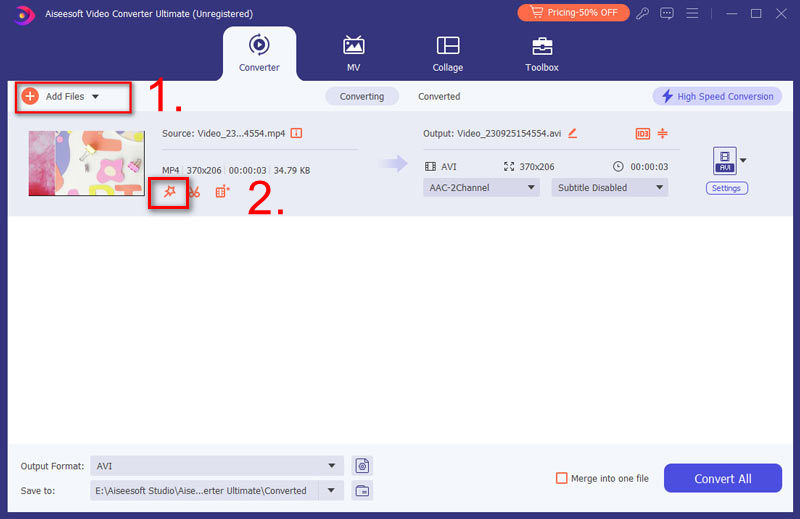
Step 2 Install and run Aiseesoft PSP Movie Converter, click the "Add File" button to import your videos. If you experience any problems adding videos by directly clicking the "Add" button, you can click "File -> Add file" to add the video files you want to convert from your computer.
Step 3 Then Click the "Profile" drop-down list to select the format you prefer for each added file. If you don't know what formats your device support, you can just select the format according to the device.
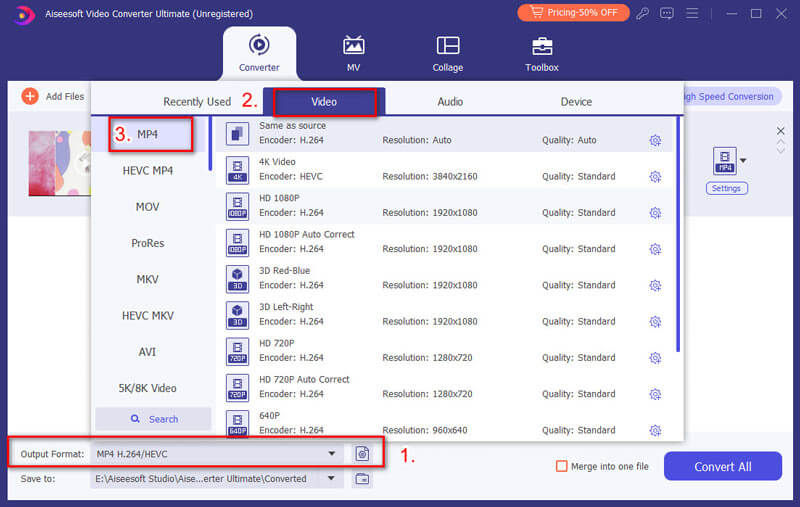
After you finish all the above steps, please click "Start" to begin the conversion.

Step 1 Crop video frame
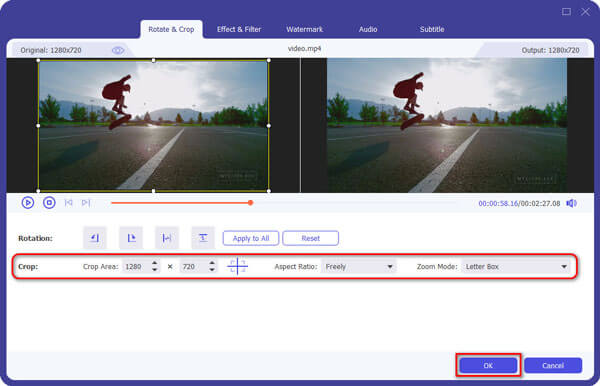
If you want to cut the edges off your video, you can click the "Crop" button to open the crop panel. There is a frame in dashed line around the movie video; you can drag it to cut off the sides you don't want. You can also type in values in the four Crop value boxes to crop your video more accurately.
Step 2 Trim video length
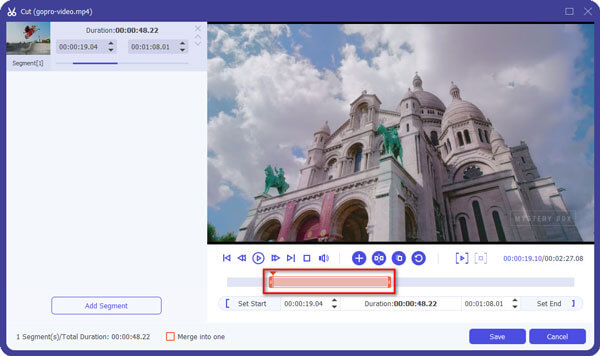
Total Video Converter allow you to trim your each video file so you can capture your favorite clips from your video files. After you click "Clip" button, you can Preview your the selected video file in the Preview window and estimate what part of the movie you want to convert. Then enter the start time and the end time to the time box in the left side or drag the start/end time bar below the Preview window to set the clips you want to convert, then click "OK' to start the conversion.
Step 3 Merge videos
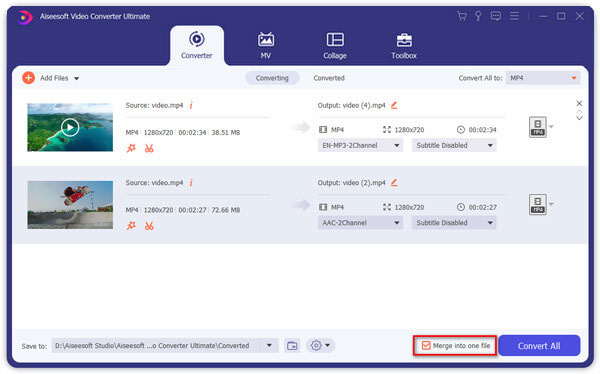
If you want to join several video files into one file, on the main interface, click the check box "Merge into one file", and you will only get one output file instead of multiple files.
Tip
Here are some tips which may help you to solve problems resulted from the conversion process and make your conversion more perfect.
After you download video from limewire, just load it into Aiseesoft PSP Movie Converter and convert it to MP4.
If you use iTunes to convert limewire video, the output video may have no sound, because iTunes cannot convert muxed video (muxed videos are video files whose audio and video are on the same track, and QuickTime or iTunes cannot properly process this kind of videos). You can learn more info about muxed video by visiting: http://docs.info.apple.com/article.html?artnum=302588
If you have problems converting muxed videos, you can try Aiseesoft PSP Movie Converter, and it very well support muxed videos.

December 10, 2020 16:33 / Updated by Jenny Ryan to Convert Video
 WMV to DivX – Best Video Converter for Windows and Mac Users
This is your complete tutorial of how to convert WMV to DivX on Windows and Mac PC. And you can also get a simple online solution here.
 VOB to XviD – How to Convert VOB to XviD Easily and Quickly
Read and learn how to convert VOB to XviD in seconds. There are online and offline VOB to XviD video converters you can get.
 Recommendation of 5 Online or Offline Media Converter Ultimate
You can get your best video converter after reading this article. Each media converter ultimate shows its main features with easy understanding sentences.
 Leave your comment and join our discussion