I recorded a video with Flip Video UltraHD camera, the video is defaulted as MP4. Now I want to edit this video on Avid Media Composer on my computer. But Avid Media Composer only accepts MOV video. How can I edit it? - Hina
I buy a new Cisco Flip MinoPro to record one piano playing show. I can only play the MP4 recorded Flip Video on my VLC player. Can I convert MP4 to Mp3 for a portable listening on my iPhone? - Layle

In daily life, some of you like to download video from online sites, but some like to record video by themselves. For video shooting fanciers, Flip Video camera is a good choice. The Flip Video cameras are a series of tapeless camcorders for digital video created by Pure Digital Technologies. They have released many series for you to record videos according to your needs. You can use Flip Video UltraHD to record 720p video for two hours, and Flip Video MinoHD to get a 1280 × 720 high definition video recording for one hour. The recorded video with Flip Video cameras is kept in MP4 format, and you can use an HDMI cable to stream videos to TV screens. But there is one defect that the recorded video with Flip Video camera is saved in MP4. Though MP4 is widely accepted by many websites or player, but it is still limited in some editing software like Adobe Premiere, Avid Media Composer, etc. And, if you only want to keep the recorded audio file from MP4 Flip Video, you will find it shows you no conversion plug-in.
Since Flip MP4 video does not always meet your demands, you could consider converting MP4 to other video formats (MOV, AVI, MKV, FLV, MTS, VOB, etc.) and audio files (MP3, AAC, M4R, AIFF, etc.). How to convert Flip MP4 video to other formats? Flip Video Converter can answer you. Flip Video Converter is one video converter to help you convert MP4 video to other video and audio formats as you wish. Free download this program to convert MP4 to MOV/AVI/WMV/MP3 here.
1 Install Flip Video Converter on your computer or Mac and launch this program for conversion.
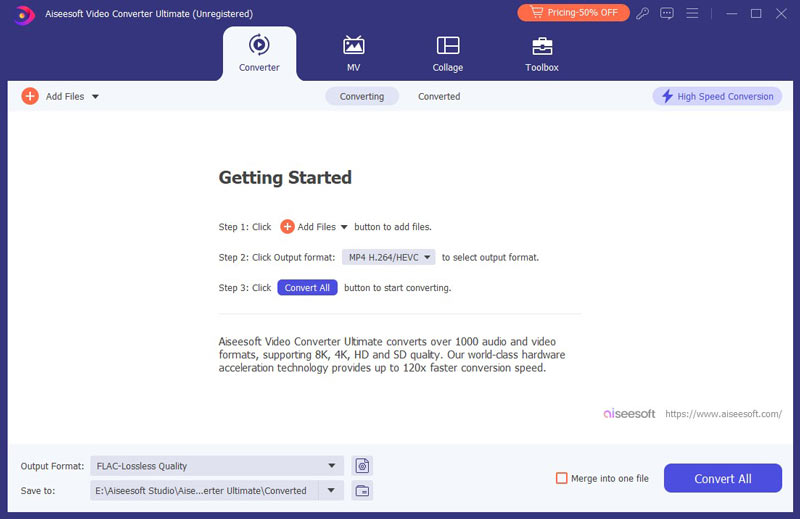
2Add Flip MP4 video to this video converter and choose MOV or AVI as the output format by clicking "Profile".
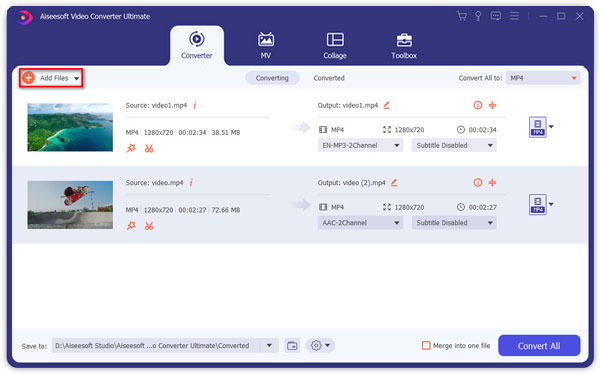
3Click "Convert" button to start to convert Flip MP4 video to MOV or AVI or MPEG or MP3 file freely.
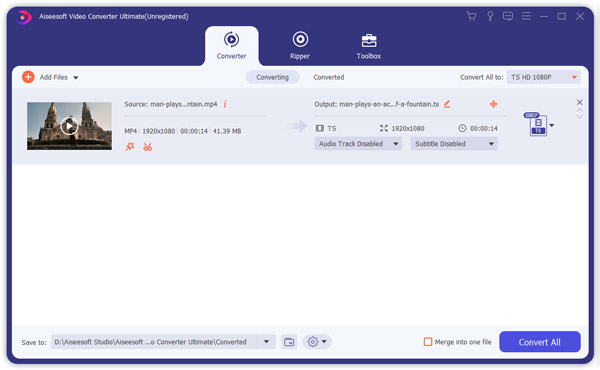
The above three simple steps are enough to help you convert Flip MP4 video. You could use Flip Video Converter to convert MP4 to MOV for editing your recorded video on Avid Media Composer. Converting MP4 to MPEG2 is for editing on Adobe Premiere. If you want, you can choose MP3 to convert MP4 to MP3 for extracting background audio file from your recorded Flip MP4 video.
Flip Video Converter is the powerful tool to convert your Flip MP4 video to other formats? Why choose this utility? Read the following points:
➤ It enables you to convert Flip MP4 video to other video and audio formats for playing or editing on your player. You are able to convert MP4 to WMV/MKV/MOV/AVI/SWF/3GP/MPEG/M2TS/MP3/AAC/AIFF/AU/M4R, etc.
➤ This Flip Video converter makes it easy to convert other videos to MP4 videos in turn. You are allowed to import other videos to convert MOV/WMV/MKV/SWF/AVI file to MP4 file or other video or audio format easily.
➤ More than Flip Video converter software, it works well as a Flip Video editing tool. It lets you edit your video effects before converting. Like rotating your recorded video, clipping videos, cropping to get rid of black edges, and setting 3D modes for your 2D video.
➤ If you record a blurry MP4 video with Flip Video camera, do not worry, you are capable of enhancing your video quality by adjusting its brightness, upscaling video resolution, and removing video noise.
If you want to put video on PSP, then you should come to read this post: convert video to PSP.

June 27, 2018 11:03 / Updated by Jenny Ryan to Convert Video
 How to Convert MP4 to QuickTime MOV on Mac
The article is about an experience for converting MP4 to MOV shared by my friend.
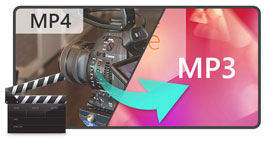 Convert MP4 to MP3 for Free
How do you change MP4 to MP3? With MP4 to MP3 online converter? Or download free MP4 to MP3 converter? Read this article.
 How to Convert MP4 to WMV
Aiseesoft MP4 to WMV converter is an all-in-one program. The program demonstrate how to convert MP4 to WMV.

