Sometimes, you go out for a trip and take videos to record amazing landscapes and happy moments by your Sony camcorder with AVCHD, a high-definition optical disc compression technology, and then you need to view them on your iPhone before sharing with your friends, but you cannot open or play them. While MOV, the QuickTime file format published by Apple, is supported by iPhone. Therefore, you may need to convert your AVCHD videos to MOV format so that you can open them on your iOS devices. And here are several easy ways with 4 AVCHD to MOV converter tools for Windows, Mac, and online which can help you.
As the best AVCHD to MOV converter for Windows and Mac computers I recommended, with its clear interface and AI technology applied, Aiseesoft Video Converter Ultimate enables you to convert AVCHD files to MOV conveniently, easily, and without losing any quality. Besides, you also can use it to convert your videos to other video and audio formats like MP4, FLV, AVI, MP3, OGG, videos compatible with popular mobile devices and websites, and more based on your need, because Aiseesoft Video Converter Ultimate supports a lot of various formats. Moreover, this software offers video editing and cutting features, MV maker, collage maker, and other popular little tools like GIF Maker.
Downloads
Aiseesoft Video Converter Ultimate – Best AVCHD to MOV Format Converter
 100% Secure. No Ads.
100% Secure. No Ads.
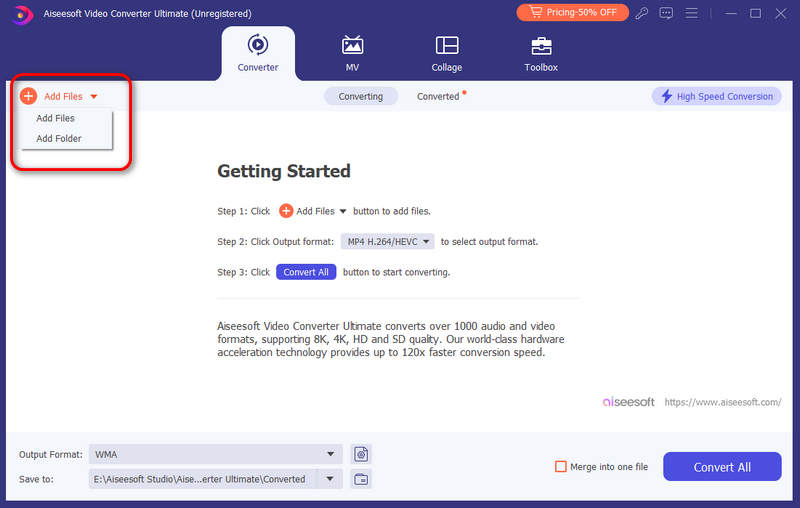
How to convert AVCHD files to MOV on computers
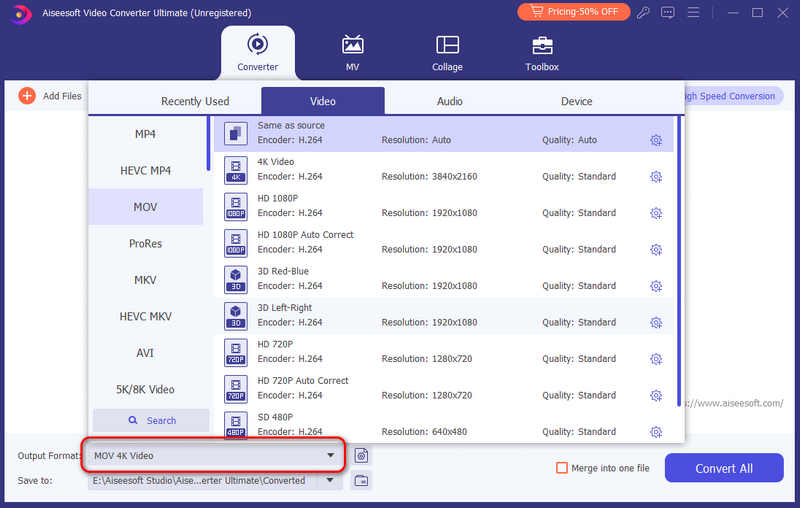
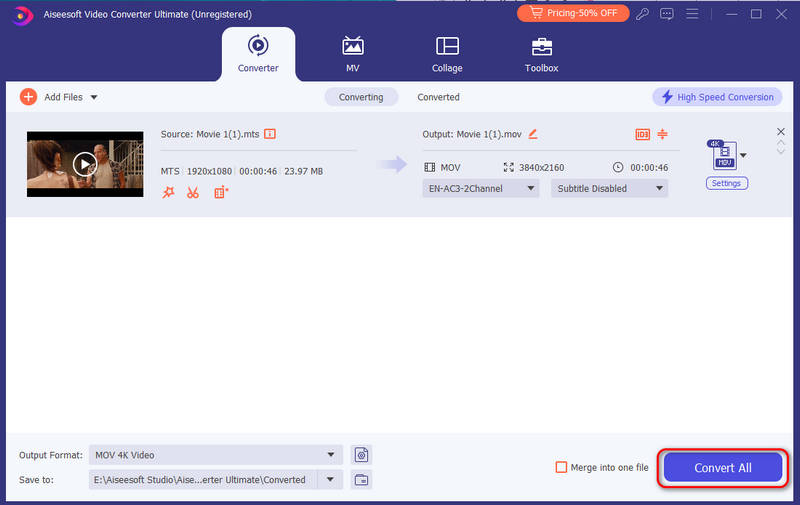
After converting AVCHD to MOV videos successfully, you can also use this software as a split screen video editor to create an interesting video with these videos.
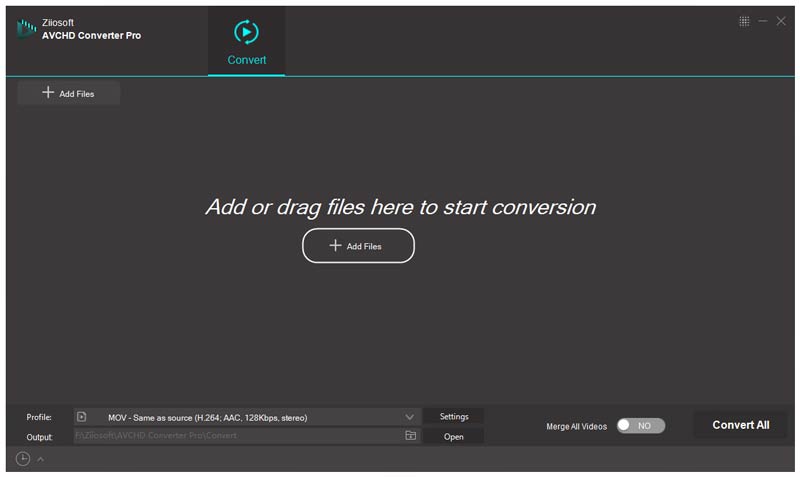
Ziiosoft AVCHD Video Converter focuses on converting AVCHD videos to other format videos. With its simple interface, you can use it to convert your AVCHD videos to MOV format easily and without delay. Although it supports several common-used video formats, the kinds of its supported formats are relatively few. Apart from that, you cannot use its merging feature with its trial version and the output video would be damaged in a way.
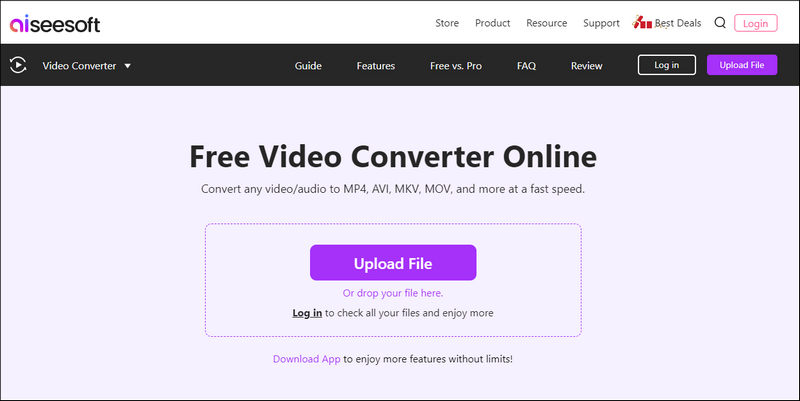
Aissesoft Free Video Converter is the best online AVCHD to MOV converting tool for free. When you only convert your AVCHD video to MOV once or twice and do not want to install a program in specialty, you can use it. Its advantages are obvious. It supports many popular video and audio formats. It enables you to set the resolution for your files. It does not limit the file size. And it does not ask for you to log in to it before converting. As an online converter, you can use it to convert AVCHD to MOV on Mac and any other systems as long as having an available browser.
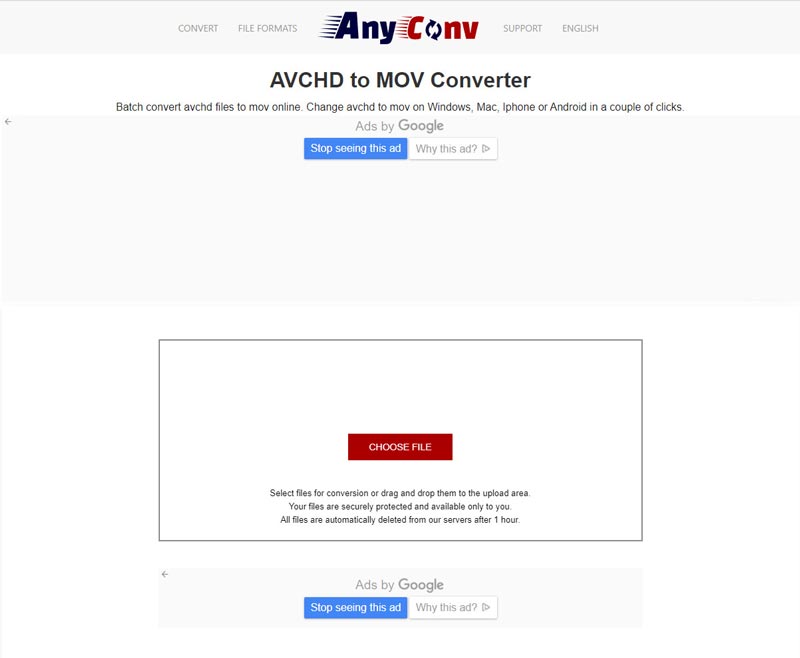
AnyConv AVCHD to MOV Converter is a free online tool. You can use it to convert AVCHD videos to MOV format easily and handily. This converter focuses on converting more than 400 media formats, including video, audio, images, ebooks, and more. It is also safe to use because of the automatic deletion of your converted files. But if you can’t accept advertisements, this converter might not be your top choice. Furthermore, the maximum file size supported by it is up to 100 MB.
Does AVCHD work with Mac?
AVCHD is not recognized by Mac computers. And you cannot transfer AVCHD to Mac directly if the AVCHD video is recorded at 60p (1080 and 720).
How do I transfer AVCHD files to the computer?
Firstly, plug your camera or SD card into the computer. Secondly, click Open folder to view files > PRIVATE > AVCHD > BDMV > STREAM. Thirdly, choose files labeled AVCHD in the type category and right click the files to click the Copy items. Finally, create a new folder on your computer and paste these files.
Is AVCHD the same as MP4?
No. There are several differences between AVCHD and MP4. MP4 is easier to move, copy, open, edit, and upload. While AVCHD is suitable for creating high-definition videos and watching on HDTV.
Conclusion
This page has told you how to convert AVCHD videos to MOV format on Windows and Mac computers with professional software and free online tools. And Aiseesoft Video Converter Ultimate is so powerful that can satisfy almost all your needs. If you have any other questions and suggestions, please leave your comments below.
 Leave your comment and join our discussion
Convert AVCHD
1. AVCHD 2. AVCHD vs MP4 3. Convert AVCHD Video 4. AVCHD to MP4 5. Convert AVCHD to AVI 6. AVCHD to WMV 7. Convert AVCHD to MOV 8. AVCHD to SD 9. AVCHD to iPod 10. Convert AVCHD to iPad 2 11. AVCHD to Kindle
Video Converter Ultimate is excellent video converter, editor and enhancer to convert, enhance and edit videos and music in 1000 formats and more.
100% Secure. No Ads.
100% Secure. No Ads.