
Summary
Want to know how to convert video to Galaxy Tab on Mac? Check the best Video Converter Ultimate in this post, and learn how to convert video to Galaxy Tab with ease.
Summary
Want to know how to convert video to Galaxy Tab on Mac? Check the best Video Converter Ultimate in this post, and learn how to convert video to Galaxy Tab with ease.
Samsung Galaxy Tab brings users much convenience to enjoy favorite movies. But this portable device cannot support all video formats. So users must need the Galaxy Tab Video Converter for Mac to fully enjoy the Galaxy Tab. This Galaxy Tab Video Converter can help users convert most popular video files to Galaxy Tab on Mac. And it is specially designed for Mac users.
Step 1 Install Mac Galaxy Tab Video Converter.
Download this Galaxy Tab Video Converter for Mac and install it. Then users could convert video files on Mac with this video converting tool.
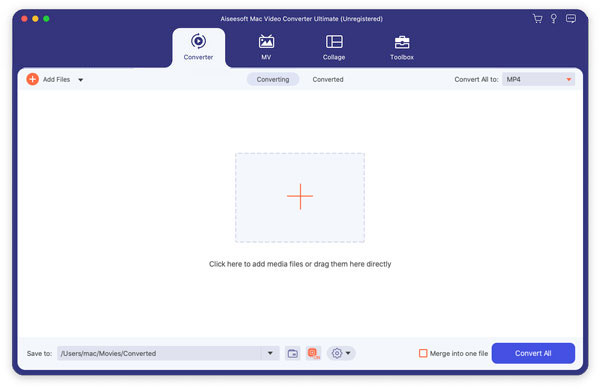
Step 2 Input source video from Mac
You can click the "Add File" button to input the source video in your local disc on Mac. This Galaxy Video Converter supports most popular video formats.
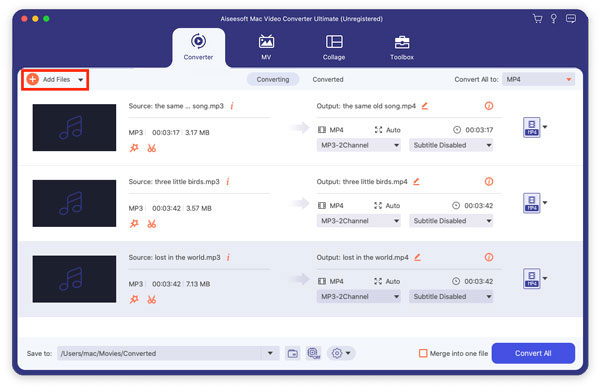
Step 3 Powerful video editing functions
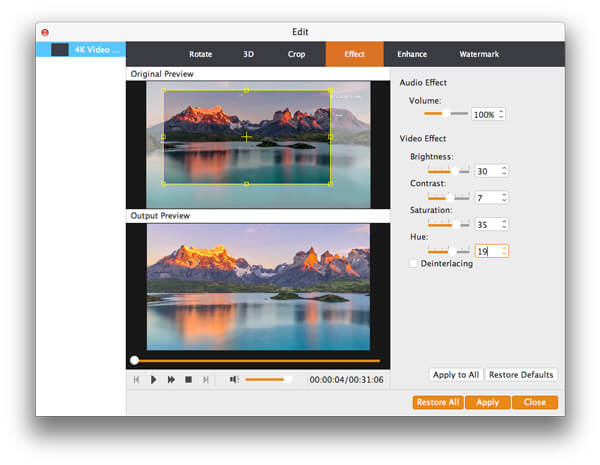
This Mac Video Converter provides users with powerful video editing functions:
Step 4 More settings
With this Galaxy Tab Video Converter, you can choose audio track and subtitle for the output file. Also you can set Video Resolution, Video Bitrate, Frame Rate, Encoder and Audio Channels, Sample Rate, Encoder, and Audio Bitrate in the "Settings" interface.
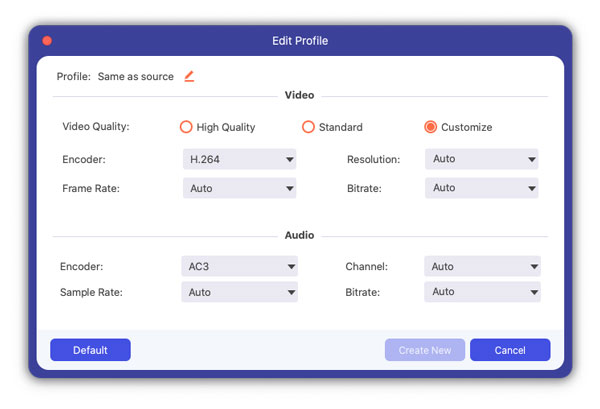
Step 5 Convert video to Galaxy Tab
According to your needs, you are allowed to choose the output video format from the "Profile" drop-down list. Then you can start converting source video to Galaxy Tab.
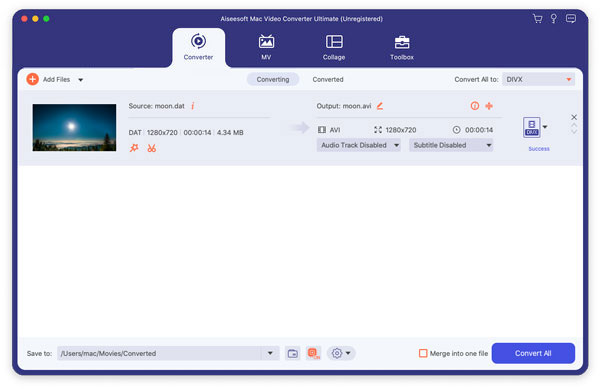
You can also check the video tutorial as below:


December 11, 2020 11:14 / Updated by Jenny Ryan to Convert Video
 Best Way to Convert MKV to MP4
This article shows you the best solution to convert MKV to MP4 and other formats like AVI/FLV/RMVB/WMV/MPEG/QuickTime HD MOV, MP3/WAV/FLAC and more.
 How to Record System Audio on Mac (Big Sur/Catalina/Mojave …)
Read and get 3 easy ways to record system audio on Mac with or without soundflower. Here you can quickly record internal audio on all Mac operating systems.
 Video to MP4 Converter - Convert Any Video to MP4
With video to MP4 converter, you can convert various videos to MP4 freely for playing on portable players.
 Leave your comment and join our discussion