
Highlights: AI denoising, color correction, upscaling, editing, and format conversion in one package.

Video Converter Ultimate
 100% Secure. No Ads.
100% Secure. No Ads.
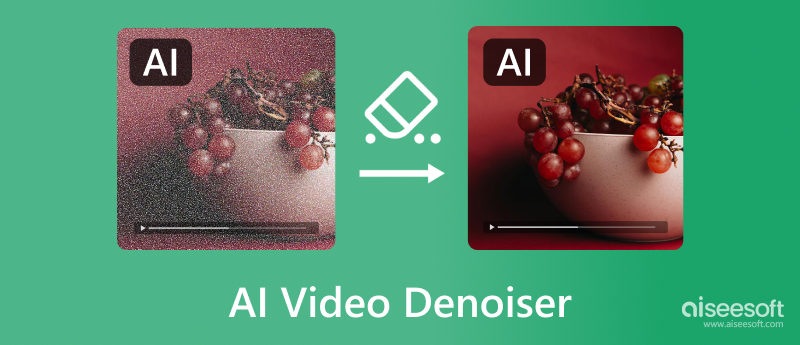
Modern AI video noise reduction refers to a process that uses advanced deep learning algorithms to analyze the source footage, identify and remove digital noises, such as the compression artifacts often found in low-light or high-ISO videos.
AI video denoiser tools provide a convenient and effective way to reduce grain and noise. This article recommends 7 top picks for noise reduction using AI. You can compare their key features, pros, cons, and price, and then select the desired one to denoise video and improve quality.
How to Choose the Best AI Video Denoiser?
| AI Video Denoiser | Best For | Key AI Features | Platform | Pricing Model | Rating |
| Aiseesoft AI Enhancer (Part 1 - 1) |
All-in-one AI video upscaling and enhancement | Multiple AI models AI Denoise, Upscale, Stabilize, Restoration, Color Correction, Repair |
Windows, macOS | Subscription (Freemium) | 4.8/5 |
| Topaz Video AI | Professional upscaling and restoration Cinematic-grade video quality enhancement |
Advanced AI models for granular control AI Denoise, Interpolation, Upscaling |
Windows, macOS | Subscription | 4.7/5 |
| HitPaw VikPea Video Enhancer | User-friendly 4K/8K upscaling | AI General Denoise, Animation, Color Enhancement, and Face Models | Windows, macOS, Web-based | One-time / Subscription | 4.6/5 |
| Media.io Video Denoiser | Beginners and social media creators who need a simple, all-in-one suite | AI-powered video enhancer with general noise reduction Remove grain from a video and make it brighter and crisper |
Web-based | Subscription (Freemium) | 4.3/5 |
| Fotor Video Enhancer | Quick online edits for social media clips | One-click way to remove noise, enhance low-light videos, adjust sharpness, and more | Web-based | Subscription (Freemium) | 4.4/5 |
| VEED Denoise Video | Social media creators who need quick fixes | One-click background noise removal Reduce visual noise on video |
Web-based | Subscription (Freemium) | 4.2/5 |
| Vmake AI Video Enhancer | Quick online enhancement | Automatic AI enhancement AI modes for people, gaming, anime, and more Color correct & sharpen |
Web-based | Subscription (Freemium) | 4.5/5 |
Due to various factors, noise may be created in your videos. If you often edit videos and prefer a powerful desktop AI video denoiser for flicker, grain, or noise reduction, you can check the three compelling options below.
Highlights: AI denoising, color correction, upscaling, editing, and format conversion in one package.
Score:4.8/5
Aiseesoft Video Converter Ultimate is an all-in-one video editing, conversion, and enhancement tool. This powerhouse goes beyond simple conversion. Its built-in AI Video Enhancer can help you remove unwanted background noise or grain with ease. Besides video noise reduction, it can upscale resolution and enhance quality using AI.
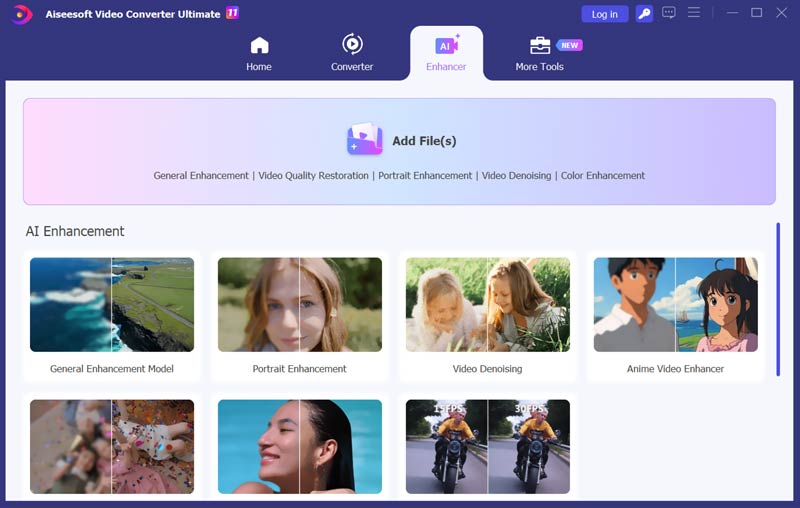
As an AI video denoiser, it employs advanced AI algorithms to effectively eliminate noise from your videos. Through noise reduction, you can get a cleaner and sharper visual experience. Moreover, Aiseesoft lets you easily stabilize shaky footage and smooth your video. It also carries a frame interpolation function to automatically increase the frame rate and generate smoother motion.
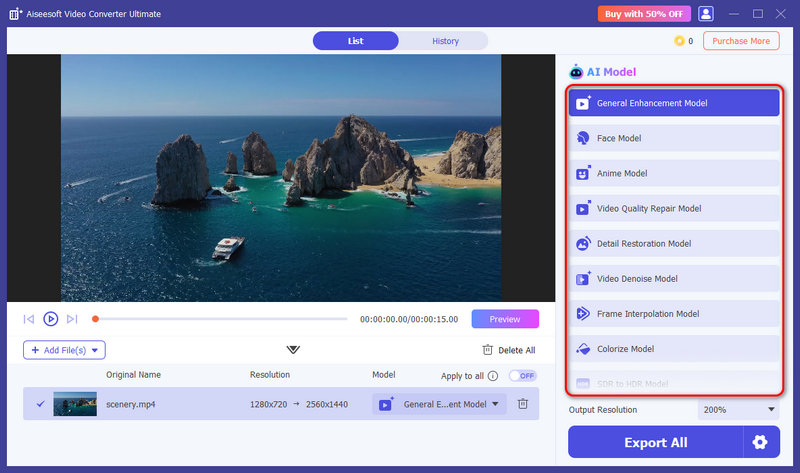
Aiseesoft has an individual Video Denoise Model for you to easily reduce noise and clean up your video. As you can see, it also offers other helpful AI models, such as the Video Quality Repair Model, Frame Interpolation Model, Colorize Model, SDR to HDR Model, and more. You can select the right model for a specific enhancement need.
100% Secure. No Ads.
100% Secure. No Ads.
Pros
Cons
Highlights: Cinematic-grade video quality enhancer that provides multiple AI models for specific noise types.
Score:4.7/5
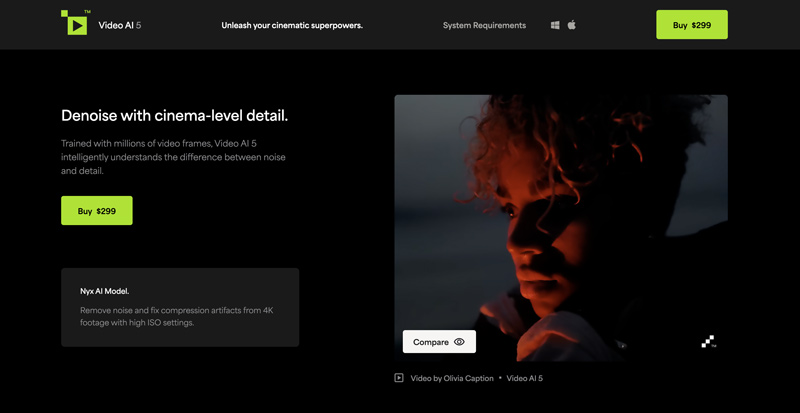
Topaz Video AI is a professional and famous video enhancer that can work as an AI video denoiser for noise reduction. It provides advanced AI models for you to eliminate video noise, correct color, and enhance details. Topaz Video AI claims that it can denoise videos with cinema-level detail. The AI is trained with millions of video frames to guarantee high-quality results. This AI-powered video denoiser can enhance videos in a wide range of formats. However, Video AI requires a powerful computer to ensure optimal performance. What’s more, you need to pay about $300 for the noise reduction software.
Pros
Cons
Highlights: Dedicated General Denoise Model for quick noise removal.
Score:4.6/5
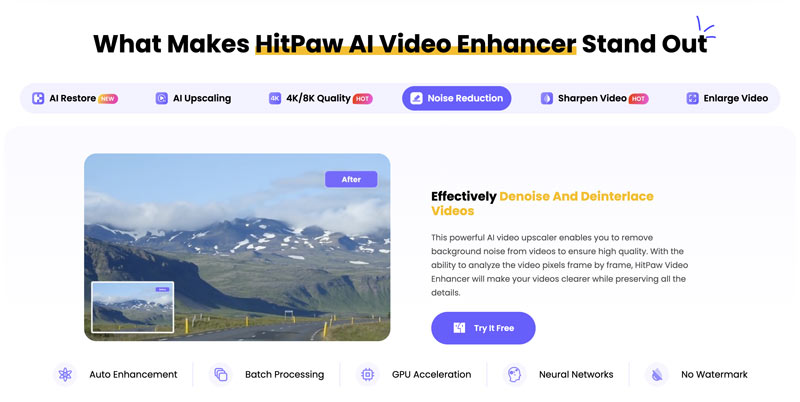
HitPaw AI Video Enhancer is mainly used to transform noisy, blurry, and low-quality videos into high-definition ones. It employs advanced algorithms to effectively remove grain, static, and other forms of noise from your videos. It shares a quick and simple solution to enhance clarity and detail. Like Filmai, it enables you to upscale video resolution without compromising quality.
Pros
Cons
For some small video clips captured by your phone or saved from the internet, you can rely on some free online video denoisers to quickly start the noise removal operation. Many AI-powered online tools are available for you to effectively reduce noise and improve quality. This part will introduce you to four of the best options.
Highlights: Fully automated AI video noise reduction and enhancement process
Score:4.5/5
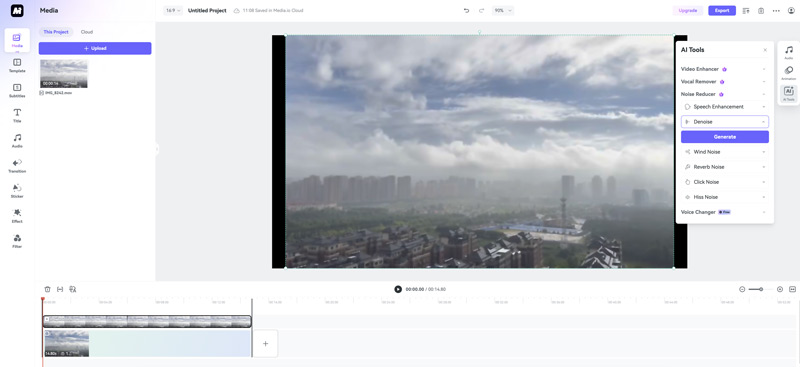
Media.io Denoise Video is an easy-to-use online editing tool that can help you remove unwanted grain from your video. It can edit videos in any popular format, such as MP4, MOV, MTS, MKV, MPEG, and TS. This online AI video denoiser currently supports a video of less than 2GB. You are required to log in to an account to access its AI tools, including the Noise Reducer. Then, you can use the offered options to effectively reduce noise.
Highlights: Quick online edits and enhancements for social media clips
Score:4.4/5
Fotor is an all-in-one video, audio, and image editing platform that collects various useful tools to edit and enhance your media files. It has an individual Denoise Video Online Free page for you to perform the noise reduction directly on a web browser. Fotor’s AI video denoiser allows you to eliminate visual noise and grain with ease. You will be guided to use its Video Enhancer to reduce noise, increase clarity, and improve quality. It highly supports any video clip of less than 500MB.

Highlights: Advanced Video Denoise feature to quickly eliminate unwanted noise and grain
Score:4.2/5
VEED provides various video, audio, photo, and text editing tools to deal with various editing tasks online. As a free user, you are only allowed to remove noise from a video of less than 1GB. You must upgrade to a paid version to break the limit, get more advanced functions, and output videos without a watermark. This AI-powered online video denoiser lets you clean the video background and reduce noise.

Highlights: Powerful Smart Enhancement mode that can intelligently adjust brightness and noise
Score:4.5/5
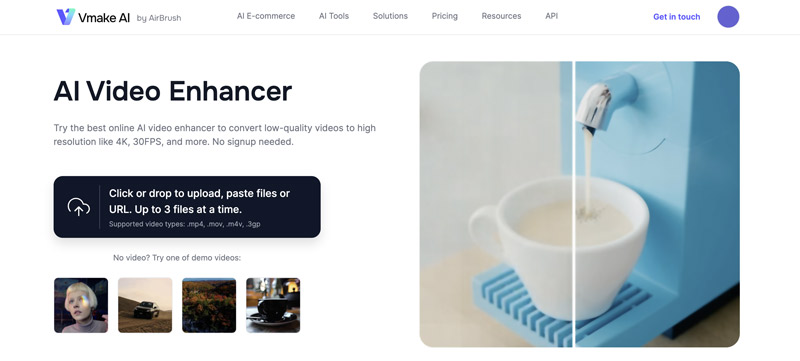
Vmake AI is an online editing and enhancement platform that uses AI to improve the overall quality of videos and photos. It does not have a specially designed AI video denoiser. Instead, you can rely on the Video Quality Enhancer to reduce noise, upscale resolution, stabilize camera shake, and perform other optimization operations. Vmake AI provides an automatic noise reduction method.
What is video denoising?
Video denoising is the process of removing unwanted noise or grain from a video. You can effectively improve the overall clarity and quality of a video through video denoising. Denoising will reduce or eliminate noise and make a video appear cleaner and sharper.
Can After Effects denoise videos?
Adobe After Effects is a professional and leading tool for various video editing tasks. It is designed with a specific noise and grain removal feature to denoise videos. You can try using its built-in Remove Grain effect to reduce noise based on your needs. To access the noise removal effect, you can click the top Effect menu, select Noise and Grain from the drop-down list, and then choose Remove Grain. It will automatically apply basic noise reduction.
How does noise affect video quality?
Noise in video will significantly degrade the overall quality. First, noise will make image details appear blurry or pixelated. Second, noise may cause unwanted color variations, which affect color accuracy and overall image fidelity. Moreover, visible noise can be distracting to viewers and give a low-quality appearance.
Conclusion
Compared to traditional noise removal methods, AI video denoisers can generate cleaner, sharper, and higher quality results in quite a short time. The automated noise reduction process saves the time spent on video enhancement. This article recommends seven great AI video denoiser tools for you to easily reduce noise and enhance quality. You can start with the free version of your preferred ones and select the best video denoiser depending on your specific needs and budget.
 Rotate Videos Without Limitations on Windows, Mac, or Phone Easily
There has been a compilation of editors that you can use to rotate videos, today we will teach you how to use the best apps on your device.
 Perfect Ways to Compress Videos on iPhone Without Limitations
When you need to compress videos on iPhone, you can rely on this article since we've covered everything you need to know about compression.
 7 Popular Video Denoiser to Use to Remove Video Noises [Newly]
Video denoiser is a popular feature that you can use on most video editors. But not all have the most effective way to denoise video. That is why we created this article.
 Leave your comment and join our discussion
Video Converter Ultimate is excellent video converter, editor and enhancer to convert, enhance and edit videos and music in 1000 formats and more.
100% Secure. No Ads.
100% Secure. No Ads.

*Required field
*Please enter a valid email
