Aiseesoft Screen Recorder
 100% Secure. No Ads.
100% Secure. No Ads.
Does Instagram notify when you screenshot a post?
A screenshot is often the most convenient and efficient way to save important content on your screen. For instance, when you scroll through Instagram and find a post that catches your eye, you can easily press the hotkeys to take a screenshot. Whether for a desired picture, a funny meme, or a valuable conversation, screen captures can help you save them.
In some cases, you prefer to take screenshots discreetly. So, you may wonder, will they know? Can people see if you screenshot their Instagram story?
Knowing the platform’s current screenshot rules can save you from awkward moments. The first section provides a comprehensive breakdown of when Instagram sends notifications.
Instagram provides specific, privacy-focused features to protect the sender. The app/platform allows you to send photos and videos in Direct Messages and set them to be viewed only once or twice.
To do that, you can tap the camera icon inside the DM chat box, take a picture or video clip, and then select View Once or Allow Replay. The content is considered private and fleeting.
In that case, if you take a screenshot or screen recording of a disappearing photo or video, Instagram will immediately notify the sender. There will be a small, hatched circle or starburst icon appear next to the message. Moreover, the sender will get a notification saying that you took a screenshot.
Note that standard photos uploaded from your camera roll are not included. Only the disappearing content captured directly with your Instagram DM camera can be tracked.
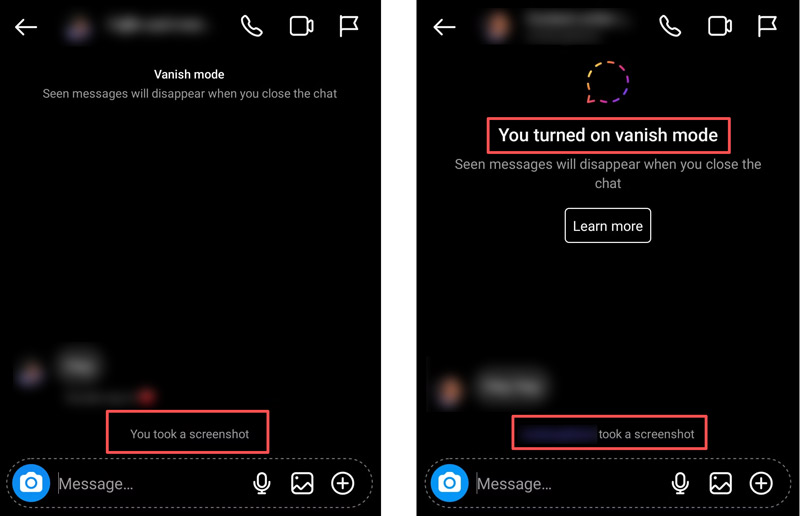
Instagram’s vanish mode is a dedicated messaging feature designed for highly private conversations. It enables you to have a temporary chat where all your messages, photos, or videos will automatically disappear when the other person sees them, or you close the chat window.
When activated, an alert will instantly appear in the chat thread if you take a screenshot. It prompts, “[Name] took a screenshot”.
Besides the certain scenarios above, for the vast majority of your everyday scrolling and browsing, Instagram won’t track your screenshots. You can freely take screenshots or recordings without a notification or alert.
As mentioned, most posts on the platform can be captured with no notification. Instagram does not notify users if you screenshot their Story, including photos, videos, and even Close Friends Story content. The same rule applies to common Feed Posts and Reels. What’s more, you are allowed to screenshot standard text messages and regular camera roll photos sent in DMs without a notification.
You may want to take a screenshot of someone’s user profile to quickly save their main information, such as bio, profile picture, or grid. The current policy is that Instagram does not track or notify users when you take a screenshot of their profile.
Tip: If you are worried about your privacy, the best defense is to keep your Instagram account Private. This set does not stop followers from taking screenshots; it ensures that strangers can’t see or save your content without your permission.
Even though Instagram limits its screenshot notifications to disappearing messages in DMs and all content in Vanish Mode, you might need to capture them for some reasons.
Many users used to rely on Airplane Mode tricks to avoid the Instagram alert. When they want to take a screenshot, they turn on the mode and unconnect their device from the internet, preventing the Instagram app from tracking the screenshot action.
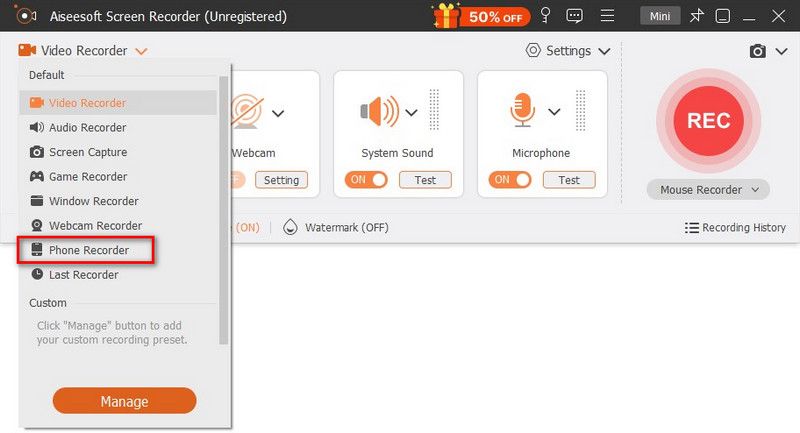
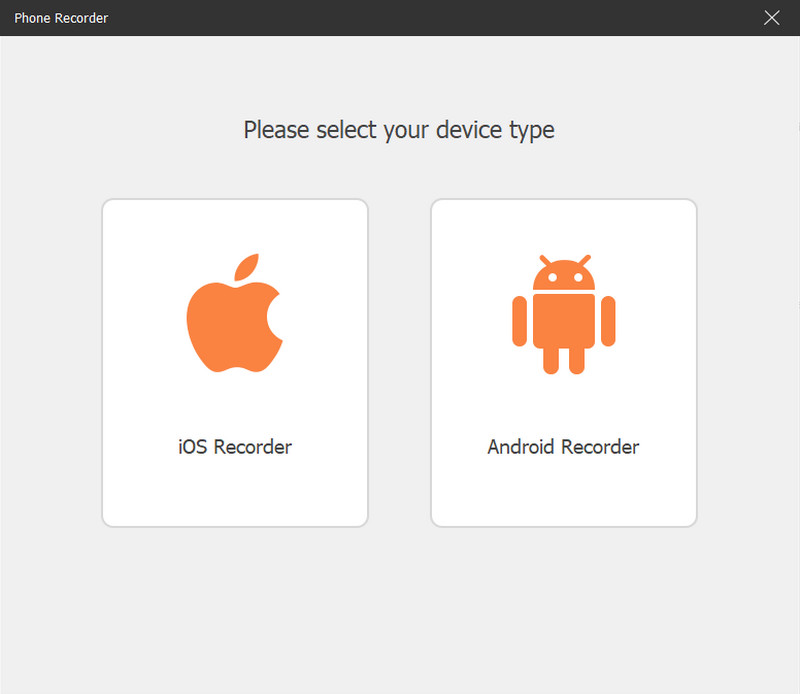
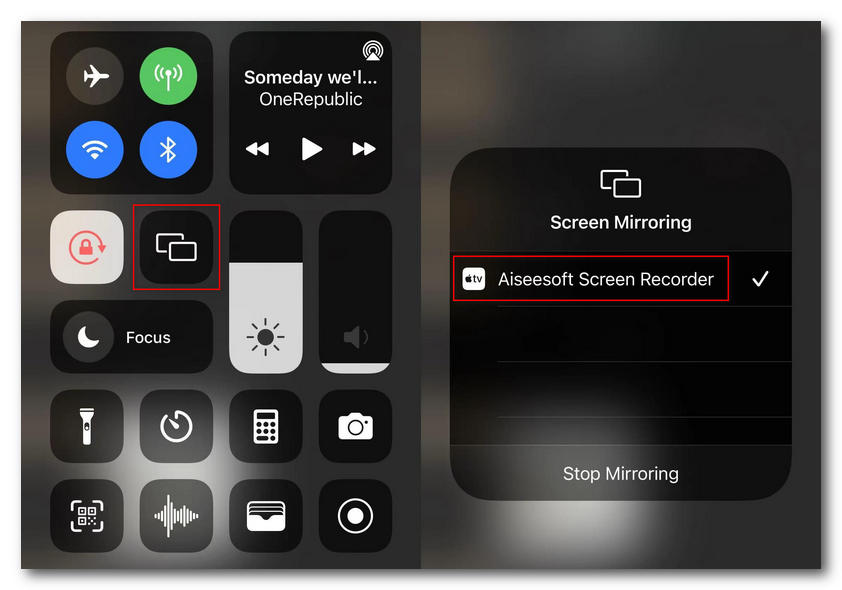
The truth is, once you reconnect to the internet, Instagram will update and send the notification anyway. The safest method is to bypass the mobile app’s detection by mirroring your phone to a computer and then capturing the content from there. Aiseesoft Screen Recorder is a good option to do that. It has an individual Phone Recorder for you to safely capture any mobile app content without triggering screenshot alerts.
100% Secure. No Ads.
100% Secure. No Ads.
Question 1. Does Instagram notify of screen recordings?
Instagram does not treat screen recording any differently from common screen captures. Screen recording follows the same rules. That means Instagram will notify you when you screen record disappearing photos or videos in DMs. What’s more, your action will trigger an alert when you enter Vanish Mode. The other person in the chat will know that you are capturing the screen. Similarly, you can screen record anyone’s Story, Reels, posts, and standard DMs without a notification. You can also record a scroll-through of someone’s user profile without them knowing.
Question 2. Can you tell if someone takes a picture of your Instagram?
Anyone can capture your Instagram Story, Feed Posts, Reels, and Profile information like your bio or grid without you ever finding out. The platform has very specific rules. You won’t always get a notification. If someone tries taking a screenshot in Vanish Mode or wants to screenshot a “Disappearing” photo/video in DMs, Instagram will post a text alert or send you a notification.
Question 3. Can third-party apps show me who screenshotted my Instagram profile?
No. You should not install or use any app claiming to show you who viewed your profile or took screenshots of your content. These apps are often scams designed to steal your login credentials or prompt you to ads.
Conclusion
This post explains the question: Does Instagram notify when you screenshot? You can check the latest rules for better capturing all types of content on the platform. Generally, most public-facing content like Feed Posts, Stories, and Reels is completely safe to screenshot. However, for these private conversations in Direct Messages or Vanish Mode, they are protected by Instagram. Your screenshot action will trigger an immediate alert.
 Post Instagram from PC: Share Life Without the Limitation of Device
Want to share your life anytime, anywhere? We will offer you multiple ways to post on Instagram from PC as well as two best tools to help you edit your picture.
 What Is the Best Instagram Video Length & Learn Trimming Tips
Reviewing Instagram's Video Length Limits: Reel, Story, and Post, with Expert Trimming Strategies. Read this to learn more.
 Learn How to Add Captions to Instagram Reels [3 Popular Ways]
How to add captions to Instagram Reels? Adding captions to your Instagram Reels is relatively easy, but you must read this before adding them.
 Leave your comment and join our discussion
Aiseesoft Screen Recorder is the best screen recording software to capture any activity like online videos, webcam calls, game on Windows/Mac.
100% Secure. No Ads.
100% Secure. No Ads.

*Required field
*Please enter a valid email

