
Video Converter Ultimate
 100% Secure. No Ads.
100% Secure. No Ads.
To reduce motion blur, create smoother slow-motion effects, and enhance overall video quality, many editors use frame interpolation. This technique works by generating intermediate frames between existing ones, resulting in more fluid motion and improved visual clarity. Today, frame interpolation is widely used in video editing, gaming, animation, and content creation to upgrade low-frame-rate footage and deliver a more professional viewing experience. In this article, you will learn what frame interpolation is, how the technology works, its main advantages, and common real-world use cases. You will also discover several powerful AI frame interpolation tools that can help you enhance video quality and create smoother, more engaging visuals.
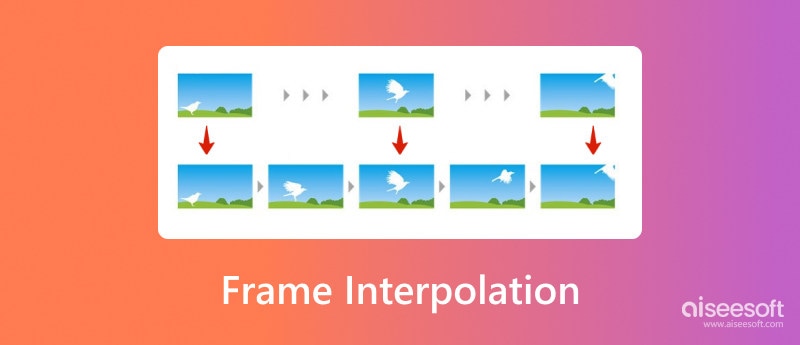
Frame interpolation is a video editing and enhancement technique that adds frames to improve visual quality. It can generate intermediate frames between existing ones to increase sharpness, reduce blurriness associated with fast-moving objects, and create a smoother playback effect. If you get a noticeable stutter or jerkiness in a video, you can insert intermediate frames to create a more natural and fluid viewing experience. Moreover, with more data and details added, frame interpolation can improve the overall color accuracy.
Frame interpolation is a technique in video processing that makes motion in a video smoother by generating new frames that are placed between the already existing frames. It operates by taking the frames one after another, examining them, figuring out how the things in the video move, change their form, or are related to the background, etc.
The process usually involves:
By adding these intermediate frames, the video playback becomes more natural, fluid, and visually appealing, especially in fast-moving scenes.
Using frame interpolation offers several advantages for video quality and viewing experience:
These benefits make frame interpolation especially useful for high-action content such as sports and gaming videos.
In many different fields, frame interpolation is utilized to enhance the visual quality and performance of videos. Typical usage cases include:
To help you choose the right AI Video Smoother, here is a comparison of three popular AI frame interpolation tools. These tools can enhance video smoothness, increase frame rates, and improve overall visual quality.
| Tool | Supported OS | Key AI Features | Output Quality | Processing Speed | Ease of Use | Best For |
| Aiseesoft Video Converter Ultimate | Windows, Mac | AI frame interpolation, video enhancement, and format conversion | High (HD / 4K supported) | Fast | Very Easy | Beginners and quick video smoothing |
| Topaz Video Enhance AI | Windows, Mac | Advanced AI frame interpolation, upscaling, noise reduction | Very High (up to 8K) | Medium–Slow | Moderate | Professional video restoration |
| Flowframes | Windows | AI interpolation using RIFE engine, FPS boosting | High | Fast | Easy | Gaming videos and anime interpolation |
In fact, these tools are great candidates for AI video interpolation, which is a process of generating extra frames between the existing ones in a video to make the video playback look smoother and to reveal more details. The main factor deciding your choice should be your needs, such as professional editing, fast processing, or simple video enhancement.
Many modern smart TVs are designed with advanced frame interpolation technology to display content with improved image quality. Moreover, NVIDIA RTX graphics cards carry frame interpolation functions to offer real-time enhancements for PC gaming. There are also several video editors and specially designed tools that provide frame interpolation capabilities to fix choppy video and create smoother playback. This part will share several compelling frame interpolation tools, including free online and AI-powered options, to help you easily produce high-quality videos.
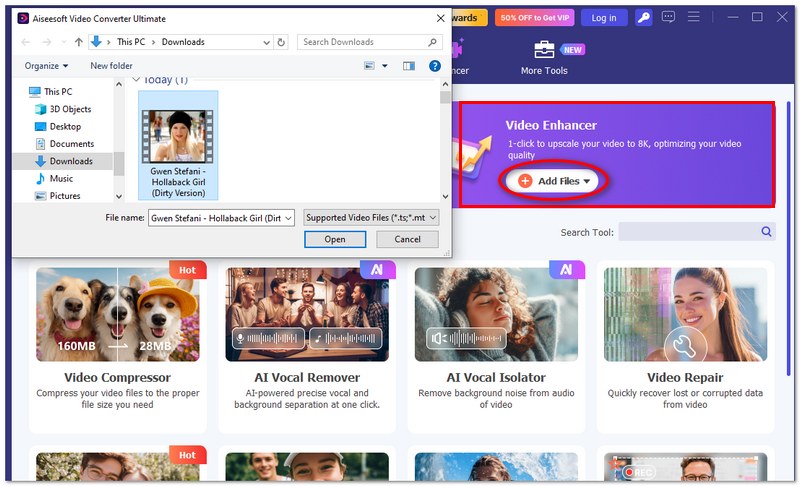
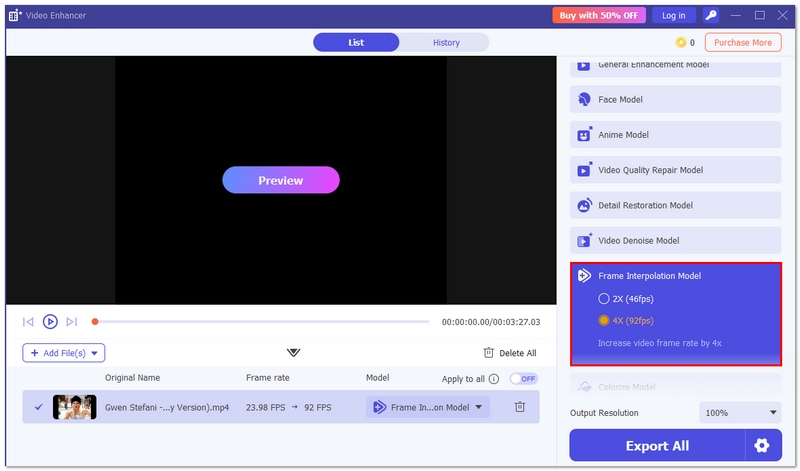
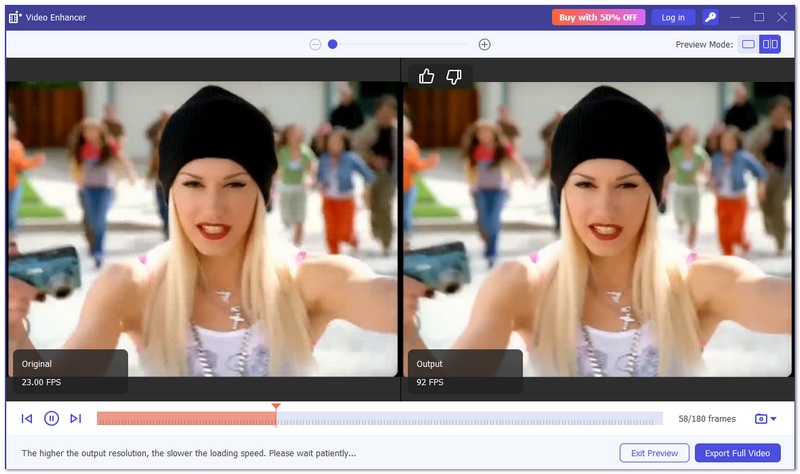
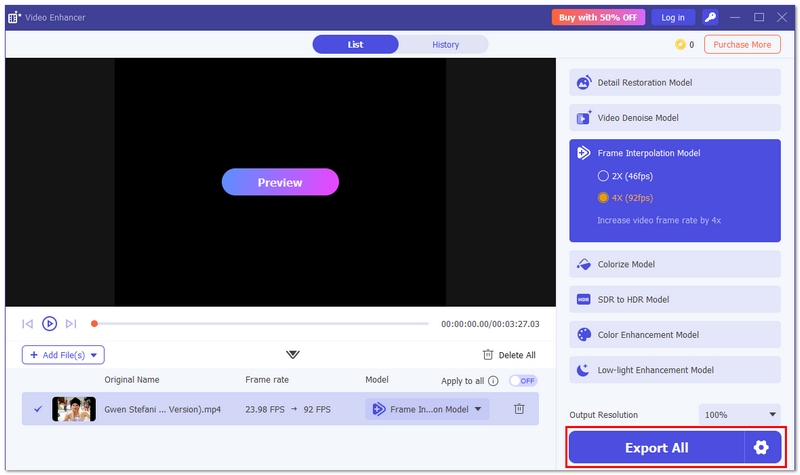
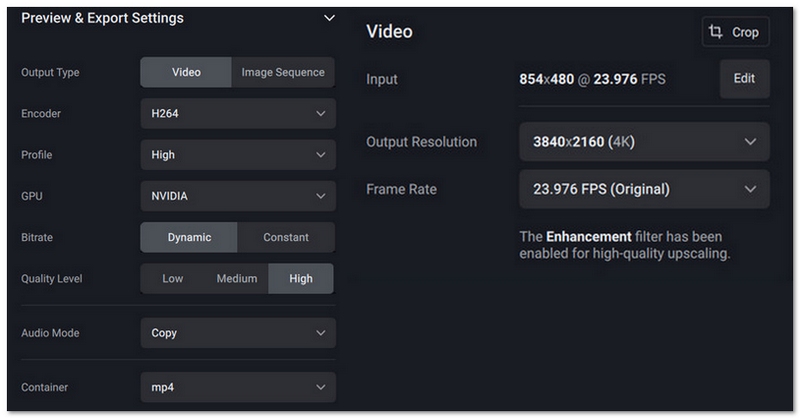
If you want an easy yet powerful solution for frame interpolation, Aiseesoft Video Converter Ultimate is a great choice. This all-in-one video toolbox is designed to enhance video quality, adjust frame rates, and make playback smoother. With its built-in AI video enhancement technology, you can convert 30fps to 60fps or even higher frame rates to create fluid slow-motion effects and improve overall viewing experience. It is suitable for beginners and professionals who want quick and reliable video processing.
Downloads
100%
Secure. No Ads.
100%
Secure. No Ads.
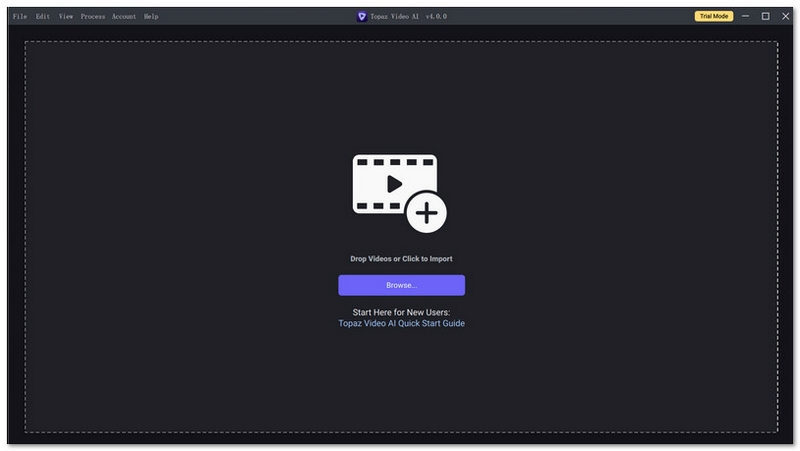
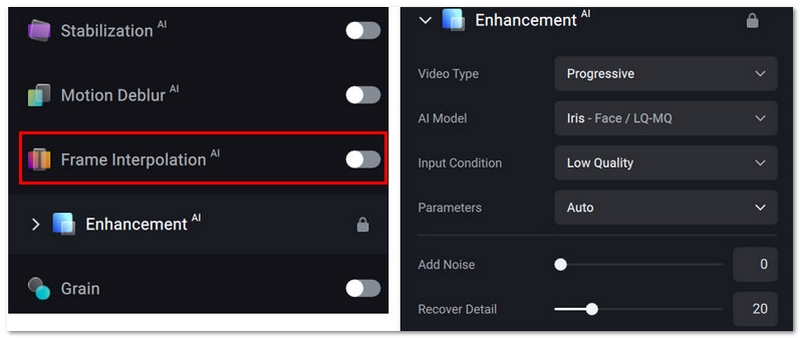
Topaz Video Enhance AI is a production-grade enhancement tool that offers frame interpolation, upscaling, noise reduction, stabilization, deinterlacing, and details recovery functions. Its AI models can generate natural results in frame interpolation. Topaz Video AI is mainly used for high-quality video enhancement, especially for older, blurry, or lower-resolution footage.
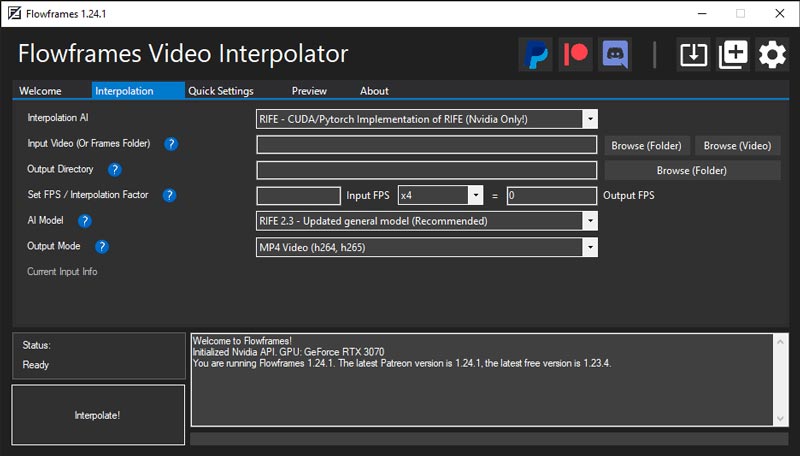
Flowframes is a powerful frame interpolation tool designed to enhance video quality using advanced AI frameworks. It can leverage the power of your graphics card to get faster processing. Flowframes supports various AI frameworks to increase the frame rate of your videos with different interpolation styles, such as RIFE, DAIN, and FLAVR. It offers customizable settings for you to freely adjust interpolation parameters based on your needs.
What is frame interpolation in TVs?
Frame interpolation in TVs refers to a video processing technique that can generate a smoother, more fluid viewing experience. It creates additional frames between existing ones to make fast-moving objects appear less blurry. Many smart TVs offer adjustable levels of frame interpolation. You can adjust the level to get the desired visual quality.
Does frame interpolation increase video size?
Yes, frame interpolation will typically increase video size. As I mentioned above, it adds additional frames to generate a smoother viewing experience. With more details and data added, the file size of the source video will grow. Some advanced AI interpolation algorithms may also create higher resolution and bitrate. That will lead to a larger file size.
How can I achieve smooth slow motion with frame interpolation?
Frame interpolation is primarily designed to create smooth slow-motion footage. You can select a preferred frame interpolation tool to perform various video enhancement operations, including frame interpolation. You can also rely on some AI-powered plugins like RIFE or DAIN to get advanced frame interpolation capabilities. Try using different interpolation methods to find the best fit for your slow-motion footage. Preview the slow-motion effect and then export it with the best possible output.
Conclusion
One way frame interpolation can improve the video visuals is by making the motion more smooth and less jerky, hence making the frame transitions more natural. Besides helping to achieve slow-motion effects, it is also capable of reducing motion blur and overall making the video more enjoyable to watch. These days, with the help of software like Aiseesoft Video Converter UltimateTopaz Video Enhance AI, and Flowframes, it is quite straightforward for a person to upgrade their videos by merely using an AI Video Smoother function. When you have finished going through this article, you will be able to style your clips with increased frames per second (fps), clearer images, and also production of more professionally looking videos.
 Increase Video Volume with 5 Best Video Audio Booster Tools
How do you enhance video volume? Is there a free app to make a video louder? Get five video volume boosters to increase video volume without losing quality.
 PassFab Android Unlocker Review: Good Android Removal Tool?
Check out this PassFab Android Unlock review to learn all about its features, pros, cons, etc., and decide if it is the right tool to unlock Android devices.
 An Analysis of DPI vs PPI: Print & Screen Resolution Explained
Discover the difference between DPI and PPI, as they influence the quality of images for printing and digital screens and achieve the correct resolution!
 Leave your comment and join our discussion
Video Converter Ultimate is excellent video converter, editor and enhancer to convert, enhance and edit videos and music in 1000 formats and more.
100% Secure. No Ads.
100% Secure. No Ads.

*Required field
*Please enter a valid email

