Catching rare Pokémon or participating in special events in Pokémon Go isn't necessarily easy either, as they are often very far from your location. Trainers typically use spoofing tools, as they provide the ability to investigate other areas without physically visiting those locations. One of these tools is called iAnyGo, which features a straightforward setup and offers useful functionalities. In our iAnyGo Pokémon Go Spoof Guide, we will discuss everything you need to know, including features, prices, and safety, and provide you with step-by-step instructions on how to use the iAnyGo tool. We will also review some underlying problems, including the "failed to detect location" glitch, and how to fix these problems. And if you want an even more stable experience, there will also be a secure alternative that allows you to spoof safely and without hiccup.
Tenorshare iAnyGo Pokémon Go is likely the most commonly referenced tool for spoofing your location in Pokémon Go. This tool is easy to use, allowing players to change their GPS location with just a few clicks, as well as simulate traveling all over the world without actually moving from their house. It can be particularly practical if you're trying to catch region-specific Pokémon, taking part in events, or visiting areas that you wouldn't normally be able to see.
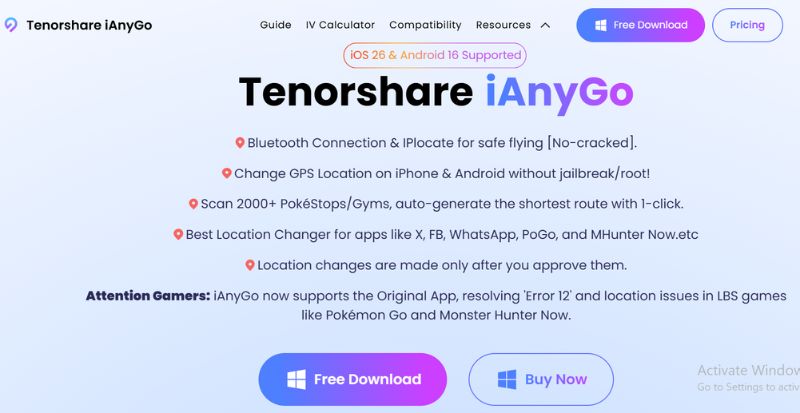
Key Features
• Instantly change your GPS location to any place on the map.
• Simulate walking, cycling, or driving at different speeds to make gameplay look natural.
• Set up a route and let your device move automatically, which helps trigger more spawns.
• Works on iOS devices and supports multiple connections.
Price
iAnyGo is a paid tool with different subscription options. At the time of writing, it typically offers monthly, quarterly, and yearly plans, with discounts for longer subscriptions. It starts with $12.95/month. While the free trial lets you test out some functions, full access requires a paid plan.
User Reviews
Reviews of iAnyGo are varied. People generally like the easy interface, and in most cases, it was easy to get it working. Others said they had to deal with issues like a wrong location every once in a while or trouble becoming disconnected. Some indicated that the program generally functions well, even though it may not feel as solid as other alternatives.
Is iAnyGo Safe?
The software, to install and use, is safe as it is from a developer who has earned a trustworthy reputation. But with Pokémon Go, no Pokémon spoofing app is 100% secure. If you fail to adhere to cooldown times or attempt unrealistic moves, you may receive a warning or even be banned. You just have to use it responsibly and avoid suspicious activity in the game.
Spoofing your location in Pokémon Go with iAnyGo is quite simple. Here is a detailed guide to get you going:
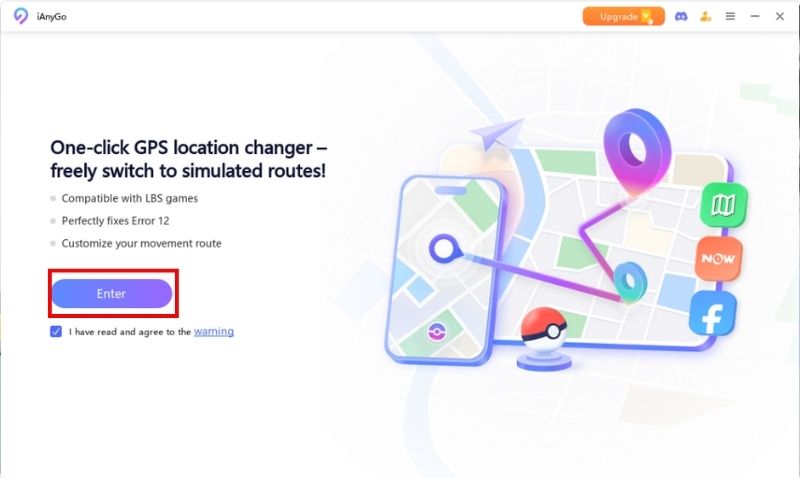
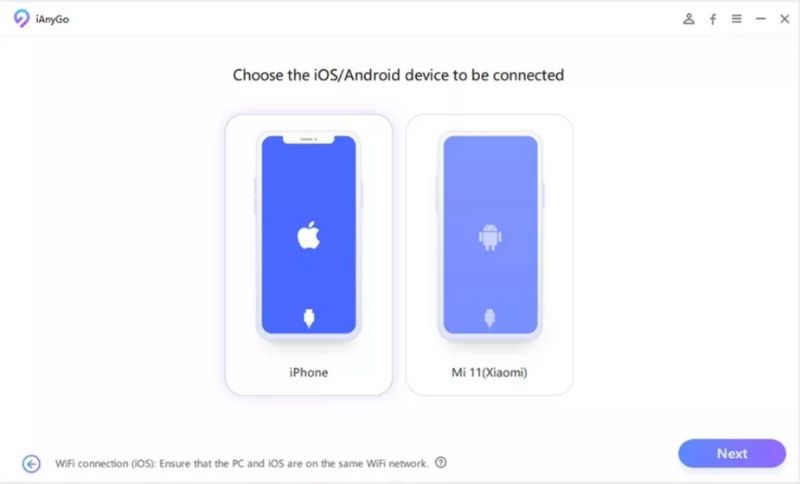
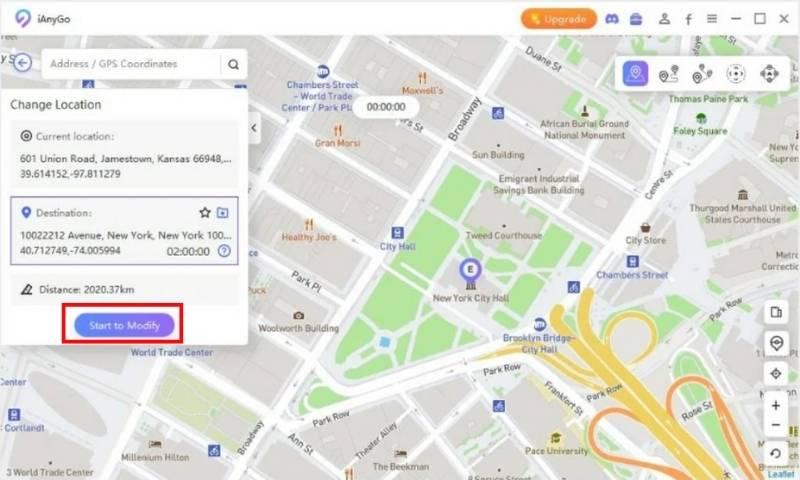
Note: It helps reduce the risk of getting flagged for suspicious activity. If you want to walk around virtually, use the Pokémon Go iAnyGo single-spot movement or joystick to simulate natural movements.
One of the most common issues players face when using iAnyGo is the Pokémon Go iAnyGo failed to detect location error, often referred to as iAnyGo error 12. It can be annoying, particularly when you're about to join a raid or catch Pokémon, but fortunately, there are some obvious causes and solutions.
• Location Services Disabled – If your iPhone’s GPS or location services are turned off, the software won’t detect your position.
• Outdated Software or iOS – Running an older version of iAnyGo or iOS can cause compatibility issues.
• Poor USB Connection – A loose or faulty USB cable may interrupt the link between your device and computer.
• Security or App Conflicts – Certain security settings or apps that use GPS may interfere with spoofing tools.
1. Enable Location Services – Go to your iPhone's settings and ensure that Location Services are turned on.
2. Update Software – Install the latest version of iAnyGo and check if your iOS is up to date.
3. Check Your Connection - Ensure you are using a good-quality USB cable, then reconnect your device.
4. Restart Your Devices - Restart your iPhone and computer to clear small software glitches.
5. Reinstall iAnyGo - If the issue continues, uninstall iAnyGo and reinstall it to set it up fresh.
By following these fixes, you can resolve the iAnyGo error 12 problem and get back to spoofing
smoothly.If you're having trouble with errors or failed location detection when using certain tools for location spoofing, a more reliable tool could completely improve your experience. Aiseesoft AnyCoord Location Changer is one of the best GPS spoofing software available. Its user-friendly features and stable performance are great for Pokémon GO players. Different from other software, it aims to reduce errors so that your spoofed location can actually be used.
Key Features
• Avoids common detection errors like iAnyGo error 12.
• Simulate walking, cycling, or driving routes.
• Instantly jump to any location in the world.
• Manually control movement in real time for a more natural gameplay experience.
• Works with most iOS versions and devices without requiring a jailbreak.
 100% Secure. No Ads.
100% Secure. No Ads.
How to Use Aiseesoft AnyCoord for Pokémon GO
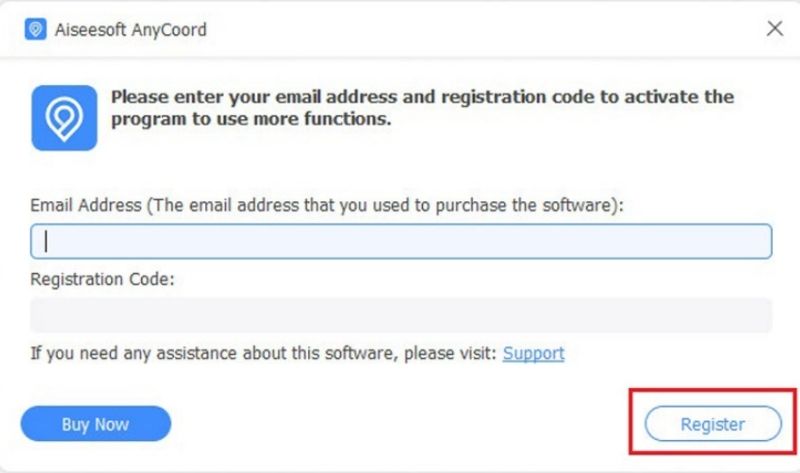
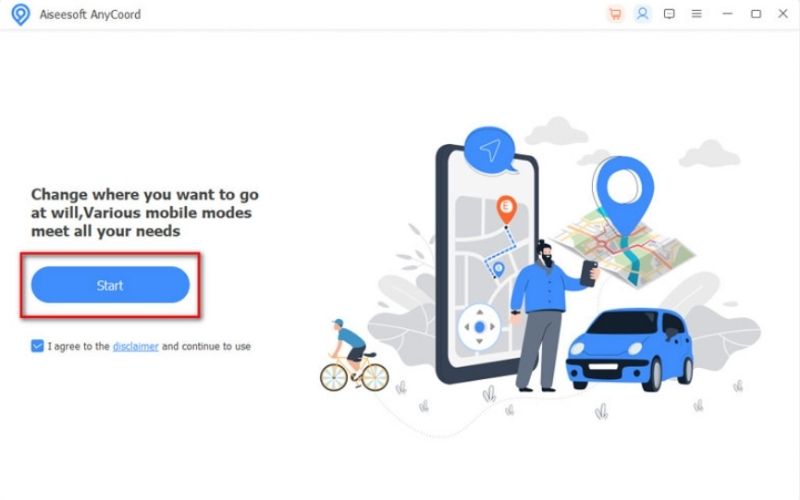
Note: You usually select your preferred connection via USB or Wi-Fi. If using Android, you need to turn on USB Debugging to activate it.
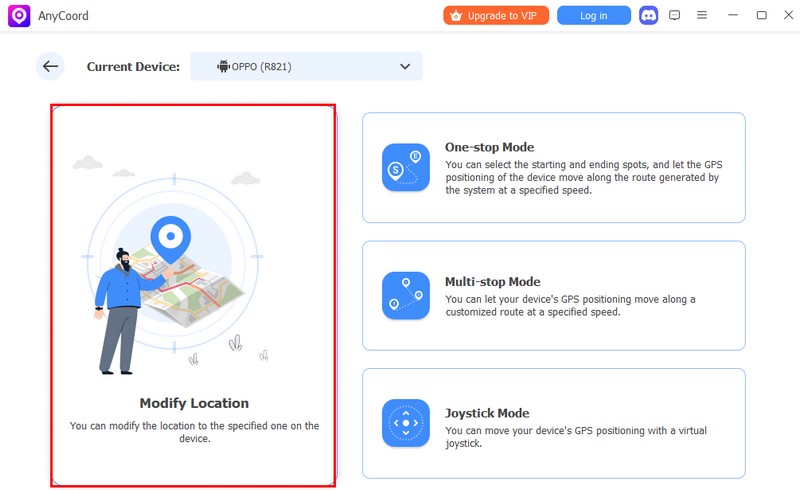
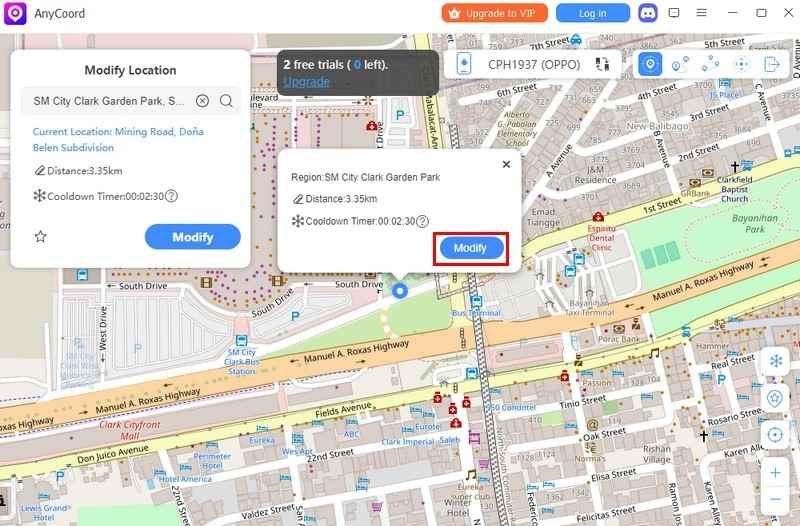
With its stability and ease of use, Aiseesoft AnyCoord Location Changer provides a safer and smoother alternative for players who want reliable spoofing without dealing with frequent glitches.
Can I play Pokémon Go with iAnyGo in single spot movement?
Yes, you can play Pokémon GO with iAnyGo using Single Spot Movement. This feature makes your character walk naturally in a fixed area, which is safer than teleporting. It’s useful for hatching eggs, farming spawns, and reducing the risk of bans.
Does iAnyGo drain battery fast?
Since it runs in the background to spoof GPS, it may use more battery than usual. A power bank is recommended for long sessions.
What operating systems does iAnyGo support?
It supports Windows and macOS for PC, and works with iOS/Android devices via USB connection.
Conclusion
Ultimately, iAnyGo is an excellent tool if you want to go to new locations in Pokémon GO and are too lazy to go out. We discussed its features, how to use it, and common issues such as not being able to detect your location, and provided you with a more stable alternative, Aiseesoft AnyCoord Location Changer. Just remember, spoofing will always have its risks, so remember to use features, for example, Pokémon Go iAnyGo single spot movement. If you are smart about it and cautious, you will have a smooth experience in capturing Pokémon wherever you want to.
 Pokémon Go iAnyGo Failed to Detect Location? Here’s How to Fix It
Fix the Pokemon Go iAnyGo failed to detect location issue with easy steps and discover a more reliable location changer for smoother gameplay.
 Tips of Pokemon GO Hundo: Catching Perfect Pokemon
Unlock the full strength of awesome Pokémon! Find out the tips and tricks on Pokemon GO Hundo, and get the hang of capturing these tough and rare creatures.
 Top 10 Pokemon Games and Record Pokemon Gameplay [2025 Updated]
Want to know how to easily record Pokemon games? This post shows you the new list of Pokemon games and simple way to record Pokemon gameplay.
 Leave your comment and join our discussion
Aiseesoft AnyCoord can help you hide, fake, or change your GPS location to any other place with ease. You can even plan a moving route if needed.
100% Secure. No Ads.
100% Secure. No Ads.

*Required field
*Please enter a valid email

