Let's face it! There's nothing more frustrating than losing data from an iPhone or experiencing a system crash. You can feel like you're in a deep hole. You don't have to worry about it, as long as you have the proper iPhone restore software, you can get your iPhone back up and running, repair all key files, and fix system issues without ever having to use iTunes. In this article, we've handpicked and compared the five best iPhone restore tools that deliver fast and reliable recovery results. You'll get to know each software's standout features, pros and cons, and which situations they're best for. These tools can help you recover your iPhone's data and performance with just a few clicks. No technical expertise required, just practical solutions to make your iPhone feel brand new again.
How We Test & Review
We tested each tool on an actual iPhone running iOS 16 to provide you with an accurate comparison of the top iPhone data restore software. Several aspects were the focus of the testing:
1. Installation & Setup
All apps were easy to download and install. FoneTrans and PhoneRescue had straightforward setups, while Dr.Fone required an extra step to install device drivers.
2. User Interface & Experience
We assessed the apps' usability:
• Both Stellar and Aiseesoft iPhone Data Recovery have simple, user-friendly designs because it has more sophisticated features, Disk Drill is more technical.
• Dr.Fone and Tenorshare UltData have clear navigation, although they have more menus, which may confuse first-time users.
3. Recovery Performance
We tested recovering photos, videos, messages, and contacts:
• Aiseesoft iPhone Data Recovery and PhoneRescue recovered nearly 99% of deleted files.
• Disk Drill and Stellar performed well for photos and videos, but struggled slightly with app data.
• Dr.Fone and Tenorshare UltData had solid recovery rates, but deep scans took longer.
4. Speed & Efficiency
• Quick scans took 2-5 minutes on average for up to 500 files.
• Deep scans varied: Aiseesoft completed deep scans in 12 minutes, while Dr.Fone and Tenorshare UltData took 20-25 minutes.
5. Extra Features
• PhoneRescue and Stellar offer system repair tools alongside data recovery.
• Disk Drill provides extra disk health monitoring features.
• FoneTrans allows selective preview and transfer to a computer before recovery.
6. Compatibility
The most recent iPhone models, iOS 16, and previous iterations of iOS were all compatible with the tested software. Disk Drill and Stellar have some sophisticated features that are only fully functional on Macs.
7. Safety & Security
No software overwrote existing data or caused system errors during tests. All apps were malware-free and safe to use.
Before diving into the details of each tool, here's a complete comparison overview of the best iPhone restore software based on our tests. We compared recovery performance, ease of use, speed, extra features, and overall reliability to help you find the right solution for your iPhone.
| Software | Ease of Use | Recovery Rate | Scan Speed | Unique Features | Best For |
| Aiseesoft iPhone Data Recovery | 4/5 | 5/5 | 4/5 | Deep scan, preview before recovery, system repair | Beginners & general users |
| Disk Drill | 3/5 | 4/5 | 3/5 | Advanced disk health monitor and file preview | Tech-savvy users, photo & video recovery |
| Stellar Data Recovery for iPhone | 4/5 | 4/5 | 3/5 | iOS repair, selective recovery | Users needing both system & data repair |
| PhoneRescue for iOS | 4/5 | 5/5 | 4/5 | Fast recovery, iOS system repair | Novices seeking immediate results |
| Tenorshare UltData | 4/5 | 4/5 | 3/5 | Recovery of multiple files and iCloud/iTunes | Reliable recovery for various file types |
| Dr.Fone - Data Recovery (iOS) | 3/5 | 4/5 | 3/5 | Data recovery + phone management tools | Comprehensive all-in-one users |
Our top picks for the best iPhone restore software are Aiseesoft iPhone Data Recovery and PhoneRescue because they combine dependability, speed, and user-friendliness.
When your iPhone experiences data loss, corrupted files, or a misplaced file, a reliable recovery tool can offer peace of mind. In this section, we will describe the top iPhone SMS backup and restore software available based on our research and testing experience. Each program has advantages over others, from advanced data scanning to iCloud and iTunes recovery, so deciding which program to try is up to you. Magicians of powerful software offer beginner and advanced users an easy way to recover their iPhones to normalcy without utilizing iTunes or iCloud. Let's take a look at the best of the best software mentioned below, which is each worth trying.
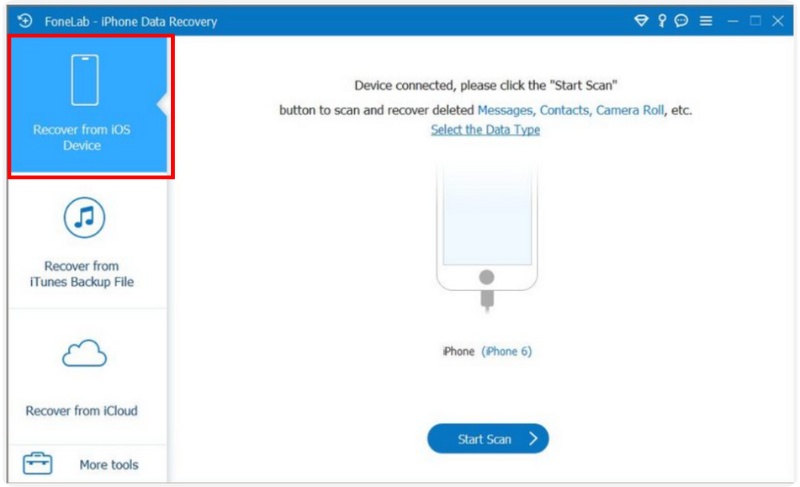
It can be devastating to lose important data, such as contacts, messages, or photos, whether it's because of a major software malfunction, system crash, or accidental deletion. Thankfully, Aiseesoft iPhone Data Recovery provides an intelligent and reliable way to get back what is most important to you. Itt has been identified as one of the best software to restore iPhone software, and allows you to restore lost files and deleted files conveniently, without the use of iTunes. The tool also has flexibility with three different modes of recovery depending on your situation: Recover from iOS Device, Recover from iTunes Backup File, and Recover from iCloud Backup File. No matter if the iPhone is still functioning, lost, or broken, Aiseesoft will adjust perfectly to your needs and be a complete and reliable choice for people wanting iPhone data recovery software that will get the job done securely and excellently.
Downloads
 100% Secure. No Ads.
100% Secure. No Ads.
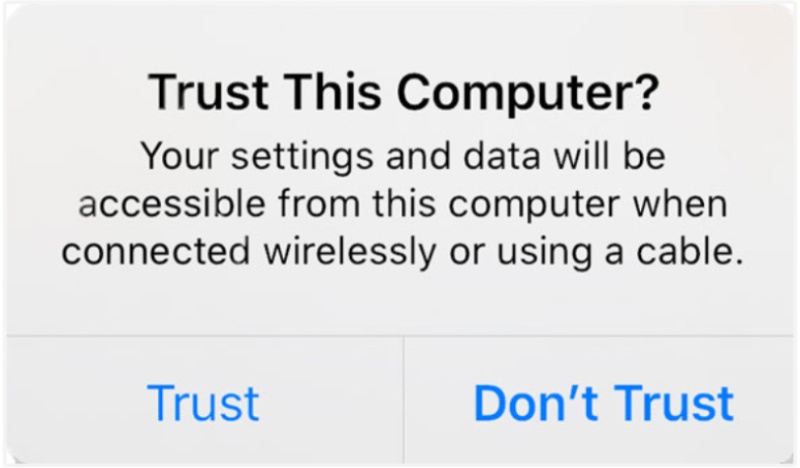
The best software to restore iPhone is Aiseesoft iPhone Data Recovery. To recover your lost data, follow these steps:
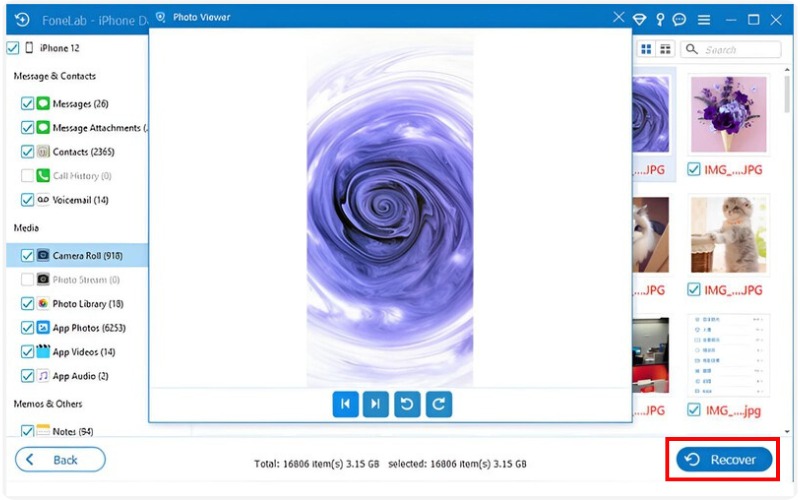
Tip: If your iPhone is damaged or stuck in recovery mode, Aiseesoft still allows you to retrieve data from iTunes or iCloud backups, making it one of the most reliable iPhone restore software options available.
Using cutting-edge scanning technology, Disk Drill is a complete data recovery tool with an easy-to-use interface. It supports the recovery of deleted photos, messages, contacts, and other files from iPhones, iTunes backups, and iCloud. No matter if you lost files due to accidental deletion, a botched update, or a system error, Disk Drill has a simple yet advanced solution for you. Its smart algorithms make it one of the best software to restore iPhone for both beginners and professionals.
Pros
Cons
Best for: Users who need a comprehensive and detailed scan to recover deeply buried or old iPhone data.
Stellar Data Recovery for iPhone is a trusted and professional tool designed to retrieve lost or deleted data from iPhones, iTunes, and iCloud backups. It can restore photos, messages, notes, Safari bookmarks, and more with just a few clicks. Stellar is a fantastic choice if you're looking for free iPhone restore software to test before purchasing, even though it's not completely free.
Pros
Cons
Best for: Users who want a reliable recovery solution with both free and premium options for iPhone backup restoration.
PhoneRescue from iMobie is a small but mighty recovery tool that can restore lost data in minutes. This tool can recover deleted text messages, photos, videos, and app data from iPhones or backups. It's unique in that it can also fix iOS-related problems, such as boot looping or crashing apps, without touching the data on your device. For potential users searching for free software to restore iPhone, PhoneRescue also has a free version available for trial before purchase.
Pros
Cons
Best for: Users who want an all-in-one iPhone recovery and repair tool that's fast and safe to use.
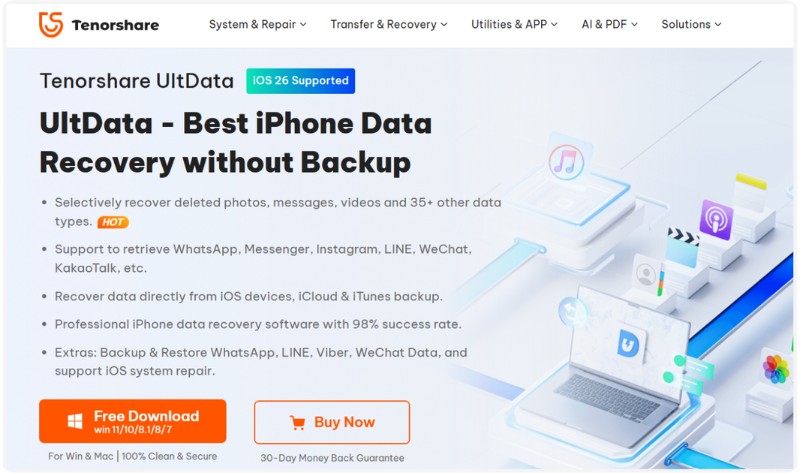
Tenorshare UltData is one of the easiest-to-use iPhone data restore software solutions on the market. You can recover deleted/lost photos, contacts, messages, and WhatsApp data directly from your iPhone, without requiring an iTunes or iCloud backup. The ability to selectively recover files by first letting you preview and choose which files you wish to restore is exclusive to UltData.
Pros
Cons
Best for: Users who prefer a flexible and precise iPhone data restore software for retrieving specific files without restoring the entire backup.
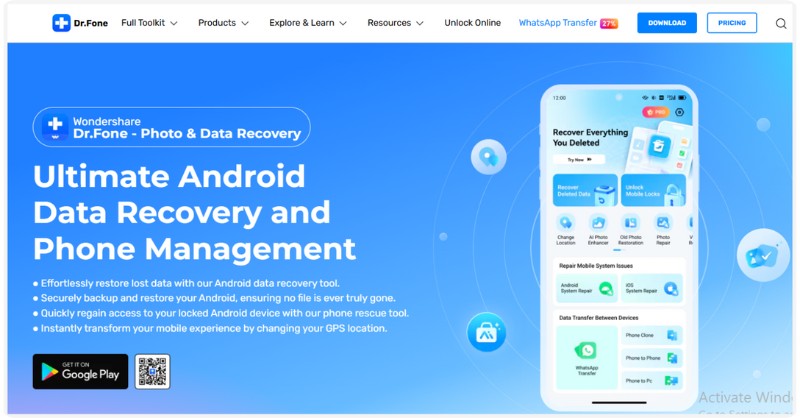
Wondershare's Dr.Fone - Data Recovery is among the top-rated programs in the iPhone restore software category. It's built for both personal and professional users who want a trusted data recovery option for photos, videos, contacts, text messages, and app data from your iPhone, iTunes, and iCloud backups. Besides recovering data, Dr.Fone also comes with a system repair, phone transfer, and data management tools that combine into one iOS utility program.
Pros
Cons
Best for: Users who need a comprehensive and professional iPhone restore software for both data recovery and iOS repair.
Can iPhone restore software recover data after a factory reset?
Yes, some advanced tools like Aiseesoft iPhone Data Recovery or Tenorshare UltData can retrieve data even after a factory reset, as long as the deleted files haven't been overwritten.
Do I need to jailbreak my iPhone to restore data?
No, most modern iPhone restore tools don't require jailbreaking. They can safely recover and restore data without voiding your warranty.
What's the difference between iPhone restore and iPhone recovery?
Restore usually means bringing your iPhone back to a previous state, like using iTunes, while recovery refers to retrieving lost or deleted files.
Conclusion
You can effortlessly restore your iPhone data without worrying if you use the right iPhone restore software. It can help you recover deleted messages, restore backups, and retrieve lost files from your device with the appropriate iPhone data recovery tools. Aiseesoft iPhone Data Recovery, Disk Drill, Stellar, PhoneRescue, Tenorshare UltData, and Dr.Fone offer the ability to restore data in all circumstances. Every program has its strengths. Some are great for a deep recovery, others are great for being easy to use, and still others are great for compatibility. So, if you do end up losing data, try the application that is right for you to recover your iPhone in just a few clicks.
 Complete Guide: How to Restore iPhone/iPad with iTunes & Alternative
Learn how to restore your iPhone or iPad with iTunes and the best alternative on the market. Instructions and additional information are added on backup up on iTunes.
 Tips & Tricks on How to Recover Deleted Photos from iPhone [Updated]
How to recover deleted photos from iPhone? Varieties of approaches you can take to recover deleted photos. Read this as we explain and teach you how to do it.
 Learn to Retrieve Deleted Call History on iPhone and Android
How do you retrieve deleted call history on iPhone without a backup? Can I recover call history from Google? Learn 5 ways to restore deleted phone calls.
 Leave your comment and join our discussion
The best iPhone data recovery software ever, allowing users to safely recover lost iPhone/iPad/iPod data from iOS device, iTunes/iCloud backup.
100% Secure. No Ads.
100% Secure. No Ads.

*Required field
*Please enter a valid email

