iPhone Data Recovery
 100% Secure. No Ads.
100% Secure. No Ads.
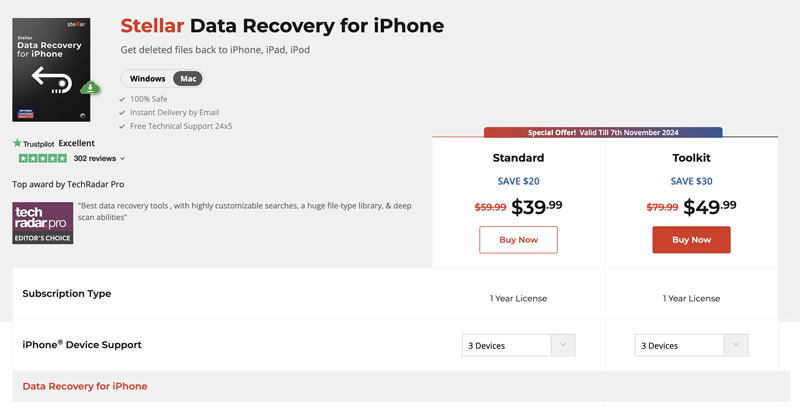
iCloud offers a simple but effective way to back up all types of iOS files on your iPhone. When you mistakenly delete some valuable data, or you lose iPhone files due to other reasons, you can recover them from a recent backup. However, even if you have a cloud backup system, in some cases, you still need data recovery to rescue your iPhone files. Then, you get the Stellar Data Recovery for iPhone recommendation.
This article gives you a comprehensive review of this iPhone data recovery software. You can learn all the necessary information about Stellar Data Recovery and then make your decision if you want to recover your iOS files using it.
• Recover Deleted iPhone Data
Restore accidentally deleted files, including messages, contacts, photos, videos, call history, calendars, notes, WhatsApp, and more.
• Recover Data from iTunes & Finder & iCloud Backups
Retrieve and recover data from iPhone backups without wiping out data present on your iPhone.
• Selective Data Recovery
Recover specific files and data from your iPhone backup rather than recovering all of the backed-up data.
• Preview Recoverable Files Before Recovery
Preview the files that can be recovered from your iPhone backup prior to restoring files.
• Recover Data from Damaged or Lost iPhones
Retrieve data from iPhones affected by accidental deletion, system crashes, water damage, or other issues (when recoverable).
• Support Latest iOS Versions and iPhone Models
Compatible with a wide range of iOS devices.
Stellar Data Recovery for iPhone provides a convenient way to recover lost iOS files. When you are at the official website of this iPhone Data Recovery Software, select the correct version based on your system and click the Free Download button. Then, follow the steps below to recover your iPhone files using Stellar Data Recovery.
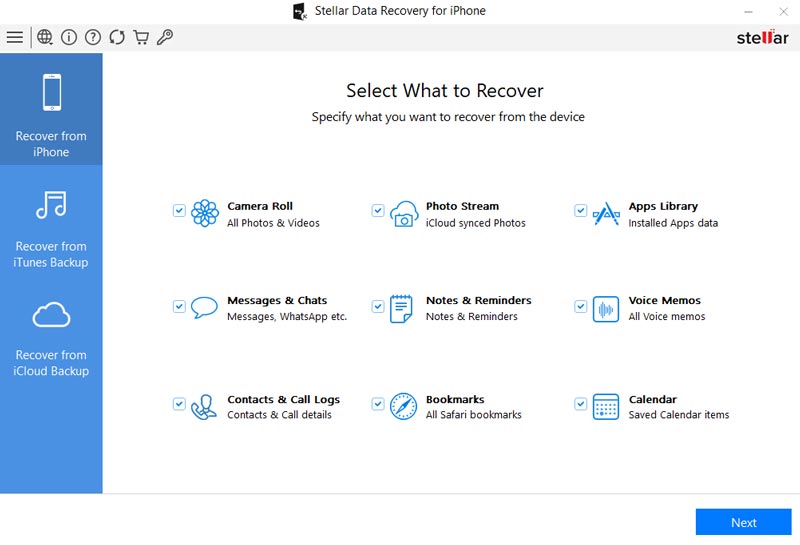
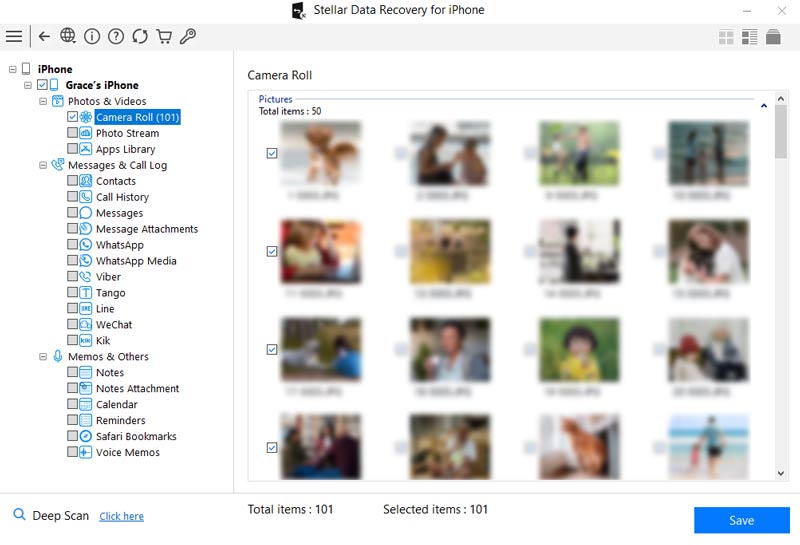
If you didn’t purchase its Standard version, you will be promoted to activate the product. Moreover, you will be guided on how to purchase it.
While Stellar Data Recovery for iPhone is a powerful tool, there are other good alternatives available. If you prefer to try using other iPhone data recovery tools before purchasing Stellar, you can start with the reputable FoneLab iPhone Data Recovery.
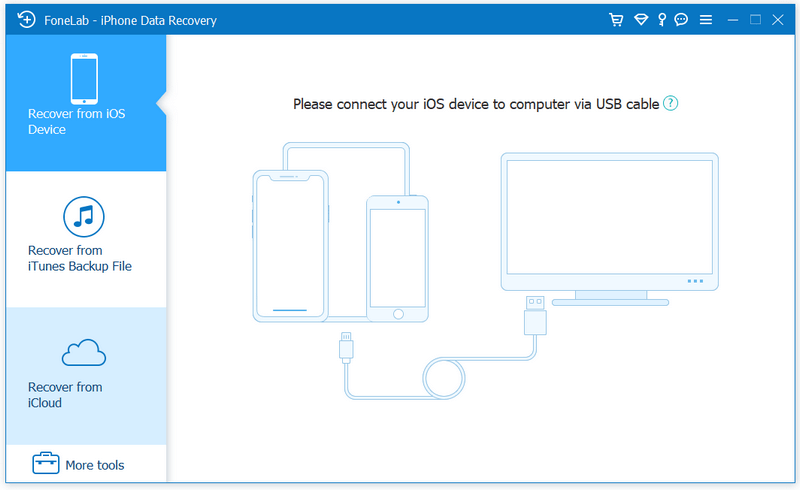
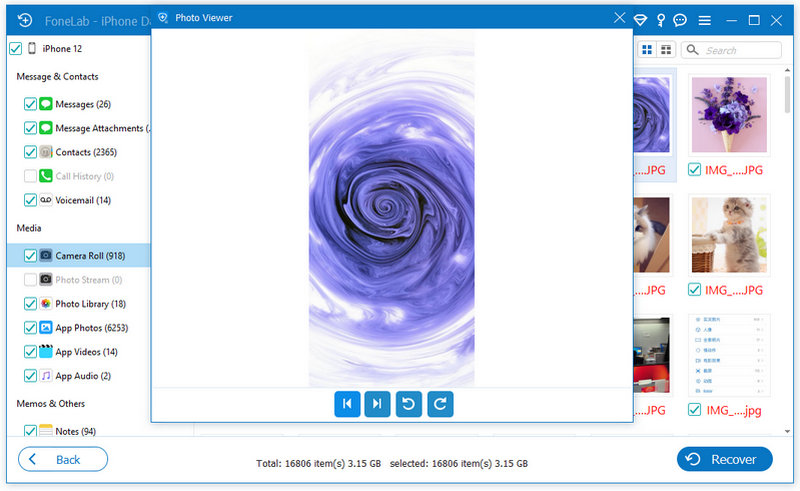
This software is similar to Stellar and offers a more stable recovery experience. It supports over 35 data types, including photos, videos, messages, contacts, calls, and app attachments. What’s more, FoneLab allows you to recover data from locked and disabled iPhones, even without passwords and backups. Never worry about its operations even if you are a beginner. With an intuitive interface and simple steps, FoneLab is very user-friendly.
Downloads
Stellar Data Recovery Alternative - FoneLab
100% Secure. No Ads.
100% Secure. No Ads.
Question 1. Is it possible to recover permanently deleted photos from iPhone with Stellar?
Yes, it is possible to retrieve these permanently deleted photos from an iPhone using Stellar Data Recovery, but it's not 100% guaranteed. Once your iPhone photos and other files are permanently deleted, they are typically overwritten by new data. In that case, you can try using Stellar Data Recovery or FoneLab to find them back.
Question 2. Is Stellar Data Recovery for iPhone legit?
Stellar Data Recovery for iPhone is generally considered a legitimate data recovery software. It can be a reputable tool for iPhone users to recover deleted and lost iOS files. However, it's important to download it from the official website or another trusted source.
Question 3. Do I need to have iTunes installed on my Windows PC to use Stellar?
No, you are required to have iTunes installed on your Windows PC to use Stellar Data Recovery for iPhone. That also allows you to restore iPhone data from iTunes backups.
Question 4. Does Stellar offer a free recovery option?
No. The free version only scans and previews. You must purchase a license to actually recover and save files.
Conclusion
This article gives you a full review of Stellar Data Recovery for iPhone. You can start with its free version to check if it can find your deleted or lost iOS files. If you can’t locate them from the scanning results, that means Stellar failed to make the data recovery. You can turn to its alternative, FoneLab.
 Stellar Data Recovery for Mac Review and Its Alternative
What is Stellar Data Recovery Toolkit for Mac? Is Stellar Mac Data Recovery free? Check the Stellar Data Recovery for Mac review and learn to recover Mac files.
 EaseUS Data Recovery Wizard for Mac: Features, Pros, Cons, Pricing
This is a full review of EaseUS Mac Data Recovery, which offers its features, pros & cons, pricing, verdict and many other things you want to know about it.
 Top 5 iPhone Photo Recovery for Windows and Mac [2026 Updated]
In this iPhone photo recovery software review, we list the top 5 best iPhone photo recovery tools with detailed features, pros for you to choose the best one.
 Leave your comment and join our discussion
The best iPhone data recovery software ever, allowing users to safely recover lost iPhone/iPad/iPod data from iOS device, iTunes/iCloud backup.
100% Secure. No Ads.
100% Secure. No Ads.

*Required field
*Please enter a valid email

