When you capture pictures in low-light conditions or with high ISO settings, noises will inevitably be created. While editing these pictures, you surely want to remove unwanted grain and increase clarity. Moreover, you may also want to perform noise reduction on some old, low-resolution, or compressed images. Topaz DeNoise is a popular choice to reduce noise from photos. This article will give you a detailed review of this AI noise-reduction tool.
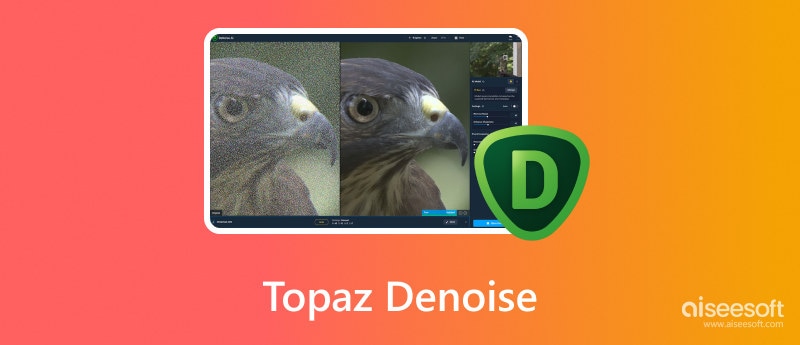
Topaz DeNoise AI is a noise reduction tool specifically designed to handle the problem of image noise. It uses advanced algorithms to analyze the existing data and reduce noise. It can intelligently remove unwanted grain and noise without sacrificing the original image quality. During the noise removal process, Topaz DeNoise will also adjust color, sharpen pixelated elements, and increase clarity. It can accurately differentiate between noise and the main image information. That ensures no essential detail will be erased.
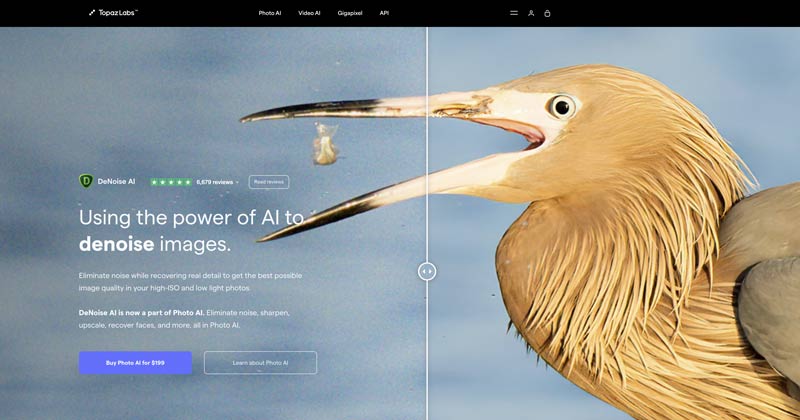
AI-Powered Noise Reduction
Harnesses advanced deep learning trained on millions of images to accurately remove noise from both JPG and RAW files, delivering cleaner, sharper images.
Smart Image Analysis
Automatically detects noise patterns and applies intelligent noise reduction algorithms to preserve detail while minimizing unwanted artifacts.
Fast and Efficient Processing
Optimized for speed without sacrificing quality, allowing you to enhance images quickly and efficiently.
Full Control Over Noise Reduction
Offers adjustable settings and controls so you can fine-tune the noise reduction process and achieve your perfect results.
All-in-One Photo AI Tools
Beyond noise reduction, Topaz Photo AI includes Upscale, Face Recovery, Sharpen, and other powerful features to enhance your photos effortlessly.
Overall, Topaz DeNoise AI gives an effective and accurate way to reduce image noise. It is equipped with powerful AI models to create cleaner and more visually appealing images. Topaz DeNoise offers relatively fast processing times. Moreover, it offers various settings and controls for you to control the noise reduction process and get the desired results. Besides Denoise, the new Photo AI tool also offers Upscale, Face Recovery, Sharpen, and other features.
Advanced AI Noise Reduction: Uses deep learning models trained on millions of images for accurate noise removal while preserving details.
Supports RAW & JPG: Works with both RAW and standard image formats, offering flexibility for photographers.
Autopilot Mode: Automatically analyzes image characteristics and selects the best denoise model and strength.
Selective Masking: Allows targeted noise reduction on specific areas like skies or faces while keeping textures intact.
Integrated Photo AI Suite: Combines DeNoise with Upscale, Sharpen, and Face Recovery for a complete image enhancement workflow.
Fast Processing with GPU Acceleration: Optimized for modern hardware to reduce processing time.
Continuous Updates: AI models and features are regularly improved with new versions of Photo AI.
Subscription / Purchase Cost: The tool can be expensive, especially for casual users.
Learning Curve: Autopilot is easy, but mastering fine controls for masking and strength adjustment may require time.
Hardware Dependency: Optimal performance requires a modern GPU; older hardware may process slowly.
Occasional Over-Smoothing: In some high-noise images, aggressive denoising may slightly soften fine details.
Standalone DeNoise is Deprecated: Topaz focuses development on Photo AI; DeNoise as a separate app is no longer updated.
As mentioned above, Topaz DeNoise is now part of the larger Topaz Photo AI program. Topaz Labs allows you to download a free trial version with limitations. The full version of Topaz Photo AI requires a purchase. When you reach the product page of the new Photo AI 3, you will be prompted to buy it for $199.
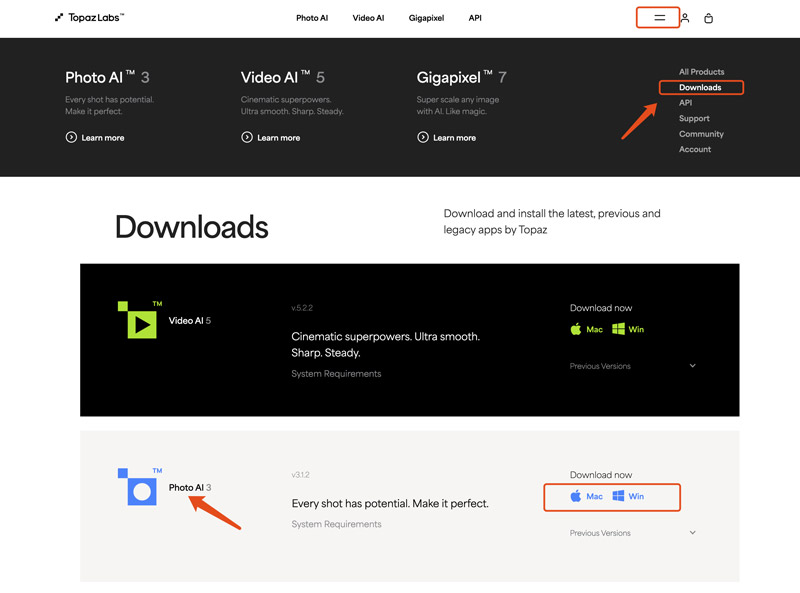
The download button of Topaz DeNoise or Photo AI is hidden. When you get to the product page, you can only see the price button to purchase it. If you prefer to download Topaz DeNoise and start with a free trial, click the two-horizontal-line icon on the top, choose Downloads, locate Photo AI, and then download the right version.
Steps to upscale images in Topaz DeNoise AI:
After processing, click “Save” to export your upscaled image.
Steps to use Topaz DeNoise AI to upscale in Photoshop:
Steps to use Topaz DeNoise AI in Lightroom:
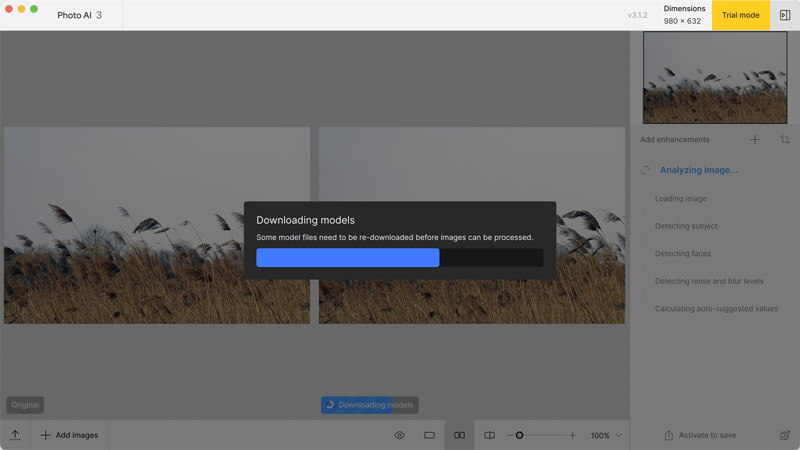
While Topaz DeNoise AI is a strong contender among noise reduction apps, there are many other available options to consider. You can have a free trial of the new Photo AI tool and then decide if you need an alternative to remove noises from images. Through my test, it may easily stuck on the models downloading or denoise process.
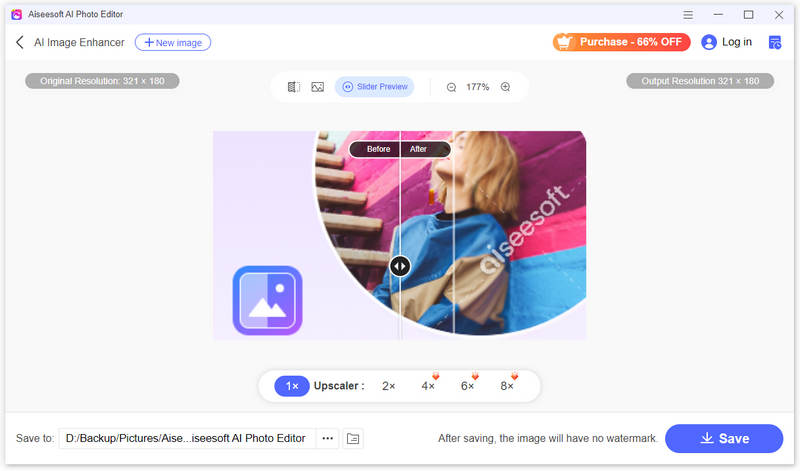
AI Photo Editor can be a great Topaz DeNoise alternative to reduce noise in your pictures. It supports the noise reduction of images in all commonly used formats, including JPG, PNG, RAW, GIF, SVG, WEBP, BMP, ICO, and more. AI Photo Editor collects several AI-powered enhancement tools for you to improve image quality with ease.
 100% Secure. No Ads.
100% Secure. No Ads.
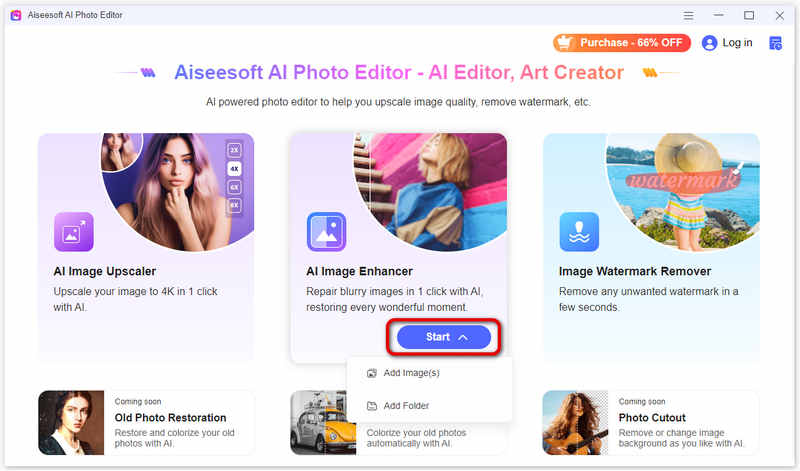
This Topaz DeNoise AI alternative offers a straightforward way to get rid of noise and grain from your photos. Once the image file is loaded, it will use AI to perform the noise reduction operation. Moreover, it enables you to upscale resolution to 2x, 4x, 6x, and 8x. During the upscaling process, it will automatically optimize colors, brightness, hue, saturation, and more to enhance quality.
How effective is Topaz DeNoise compared to other tools?
Topaz DeNoise AI is specially designed to remove unwanted noises from images. Compared with other noise reduction tools, Topaz Photo AI can better high ISO images and low-light conditions. It can reduce background noises while maintaining the source quality and details. It leverages advanced artificial intelligence for intelligent noise analysis and reduction. However, there are many compelling Topaz DeNoise AI alternatives like AI Photo Editor, Photoshop, Lightroom, and Capture One available to help you erase image noises. You’d better start with the free-trial version of these tools and determine which one produces the best noise removal results.
Can Topaz DeNoise AI handle high-resolution videos?
No, Topaz DeNoise AI is primarily designed for removing background noises from images. Now, all the noise reduction and image enhancement functions are collected to Photo AI. DeNoise AI is an art of Photo AI. If you want to edit and enhance high-resolution videos effectively, you should turn to the Topaz Video AI tool. It has a related noise reduction feature to reduce noise while preserving detail. Moreover, Video AI can help you stabilize camera shake, upscale video resolution, and even add frames.
Is Topaz DeNoise suitable for professional use?
Yes, Topaz DeNoise AI is suitable for professional use. Both Topaz Photo AI and Video AI tools are widely used by photographers and videographers. As professional-grade software, DeNoise AI can effectively remove noise and improve the overall image quality. As you can see from the official Topaz Labs website, their programs are trusted by major film studios and creative pros everywhere.
Conclusion
Topaz DeNoise AI provides a convenient but effective way to reduce image noises. You can follow the guide above to download it and have a free trial. You can also try using the recommended AI Photo Editor to quickly improve the overall quality of your photos.
 How to Screenshot Entire Webpage on Different Browsers
How do I take a screenshot of a scrolling page in Chrome? How do you capture an entire web page screenshot? Learn to take a screenshot of a complete web page.
 3 Ways to Transfer iPod Music to Another MP3 Player
To transfer music from iPod to an MP3 player is easy. Follow the 3 ways here to take music off iPod and put it into the other MP3 players with or without iTunes.
 Combine SRT and MP4 - How to Merge MP4 and SRT
How do I merge SRT files with MP4 video? How do I permanently merge subtitles to MP4? Is there any simple way to add a SRT subtitle file to MP4 video on Mac? This post shares 2 easy methods to help you combine SRT and MP4 on your computer.
 Leave your comment and join our discussion
Enlarge and upscale images up to 4K in batches quickly with wide support for various image formats.
100% Secure. No Ads.
100% Secure. No Ads.

*Required field
*Please enter a valid email

