
Best AI Video Converter Ultimate
 100% Secure. No Ads.
100% Secure. No Ads.
Do you have old family recordings, DVD rips, or low-resolution phone clips that look blurry on your modern 4K TV? You are not alone. With the rise of high-definition displays, 480p and 720p content often looks pixelated and grainy.
In the past, "upscaling" meant simply stretching the image, which resulted in a blurry mess. Today, AI Video Upscaling uses machine learning to generate new pixels, filling in the details to create crisp, high-quality footage.
This guide explores the how to upscale video to 1080p and 4K, comparing professional AI tools against free media players.

Before diving into the steps, here is a quick comparison of the methods available in 2026.
| Feature | Aiseesoft Video Converter Ultimate | VLC Media Player | FFmpeg |
| Technology | AI Deep Learning (Adds Detail) | Lanczos (Stretches Image) | Command Line (Bicubic) |
| Upscaling Quality | ⭐⭐⭐⭐⭐ (Crisp) | ⭐⭐ (Slight Blur) | ⭐⭐⭐ (Depends on code) |
| Noise Reduction | ✅ Auto-AI Denoise | ❌ Manual Filter | ⚠️ Complex Code |
| Ease of Use | One-Click | Easy | Difficult |
| Best For | Restoring old footage/DVDs | Playback only | Developers/Techies |
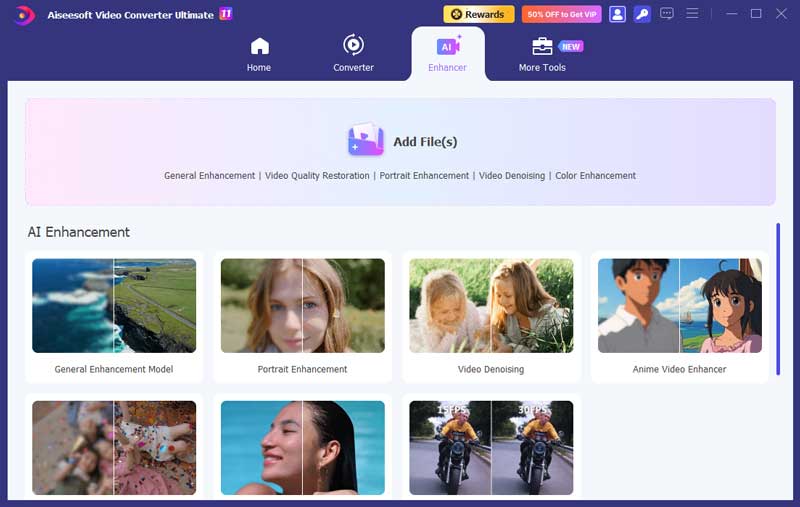
If you are looking for a professional video enhancer, then you shouldn't miss Aiseesoft Video Converter Ultimate, the best video upscaling software ever. It allows you to improve video quality and brings you vivid image effect. Besides increasing video resolution, it also can help you fix the blurry problem caused by camera shake. So, you don't have to worry about your shaky hand any more.
Key Features
• Upscale video quality and add more video/audio effects, including 3D.
• Export 1080p HD/4K UHD video in any formats as you like.
• Optimize brightness/contrast and remove video noise automatically.
• Reduce video shaking to get a stable video file.
100% Secure. No Ads.
100% Secure. No Ads.
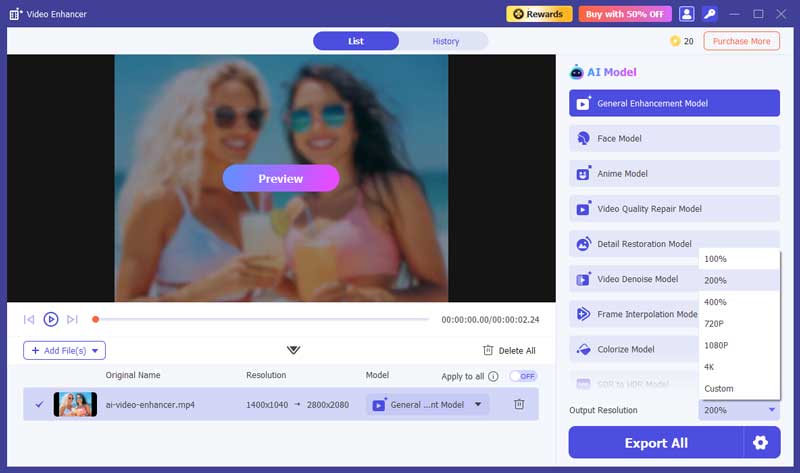
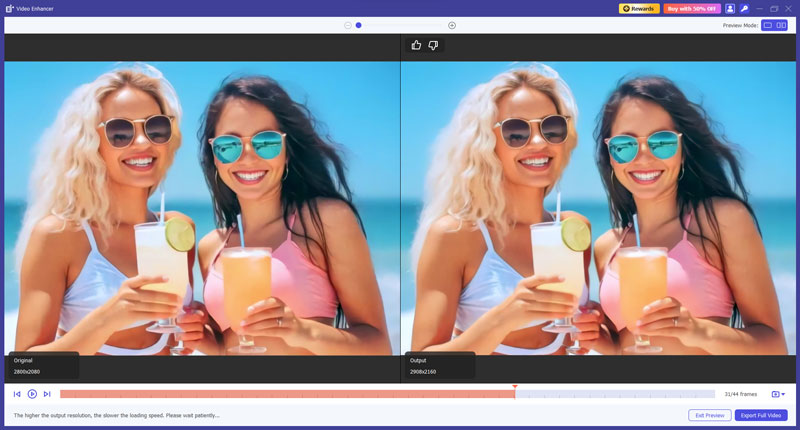
And this program is very simple to use. Here are the steps of enhancing video with Aiseesoft Video Converter Ultimate.
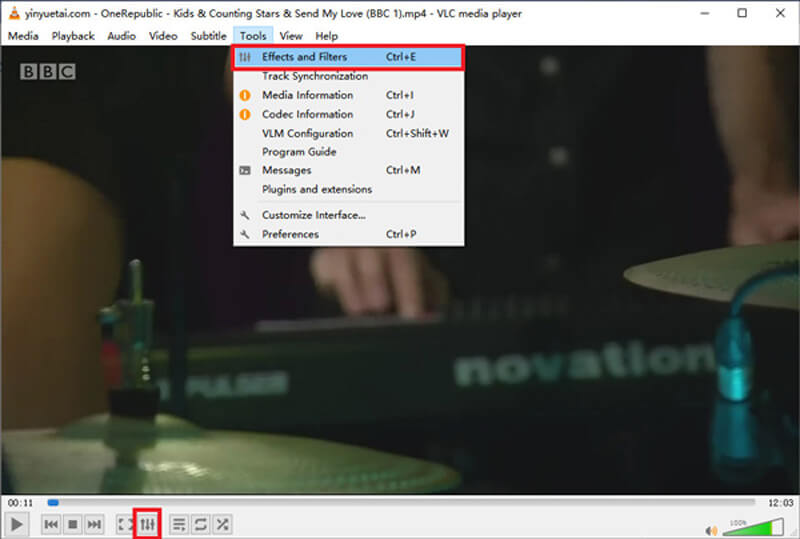
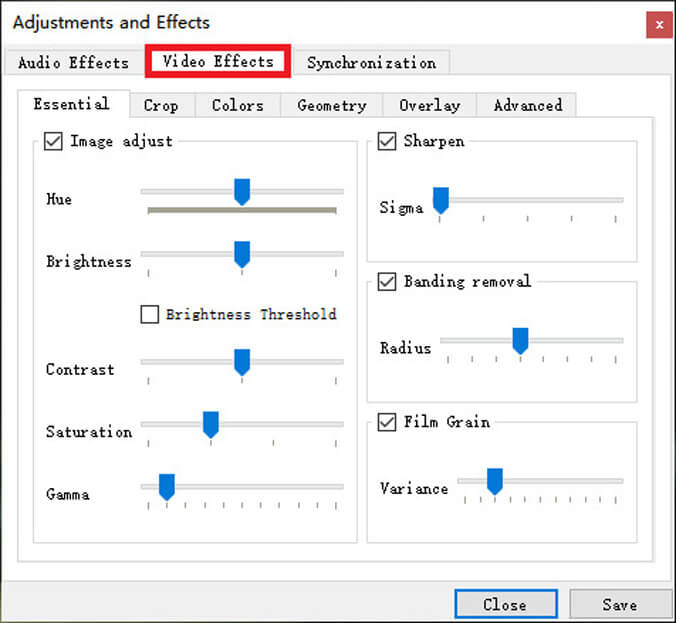
Apart from being a media player, VLC actually can help you with simple video enhancement. If you have installed VLC on your computer already and do not ask for much, then it will be enough for you to enhance your video with the effect feature that VLC offers. Please follow the steps below to improve video.
The last tool we are going to share with you is FFmpeg, which is a free and open-source software project based on command lines. It can handle multimedia files and streams. You can use it to convert, edit and upscale/downscale your videos with a few commands. But it can be a little hard for beginners to understand how it works.
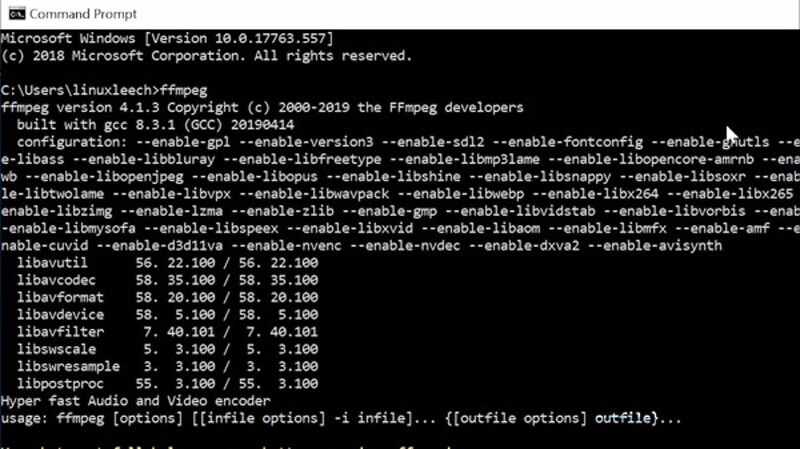
ffmpeg -i input.mp4 -vf scale=1920x1080:flags=lanczos output_1080p.mp4
To upscale to 4K video, please input:
ffmpeg -i input.mp4 -vf scale=3840x2560:flags=lanczos -c:v libx264 -preset slow -crf 21 output_compress_4k.mp4
1. What does high-definition mean?
High-definition video, also known as HD video, is a video with high resolution and quality. For common high-definition video, we have 720p, 1080i, 1080p and 1440p. But these are not the highest resolution. For now, ultra-high-definition video, such as 4K video and even 8K video, can perform higher effect than common high-definition video.
2. How to fix a blurry video?
You can use Aiseesoft Video Enhancer to fix that problem. Just enable the Upscale Resolution, Optimize Brightness & Contrast and Remove Video Noise options when you enhance video. That may help you make the blurry video clearer.
3. Can HandBrake upscale video?
As is said in HandBrake's official documentation, you will obtain nothing by upscaling with HandBrake. It is difficult to control the file size. Sometimes you may even get a video with lower quality but larger size.
Conclusion
After reading the methods above, you can see that the most convenient and helpful video upscaling software is Aiseesoft Video Converter Ultimate. Compared with VLC and FFmpeg, it is much more professional and easier to use. All the adjustments will be done automatically, so you don't have to try hard to find the best value of hue, brightness and contrast.
So, why don't you download the video enhancer and upscale your video right now? Feel free to contact us if you have further questions.
 How to Enhance the Quality of a Video Easily
How do you enhance video quality and upscale a low resolution video to a higher one? This article will tell you how to enhance video quality with ultimate video enhancer.
 How to Convert Common Videos to HD Quality (4K, 1080p and 720p)
You can easily get your video with high quality after converting it to 4K or 1080p HD video. Read this article and get the way.
 How to Enhance and Convert Video to 4K UHD Resolution
Here provides you the easiest way to convert and enhance your 1080P video to 4K. With only 4 steps and a few minutes, you can get the converted video with ease.
 Leave your comment and join our discussion
Video Converter Ultimate is excellent video converter, editor and enhancer to convert, enhance and edit videos and music in 1000 formats and more.
100% Secure. No Ads.
100% Secure. No Ads.

*Required field
*Please enter a valid email

