
Best Video Enhancer: Upscale Video to 4K/8K
 100% Secure. No Ads.
100% Secure. No Ads.
With the rising demand for high-resolution media, you may search for a powerful tool to enhance your footage. Topaz Video can be a leader in the video enhancement space. However, due to its high cost and steep system requirements, you may be hesitant to purchase it or use an alternative.
This article gives you a Topaz Video overview, discusses why users might look for a Topaz Video AI alternative, and recommends five of the best options available in 2025.

Topaz Video, or Topaz Video AI, is a specialized video enhancer developed by Topaz Labs. It uses advanced artificial intelligence and deep learning models to perform high-quality video enhancement. It will automatically increase video resolution, remove digital noise and grain, reduce camera shake in handheld or action footage, and do other operations to improve the overall quality of the source video.
Topaz Video provides 19 AI enhancement models to handle different scenarios. All these models are trained on millions of video and image samples, enabling them to produce results that are often better than those of traditional editors. However, despite its impressive capabilities, several main reasons drive users to seek Topaz Video AI alternatives.
You can find several robust alternatives to Topaz Video AI that cater to different needs and budgets. This section offers five highly rated options.
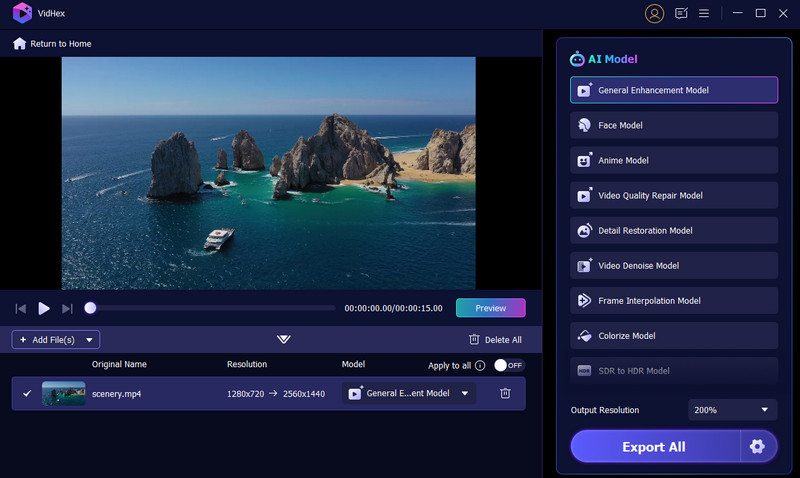
Aiseesoft VidHex is a powerful AI video enhancer alternative to Topaz Video. It is designed with advanced enhancement capabilities with multiple AI models. The software is ideal for most general users who need high-quality results without the complexity and high cost.
100% Secure. No Ads.
100% Secure. No Ads.
Various AI models are available to address different video quality issues, from 4K upscaling and black-and-white video colorization to noise reduction, frame rate interpolation, and detail restoration.
PROS
Cons
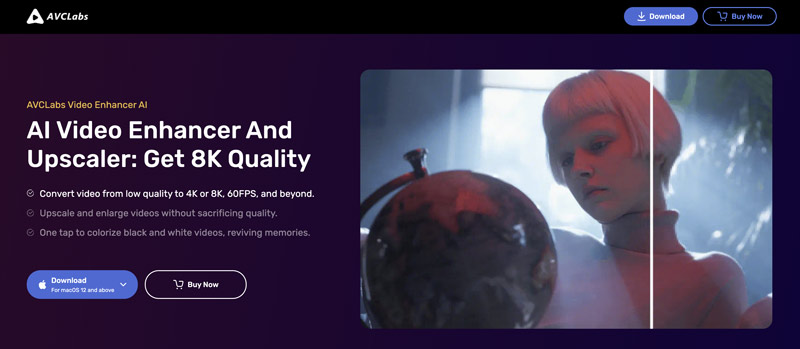
AVCLabs Video Enhancer AI is a strong competitor, primarily designed for professionals. Like Aiseesoft VidHex, it delivers high-quality upscaling to 4K and 8K with more details. This Topaz Video AI alternative stands out for its specialized features, such as AI face refinement and video colorization.
PROS
Cons
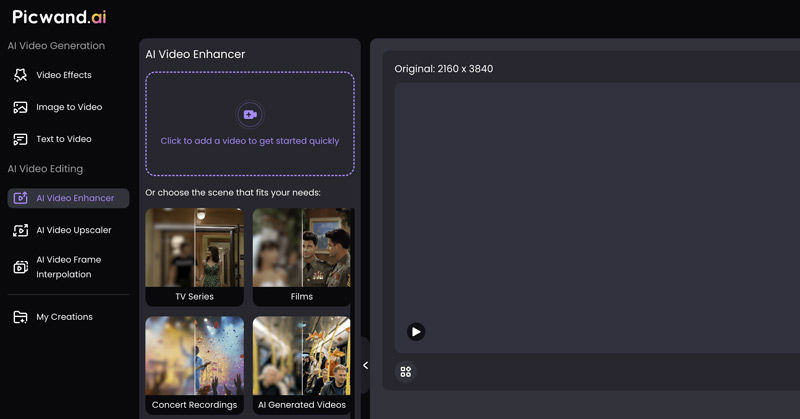
Picwand is an AI-powered photo and video editing application designed for ease of use. It offers both mobile apps and an online version. This Topaz Video AI alternative is mainly used for video upscaling, frame interpolation, and detail restoration. It offers a one-click way to apply AI-powered effects and perform related enhancements.
PROS
Cons
HitPaw VikPea is designed to be a professional-grade AI video enhancer, mainly for 4K and even 8K upscaling. It carries distinct AI models tailored for different content types. This Topaz Video AI alternative can sharpen blurry videos, increase clarity, restore details, rebuild realistic textures, optimize colors, and perform other actions to improve quality. What’s more, it allows you to repair damaged or unplayable footage using its One Click AI Fix.

PROS
Cons
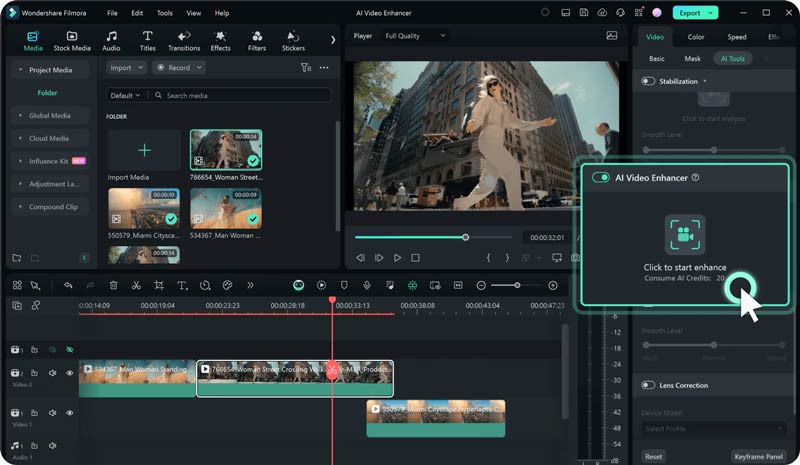
Filmora AI Video Enhancer is specially used to improve the quality of blurry and low-resolution videos. It enables you to quickly increase the clarity of your footage with one click. Like Topaz Video, Filmora adopts advanced algorithms to analyze the video content and perform correct enhancements automatically. The software will intelligently remove background noise and grain, sharpen edges, correct colors, and add fine details.
PROS
Cons
Question 1. Is Topaz Video worth it?
Generally, you are advised to start a free trial of Topaz Video AI and then determine whether it meets your specific needs, including its enhancement capabilities, features, ease of use, and compatibility with your hardware and budget. Many users prefer a Topaz Video AI alternative due to its high hardware and system requirements and significant cost. The software is best suited for professionals working with content where output quality is the top priority.
Question 2. Where to download Topaz Video for free?
When you reach the individual Topaz Video product page on the official Topaz Labs website, you will be prompted to subscribe after clicking the “Get” button. Many users fail to access its free trial version. In fact, you should go to the Desktop Apps tab, click Downloads, and then select the Mac or Windows version of Topaz Video for downloading. Once click on the Mac or Windows button, the download will start immediately.
Question 3. Why is Topaz Video so expensive?
The high cost of Topaz Video is primarily due to its advanced, proprietary AI technology. The software is specially designed for professional-grade video enhancement. Compared with its competitors, it often generates higher-quality results. At the same time, the whole user experience is relatively straightforward. That ensures even general users can easily get professional enhancement results.
Conclusion
For most users seeking the best value, VidHex is an excellent choice because of its low cost, fast processing speed, and multiple advanced AI models. If you often need to restore human-focused footage, AVCLabs Video Enhancer AI is also a good option. When selecting the right Topaz Video AI alternative, start with a free trial and make your final decision based on your specific needs, budget, and hardware.
 5 Best Free Video Quality Enhancers Online (Pros & Cons)
Want the best free video enhancers to improve the quality of your videos? Here are 5 trusted tools to improve video clarity, resolution, and colors online with no cost required.
 How to Enhance Video Quality with 4 Different Solutions
How does Nvidia Video Super Resolution enhance streaming videos? How can I enhance video quality using AI? Read the complete guide to improving video quality.
 Top 7 Al Photo Restoration Tools to Fix and Repair Images
What is the best free AI photo repair tool? Can AI restore old black-and-white photos? Get seven AI photo restoration tools to fix, repair, and enhance images.
 Leave your comment and join our discussion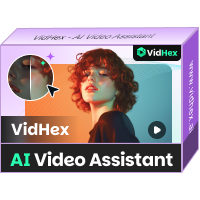
VidHex is an AI-powered video enhancer that upscales, denoises, colorizes stabilizes, and improves video quality in 1 click.
100% Secure. No Ads.
100% Secure. No Ads.

*Required field
*Please enter a valid email

