
Video Converter Ultimate
 100% Secure. No Ads.
100% Secure. No Ads.
Nowadays, 4K and 8K displays have become the standard. Lower-resolution footage, even some 720p or 1080p videos, can look blurry and low-quality. Are you disappointed with blurry, pixelated videos from online downloads or old devices?
Unlike in the old days, fixing low-resolution videos requires expensive software and technical skills. Thanks to advanced artificial intelligence, AI video upscalers have changed the game. These tools can analyze and rebuild your videos, increasing resolution and quality. This guide reviews the top 5 options available in 2026, including professional desktop software, a free online tool, and open-source ones.
| AI Video Upscaler | Upscaling Quality | Ease of Use | Processing Speed | Platform | Price | Best For |
| Aiseesoft Video Converter Ultimate | Excellent | Very Easy | Fast | Win, Mac | Freemium Subscription | All-in-one video editing & enhancement |
| Topaz Video AI | Outstanding | Moderate | Moderate | Win, Mac | Subscription (monthly/yearly) for Topaz Studio and Pro | Professionals who want maximum quality |
| UniFab Video Upscaler AI | Good | Easy | Fast | Win, Mac | Subscription | HDR and home theater; Balancing speed and quality |
| Video2X | Excellent | Difficult | Fast | Win, Linux | Free | Tech-savvy users, anime upscaling, free solution |
| CapCut | Good | Very Easy | Fast | Web, Win, Mac, Mobile | Free (with options) | Quick edits for social media |
Many AI video upscaler and enhancer tools claim that they can easily fix your blurry videos and improve the quality. However, with so many options available, you may find it hard to quickly find the perfect one. Before we delve into the specific AI video upscaler recommendations, here are several key factors you need to consider:
To help you quickly find the target AI video upscaler, this section gives you a review of the five strong contenders available, catering to different enhancement needs and budgets.
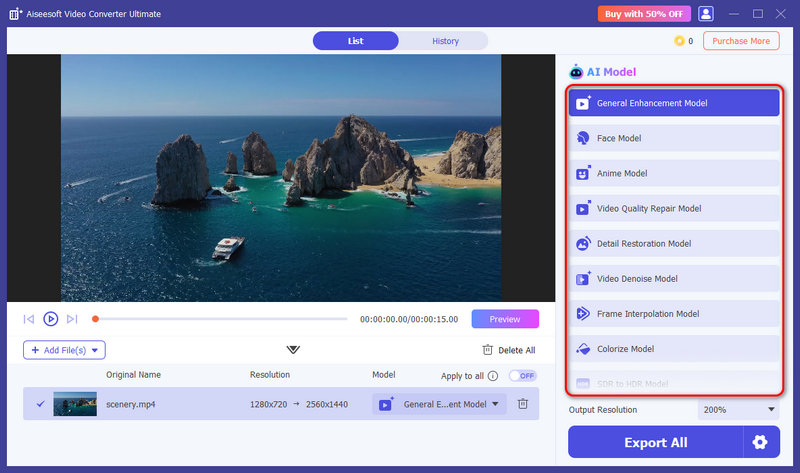
Aiseesoft Video Converter Ultimate is a powerful, all-in-one studio that has integrated a professional-grade AI Video Enhancer. It supports upscaling all popular video formats, including MP4, MOV, MKV, WEBM, and FLV. Unlike complex editors, it offers a one-click way to upscale resolution, optimize colors, adjust brightness, reduce noise, and more. This AI video upscaler lets you easily enhance your videos to clearer, smoother, and higher-resolution ones.
100% Secure. No Ads.
100% Secure. No Ads.
Aiseesoft is ideal for most casual users who want to upscale 720p or 1080p footage into 4K without a steep learning curve. Its deep AI technology enables you to increase your video resolution at 2x and 4x with enhanced quality. For old videos with too much image noise, the software can denoise them and offer a clear visual effect. If your videos are black and white, you can also try this tool to colorize your videos to a more vivid and colorful state.
Key Features:
Verdict:
Aiseesoft Video Converter Ultimate is very useful. Most impressive of all is the upscaling technology, which can turn a video into 4K resolution without blur. That’s amazing. Besides, its intuitive interface makes AI enhancement accessible to beginners, while its extensive features satisfy more advanced users. It delivers excellent quality and great value for an all-in-one package. The only fly in the ointment is that the overall interface color is a little dark.
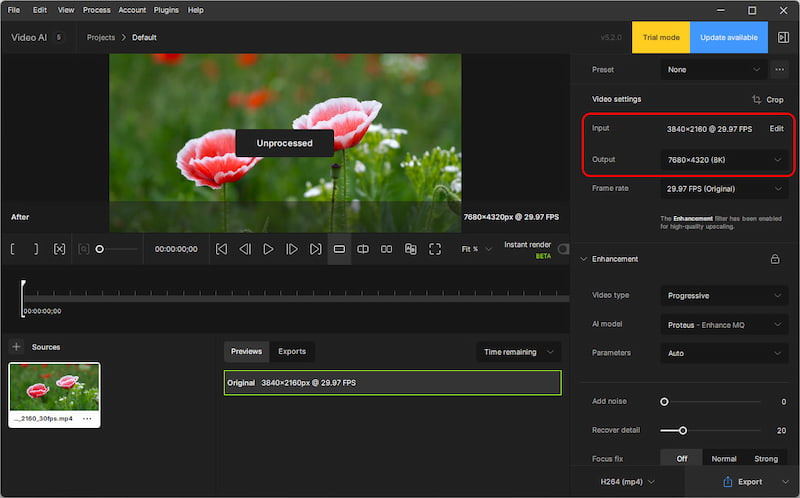
Topaz Video AI is professional video quality enhancement software for the Topaz video upscaler. It includes all the features required for video improvement based on AI power to elevate video quality. For example, it enhances old, low-resolution video to 4K and 8K resolutions. Additionally, it can optimize colors and tones and even stabilize shaky footage. For those in need of professional or studio-quality video editing, this tool has been their home.
Key features:
• Upscale videos to 4K and 8K resolution.
• Seven enhancement models: Proteus, Iris, Nyx, Rhea, Artemis, Gaia, and Theia.
• Enhanced sharpness during denoising.
• 16× for slow motion in Frame Interpolation.
OS: Windows/Mac
Verdict:
This is a wonderful AI upscaling tool. It can improve video quality while preserving detail and reducing noise and has remarkable detail preservation, effective noise reduction, and high-quality output. At the same time, its upscaled videos best match the original ones, which makes them look normal instead of overscaled. However, its pricing is too high.
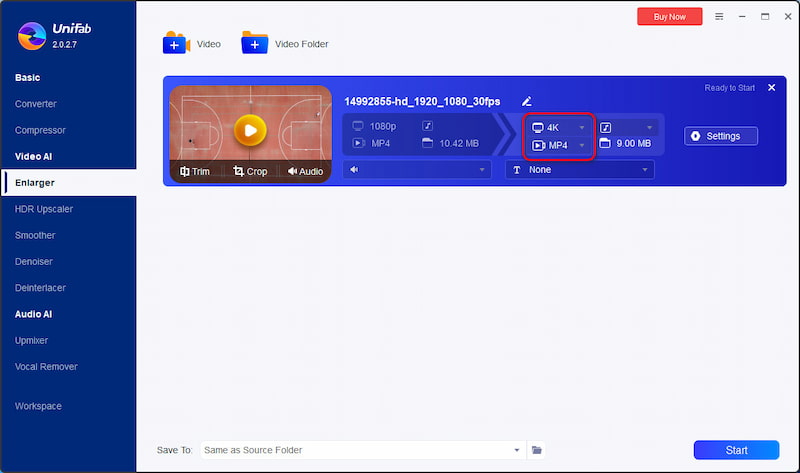
UniFab Video Upscaler AI is an AI-based tool for video quality enhancement and resolution enlargement developed by DVDFab. With AI models and advanced deep learning algorithms, UniFab can recognize, analyze, and enhance video content with a more realistic and vivid visual effect. In addition to upscaling video to 1080P, 720P, and even the stunning 4K Ultra HD, it can also double the size of videos based on their original resolution.
Key features:
• Upscales videos to 4K.
• Enlarges video size by up to 300%.
• Optimize old videos into clear, high-quality videos.
OS: Windows/Mac
Verdict:
This software is also an excellent AI video enhancer tool. It can upscale videos up to 4K, making them clearer than before. Most importantly, it takes less time to produce the new video, which saves users time and improves efficiency. However, the quality of the upscaled video cannot be ensured, which is not as clear as the two tools above.
Video2X is a free, open-source video upscaler that uses powerful algorithms like Waifu2x and Real-CUGAN to increase resolution and frame rate. It offers a powerful solution for tech-savvy users who are willing to invest time in the first complex setup.
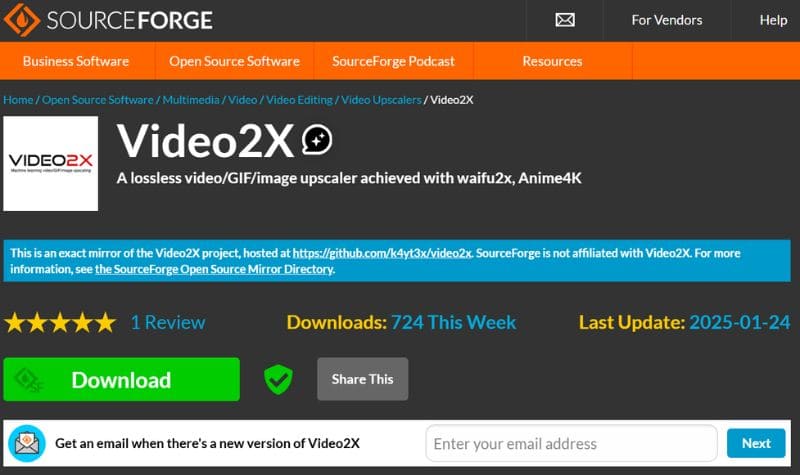
Key Features:
Verdict:
Video2X offers a completely free way to upscale videos. It is unbeatable for its price and community support. However, it is not ideal for most general users who prefer a simple upscaling or enhancement experience. Video2X requires a manual, complex setup process and related technical skills.
CapCut is a popular free video editor app that offers the AI-powered upscaling feature. It is widely used to create content for social media like TikTok or Instagram. CapCut offers mobile apps, desktop software, and a web version to enhance your videos.
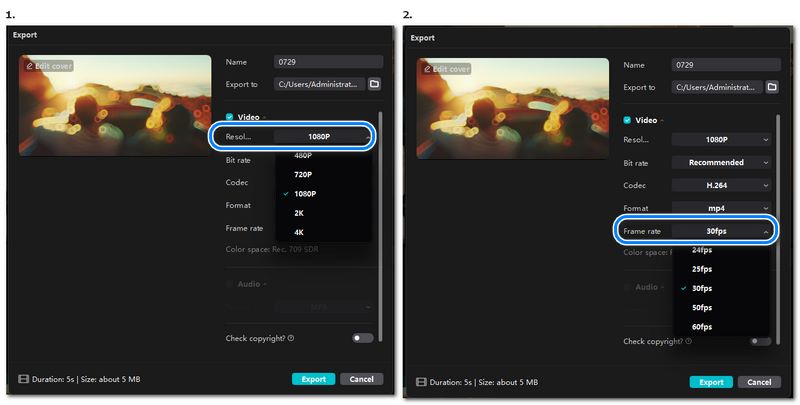
Key Features:
Verdict:
CapCut is incredibly convenient for various common video editing needs. Besides, it allows you to increase video resolution, adjust effects, and perform other enhancements. It is ideal for everyday users and media content creators.
How does AI upscaling improve video quality?
AI upscaling enhances the quality of videos by using complex algorithms, usually derived from machine learning techniques, to create extra pixels by interpolating the original video source, providing a visually superior viewing experience compared to traditional upscaling methods.
Can AI upscaling convert SD to HD?
Yes, AI upscaling can convert Standard-Definition (SD) video to High-Definition (HD) video by employing advanced algorithms. It interpolates additional pixels to increase the resolution. AI upscaler is especially good at converting SD to HD because it uses deep learning models that are explicitly trained to comprehend and improve visual content, which goes beyond basic interpolation techniques.
Is AI upscaling better than traditional upscaling?
AI upscaling generally provides better results than traditional upscaling methods. First, AI upscaling employs sophisticated algorithms, so it requires fewer details and sharpness of the original videos than traditional upscaling. Second, AI upscaler can adaptively adjust the enhancement process, which ensures a more balanced and natural-looking upscaled output than traditional upscaling.
Conclusion
With the help of the advanced AI, you can now easily upscale resolution and enhance your videos. All the recommended AI Video Upscalers are effective. You can weigh the benefits and drawbacks of each option to determine which is best for you. If you look for a balance of professional results, speed, and ease of use, Aiseesoft Video Converter Ultimate is our top recommendation. For the highest possible quality, choose Topaz Video AI. For quick and online enhancements, CapCut is a convenient option. If you need a completely free AI video upscaler, turn to the open-source Video2X.
 AVCLabs Video Enhancer AI Review: Quality, Pros, and Cons
Here is everything about AVCLabs Video Enhancer AI you want to know: enhanced video quality, pros and cons, pricing, and AVCLabs vs. Topaz. Click to read!
 7 Popular Video Denoiser to Use to Remove Video Noises [Newly]
Video denoiser is a popular feature that you can use on most video editors. But not all have the most effective way to denoise video. That is why we created this article.
 Concrete Guide to Help You Enhance Zoomed in Photos
If you zoom in your photos, you will find them become blurry and full of noise. Don't worry! This is a step-by-step guide to enhance zoomed in photos.
 Leave your comment and join our discussion
Video Converter Ultimate is excellent video converter, editor and enhancer to convert, enhance and edit videos and music in 1000 formats and more.
100% Secure. No Ads.
100% Secure. No Ads.

*Required field
*Please enter a valid email

