
Best for: Enhancing clarity and adjusting color on streaming sites and social media.

Video Converter Ultimate
 100% Secure. No Ads.
100% Secure. No Ads.
Are you looking for a way to enhance online video quality and improve your streaming experience?
You can watch videos on YouTube, Netflix, Facebook, TikTok, Vimeo, Twitch, and other streaming platforms. While many services support HD, 2K, and 4K playback, you may still encounter blurry, dark, pixelated, or low-resolution videos. A video quality enhancer Chrome extension can help by adjusting color, sharpness, brightness, or playback settings. Some newer tools also provide real-time video upscaling, giving you more than simple color filters.
In this guide, we compare five video quality enhancer Chrome extensions based on various aspects so you can choose the right tool for your needs.
How We Test These Video Quality Enhancer Chrome Extensions
To make the comparison more useful, we evaluate each extension with the same type of low-resolution online video and focus on four areas: visual improvement, upscaling capability, playback performance, and ease of use.
We check whether an extension can actually improve perceived detail or only change color and brightness, whether it can upscale low-resolution video in real time, how smoothly the video plays during enhancement, and how much setup is required. We also compare the results across supported streaming platforms where applicable.
For AI-powered extensions, we pay particular attention to GPU usage, real-time processing, sharpening artifacts, and whether the output looks more detailed rather than simply more contrasty. Ratings and availability are also checked against the Chrome Web Store before publication.
Quick Answer: Chrome video enhancer extensions can improve the viewing experience by adjusting brightness, saturation, contrast, sharpness, and playback quality. Some newer extensions also use GPU-accelerated processing or AI-based upscaling to enhance low-resolution video in real time. However, the results vary by extension, video source, and computer hardware. If you only need color correction, a filter-based extension may be enough. If you want to actually upscale low-resolution video, look for an AI-powered video upscaler Chrome extension.
| Chrome Extension | Best For | Platform | Key Features | Limits | Overall Score |
| Video Color Enhancer | Manual color tuning | YouTube, Facebook, and other social platforms | Adjusts brightness, saturation, contrast, sepia, blur, and invert in real-time | No resolution upscaling Adjustments will be reset per video or page |
4.1/5 |
| Video Enhancer - Color Grading | Instant filter-based enhancement | YouTube, Netflix, Facebook, and more | One-click enhancement for vivid visuals Pre-set color grading filters |
No fine-tuning controls Filter quality varies Cannot increase resolution |
4.0/5 |
| Enhancer for YouTube | Quick YouTube control | YouTube | Default quality settings Playback control Keyboard shortcuts Theme customization Auto-ad for skipping |
Works only on YouTube | 4.4/5 |
| Improve YouTube | YouTube optimization | YouTube | Auto selects the best quality Forces 60fps playback Disables HDR Blocks ads |
Works only on YouTube | 4.2/5 |
| ProdYouTivity | Free YouTube viewing | YouTube-specific | Removes comments, recommendations, and Shorts Brightness/speed/volume shortcuts |
Limited color enhancement features | 4.1/5 |
Before installing a Chrome extension, you should figure out what you need it to do. You should consider several core factors below to ensure it meets your needs
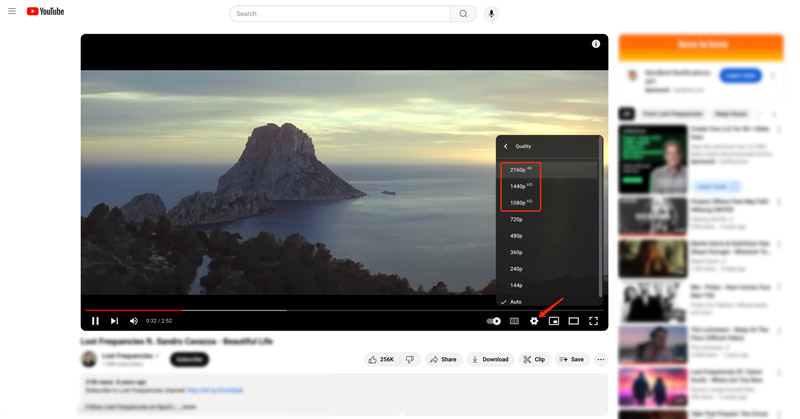
While watching a video online, you should first check and ensure you are under a fast and stable network connection. You may also need to manually switch the streaming quality to a high-resolution option like 1080p HD, 2K, or 4K. For instance, when you view a YouTube video, you can click Settings, go to Quality, and then select your preferred streaming resolution. That will easily turn the current pixelated video into a sharper and clearer one.
If you are still stuck watching a low-resolution video, you can try using a video quality enhancer Chrome extension to get a better viewing experience. Thankfully, many related video enhancement extensions are offered in the Chrome Web Store. This part will introduce you to five compelling options.
Best for: Enhancing clarity and adjusting color on streaming sites and social media.
Video Color Enhancer is a popular online video enhancement extension that is mainly used to enhance colors. It lets you adjust brightness, saturation, contrast, and more to improve the overall quality of videos. You can easily search and locate this video quality enhancer extension in the Chrome Web Store. When you find it, click the Add to Chrome button to install it.
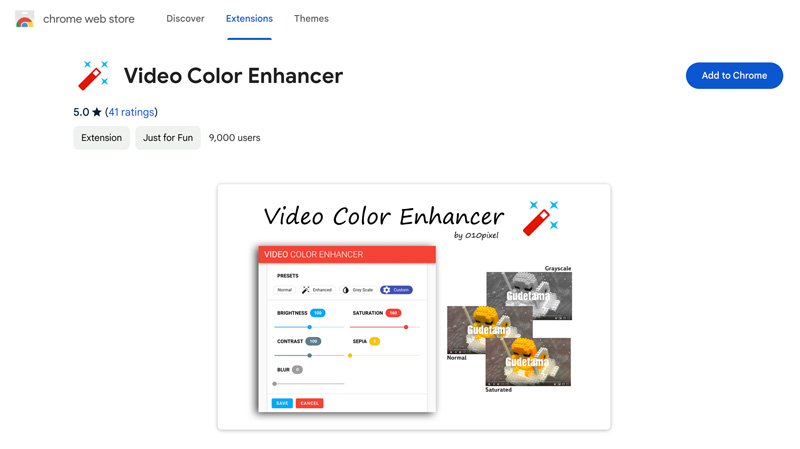
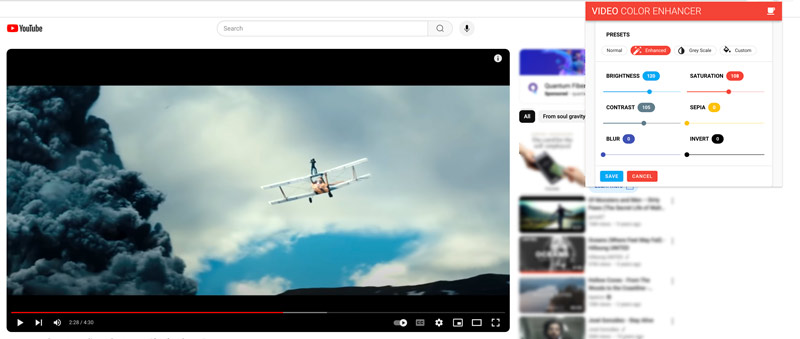
After installing the video quality enhancer Chrome extension, you can access it by clicking the Extensions button in the upper right. Choose Video Color Enhancer to display its interface. As you can see, it allows you to improve the viewing quality by changing saturation, contrast, brightness, sepia, blur, and invert.
Best for: Most general users who want a free way to quickly fix dark videos.
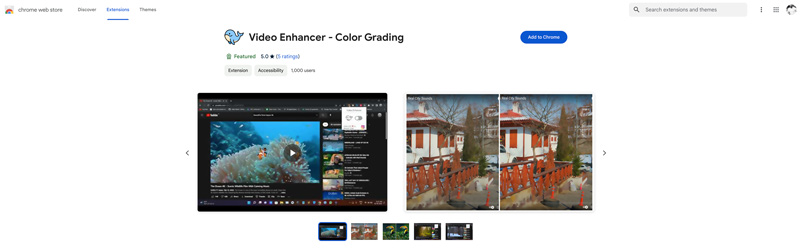
Video Enhancer - Color Grading is mainly designed for enhancing online videos on YouTube, Netflix, Facebook, and other social platforms. It can transform normal or low-resolution videos into a sharper, cleaner, and more colorful form. This video quality enhancer extension can increase quality by applying filters.
Best for: YouTube viewers who want granular control over their watching experience.
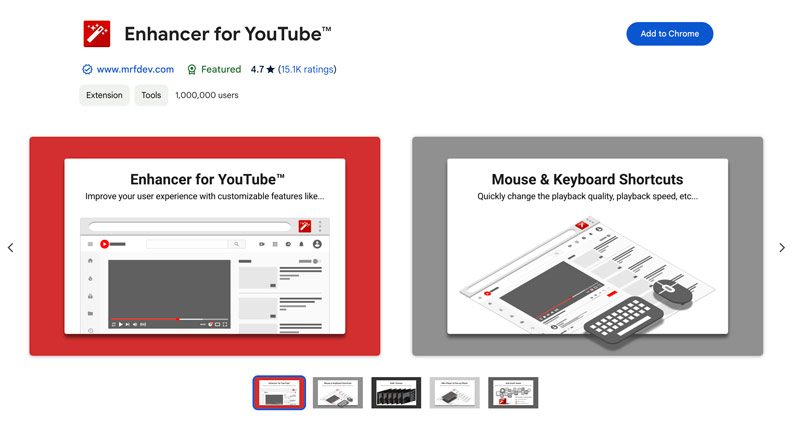
Enhancer for YouTube is specially designed to improve the viewing experience of YouTube videos. It lets you select the suitable playback quality, control speed and volume, and automate other repetitive tasks. Before using this video quality enhancer extension, you need to set various settings, such as keyboard shortcuts, YouTube theme, video playback controls, pop-up player size, and more.
Best for: Viewers who look for a personalized, ad-free YouTube environment.
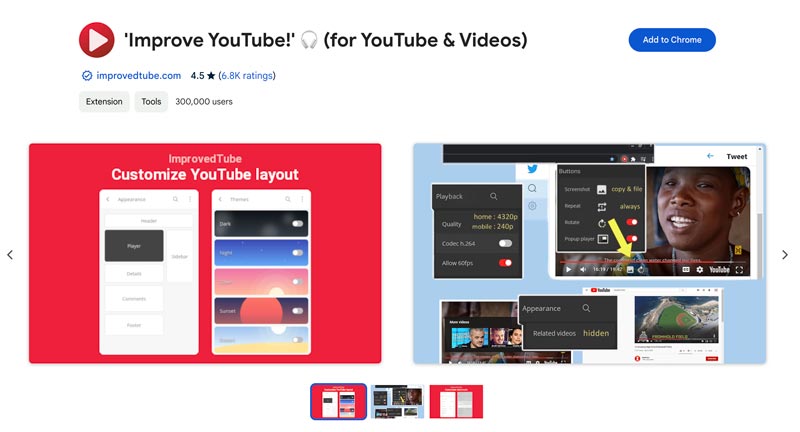
Improve YouTube is another popular Chrome extension that is specially designed to enhance YouTube videos. Like the Enhancer for YouTube extension above, it offers various settings for you to guarantee a good YouTube viewing experience that you really like. For video enhancement on Chrome, you can select the best available quality, enable 60 fps, disable HDR, and customize various other options. You can adjust these customizable settings to make a personalized YouTube environment.
Best for: Enhancing playback across different websites with keyboard shortcuts..
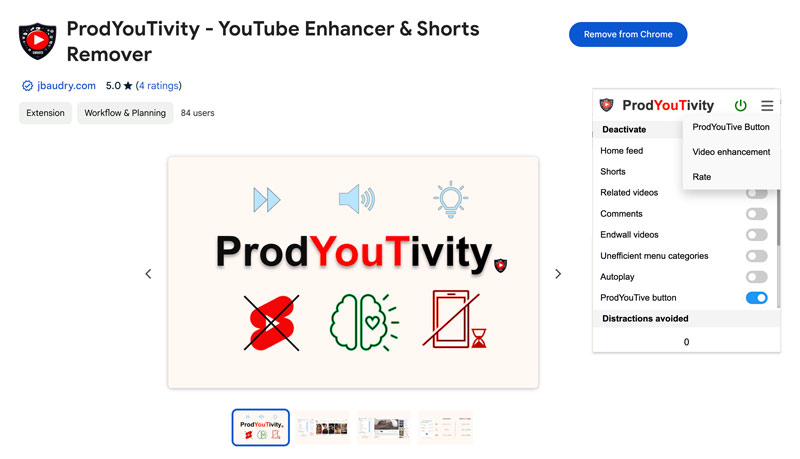
ProdYouTivity - YouTube Enhancer & Shorts Remover can help to improve the whole YouTube viewing experience on Chrome. It allows you to deactivate various elements like recommended videos, comment sections, and others. This video enhancer extension has a ProdYouTive button for you to quickly switch to a productive mode. For online video enhancement, it enables you to adjust brightness, volume, and playback speed within the extension’s interface or through keyboard shortcuts.
Many video quality enhancer extensions are offered in the Chrome Web Store that can offer a more visually pleasing viewing experience through color adjustments and sharpening. When you select an associated Chrome extension, you should read user reviews and start with free options. Also, you can try using different filters and adjustments to enhance quality.
While Chrome extensions are convenient for streaming, they come with a major limitation. Unlike real video enhancers, they won’t truly increase a video’s actual resolution. Instead, they only apply filters or force your player to use the highest available resolution.
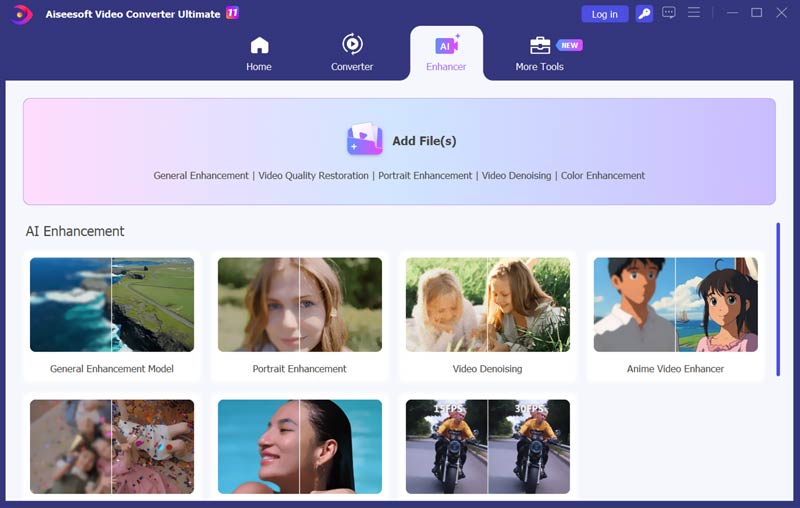
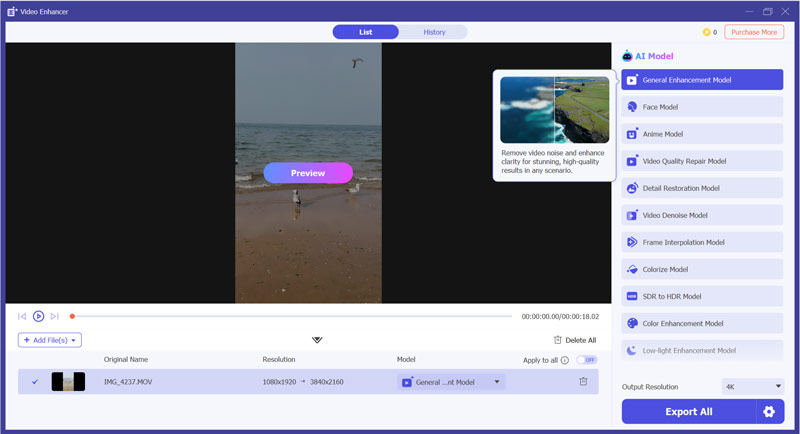
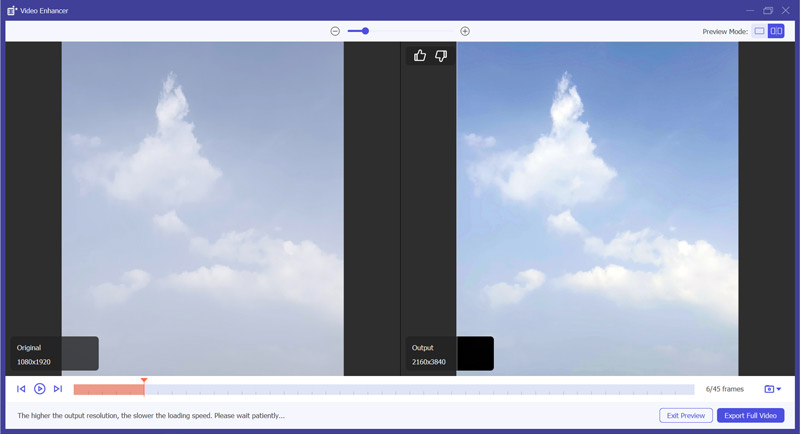
For downloaded, recorded, or personal video files that are old, blurry, or lower-resolution, you need dedicated software like Aiseesoft Video Converter Ultimate. The software provides multiple AI enhancement models to physically improve video quality.
100%
Secure. No Ads.
100%
Secure. No Ads.
How do I improve video quality in Chrome?
There are a few helpful tips you can follow to improve video quality in Chrome. First, you should ensure your network connection can support the video's desired resolution. Generally, a slow internet speed is the key reason for poor video quality. Sometimes, clearing Chrome cache and cookies can help enhance video quality. Moreover, you can use a video quality enhancer Chrome extension to get your preferred video quality.
Why is my Chrome resolution so bad?
Your Chrome resolution might look bad for various reasons. If you are using a Windows computer with a high-resolution display, you should first check the display scaling. If your PC is set to a scaling mode that doesn't work well with Chrome, your Chrome resolution will display elements at a lower resolution. In some cases, if you have accidentally zoomed in too far in Chrome, the content shown on Chrome can appear blurry.
Does Chrome support 4K when streaming online videos?
Yes, the Chrome browser supports 4K when streaming online videos. However, not all video-sharing websites or streaming services offer 4K content. You should check if the current video you are watching is available in 4K resolution. Also, you should have a 4K monitor to display 4K videos. Your computer requires a powerful graphics card and enough RAM to handle the 4K playback. To watch 4K videos online without lagging, you need a fast and stable internet connection.
Is there a free video quality enhancer for Chrome?
Yes. There are free Chrome extensions that can improve video quality through color filters, sharpening, playback controls, or real-time upscaling. The available features and usage limits vary by extension, so check the current Chrome Web Store listing before installing one.
Can a Chrome extension really upscale video resolution?
Some newer Chrome extensions can perform real-time video upscaling in the browser. For example, NexVid uses GPU-accelerated Anime4K processing, while Video Quality Enhancer provides upscaling and 4K-like enhancement features. However, browser-based upscaling cannot guarantee the same results as dedicated desktop AI video enhancement software, and the result depends on the source video and your hardware.
Do video enhancer extensions slow down Chrome?
They can. Real-time sharpening, filtering, or upscaling requires additional CPU or GPU resources. Basic color filters usually have a lower performance impact, while real-time upscaling can require significantly more GPU processing. If playback becomes choppy, reduce the enhancement level, disable other extensions, or use desktop software to process the video offline.
Conclusion
You can get the five top recommendations of the video quality enhancer Chrome extension. You should select the right extension depending on your goal. If you are looking for a quick, real-time enhancement for better viewing on YouTube or Netflix, the Enhancer for YouTube is a good choice. Other extensions also offer a convenient way to get immediate visual improvements. However, if you need to permanently improve the quality of your video, desktop software like Aiseesoft VCU provides a high-quality result that browser extensions cannot match.
 AVCLabs Video Enhancer AI Review: Quality, Pros, and Cons
Here is everything about AVCLabs Video Enhancer AI you want to know: enhanced video quality, pros and cons, pricing, and AVCLabs vs. Topaz. Click to read!
 Full Adobe Voice Enhancer Review and How to Enhance Vocals
Does Adobe have a voice enhancer program? How do you enhance voice in Adobe Audition? This post gives an Adobe voice enhancer review and tells how to use it.
 How to Enhance the Quality of a Video Easily
How do you enhance video quality and upscale a low resolution video to a higher one? This article will tell you how to enhance video quality with ultimate video enhancer.
 Leave your comment and join our discussion
Video Converter Ultimate is excellent video converter, editor and enhancer to convert, enhance and edit videos and music in 1000 formats and more.
100% Secure. No Ads.
100% Secure. No Ads.

*Required field
*Please enter a valid email
