Video Converter Ultimate
 100% Secure. No Ads.
Contents
M4A files are nice for listening on the go, but they might be a little bit of a pain when you want to do something with them on a specific device, app, or audio player. MP3 is still a practical format to keep around, mainly if you need something that works with anything. If you don't have many files to convert, it can be easier to use an online tool rather than install more software on your computer. And for that reason, I wanted to take a closer look at CloudConvert M4A to MP3 and see how it works in practice. In this guide, I will walk you through the conversion process, explain its free usage limits and pricing, and cover whether it's worth it. I'll also introduce another method for those who want to convert files offline or convert a large number of files at a time.
How We Test and Review
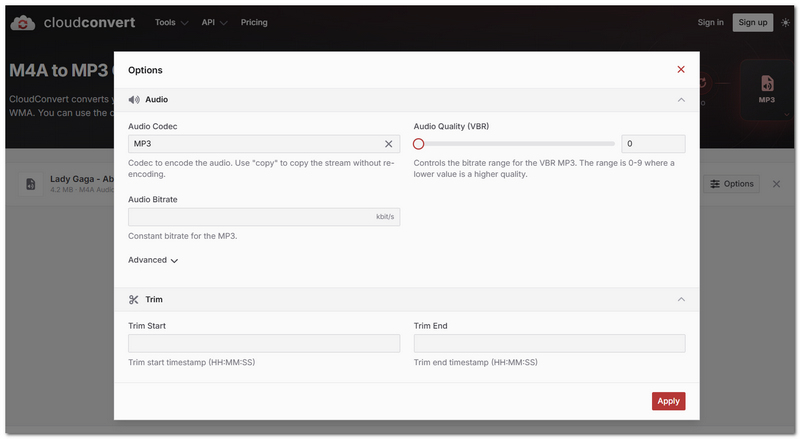
To test CloudConvert, we used it to convert M4A files to MP3s and determined how user-friendly the tool is, how quickly the conversions were, and the audio quality of the output files. We also looked at the various available settings, the free conversion limit, and the price.
CloudConvert is a web-based file conversion tool that lets you change audio, video, documents, and other formats without needing to download or install any software. The CloudConvert M4A to MP3 converter will allow you to convert audio and other files. What may interest you is its ability to convert between different file formats, and you can also choose from a range of conversion options.
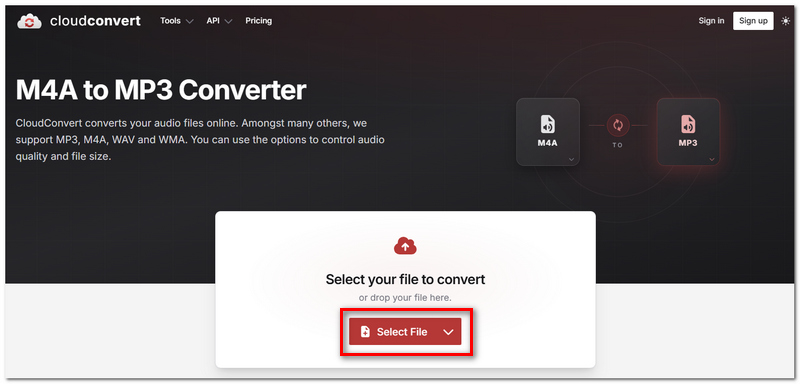
The process of converting an M4A on CloudConvert is quite simple, even if you've never used an online converter before. To convert an M4A to an MP3 using the M4A to MP3 CloudConvert method, you simply upload your file and download the converted file.
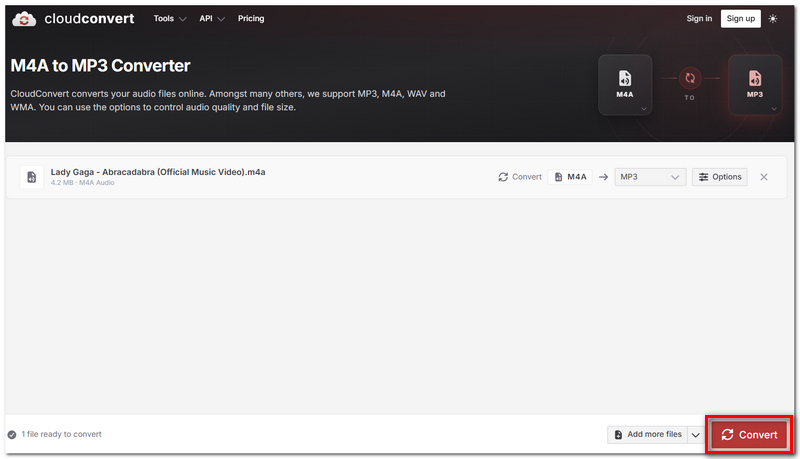
CloudConvert has a limited number of free conversions per day, but paid plans offer more credits for those who need to convert regularly. The CloudConvert M4A to MP3 service may be sufficient for everyday conversions, but heavy users should evaluate the cost of more credits versus desktop software.
The CloudConvert M4A to MP3 converter is used for quick audio conversions, but there are some disadvantages to keep in mind.
PROS
CONS
If you need to convert multiple audio files regularly, or prefer working offline rather than uploading your files to a web browser, a desktop converter is the best choice. Convert the files locally without the need to upload each one individually.
Aiseesoft Video Converter Ultimate is a desktop tool for converting M4A files to MP3 without using an online service. It allows batch conversion, enabling you to add several audio files and convert them at once.
Downloads
100% Secure. No Ads.
100% Secure. No Ads.
How to Convert M4A to MP3 with Aiseesoft Video Converter Ultimate
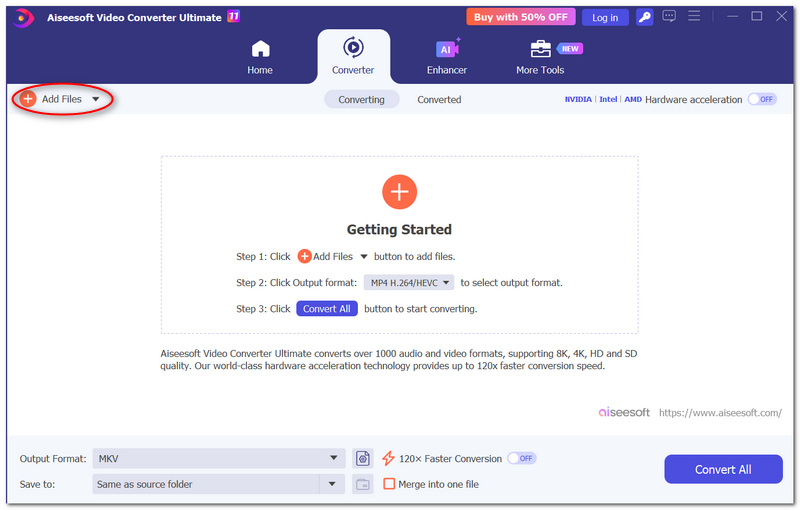
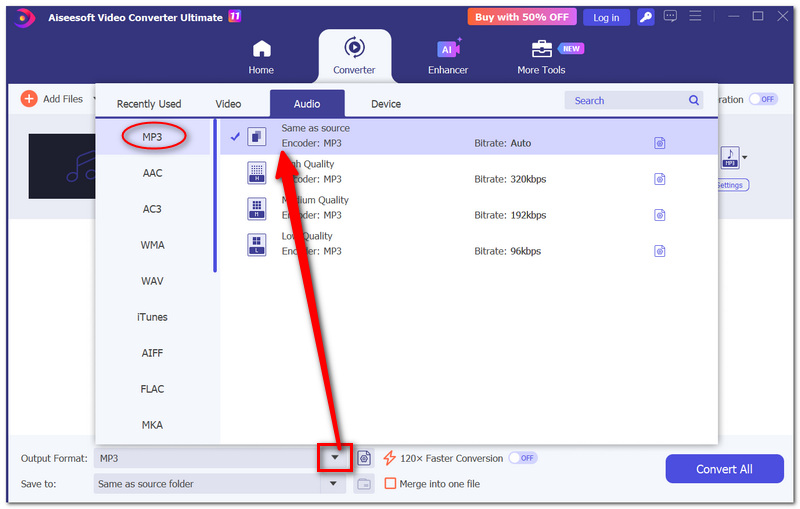
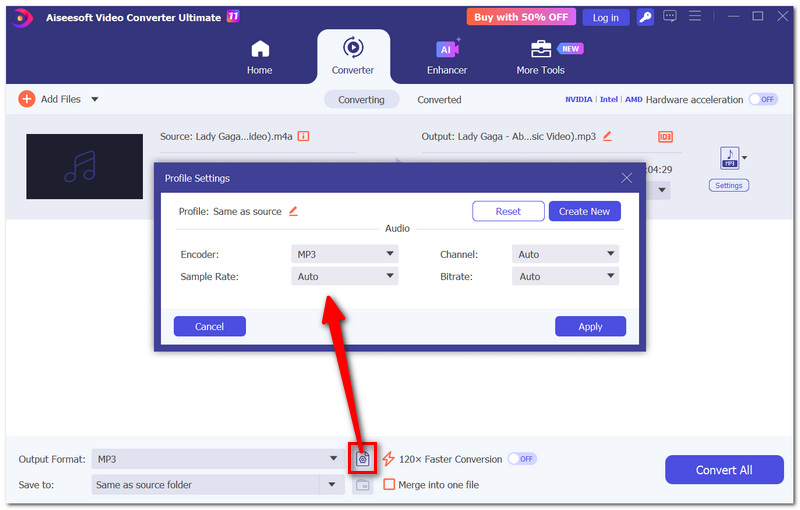
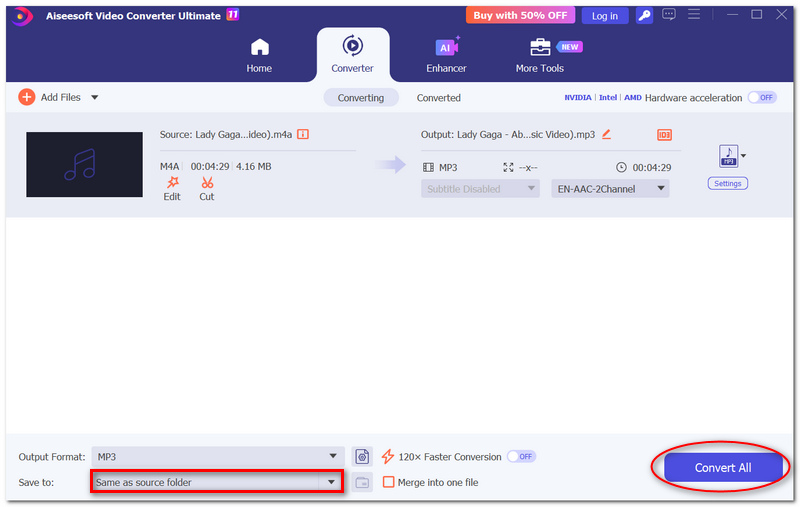
This does not require uploading the audio to CloudConvert as the first method does, so it can be convenient if you have multiple audio files you need to convert often or if you don't want to upload them.
Will CloudConvert preserve the original recording date and audio metadata?
No. When you convert M4A to MP3, things like title, artist, album, and track info can get lost. If that's important to you, be sure to look at the properties of the downloaded MP3 and fill in any info using a tag editor for your audio files.
Will converting M4A to MP3 make speech recordings easier to transcribe?
It could be worth trying if your transcription software needs an MP3, but simply converting the format won't improve your speech or eliminate noise. You'll need to use some sort of audio enhancement or noise reduction if the source recording is muffled or noisy. You may also need a dedicated audio editing tool to reduce background noise in audio before transcription.
Can I convert a password-protected or encrypted M4A file with CloudConvert?
Not always. CloudConvert is not able to read it if the file is encrypted or if you need permission to access it. You might need to export an accessible, supported audio file from the application where you created it.
Conclusion
CloudConvert is a great free converter to use if you don't convert very many M4A files and don't mind a little extra clicking. Though, the limitations of free users and the credit system might be a factor if you use it to convert files on a frequent basis. The M4A to MP3 CloudConvert conversion is pretty quick and straightforward, but it all depends on how often you convert files and which extra features you need.
 Top 7 Desktop/Online WMV to MP4 Converters to Try
WMV is only supported in Windows OS. For you to edit or share it further, you must have a WMV to MP4 converter. Which is the best? Find it out here.
 Best Audio Player to Play Audio File on Android and More
Looking for an audio player to play any audio file on Android or on Windows or Mac? This article teaches you how to play audio file with the best audio player.
 2025 Best 30 Music Editor Software/App/Online
Read this post to download the best music editor software, app and online to edit your music file easily, from Audacity, Adobe, etc.
 Leave your comment and join our discussion
Video Converter Ultimate is excellent video converter, editor and enhancer to convert, enhance and edit videos and music in 1000 formats and more.
100% Secure. No Ads.
100% Secure. No Ads.

*Required field
*Please enter a valid email