I’ve bought a Riverdance DVD and now I want to convert some parts of the show to my iPhone. So I can watch while boring. And I also want to extract some classic audio clips and transfer to my iPhone. Is there any good DVD to iPhone converter to recommend?
It is pretty good to watch DVD movies with friends at home. However, you cannot bring the DVD drive everywhere. If you really want to enjoy high-definition DVD movies, you can put movies on iPhone or iPad for offline watching. Furthermore, you can extract background music or favorite audio clips from a DVD to your iPhone too.
In most cases, DVD movies are always in large file sizes. Thus, you need to find an awesome DVD to iPhone converter that can convert DVDs to digital videos with smaller file sizes while retaining the original video quality. Fortunately, you can get many powerful and free DVD to iPhone video converter software here. Just read and check.

Generally speaking, you need to rip DVD movies to iPhone compatible formats. Not all videos can be transferred to iPhone and other iOS devices directly. Otherwise, the ripped digital files cannot be opened correctly due to the incompatible issue. Things will be easier if the DVD to iPhone converter provides premade iPhone profiles. If not, you need to figure out the iPhone accepted formats first.
DVD to iPhone compatible video formats:
H.264 video: Up to 4K, 30 frames per second, High Profile level 4.2 with AAC-LC audio up to 160 Kbps, 48kHz, stereo audio or Dolby Audio up to 1008 Kbps, 48kHz, stereo or multichannel audio, in .m4v, .mp4, and .mov file formats.
MPEG-4 video: Up to 2.5 Mbps, 640 by 480 pixels, 30 frames per second, Simple Profile with AAC-LC audio up to 160 Kbps, 48kHz, stereo audio in .m4v, .mp4, and .mov file formats.
Motion JPEG (M-JPEG) video: Up to 35 Mbps, 1280 by 720 pixels, 30 frames per second, audio in ulaw, PCM stereo audio in .avi file format.
DVD to iPhone compatible audio formats: AAC (8 to 320 Kbps), AIFF, AAC Protected (MP4 from iTunes Store), MP3 (8 to 320 Kbps), MP3 VBR, Dolby Digital Plus (E-AC-3), Audible (formats 2-4), Apple Lossless, WAV.
There are many DVD converters in the market. In spite of common overviews of those free DVD to iPhone converters, this article shows pros and cons of each free DVD converter. These are important factors you need to take into consideration.
| DVD to iPhone converter | Pros | Cons | Interface |
| HandBrake | 1. Offer many output presets for ripped DVD videos, such as iPhone, iPad and more. 2. Convert DVD to iPhone digital formats with dimensions, filters and other options. |
1. Fail to convert copy protected DVDs to iPhone formats. 2. HandBrake’s user interface is not friendly to newbies. |
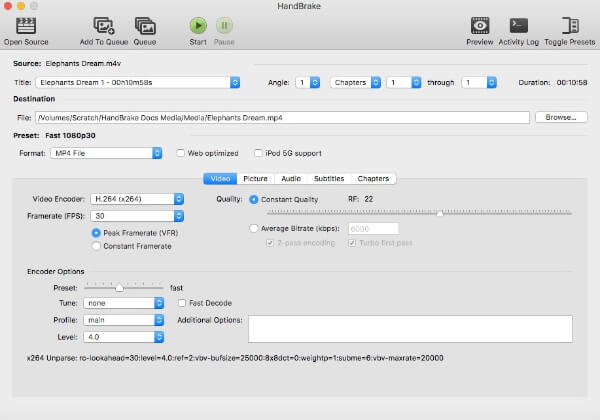 |
| VLC Media Player | 1. Convert DVD to MP4 for iPhone on multiplatform. 2. Select the title, chapter, audio and subtitle track before converting DVD movies. |
1. VLC Media Player takes hours to convert DVD to iPhone videos. 2. Many complaints about VLC crashes and output errors while ripping DVD movies. |
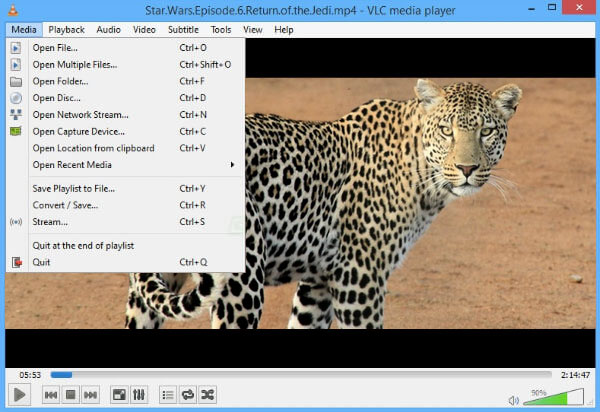 |
| FFmpeg | 1. Convert DVD to most popular video formats for iPhone. 2. Import presets from an external XML file for putting DVD movies to iPhone. |
1. Support to convert unencrypted DVDs to iPhone videos only. 2. Need to type in commands for converting DVD to iPhone. |
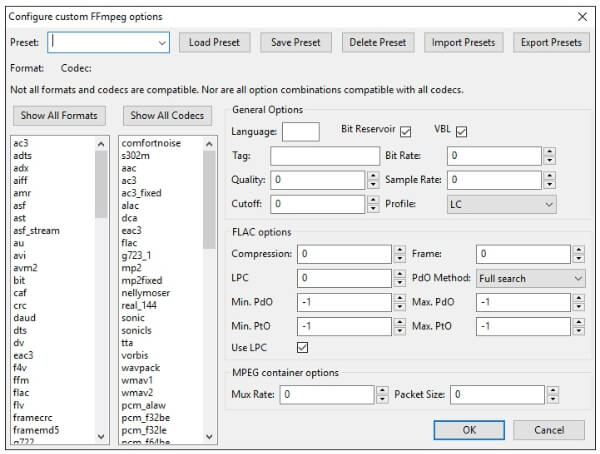 |
If you want to extract video and audio files from a DVD, Aiseesoft Video Converter Ultimate is definitely your first choice. You can convert DVD to any 2D/3D video formats without any loss of quality. Of course, you can convert DVD to any iPhone format in high quality.
The DVD to iPhone converter software offers not only DVD ripping tools, but also many video editing filters. You can convert, enhance and edit videos with the real-time preview window. All parameters and options have been simplified into an easy-to-use interface. Thus, even beginners can convert and edit DVD to iPhone in clicks.
Aiseesoft Video Converter Ultimate

Step 1Launch DVD to iPhone converter
Free download, install and run DVD to iPhone converter software on your Windows or Mac computer. Put the DVD disc into the DVD drive. Wait for a while until the DVD is detected by the computer.
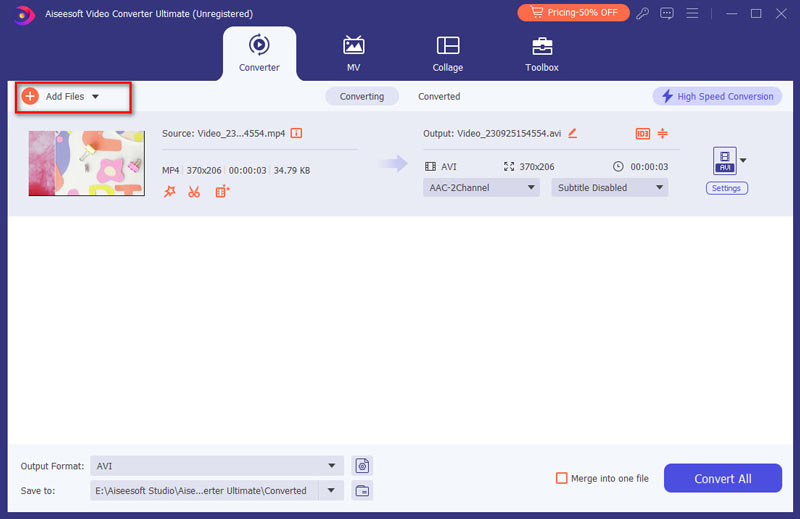
Step 2Load DVD disc
Click "Load Disc" on the top left corner of the window. As a result, the DVD disc will be loaded to the DVD converter automatically. Now you can select DVD loading mode from "DVD Navigator Mode" and "DVD Parser Mode". Then choose "OK" to exit the window and move on with the DVD to iPhone converter.
Step 3Edit DVD videos (optional)
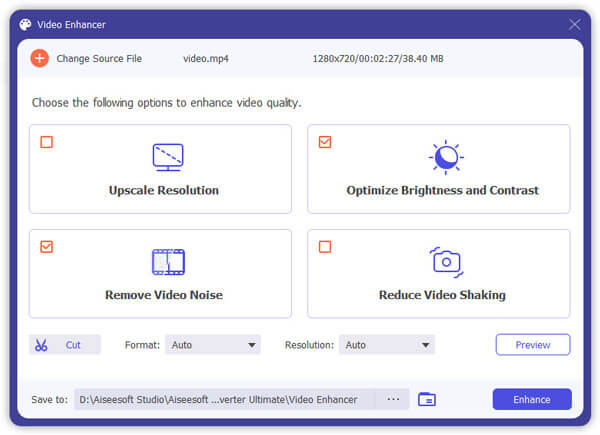
Sooner, you can see all available DVD movies listing in the main interface. You can mark before the video clip you want to extract. Select the target subtitle or audio track below. Later, you can click "Edit" on the top toolbar to enter into the video editing window. Here you can rotate, crop, enable 3D effect, enhance DVD video quality, add watermark and apply video effects in batch or individually. Well, you can regard it as your DVD editing software too.
Step 4Convert DVD to iPhone format
After all customizations, you can set the output format from the "Profile" list near the bottom. During this time, you can select the output format for ripped DVD from the "Apple iPhone" submenu. Consequently, all your converted DVD files can be played on iPhone directly. Of course, you can also browse the correct format from other profiles. At last, click "Convert" to convert DVD movies to iPhone.
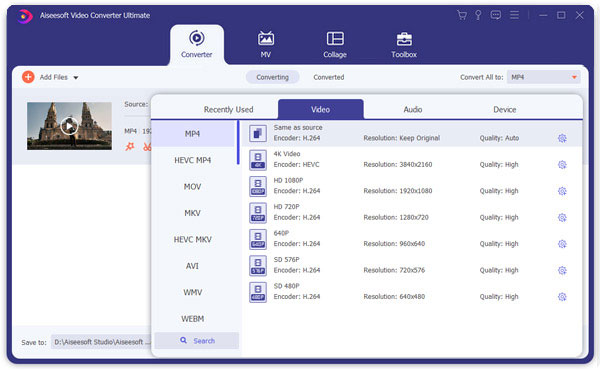
All the selected DVD videos will be converted to iPhone compatible digital files in a short time. Actually, you can adjust the output video or audio quality with the DVD to iPhone converter too. Just head to "Settings" before DVD ripping. After that, you can manage with output codec, bitrate, encoder, frame rate, aspect ratio and many other settings.
No matter you want to convert the whole DVD disc or certain video clips, you can always get the satisfying result here. In a word, Aiseesoft Video Converter Ultimate is exactly the best DVD to iPhone converter you are looking for. You can convert DVD disc to any video or audio file for offline playing effortlessly. If you are not sure, you can free download this program and start its free trial right now.

March 14, 2019 11:34 / Posted by Andrew Miller to BD/DVD
 How to Convert and import homemade DVD to iMovie
To edit homemade DVD in iMovie simply, first you should convert homemade DVD to iMovie formats including MOV, M4V, etc. Try this best DVD to iMovie Converter.
 How to Add Subtitle and Audio Track to DVD
When burning DVD, do you want to add subtitle and audio track? Here I recommend you a easy-to-use software - Aiseesoft DVD Creator.
 How to Rip An Home-made DVD to Your Computer
Aiseesoft Video Converter Ultimate can rip your home-made DVD to playable video. Learn in this article of how to enjoy videos on home-made DVDs with your computer and portable players.
 Leave your comment and join our discussion
