You are here: Aiseesoft > Products > HD Video Converter
Convert HD video and SD video

Aiseesoft HD Video Converter

Aiseesoft HD Video Converter is best HD Converter to convert HD video to general video, convert general video to HD video, and among HD videos. Furthermore, this HD Converter can convert HD video, general video and almost all audios to AAC, AC3, AIFF, AMR, AU, FLAC, MP3, M4A, MP2, OGG, WAV, WMA.

Besides, Aiseesoft HD Video Converter comprises powerful editing functions for you to edit your video effect. So you can crop video playing area, trim any clip of a video, merge several videos, watermark your video, and edit video effect.

  • Convert HD videos and general videos
  • Convert audio files
  • Edit output video effect

Note: Bring much faster converting speed with AMD APP and NVIDIA® CUDA™ GPU Processing acceleration technology

Buy Now Free Download

HD Video Converter box

HD Video Converter

$35.00

Compatible with Windows 7

NVIDIA CUDA AMD APP

Get Mac Version:
HD Converter for Mac

DVD Software Toolkit
Key Feature of HD Video Converter
convert video

Convert HD videos

  • Convert HD and SD video

    Aiseesoft HD Video Converter are able to convert HD TS, HD MTS, HD M2TS, HD MPG, HD MPEG, HD MP4, HD WMV, QuickTime HD MOV, HD H.264, HD RM and general videos, like MPG, MPEG, MPEG 2, VOB, DAT, MP4, M4V, TS, RM, RMVB, WMV, ASF, MKV, AVI, 3GP, 3G2, QT, etc. to other video formats according to need.

  • Convert audio files

    This HD Converter can also convert HD videos, general videos and popular audios to AAC, AC3, AIFF, AMR, AU, FLAC, MP3, M4V, MP2, OGG, WAV, WMA audio.

  • Support all popular players

    The converted video or audio files are high compatible with iPod, iPhone, iPhone 4, Apple TV, PSP, PS3, Wii, Zune, Xbox 360, Google Phone, Sony Walkman, Archos, Creative Zen, iRiver, BlackBerry, Palm Pre, Motorola, LG, Sony Ericsson, Mobile Phone, etc.

  • Convert files in batches

    Aiseesoft HD Video Converter enables you to convert video to different formats with only one conversion.

edit video

Powerful video editing functions

  • Set video effect

    You can modify video Brightness, Contrast, Saturation, Hue and Volume, and improve the interlaced video effect by using Deinterlacing feature.

  • Trim video clip

    Aiseesoft HD Video Converter helps you cut any clip from the original video. You can set the “Start Time” and “End Time” of the clip or just drag the slider bar to define the accurate segment.

  • Crop video frame

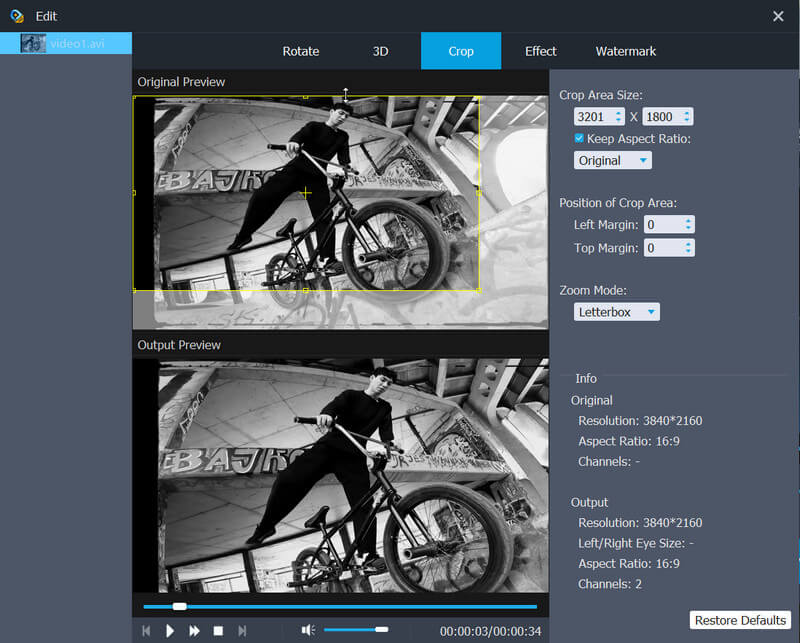
    You are able to crop video frame to get any playing area and select the zoom mode to define video aspect ratio.

  • Merge several videos into one file

    With Aiseesoft HD Converter, you can join multiple HD videos and SD videos together conveniently.

  • Watermark your video

    You can add any text/image watermark to your video and set its position and transparency.

adjust output settings

Audio track, subtitle and output settings

  • Numerous output settings

    Define video settings, such as Video Encoder, Frame Rate, Video Bitrate, and Resolution, and set audio settings, including Audio Encoder, Sample Rate, Channels, and Audio Bitrate.

  • Audio track and subtitle

    Offer you the solution to select your preferred audio track and subtitle for the output video.

easy to use and high speed

High speed and convenient operations

  • Preview video effect

    The built-in player can assist you to preview the input and edited video effect.

  • Take a snapshot

    If you like the current scene of the video while previewing, you can click the “Snapshot” button to save it as an image.

  • User-friendly graphical interface

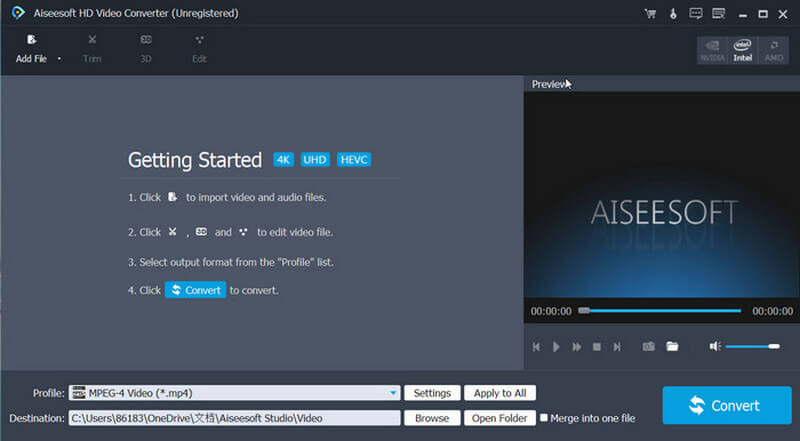
    This best HD Converter provides you with a user-friendly interface and the highest conversion speed.

  • Fastest HD video conversion

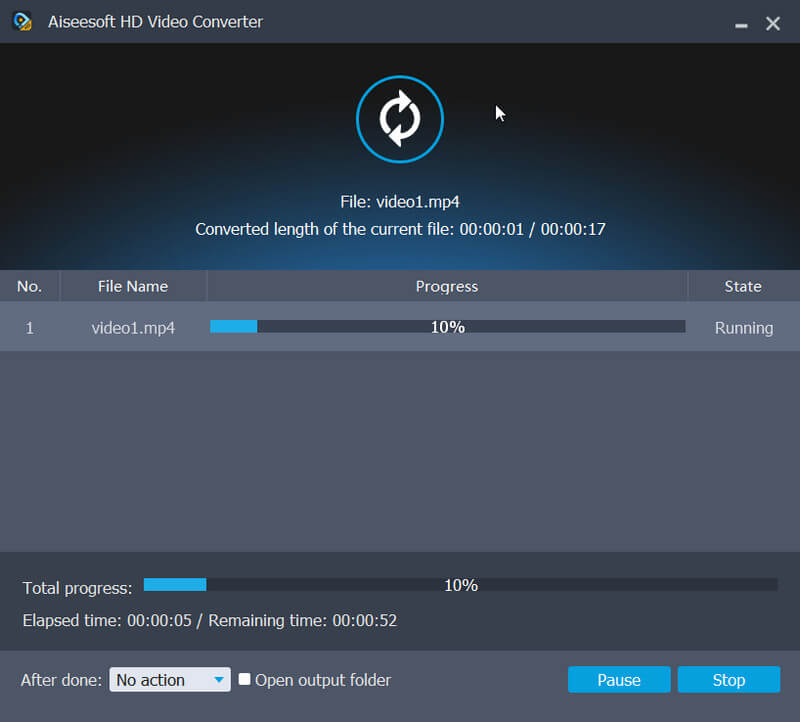
    This best HD Converter enables users to convert HD video with super high conversion speed on PC with a AMD APP enabled or CUDA-enabled GPU. Also this converter completely supports multi-core CPUs.

Specification of HD Video Converter

Aiseesoft HD Video Converter Supported Input Formats:
Video: 3GP (*.3gp;*.3g2), AVI, DV Files (*.dv;*.dif), Flash Files (*.flv;*.swf;*.f4v), MOD, MJPEG (*.mjpg;*.mjpeg), MKV, MPEG (*.mpg;*.mpeg;*.mpeg2;*.vob;*.dat), MPEG4 (*.mp4;*.m4v), MPV, QuickTime Files (*.qt;*.mov), Real Media Files (*.rm;*.rmvb), TOD, Video Transport Stream Files (*.ts;*.trp;*.tp), Windows Media Files (*.wmv;*.asf)
HD Video: MPEG2 HD Files (*.mpg;*.mpeg), MPEG4 HD Files (*.mp4), QuickTime HD Files (*.mov), WMV HD Video Files (*.wmv), HD TS, HD MTS, HD M2TS, HD TRP, HD TP
Audio: AAC, AIFF Files (*.aif;*.aiff), CUE, FLAC, M4A, MPEG Files (*.mp3;*.mp2), Monkey's Audio Files (*.ape), Ogg, Raw AC3 Files (*.ac3), Real Audio Files (*.ra;*.ram), SUN AU Files (*.au), WAV, WMA

Aiseesoft HD Video Converter Supported Output Formats:
Video: Advance Media Video (*.amv), ASF, AVI, DivX Video (*.avi), Flash H264 Video (*.flv), FLV, SWF, H.264 AVI (*.avi), H.264/MPEG-4 AVC Video (*.mp4), M4V MPEG-4 Video (*.m4v), MKV, MOV, MPEG-1 Video (*.mpg), MPEG-2 Video (*.mpg), MPEG-4 Video (*.mp4), Music Television (*.mtv), VOB MPEG2 PS Format (*.vob), WMV, XviD (*.avi), DV, DVD Video (*.vob), Super VCD Video (*.mpg), VCD Video (*.mpg), WebM
HD Video: DivX HD Video (*.avi), HD ASF Video(*.asf), HD AVI Video(*.avi), HD H.264/MPEG-4 AVC Video (*.mp4), HD MKV Video Format (*.mkv), HD MOV Video (*.mov), HD MPEG-4 TS Video (*.ts), HD MPEG-4 Video (*.mp4), HD VOB Video(*.vob), HD WMV Video (*.wmv), MPEG2-PS HD Video (*.mpg), MPEG2-TS HD Video (*.ts), H.264 HD Video(*.mp4), XviD HD Video (*.avi), HD MP4 Video (*.mp4), HD WebM
Audio: AAC, AC3, AIFF, AMR, AU, FLAC, M4A, MKA, MP2, MP3, OGG, WAV, WMA

Aiseesoft HD Video Converter Supported Devices
iPod, iPhone (iPhone 4), iPad (iPad 2), Apple TV
Archos, Creative ZEN, iRiver, Sansa, Sony Walkman, ZEN Player, Zune
Dell Player, General Pocket PC, HP iPAQ
NDS, PS3, PSP, Wii, Xbox360
BlackBerry (BlackBerry Play Book), Mobile Phone (LG, Motorola, Nokia, Palm Pre, Samsung, Sony Ericsson, Sony XPERIA, HTC, etc.)
Android devices (Motorola Droid, Samsung Galaxy S, Samsung Galaxy Tab, etc.)

System Requirements of HD Video Converter
  • OS Supported: Windows NT4/2000/2003/XP and Windows Vista, Windows 7
  • Hardware Requirements: 800MHz Intel or AMD CPU, or above; 512MB RAM or more
New Features of HD Video Converter
  • Adopt AMD APP and NVIDIA-CUDA GPU Processing acceleration technology to speed up the video converting process
  • More user-friendly graphical interface
  • Support 5.1 channel audio
  • Improve the "Merge" feature
  • Support DE, CUE and WebM file
  • Support outputting video without audio track
  • Optional Aspect Ratio Settings & Zoom Mode
  • Support adjusting output file volume
User Guides for HD Video Converter
Awards for HD Video Converter

Awards for HD Video Converter

Related Products of HD Video Converter
DVD Converter Suite Platinum

Windows Products

Package Deals >More...

iPad/iPhone Tools >More...

DVD Ripper/Cloner >More...

Video Converter >More...

HD Tools

Audio Converter >More...

Media Device Tools

PDF Tools >More...

System Utilities >More...

Free Tools

MAC Products

Popular Mac Software >More...