Is there any method to convert FLV to PSP? If you are a game fan, you must be familiar with PSP. And you should know that PSP can also be use to listen to music, watch movies, read and etc. however, if you are going to download a video from Internet and watch it on your PSP, you need to take care of the video file's compatibility with the PSP system.
Usually, the downloaded video from website are FLV format. FLV files are quite popular among the Internet due to its small size and high definition quality. But the PSP system does not support this format. In order to solve this problem, what you need to do is just to convert the FLV files to PSP supported format. And this tutorial is going to show you a comprehensive guide about how to convert FLV to PSP and then put it on PSP. Please read on and learn more details.
Aiseesoft Total Video Converter is an all-in-one video conversion tool, so it acts as FLV to PSP Converter, which is able to convert FLV to PSP then watch FLV videos on PSP enjoyably. Besides, it supports converting other video or audio formats for diverse portable devices without any loss of quality.
Key Features:
Now download FLV to PSP Converter for more full-featured editing functions.
Step 1 Install and add files
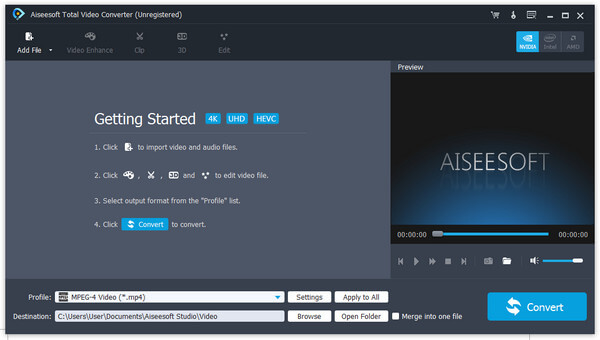
After installing Aiseesoft Total Video Converter, click "Add file" button in the upper right corner to load FLV video. You are allowed to add more than one file.
Step 2 Choose output format and Destination
To convert FLV video, choose PSP supporting format from the "Profile" list and click "Browse" to set the place where you want to put output video.
Tips: The software allows setting different output video/audio parameters according to different files.
Step 3 Edit output file
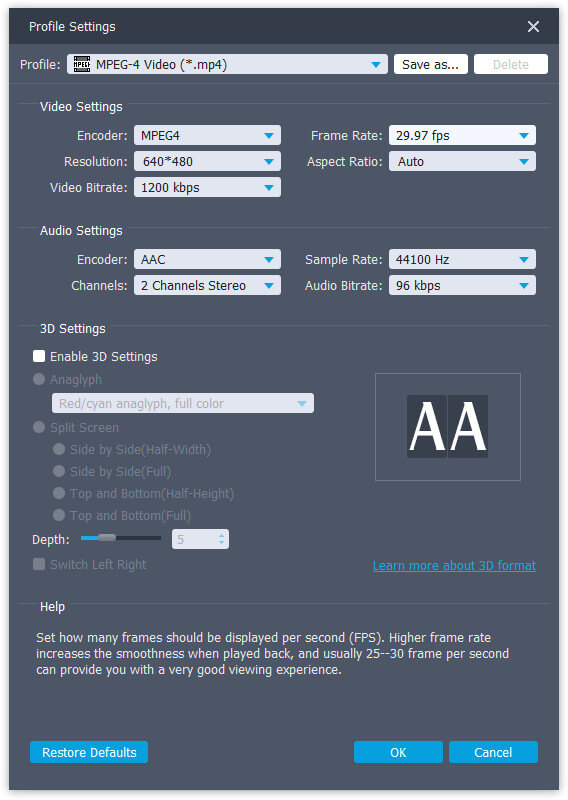
You can reset the output video/audio parameters in the "Settings" window below. Here you can adjust the frame rate, aspect ratio, resolution, and so on.
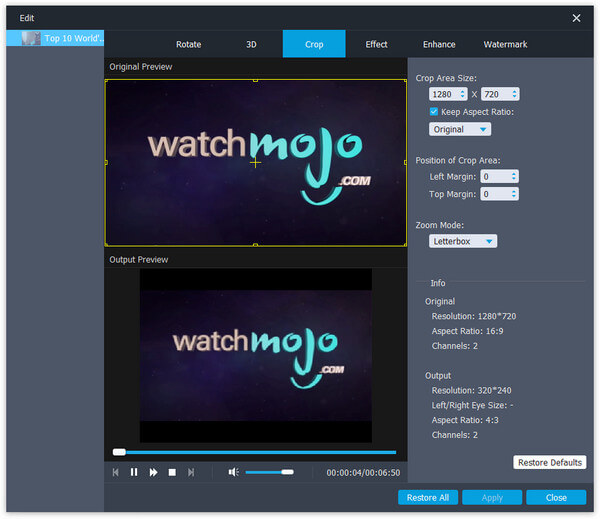
Open the "Crop" window to customize the video play region before converted from FLV to PSP.
Step 4 Start converting FLV to PSP
Click the "Convert" button at the right bottom of main interface to convert FLV to PSP format. A few seconds later, it will be finished.
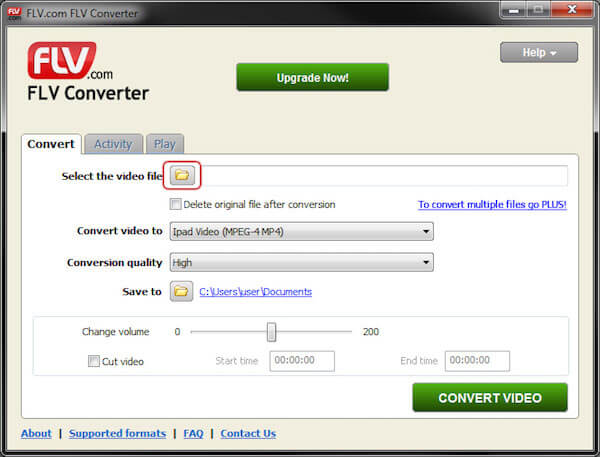
Flash Video Files (FLV) are often played on video sharing website like YouTube. But they cannot be viewed on PSP once downloaded. And the FLV Converter solves that problem, allowing you to convert directly from FLV to the PSP supported format, or any other popular formats. With flexible and powerful converting feature, this wonderful FLV converter enables you to enjoy your favorite videos again on PSP.
Step 1 Download the free FLV Converter from flv.com and follow the instructions to install.
Step 2 Click on "Add Files" button, browse and click on the FLV file you wish to convert to PSP.
Step 3 Select PSP as output format, and go to the "Output Path" tab to select the converted file destination.
Step 4 Finally, click "Convert video" to convert your FLV video to PSP. The process bar will indicate how much time you have left
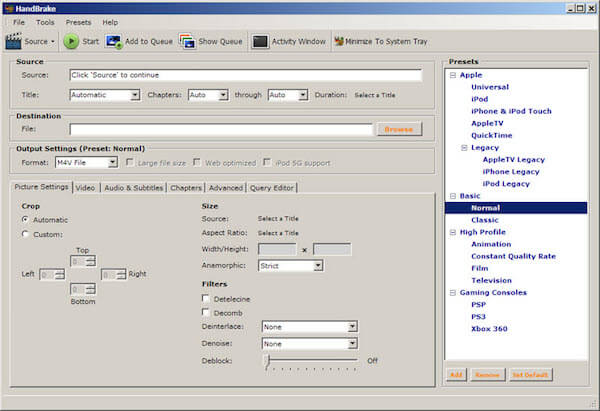
Hanbrake is also a professional video converter for PSP users to convert FLV to PSP videos with its astonishing converting speed and excellent picture quality. You can also edit the FLV video by trimming, rotating, cropping, and adding effects. With this powerful FLV converting tool, you can easily enable FLV files to be played on PSP anytime.
Step 1 Free download Handrake, and then install and launch it on your computer.
Step 2 Click the "Add File" button on the toolbar then import your FLV files that you want to convert to PSP.
Step 3 Hit on "Profile", and select "PSP" as the output format in a drop-down list.
Step 4 Click "Convert" button to start to convert FLV to PSP. The conversion will be finished in a few seconds
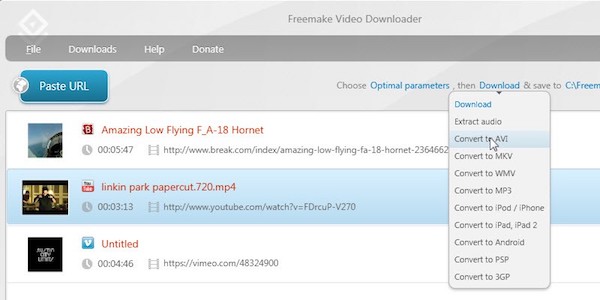
When it comes to converting FLV files to PSP for free, Freemake is a nice choice for you to take into consideration. Owe to its advanced technology and high quality output, it can convert not only all popular formats, but also a couple of rare formats. To sum up, Freemake will help you enjoy the FLV files on PSP. It deserves you to have a try.
Step 1 After downloading Freemake, import a FLV file by click on add button.
Step 2 Next select "PSP" as the output format for free FLV to PSP conversion. You can also choose other video formats and profiles.
Step 3 Hit "Run" button to enjoy the fast video conversion speed with this amazing converter.
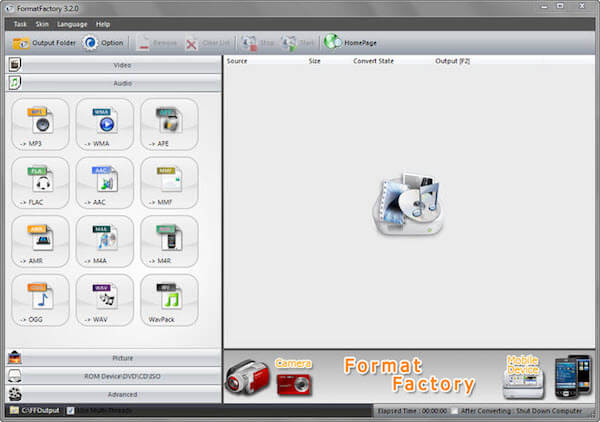
Format Factory is a multifunctional media-converting tool that can not only convert videos between all kinds of file types, but also support you to rip DVDs/ CDS to video/ audio files. After converting, you are also able to convert your FLV, AVI, MP4, MOV, VOB videos to PSP, iPhone, iPad, iPod, BlackBerry, Android and many other devices. One thing to illustrate, this freeware is only available for Windows.
Step 1 Download and install Format Factory on your computer, then launch it by double clicking its icon.
Step 2 Click "Add File" button to browse and load a FLV file that you want to convert to PSP.
Step 3 In the Profile tab, choose PSP supporting format as the output format.
Step 4 Then start converting the FL files to PSP by clicking "Convert" button.
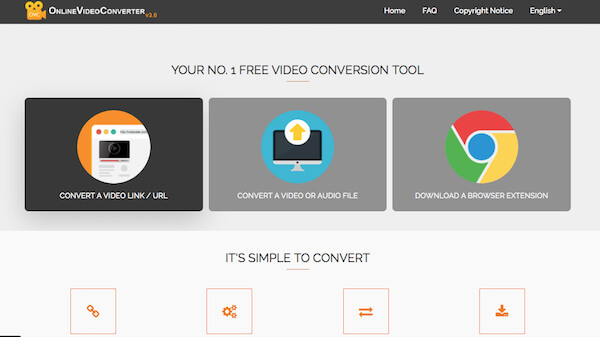
If you do not want to download a third-party program to can also choose to convert your FLV files to PSP using a proprietary cloud conversion tool. And Online Video Converter should be one of your best choices. Simply select a FLV file that you wish to convert and choose from the various audio and video format options that are available. It's easy to use, extremely fast and absolutely free of charge.
Step 1 Open the webpage of Online Video Converter in Google, and log in with your account.
Step 2 Search and upload a FLV video that you want to convert to PSP.
Step 3 Select MP4 or other PSP supporting format for this converted file in the side bar.
Step 4 Finally, click on "Convert" button. Wait for a few seconds and you can see the FLV file has been converted to PSP format!
Different from computer system, PSP system uses the Memory Stick Duo to store games, music, videos and other data. So if you have any problem about putting the converted FLV file to the PSP, keep on reading and learn how to solve it:
Step 1 Check the Memory Stick Duo of PSP
Make sure there is enough space storage in the Memory Stick Duo of your PSP to save the converted FLV files.
Tips: If it is your first time to use the PSP, you'd better format the Memory Stick Duo beforehand to create a suitable folder structure.
Step 2 Connect the Memory Stick Duo to computer
After connection, double click on the Memory Stick Duo and open it, then copy the converted FLV video to the Video Folder.
When you want to put FLV video on PSP, you can get the ultimate solutions to convert FLV to compatible format from the article now. If you have any other query related to the topic, you could share more detailed information in the comments.

May 30, 2018 15:25 / Updated by Jenny Ryan to Convert Video
 How to Convert FLV Video to MP3 Music
Want to convert FLV video to MP3 for audio file? Learn from this post to make it with FLV to MP3 Converter.
 The Best Way to Free Convert FLV to MP4
How do you convert FLV to MP4? This guide will tell you how to free convert FLV to MP4.
 How to Free Convert WAV to MP3
Want to convert WAV to MP3 easily on Windows or Mac? This article shows several free ways to convert WAV to MP3.
 Leave your comment and join our discussion
