As Apple has launched the iPhone 16 series with advanced video recording features - including 4K recording, optical image stabilization, 6x digital zoom, slo-mo, and cinematic stabilization - it’s now easier than ever to capture professional-quality videos on your iPhone. However, even with larger storage options, those high-resolution clips and downloaded movies can quickly fill up your space. To free up storage and back up your precious videos, it’s wise to transfer videos from iPhone to PC. In this guide, we’ll show you easy and effective ways to move iPhone videos to your computer safely and quickly.
| Method | Best For | Internet Required | Keep Original Quality | Speed | Storage Limits | Ease of Use | Key Concerns |
| FoneTrans | Large video transfers & full control | ❌ No | ✅ Yes | Fast | No cloud limits | Easy | Requires software installation & payments |
| Windows AutoPlay | Quick, simple imports | ❌ No | ✅ Yes | Medium | No limits | Easy | Limited file management |
| File Explorer | Direct file access & manual control | ❌ No | ✅ Yes | Fast | No limits | Medium | Folder structure can be confusing |
| iTunes | Syncing media & backups | ❌ No | ⚠️ Limited for video export | Slower | No cloud limits | Complex | Not ideal for exporting camera videos |
| iCloud Photo Library | Automatic syncing across devices | ✅ Yes | ✅ Yes | Depends on network | 5GB free limit | Easy | Requires sufficient iCloud storage |
| Google Photos | Cross-platform backup & sharing | ✅ Yes | ⚠️ May compress (if not original quality) | Depends on network | 15GB shared storage | Easy | Upload time & storage space |
If you want to quickly move multiple videos from your iPhone to PC without losing quality, FoneTrans is one of the best tools available. It supports batch transfers, handles 4K and HEVC videos, and lets you manage your iPhone library efficiently. With just a few clicks, you can copy all your recordings, movies, and clips safely to your computer.
Downloads
FoneTrans - Best iPad to Mac transfer
 100% Secure. No Ads.
100% Secure. No Ads.
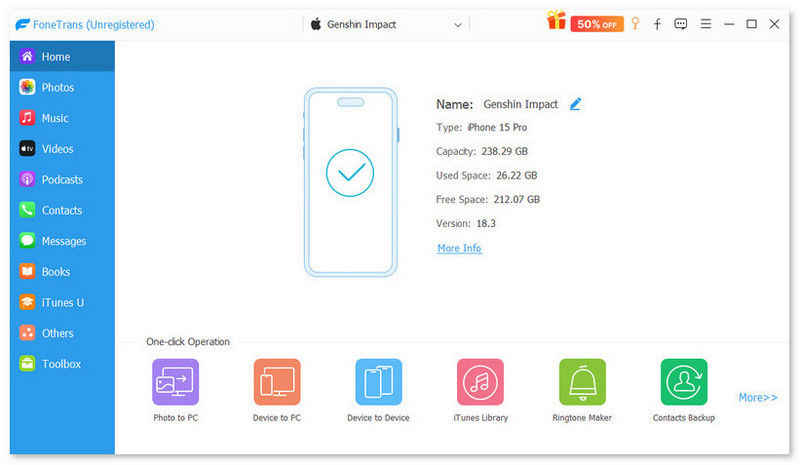
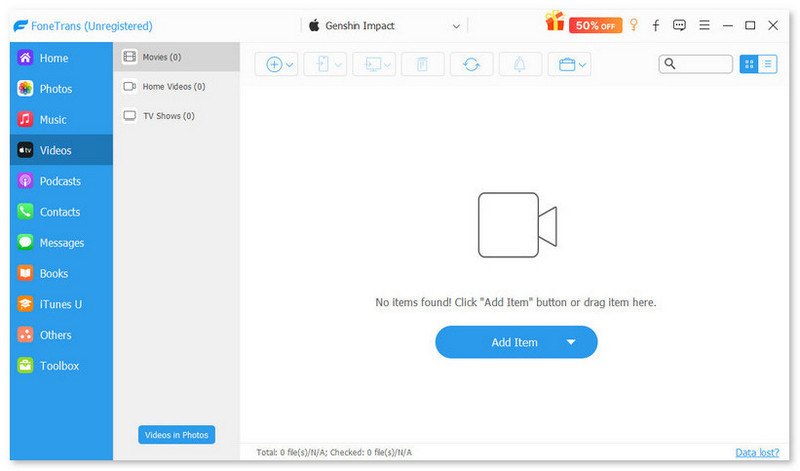
With this iPhone transfer software, you can not only transfer your recorded videos but also downloaded movies, TV shows, music videos, etc. to your computer in just one click. It would be the best way to put iPhone videos to your computer.
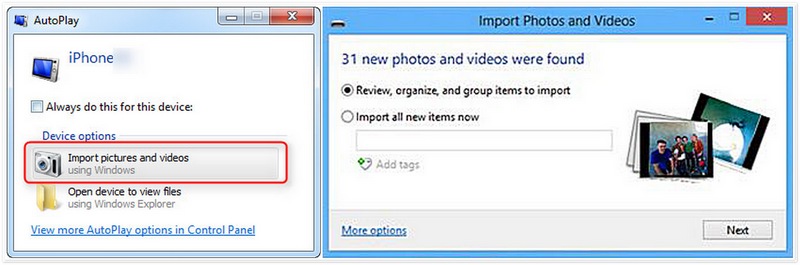
Windows AutoPlay allows you to quickly access your iPhone’s videos when you connect your device via USB. It’s a built-in and free method that doesn’t require extra software, making it convenient for occasional transfers. However, there are some downsides: AutoPlay only works when the feature is enabled, it can’t manage large batches efficiently, and it doesn’t support video previews or organization before transferring.
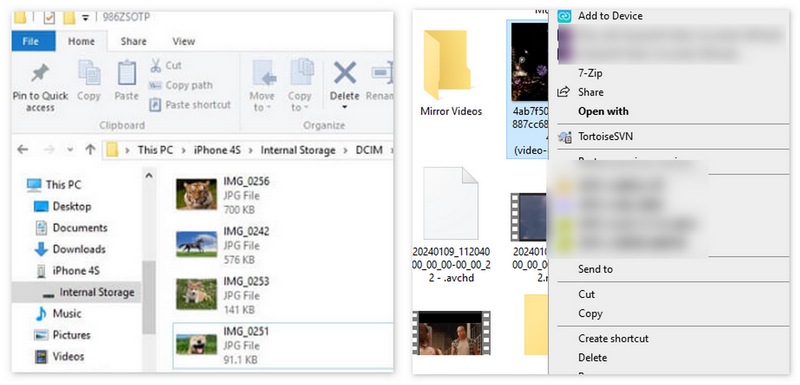
Transfer your videos from iPhone to PC with File Explorer is also an easy dragging and dropping videos way to put your iPhone videos to your computer. All you need is only an USB cable connecting iPhone and PC. This method works for all Windows PCs with a USB port and supports large files. However, it has some limitations: you cannot preview videos, manage playlists, or handle HEVC/4K videos efficiently if your PC doesn’t support the format.
Using iTunes to sync videos from your iPhone to a Windows PC or Mac is particularly useful for purchased movies, TV shows, or videos recorded in the Photos app. While reliable, iTunes has some drawbacks: the interface can be confusing for beginners, it requires either a USB connection or Wi-Fi sync setup, and it does not support selective batch transfers easily compared to third-party tools.

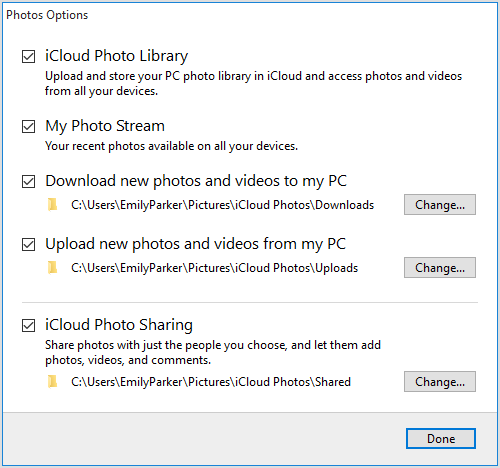
If you prefer a wireless method to move videos from iPhone to PC, you can also use iCloud for Windows, which works with the new iCloud Photo Library to download your iPhone videos to your PC. It automatically syncs your photos and videos to iCloud and is ideal for backing up high-resolution videos and slo-mo clips without connecting a USB cable. However, it relies on iCloud storage space and can be slower for large video libraries depending on your internet speed.
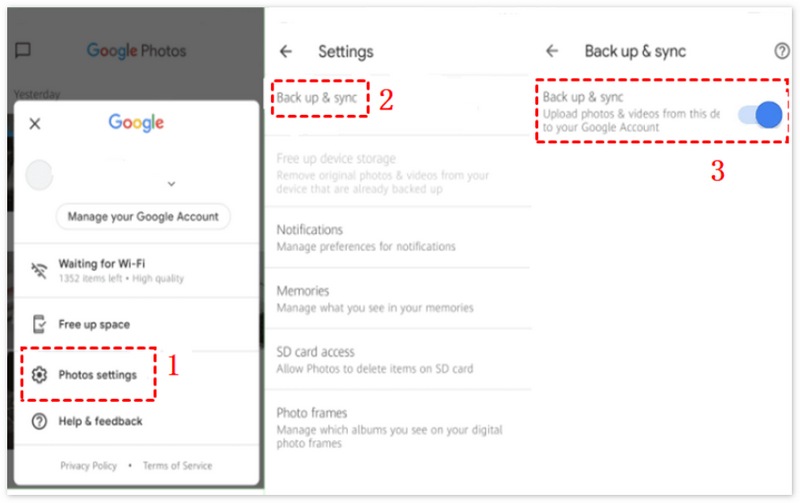
Google Photos is a wireless solution to transfer iPhone videos to your PC. By uploading your videos to Google Photos from your iPhone, you can access and download them on any PC with an internet connection. This method is especially useful for wireless backup, sharing, and managing large video libraries, but it requires a Google account and sufficient cloud storage for high-resolution videos.
How to transfer videos from iPhone to Windows 10 computer using the Photos app wirelessly?
For Windows 10 users, the Photos app is available to transfer videos from iPhone to a Windows 10 computer easily. Connect the iPhone to Windows 10 and launch the Photos app on the computer. Select the Import button on the top-right corner of the interface and follow the instructions. It will automatically select new photos and videos you have not yet imported to your PC.
Can I transfer videos from iPhone to PC wirelessly in bulk?
Yes, but wireless bulk transfer may be slower than wired. Tools like iCloud, Google Photos, or professional apps like Fonetrans support multiple files, but large 4K video libraries are faster via USB.
Can I transfer 4K or slo-mo videos without losing quality?
Yes. Tools like FoneTrans, File Explorer, iCloud, and Google Photos maintain the original video quality. Avoid methods that compress the video automatically if quality is critical.
Conclusion
In this article, we introduce 6 ways to help you transfer iPhone videos to PC. Whether you prefer a fast wired method like FoneTrans or File Explorer, or a convenient wireless option like iCloud, Google Photos, or LAN transfer tools, there’s a solution for every need. Wired transfers are ideal for bulk, high-resolution videos, while wireless methods offer flexibility and cross-device access. Hope you can find the way suitable for you to transfer videos from iPhone to your computer.
 5 Best Free Video Quality Enhancers Online (Pros & Cons)
Want the best free video enhancers to improve the quality of your videos? Here are 5 trusted tools to improve video clarity, resolution, and colors online with no cost required.
 [Solved] Videos Won't Play on iPhone (16/16 Pro included)
Videos won't play on iPhone? This article provides some useful ways to help you fix the issue that iPhone won't play videos.
 100% Working Solutions to Fix Unable to Load Video on iPhones and iPad
Encounter the error saying unable to load video on your iPhone or iPad? You are lucky since this article tells you the verified solutions to fix this problem.
 Leave your comment and join our discussion
The best iOS Transfer software to manage and transfer iOS files from iPhone/iPad/iPod to your computer or reversely without running iTunes.
100% Secure. No Ads.
100% Secure. No Ads.

*Required field
*Please enter a valid email

