Before conversion, there's something I'd like to share with you. In general, AVI refers to a file container instead of a codec type. It is a lossy compressed video format with high image quality. So AVI is a popular video format and is widely used. However, the only AVI type supported by iPad is Motion JPEG (M-JPEG) up to 35 Mbps, 1280 by 720 pixels, 30 fps (frames per second), audio in ulaw, PCM stereo audio in .avi file format. Actually, this is not a very commonly used AVI codec type. I'm just as curious as you about this design of Apple. But what's designed is designed, it's a fool's errand just to complain. What we can do is to change video to iPad, not iPad to video.
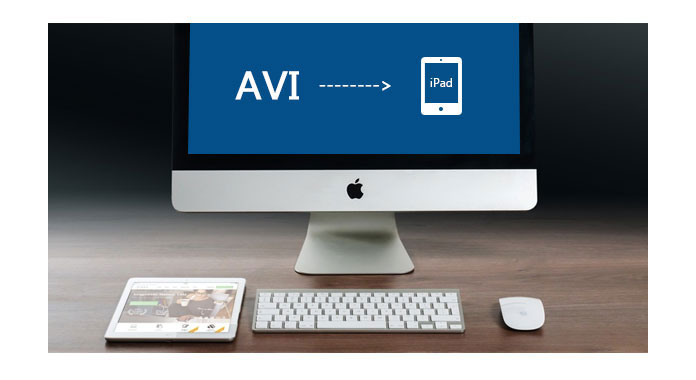
You need a professional iPad Video Converter to do this for you.
If you happen to have some AVI videos that you want to watch on iPad, what you need is third-party converting software that is able to turn AVI into iPad supported video formats like MP4, MOV and M4V. You are highly recommended with Aiseesoft iPad Video Converter for Mac, a video converter specially designed for iPad users. It allows you to convert AVI videos to MP4, MOV or M4V video with zero quality loss. Besides, various editing functions enable you to edit the video to the desired effect. The new released iPad Pro and iPad Mini are also highly supported.
Step 1 Launch the program and load AVI file
Download and install Aiseesoft iPad Video Converter for Mac step by step. Then double click to launch it. Click Add File button, in the popped window, check the object file and choose Open.
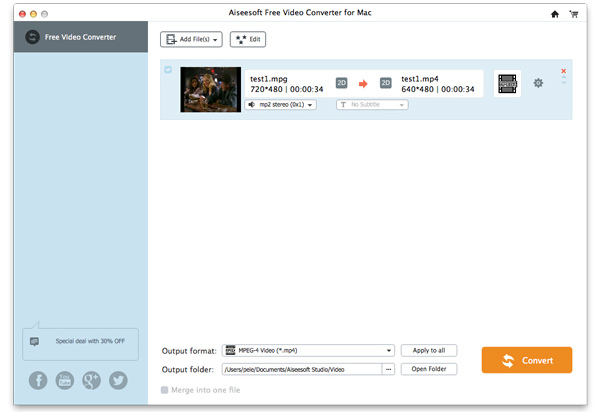
Step 2 Choose Profile
. Hit the Profile column and select the right format that suits for the type of your iPad, or directly type in your iPad format in the quick search box and the relevant formats will be listed on the right.
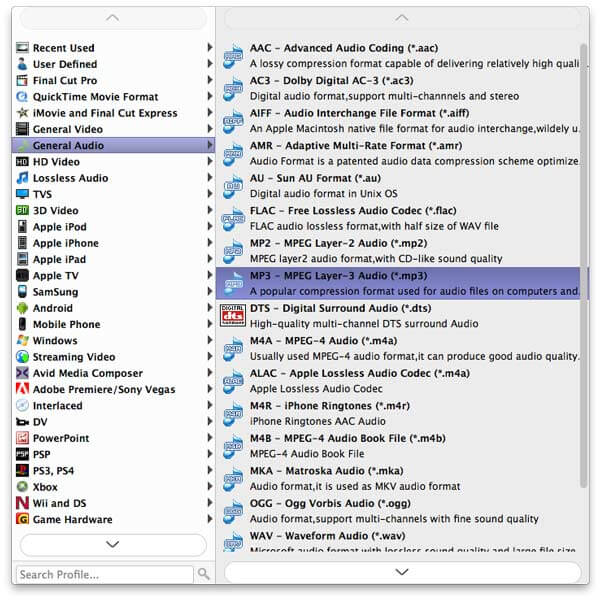
Step 3 Select destination
Click Browse and select where to save the converted video before transfer to iPad. Hit Convert button and start to convert.
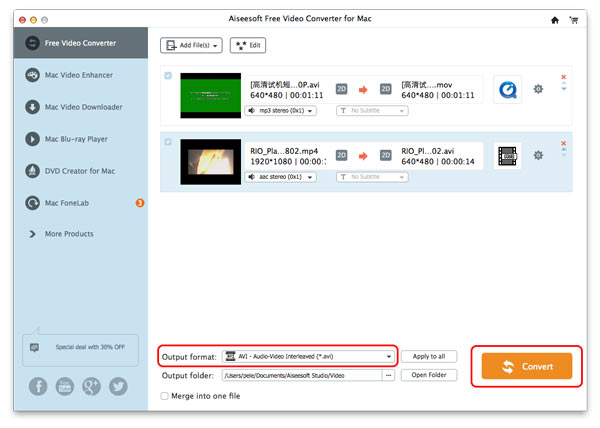
Step 4 Start to convert
Click the Convert button on the right bottom and the conversion will start immediately.
Aiseesoft Mac Video Converter Ultimate is a dedicated video converting software for AVI users to convert various videos formats (including MOD, TOD, AVI, WMV, FLV, MOV, MKV, VOB, etc.) to iPhone format on Mac, so that you can watch more interesting videos on the go.
You can also check the video tutorial as below:


December 14, 2020 11:06 / Updated by Jenny Ryan to Convert Video
 How to Transfer Music from iPod to Computer
How to transfer music from iPod to computer? This article introduces several ways to transfer iPod music to PC.
 Easy Method to Edit Video With Editor
This tip will help you on how to edit video- crop, merge, trim, watermark video and so on.
 How to Convert AVCHD Video to WMV
Convert AVCHD video to WMV – Guide about how to convert AVCHD video to WMV format with AVCHD to WMV Converter. Free download AVCHD Video Converter to convert AVCHD to WMV.
 Leave your comment and join our discussion
