 M4A Converter
The best M4A to MP3 Converter and MP3 to M4A Converter which can help you convert M4A to MP3/WAV and convert other audio format to M4A with high sound quality.
$29.00 $23.20 20% OFF
Windows 10/8/7
30-Day Money Back Guarantee
Aiseesoft M4A Converter is an excellent M4A to MP3 Converter and MP3 to M4A Converter, which can convert M4A file to MP3, AAC, AMR, OGG, WAV and all other audio formats.



Aiseesoft M4A Converter enables you to convert among all audio formats, including AAC, AC3, AIFF, AMR, FLAC, MP3, M4A, MP2, OGG, WAV, WMA, etc. As the most comprehensive audio conversion tool, this M4A Converter can extract audio file from any video and convert it to any preferred audio format. It could convert one file to several audio formats with one-click conversion through inputting the same source file repeatedly and set different formats.
With this M4A Converter, you can join the separated files into one file after conversion. Besides, it also works well to trim any audio clip. You can trim any time-length clips from source file exactly by setting the time.
You can set all the audio parameters including Encoder, Sample Rate, Channels, and Audio Bitrate for better music effect. For the well-customized profile, you can save it as "User-Defined" for your later direct use. This M4A Converter enables you to select audio track and subtitle for output files.
You can preview the effect of both the input file and the converted file with the program. During the process of previewing video, you can capture your favorite moment by clicking the snapshot button. Aiseesoft M4A Converter enables you to finish all conversions with super high speed and most convenient operations.

Preview and snapshot
It lets you preview your video effects and you can also take snapshots at any time when you preview the video.
Compatible with Windows computer
It is compatible with any computer or laptop with Windows 10/8/7/XP/Vista.
Convert safely
Compared with online converter, this tool converts your video on your own computer privately and safely.
Batch converting
This software enables you to load and convert batch videos and audio for saving your time.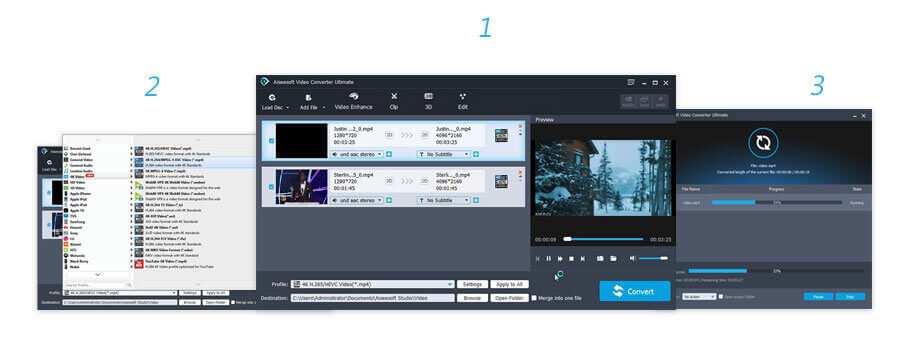
1 Month License
$29.00$23.20
Use it 1 Month
Use it on 1 PC
30-Day Money Back Guarantee
Video Converter Ultimate
Lifetime License
$62.45$49.96
Use it lifetime
Use it on 1 PC
30-Day Money Back Guarantee
Multiple-User Personal License
$187.35$79.96
Use it lifetime
Use it on 3 PCs
30-Day Money Back Guarantee
Check what famous editor and our customer talk about our product.


I use the software and manage to convert a popular video to M4A. It can be regarded as a nice popular to M4A converter. Like it.
From Bob
It has a number of excellent options. I use it to trim and merge the input M4A songs, and convert it to MP3 format. It works very well.
By Jenny
It works very amazingly fast, and the output formats are bountiful, satisfying all my basic needs. Runs well on my Windows 10.
By Monna
The M4A converted from the Aiseesoft M4A Converter is great, much better than some free online M4A converters. Recommend it.
By Roy
The best video recording tool to easily record screen, meetings, game, webinar, audio, and webcam videos.
BUY NOW
Transfer photos, messages, contacts, music, videos between iPhone and computer or between iDevices.
BUY NOW BUY NOW
Create local video into DVD/Blu-ray disc/folder/ISO file on your computer.
BUY NOW
*Required field
*Please enter a valid email

